20.7 C
New York
Monday, April 13, 2026
Home Blog Page 3

Drones for Photography and Recreation

0


Drones have transformed the way we see and capture the world. Once niche gadgets for hobbyists or professionals, they’re now mainstream tools for stunning aerial photography, cinematic video, outdoor recreation, and even mapping and exploration. In 2026, drones are more intuitive, safer, and capable than ever before — offering advanced features like obstacle avoidance, AI tracking, extended flight times, and incredible image quality. Whether you’re an aspiring content creator or simply enjoy flying for fun, this guide highlights the best drones for photography and recreation and what makes each one worth considering.

What Makes a Great Drone for Photography and Recreation?

Before diving into specific models, it’s helpful to understand what separates a good drone from a great one:

Image and Video Quality: A drone’s camera — including sensor size, resolution, and stabilization — determines how clear and dynamic your aerial footage will be.

Flight Performance: Stability in wind, flight speed, and precise controls all affect how easy and reliable the drone is to fly.

Safety Features: Obstacle sensing, GPS return‑to‑home, and geofencing help prevent crashes and make flying safer, especially for beginners.

Battery Life: Longer flight times allow for extended shoots and exploration without frequent returns to recharge.

Portability and Ease of Use: Foldable designs and simple setup features make drones easier to take on adventures and start flying quickly.

With those priorities in mind, here are some of the top drones for photography and recreation in 2026.

1. DJI Air 4 – Best All‑Around Photography Drone

The DJI Air 4 continues to lead as a top choice for most aerial photographers and recreational users. It balances high‑quality imaging, intelligent flight modes, and portability in a compact, foldable design. Equipped with a large sensor capable of capturing breathtaking 4K or higher video and detailed photography, this drone is ideal for landscapes, travel footage, and cinematic shots.

Advanced flight features like ActiveTrack, Waypoint navigation, and automatic obstacle avoidance make it easy to capture complex shots, even if you’re not an experienced pilot. With extended flight time (often 30 minutes or more per battery) and a robust transmission system, the Air 4 delivers reliable performance in most conditions.

2. DJI Mini 4 Pro – Best for Portability and Ease of Use

For travel lovers and recreational users who want a lightweight, no‑license‑required drone (in many regions), the DJI Mini 4 Pro is a standout choice. Weighing under 249 grams in most configurations, it often avoids strict drone registration requirements while still delivering impressive image quality.

Despite its small size, the Mini 4 Pro features a capable camera with excellent stabilization and intelligent shooting modes like QuickShots and MasterShots — automated flight paths that capture smooth, cinematic clips with minimal effort. Its compact form factor makes it perfect for hikers, explorers, and content creators on the go.

3. Autel Robotics EVO II Pro – Best for Professional‑Level Capture

If you want the absolute best image quality and flexibility for photography and videography, the Autel EVO II Pro deserves attention. With a larger sensor and adjustable aperture, this drone captures stunning 6K or even 8K video and detailed stills suitable for professional projects.

Its advanced flight systems include multi‑directional obstacle avoidance and robust GPS tracking. Longer battery life and superior wind resistance make it reliable for demanding conditions. While slightly larger than mini drones, its performance and image quality make it a great choice for filmmakers, photographers, and serious enthusiasts.

4. Autel Robotics EVO Nano+ – Best for Recreational Flyers on a Budget

For entry‑level hobbyists or anyone who wants an affordable drone without compromising core features, the Autel EVO Nano+ offers impressive capability. Compact and lightweight, it still includes a quality camera with good stabilization and smart modes like follow‑me, orbit, and waypoint flight planning.

Its ease of use makes it ideal for beginners, while the durable build and intuitive controller provide confidence for casual flying and everyday aerial photography. Battery life is solid for its class, and safety features keep flights smooth and predictable.

5. Skydio 2+ – Best for Autonomous Tracking and Intelligent Flight

For users who want advanced tracking and intelligent flight behavior, the Skydio 2+ is a standout drone. Its AI‑driven navigation and 360‑degree obstacle avoidance allow the drone to follow subjects with precision while avoiding hazards — great for action shots like biking, skiing, or running.

The Skydio 2+ uses AI to understand its environment, making it one of the simplest drones to fly in complex spaces. Its tracking capabilities are among the best available, meaning you can focus on the subject while the drone handles the flight path. This makes it ideal for dynamic recreation, sports capture, and outdoor adventures.

6. Parrot Anafi Ai – Best for Versatility and Connectivity

The Parrot Anafi Ai is known for its unique connectivity and versatile imaging capabilities. Supporting 4K HDR video and a flexible gimbal that tilts up and down, it allows creative angles that other drones struggle to capture. Its strong AI features assist with subject tracking and automated shooting modes.

The Anafi Ai’s secure OcuSync‑like connection ensures stable live video feeds and controls, while its foldable form factor keeps it easy to travel with. This drone is a balanced blend of creativity and performance, ideal for creators who want design flexibility without a huge price tag.

7. PowerVision PowerEgg X – Best for Water and Unique Shooting Modes

If your adventures involve water, beaches, or outdoor recreation near lakes or oceans, the PowerVision PowerEgg X offers a remarkable twist: it can handle aquatic environments with optional waterproof accessories. This drone can hover above water safely and deliver unique footage that other drones can’t capture.

Additionally, it doubles as a handheld gimbal camera when detached, making it a versatile tool for vloggers, travelers, and multimedia creators who want flexibility in how they shoot.

Tips for Choosing the Right Drone

When selecting a drone, consider these factors based on your goals:

Camera Quality: If photography and cinematic video are your primary goals, prioritize drones with larger sensors, adjustable apertures, and higher resolution.

Portability: Lightweight, foldable drones like the Mini 4 Pro are ideal for travel and daily carry.

Autonomy and Safety: For beginners or action shooting, AI‑driven obstacle avoidance and tracking make flying safer and more intuitive.

Regulatory Requirements: Be aware of regional drone regulations, including weight limits and flight restrictions, before purchasing or flying.

Battery Life and Spare Batteries: Longer flight times allow more shooting flexibility. Consider purchasing spare batteries for extended sessions.

Conclusion

Whether you want to capture stunning aerial photography, enjoy dynamic recreational flying, or explore creative video production, drones in 2026 offer options for every level and budget. Compact drones like the DJI Mini 4 Pro and Autel EVO Nano+ are perfect for travel and casual creators, while advanced models like the DJI Air 4, Autel EVO II Pro, and Skydio 2+ deliver professional‑level imaging and intelligent flight.

Innovations in obstacle avoidance, AI tracking, portability, and camera quality have made drones more accessible and capable than ever before. As you start planning your next adventure or creative project, choosing the right drone can unlock perspectives and content that were once impossible — bringing the world into sharper focus from above.


Foldable Devices Changing the Tech World

0


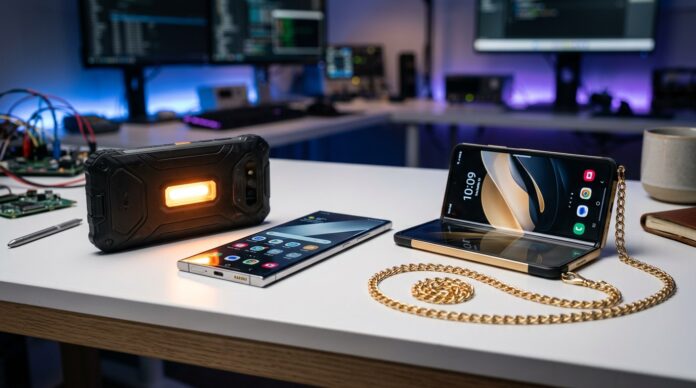
Foldable devices have moved from futuristic concepts to real, everyday tools that are reshaping the way we interact with technology. In 2026, foldables are no longer niche; they’re influencing design across smartphones, tablets, laptops, and even wearables. These devices combine portability with larger, multitasking‑friendly screens, offering flexibility that traditional tech simply can’t match. From enhanced productivity to immersive media experiences, here’s a look at how foldable devices are changing the tech world and the key innovations driving this shift.

A New Era of Portable Displays

Foldable devices are redefining what “portable” means. Instead of choosing between a compact phone and a large tablet, foldables give you both in a single device. When folded, they fit comfortably in a pocket or bag. When unfolded, they reveal larger screens that boost productivity, gaming, reading, and video streaming.

This dual‑form advantage appeals to users who want the convenience of a smartphone with the screen real estate of a tablet. The result is a shift in how people consume content, work on the go, and interact with applications — making multitasking smoother and more intuitive.

Foldable Smartphones: Bigger Screens, Smarter Experiences

Foldable smartphones are the most visible innovation in this space. These devices continue to evolve with stronger hinges, brighter and more durable flexible displays, slimmer profiles, and lighter designs. What makes them powerful isn’t just the larger screen — it’s how software takes advantage of that space.

Multi‑Window Productivity: Foldable phones allow split‑screen multitasking, so you can run two or more apps simultaneously without switching back and forth. This is especially useful for messaging, browsing, and referencing documents while working.

Enhanced Gaming and Media: Larger screens make games and videos more immersive, rivaling the experience of compact tablets. Many foldables support high refresh rates and adaptive display technologies for smoother visuals.

Flex Mode and Task Optimization: Some foldable phones feature hinge‑aware software modes that adjust UI layout based on how the device is folded — like using the bottom half as controls while displaying content above.

Foldable devices have also bolstered creativity, enabling intuitive sketching, note‑taking, and side‑by‑side reference work that previously required separate tablet devices.

Foldable Tablets and Hybrids – Bridging Laptops and Tablets

Foldables aren’t limited to phones. Foldable tablets and hybrid devices are growing in popularity, especially among students and creatives. These gadgets can switch between a compact folded form and a more spacious unfolded tablet — and some even go further by adding detachable keyboards or stylus support.

This versatility makes them ideal for:

Sketching and Design: Large flexible screens create a near‑notebook feel, perfect for drawing or drafting ideas with precision.

Note‑Taking and Research: Students can view textbooks side‑by‑side with notes, enhancing study efficiency.

On‑the‑Go Productivity: Professionals can switch between tablet and mini‑laptop modes, enabling real workstations without carrying multiple devices.

These hybrid foldables are blurring the lines between tablets and laptops, offering performance and functionality without sacrificing portability.

Innovations in Foldable Hardware

Foldable tech depends on advanced engineering in several key areas:

Durable Flexible Displays: Modern foldable screens use multi‑layer materials that withstand repeated folding without creasing or wear. Innovations like ultra‑thin glass and flexible polymers have dramatically improved durability.

Precision Hinges: The mechanisms that make foldables possible have become more reliable, with precise engineering that prevents wobble, reduces stress on displays, and withstands thousands of folds.

Adaptive User Interfaces: Operating systems and apps now recognize foldable screen states, optimizing app placement and layout automatically when a device is opened or closed. This seamless transition between modes enhances usability and reduces friction.

These hardware and software advancements show how far foldables have come since their early iterations.

Wearables and Other Foldable Formats

Foldable technology isn’t limited to phones and tablets — it’s expanding into wearables and unconventional formats:

Foldable Wearables: Some wearable devices now use foldable screens to offer larger displays for watch‑like or bracelet form factors that expand for notifications, navigation, and media control.

Foldable E‑Readers: Flexible displays make reading more natural and book‑like, with lightweight form factors that mimic the feel of real pages.

Rollable Displays and Concept Devices: Beyond traditional folding, rollable screens extend or retract to provide adjustable display sizes, showcasing how foldables can adapt to multiple user needs in a single form factor.

These innovations push the boundaries of design and open new possibilities for human‑device interaction.

Impact on Mobile Computing and Workflows

Foldable devices are changing not only how we consume content but how we produce it. Here’s how they impact common workflows:

Multitasking Made Easier: Instead of juggling windows on small screens, users can view multiple apps side by side, improving efficiency for research, writing, creative work, and collaboration.

Enhanced Collaboration: Video calls, documents, and shared screens all feel more natural on larger foldable displays, making remote teamwork more productive.

Creative Expression: Artists, designers, and content creators benefit from the larger digital canvas that foldables provide without needing separate high‑end tablets.

Mobile Office Potential: Foldable devices are capable enough to replace light laptops for many users, reducing the need to carry multiple devices for meetings, presentations, and work tasks.

By reshaping workflows, foldables are helping bridge the gap between mobile convenience and desktop productivity.

Challenges and Considerations

While foldables have come a long way, there are still considerations for prospective users:

Price: Foldable technology tends to cost more than traditional devices due to advanced materials and engineering. However, prices have been steadily decreasing as adoption increases.

Durability Perception: Early foldables struggled with concerns about long‑term durability, but newer generations have significantly improved reliability. Still, users should handle foldables with care and consider protective cases designed for flexible screens.

App Optimization: While major apps support foldable layouts, not every application makes full use of larger screens. Developers are increasingly optimizing for foldables, but there is still room for growth.

Despite these factors, the benefits often outweigh the drawbacks for users who value flexibility, productivity, and immersive screens.

Looking Ahead: Foldables in the Future

The future of foldable devices looks bright and diverse. Emerging trends include:

Improved Materials: Even more durable, ultra‑thin flexible displays that resist scratches and wear will expand consumer confidence.

New Form Factors: Hybrid designs, multi‑fold devices, and screens that expand rather than fold could redefine what mobile devices look like.

Integrated AI: Foldables that pair large displays with AI features — such as adaptive multitasking, predictive workflows, and intelligent UI adjustments — will make devices even more intuitive.

Expanded Ecosystems: Software ecosystems will continue to evolve, with apps specifically optimized to take advantage of foldable screens, bringing richer experiences to users.

Conclusion

Foldable devices are among the most exciting innovations shaping the tech world in 2026. By combining portability with larger, adaptable screens, they bridge the gap between phones, tablets, and even laptops — creating versatile tools for work, play, creativity, and everyday life. Whether you’re multitasking with split‑screen apps, enjoying immersive media, or sketching ideas on a digital canvas, foldables offer flexibility that traditional devices can’t match.

As technology continues to evolve, foldables are likely to become even more integrated into mainstream computing — making flexible screens a defining feature of the next generation of devices. For anyone interested in cutting‑edge tech that enhances real‑world workflows, foldable devices are worth your attention.


AI-Powered Gadgets You Need to Know About

0


Artificial intelligence (AI) has moved beyond science fiction into real, everyday technology that makes life smarter, easier, and more personalized. In 2026, AI‑powered gadgets aren’t just cool — they transform how we work, play, learn, and interact with our homes and devices. From smart assistants that predict your needs to health devices that track your body in real time, AI is woven into the fabric of modern gadgets. This article explores the AI‑powered gadgets you need to know about, why they matter, and how they improve your daily life.

AI Smart Speakers and Displays – More Than Voice Control

AI smart speakers and displays are no longer limited to setting alarms or playing music. Today’s models use advanced machine learning to understand context, anticipate needs, and help manage daily activities. These devices can identify individual voices, personalize responses, learn your preferences over time, and even schedule tasks based on your behavior patterns.

Smart displays add visual feedback to voice assistants, making it easier to view reminders, control smart home devices, watch recipes, or join video calls hands‑free. With built‑in cameras and AI processing, they can also recognize faces and adjust routines automatically — for example, dimming lights and lowering volume when you’re winding down for bed.

AI‑Enhanced Smartphones – Smarter Cameras and Smarter Experiences

Smartphones have become one of the most common AI‑powered gadgets. Beyond processing power and sleek designs, AI now drives core features:

AI Camera Enhancements: Modern smartphone cameras rely on AI to recognize scenes, optimize lighting, enhance portrait depth, and apply real‑time effects. Night photography, motion tracking, and automatic subject isolation are all powered by smart algorithms that improve images without manual tweaking.

Adaptive Performance: AI helps phones manage battery, CPU, and memory intelligently based on usage patterns. Tasks you do most often get prioritized, while rarely used apps are throttled to conserve power.

Natural Language Processing: Built‑in assistants understand conversational speech, translate languages in real time, and generate summaries — making interactions feel more natural and human.

AI on phones continues to refine experiences without user effort, turning raw hardware into adaptive, intuitive tools.

AI Wearables – Personalized Health Insights

AI has been a driving force behind the next generation of wearables. Smartwatches and fitness bands now do far more than count steps or heart rate. They apply AI to analyze data, detect trends, and even alert users to health irregularities before they become serious concerns.

Advanced wearables measure metrics like heart rate variability (HRV), blood oxygen saturation (SpO₂), skin temperature, sleep quality, and stress levels. AI algorithms interpret these signals to provide personalized guidance, recovery insights, and wellness suggestions. Some gadgets can predict fatigue levels, stress responses, and optimal workout timing based on your body’s rhythms.

Beyond fitness tracking, mid‑2020s wearables often include fall detection, irregular heartbeat alerts, and guided breathing exercises — all backed by machine‑learned models that adapt to your unique patterns.

AI Smart Home Devices – Automation That Learns You

AI isn’t just in robots or phones — it’s in your home. Smart thermostats, lighting systems, cameras, and appliances now use AI to automate routines in ways traditional automation could not.

Smart Thermostats: These devices learn your schedule, comfort preferences, and seasonal patterns. They optimize climate control for energy savings while keeping your home comfortable, even adapting in real time to weather changes.

AI Lighting: Lighting systems now adjust brightness and color temperature based on time of day, activity, or mood. Some learn from your habits and suggest lighting scenes that fit your routines.

Security Cameras: AI‑driven cameras can differentiate people from pets, vehicles, and shadows to reduce false alarms. Advanced models track unusual activity patterns and sync with lighting or alarms to deter intruders.

Smart Appliances: Refrigerators with AI inventory tracking can remind you to use expiring food or suggest recipes. Ovens and cookers use AI to auto‑adjust cooking profiles for complex dishes, ensuring consistent results every time.

Smart homes in 2026 blur the line between reactive gadgets and proactive assistants that adapt to your life.

AI Robots – Helpful, Social, and Practical

AI robots have shifted from curiosities to useful companions and helpers. Today’s robots are far more capable, with AI enabling them to navigate environments, recognize objects, and interact meaningfully with humans.

Home robots can perform tasks like cleaning, fetching objects, monitoring rooms, and even engaging in simple conversations. Advanced models use machine learning to improve performance over time. For example, a robot vacuum doesn’t just map your home — it learns obstacles, predicts traffic routes, and schedules cleaning when rooms are empty.

Some robots offer social interaction, companion support, and even therapeutic engagement. These AI companions can remind you about appointments, play music, read news, and adapt their behavior to match your preferences and tone.

AI Computers and Laptops – Smarter Work and Creativity

AI isn’t limited to mobile devices — it’s built into many modern computers and laptops. From hardware‑accelerated neural engines to AI‑assisted workflows, these machines boost productivity in significant ways:

AI Writing and Creativity Tools: Built‑in models help with writing, editing, design, and idea generation. Whether you’re drafting reports, creating presentations, or editing videos, AI assistance speeds up workflows and elevates results.

Performance Optimization: AI manages system performance in real time, maximizing efficiency for demanding apps while conserving battery and lowering heat.

Security and Privacy Protection: Modern AI enhances threat detection, scans for suspicious behavior, and protects against emerging malware without constant user intervention.

Computers and laptops in 2026 are less about raw specs and more about how smart hardware and software work together to make your tasks easier and faster.

AI Headphones and Earbuds – Sound That Adapts to You

AI has transformed audio gear, making headphones and earbuds more intelligent than ever. Features include:

Adaptive Noise Cancellation: AI analyzes ambient sound and adjusts noise cancellation dynamically, so traffic, chatter, or sudden loud noises are filtered more effectively.

Personalized Audio Profiles: These gadgets can analyze your hearing sensitivity and tailor equalization to match your ears.

Context‑Aware Modes: AI can detect when you’re speaking or when you need environmental awareness and automatically switch modes to suit the situation.

Whether you’re commuting, working, or relaxing, AI‑enhanced audio gear delivers richer, more personalized sound.

AI Cameras and Imaging Devices – Capture Like a Pro

AI has revolutionized photography and videography. Smart cameras and lenses now include:

Scene Recognition: AI detects subjects, lighting conditions, and movement to auto‑adjust settings for perfect shots.

Real‑Time Editing: Some devices apply corrections on the fly — reducing noise, sharpening details, and even editing backgrounds without post‑processing.

AI Zoom and Focus: Intelligent tracking keeps moving subjects sharp, while AI‑driven zoom algorithms maintain clarity at higher magnifications.

Whether you’re a casual snapshooter or a creative professional, the latest AI cameras ensure stunning results with minimal effort.

AI Health Devices – Smarter Monitoring and Early Detection

AI in healthcare gadgets has become a vital part of personal wellness. Wearables and dedicated devices now use machine learning to detect anomalies that humans often miss. Some smart scales, blood pressure monitors, and sleep trackers use AI to analyze trends, provide predictions, and suggest lifestyle changes based on data over time.

Certain devices can alert you and your healthcare provider if unusual patterns emerge — such as irregular heart rhythms, sudden changes in sleep quality, or abnormalities in vital signs. This kind of proactive monitoring can lead to earlier intervention and better health outcomes.

AI Apps and Smart Assistants – Personalized Everyday Support

It’s not just hardware — software AI plays a huge role too. AI‑driven applications help with planning, organizing, learning, and creativity. Smart writing assistants refine tone and structure, smart calendars optimize schedules based on priorities, and AI tutors adapt lessons to your strengths and weaknesses.

Voice assistants have become more conversational and context‑aware, linking different parts of your digital life so you can complete complex tasks with simple spoken commands.

How to Choose AI Gadgets That Fit Your Life

When exploring AI‑powered gadgets, consider these factors:

Use Cases: Identify what problems you want to solve — productivity, entertainment, health, or smart home control.
Ecosystem Compatibility: Choose gadgets that integrate with the platforms you already use (Android, iOS, PC, smart home systems).
Privacy and Security: AI devices collect data to learn and adapt — review privacy policies and opt for products with strong encryption and user control over data.
Upgrade Path: Look for devices with frequent updates, as AI features improve significantly through software.

Conclusion

AI‑powered gadgets in 2026 are transforming the way we interact with technology. They don’t just respond to commands — they learn your habits, anticipate your needs, and adapt intelligently to your lifestyle. From AI smart speakers and wearable health trackers to advanced imaging devices, robots, and smart home systems, these gadgets make everyday tasks easier, more efficient, and far more personalized.

As AI continues to evolve, the gadgets we use will become even more intuitive, capable, and integrated into our lives. Choosing the right AI‑powered devices not only enhances convenience and performance today but sets you up for smarter, more adaptive technology in the future.


Gaming Mice and Keyboards Worth Investing In

0


Whether you’re a competitive esports player, a casual gamer, or someone who spends long hours at the desk, investing in the right gaming mouse and keyboard can make a huge difference in performance, comfort, and enjoyment. In 2026, gaming peripherals have evolved significantly, bringing advanced sensors, ultra‑responsive switches, extensive customization, and ergonomic comfort to the forefront. From high‑precision mice that track every movement with pinpoint accuracy to mechanical keyboards that feel perfect under your fingers, the right gear can boost your gameplay and give you a competitive edge. Below are the top gaming mice and keyboards worth investing in, what makes them stand out, and how to choose the gear that fits your style.

What Makes a Gaming Mouse Worth Investing In

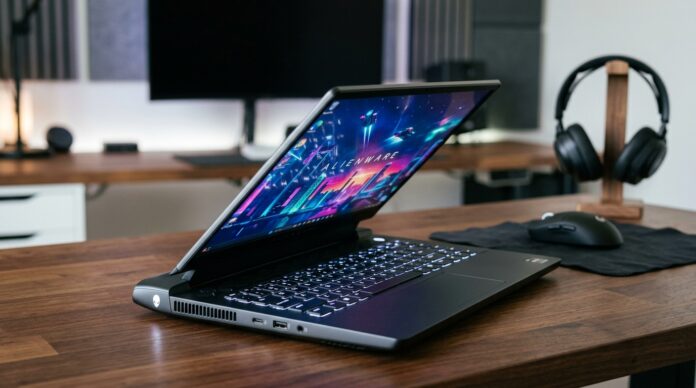
A gaming mouse should do more than just move your cursor — it should enhance precision, responsiveness, and comfort during long sessions. Key features to look for include:

High‑Precision Sensor: A true gaming sensor with adjustable DPI (dots per inch) ensures accurate tracking for fast flicks and steady aim.
Low Latency: Especially important for wireless mice, low input lag helps keep controls responsive.
Ergonomics: A comfortable grip reduces fatigue and helps maintain performance over time.
Programmable Buttons: Extra buttons help assign macros, shortcuts, or in‑game actions.
Customization Software: Ability to adjust profiles, lighting, and performance settings.

Here are the best gaming mice worth your investment in 2026:

Logitech G Pro X Superlight 2 – Best for Competitive Play
The Logitech G Pro X Superlight 2 is widely regarded as one of the top mice for competitive gamers. With an ultra‑lightweight design and high‑accuracy HERO 2 sensor, it delivers snappy tracking and effortless flicks. Its wireless performance is extremely consistent with minimal latency, making it ideal for fast‑paced FPS games and esports play. The shape is ambidextrous and comfortable for most grip styles, and Logitech’s software allows deep customization of DPI, button mapping, and surface tuning.

Razer DeathAdder V3 Pro – Best for Comfort and Precision
The Razer DeathAdder series has been a staple in gaming for years, and the V3 Pro continues that legacy with refined ergonomics and top‑tier performance. Its optical sensor delivers excellent accuracy, while the ergonomic right‑handed shape provides all‑day comfort. With Razer Optical switches and low‑latency wireless connectivity, this mouse is a great blend of comfort, speed, and reliability. It also integrates seamlessly with Razer Synapse software for macros and lighting customization.

SteelSeries Aerox 9 Wireless – Best for MMO and Hybrid Use
If you play MMOs, MOBAs, or games that benefit from numerous programmable buttons, the SteelSeries Aerox 9 Wireless is hard to beat. With nine side buttons, you get a near‑keyboard level of macro ability directly on your mouse. Its lightweight, ergonomic design and high‑end TrueMove Pro sensor make it versatile for both competitive and casual play. Long battery life and reliable wireless performance round out a strong offering.

Glorious Model O 2 – Best Value Lightweight Mouse
The Glorious Model O 2 delivers competitive performance at a more accessible price point. It’s super lightweight, smooth, and responsive — qualities most gamers look for in a serious gaming mouse. While it doesn’t have as many extras as some premium models, its core performance, comfort, and excellent sensor make it a great investment for budget‑conscious gamers.

Corsair Dark Core RGB Pro – Best for Customization and Comfort
The Corsair Dark Core RGB Pro shines with comfort and customization. Its contoured shape is ideal for palm and claw grips, and Corsair’s iCUE software lets you fine‑tune DPI, lighting, macros, and performance. The wireless connection is reliable and supports Qi wireless charging for added convenience. This mouse is a solid choice for hybrid gaming and productivity rigs alike.

What Makes a Gaming Keyboard Worth Investing In

A gaming keyboard isn’t just about flashy RGB lighting — the right one feels great, responds accurately, and supports your play style. Important factors include:

Switch Type: Mechanical switches vary from tactile to linear and should match your preference.
Key Rollover and Anti‑Ghosting: Essential for accurate multi‑key input in fast games.
Build Quality: Durable materials and solid stabilizers extend lifespan.
Programmable Macros and Profiles: Useful for complex commands or game‑specific setups.
Customization: RGB lighting, media keys, and software control add value.

Here are the top gaming keyboards worth investing in 2026:

SteelSeries Apex Pro TKL – Best for Adjustable Switches
The SteelSeries Apex Pro TKL features adjustable mechanical switches, allowing you to change actuation points and tailor responsiveness to your play style. This level of customization is ideal for gamers who want precise control over key behavior. Its compact tenkeyless layout saves desk space without sacrificing performance, and the strong build quality means it will last through years of use.

Corsair K100 RGB – Best Premium Full‑Size Keyboard
The Corsair K100 RGB stands out as a premium choice with top‑tier performance and extensive features. Its Corsair OPX optical switches deliver fast, consistent actuation, while dedicated macro keys and a hardware control wheel add versatility for gaming and productivity. The RGB lighting is vibrant and customizable through iCUE software, which also lets you sync lighting across other peripherals.

Razer Huntsman V2 Analog – Best for Precision and Analog Input
The Razer Huntsman V2 Analog brings analog key input to a gaming keyboard, allowing for pressure‑sensitive controls similar to analog triggers on a controller. This opens doors for more nuanced movement and control in games like racing or flight sims. With Razer’s optical switches and comfortable layout, it’s a strong choice for players who want cutting‑edge tech and precise control.

Logitech G915 TKL – Best Wireless Gaming Keyboard
For gamers who want minimal cables without compromising performance, the Logitech G915 TKL delivers. This wireless mechanical keyboard offers low‑latency performance and a sleek, slim profile. Its GL switches provide a satisfying feel, and the keyboard supports easy profile switching and RGB customization through Logitech G Hub software. The tenkeyless design maximizes space without reducing functionality.

HyperX Alloy Origins Core – Best Value Compact Keyboard
The HyperX Alloy Origins Core offers excellent performance at a friendly price point. With HyperX mechanical switches, solid build quality, and a compact form factor, it’s ideal for players who want a dependable keyboard without breaking the bank. RGB lighting is customizable, and the sturdy design means this keyboard is ready for long gaming sessions.

Ergonomics and Comfort: A Must for Long Sessions

Gaming gear isn’t just about performance — comfort matters, especially during extended play. Consider:

Wrist Rests: Many premium keyboards include detachable wrist rests that reduce strain.
Mouse Grips and Sizes: Choose a mouse that matches your hand size and grip style (palm, claw, fingertip).
Key Shape and Feel: Mechanical keyboards vary widely in feel — tactile (“bumpy”), linear (“smooth”), or clicky (“audible click”). Try different switch types if possible to find what feels best.

Choosing Based on Game Genre

Your game library can help guide your accessory choices:

FPS and Shooters: Prioritize high‑DPI mice with low latency and mechanical keyboards with fast actuation (e.g., Logitech G Pro X Superlight 2 and Corsair K100 RGB).
MMO and RPG: Look for mice with extra programmable buttons and keyboards with macro support (e.g., SteelSeries Aerox 9 and Apex Pro).
RTS and MOBAs: Precision and customizable macros are helpful here — compact keyboards and programmable mice excel.
Hybrid and Casual Play: Wireless gear adds convenience without performance compromise.

Maintaining Your Gear

To keep your peripherals performing like new:

Clean Keys and Switches: Dust and debris affect feel — use compressed air and keycap pullers for periodic cleaning.
Update Software: Peripheral software often adds features and performance tweaks.
Check Firmware: Keeping firmware current ensures optimal responsiveness, especially for wireless devices.
Cable Management: Even gaming setups benefit from neat wiring to reduce desk clutter and accidental snags.

Conclusion

Investing in quality gaming mice and keyboards in 2026 pays dividends in precision, responsiveness, and comfort. Top picks like the Logitech G Pro X Superlight 2 and Razer DeathAdder V3 Pro provide responsive control for competitive play, while versatile mice like the SteelSeries Aerox 9 excel in macro‑heavy games. On the keyboard side, premium options like the Corsair K100 RGB and SteelSeries Apex Pro TKL offer customization and performance that suit both gaming and productivity.

Whether you want speed, comfort, customization, or futuristic input technologies like analog keys, today’s gaming peripherals deliver a range of options that fit every play style and budget. Choosing the right accessories not only enhances your performance but also makes every gaming session more enjoyable and intuitive.


VR Headsets That Offer Immersive Experiences

0


Virtual reality (VR) has evolved rapidly, and by 2026 the best VR headsets deliver experiences that are more immersive, intuitive, and visually stunning than ever before. Whether you’re gaming in fantastical worlds, exploring virtual travel destinations, enjoying cinematic media, or engaging with creative apps, the right VR headset can transport you into entirely new environments. The latest models combine sharp displays, accurate tracking, wireless freedom, and powerful performance to bring VR to life in ways that feel genuinely immersive. Below are some of the top VR headsets in 2026 and what makes them worth considering.

Meta Quest 3 – Best All‑Around Standalone VR Headset

The Meta Quest 3 remains one of the most versatile and immersive VR headsets available in 2026. It features high‑resolution displays (2064 x 2208 per eye) and pancake lenses that minimize distortion and widen your field of view, providing clearer visuals and smoother motion. The headset runs completely standalone, so you don’t need a PC or console to enjoy VR — though it also supports wireless PC VR via Air Link for more demanding titles. (Product Review Crew)

Its mixed reality capabilities use color passthrough cameras to blend digital content with your real environment, opening up experiences beyond traditional VR gaming. Integrated hand tracking and intuitive controllers make interaction feel natural and engaging, and access to a growing library of titles — from rhythm games to exploration experiences — ensures there’s always something fun to dive into. (Smart Tech Life)

Meta Quest 3S – Best Value VR for Immersive Play

For those who want strong performance at a more accessible price point, the Meta Quest 3S offers a compelling balance of immersion and affordability. Powered by the same processor as its premium counterpart, it delivers smooth visuals and immersive gameplay with wireless freedom. (VRRare)

While the 3S uses slightly different optics than the full Quest 3, it still provides a rich VR experience with color passthrough for mixed reality and a large library of games and apps. Its comfort and standalone design make it a great choice for newcomers to VR or anyone who wants immersive experiences without spending top‑tier money. (Comfort a Life)

Sony PlayStation VR2 – Best Console VR Experience

If you own a PlayStation 5, the Sony PlayStation VR2 is one of the most immersive console‑based VR systems you can get. It delivers high‑resolution displays, precise eye tracking, and advanced haptic feedback through its Sense controllers, enhancing realism and immersion in supported games. (The Best Picker)

With titles designed specifically for PS5‑compatible VR, the VR2 offers deeper interaction and performance that feels tightly integrated with Sony’s gaming ecosystem. Its wired connection ensures consistent performance and low latency, making it especially compelling for narrative adventures and action titles that benefit from precise visuals and responsive controls. (The Best Picker)

Valve Index VR Kit – Best PC VR for Enthusiasts

For PC gamers seeking high‑end immersion and precision, the Valve Index VR Kit remains a standout choice. Its 144 Hz refresh rate and excellent tracking deliver smoother motion and reduced blur, helping games feel more lifelike and comfortable during long sessions. (Product Review Crew)

The Index controllers include individual finger tracking, allowing for intuitive hand interactions that feel more natural than standard button‑based input. While it requires external base stations and a powerful PC to run, the Index still represents one of the most immersive VR experiences available for serious gamers who want cutting‑edge performance. (Product Review Crew)

Apple Vision Pro – High‑End Mixed Reality Powerhouse

At the premium end of the spectrum, the Apple Vision Pro blends virtual reality and augmented reality with some of the sharpest displays and most advanced sensors on the market. Designed not just for gaming but also productivity, watching media, and mixed reality applications, its high‑resolution panels deliver incredibly detailed visuals. (تك 3 التقني)

Its eye and hand tracking bring new levels of natural interaction to VR/AR content, making experiences feel more intuitive and engaging. While its price is significantly higher than most gaming‑focused headsets, Vision Pro offers an immersive AR/VR platform that extends beyond traditional gaming into everyday digital life. (تك 3 التقني)

Samsung Galaxy XR – Premium Mixed Reality Experience

The Samsung Galaxy XR is another high‑end headset that supports both VR and mixed reality (MR) experiences. Developed in collaboration with Google and powered by advanced hardware, it offers micro‑OLED displays with millions of pixels and detailed visuals for gaming, media, and productivity. (Android Central)

Its mixed reality passthrough lets digital content interact with your physical surroundings, while controllers and tracking systems deliver precise interaction across apps and games. With support for a wide range of content — including Google Play titles, VR gaming, and social or creative tools — the Galaxy XR stands out as a flexible device that combines entertainment and practical applications in one package. (Android Central)

Other Notable Immersive Options

Beyond mainstream headsets, there is a growing range of high‑end devices aimed at enthusiasts who demand maximum visual fidelity. Models like the Pimax Crystal Super offer extremely high resolutions and wide fields of view that push immersion to the limits, though they often require powerful PCs and advanced setups to get the most out of them. (PC Gamer)

Tips for a Better VR Experience

To get the most out of any VR headset, consider the following:

Comfort and Fit: Extended VR sessions are more enjoyable when the headset is well balanced and comfortable. Adjustable straps, lighter designs, and facial inserts help reduce fatigue.
Space and Safety: Make sure you have a safe play area free of obstacles, especially for room‑scale experiences.
Content Library: Some headsets have larger game libraries than others—Quest has many standalone titles, while PC VR supports a wider variety of experiences.
Performance: For wired or PC‑connected headsets, a powerful computer helps achieve sharper visuals and smoother performance.

Conclusion

VR headsets in 2026 offer immersive experiences that cater to a wide range of needs and budgets. Standalone models like Meta Quest 3 and Meta Quest 3S deliver wireless freedom and rich content without the need for a PC or console, while console‑optimized solutions like PlayStation VR2 bring gaming worlds to life with precision and responsiveness. High‑end options like the Valve Index VR Kit or mixed reality devices such as Apple Vision Pro and Samsung Galaxy XR push the boundaries of immersion and interaction.

Whether you’re just starting your VR journey or seeking a top‑tier experience, there’s a headset designed to transport you into new realms of entertainment, creativity, and virtual exploration — making VR one of the most exciting frontiers in tech today.


Top Gaming Accessories for PC and Console

0


A great game deserves great gear. Whether you’re a competitive esports player, a casual console enthusiast, or a dedicated PC gamer, the right accessories can elevate your experience—improving performance, comfort, immersion, and convenience. In 2026, gaming ecosystems have never been richer, with accessories that cater to every style and budget. This guide covers the top gaming accessories for PC and console that are worth considering, what they do, and how they can support your gaming setup.

1. High‑Precision Gaming Mice – Accuracy and Control

For PC gamers, a high‑precision gaming mouse is one of the most impactful accessories you can buy. These mice offer adjustable DPI (sensitivity), programmable buttons, and ergonomic designs that reduce fatigue during long sessions.

Competitive players benefit from low latency sensors that track movement with pinpoint accuracy, while MMO and RPG fans appreciate extra buttons for macros and complex in‑game actions. Many premium gaming mice also include RGB lighting, weight adjustment systems, and durable switches rated for tens of millions of clicks.

Wireless models are now just as responsive as wired options, making them ideal for any desk setup without the clutter of cables. Whether you prioritize speed, comfort, or customization, a quality gaming mouse can improve aim, reaction time, and overall responsiveness.

2. Mechanical Gaming Keyboards – Tactile and Responsive Input

Mechanical keyboards remain a staple for PC gamers thanks to their tactile feedback, durability, and customization. Unlike standard membrane keyboards, mechanical switches provide a satisfying press and quicker actuation, which can be a significant advantage in fast‑paced games.

Gamers can choose from various switch types—linear for smooth keypresses, tactile for feedback without noise, and clicky for audible confirmation. Many gaming keyboards include custom macros, dedicated media keys, and per‑key RGB lighting that can be customized for different games or moods.

For added versatility, some models offer hot‑swappable switches, making it easy to change switch types without soldering. Compact designs like tenkeyless or 65% keyboards free up desk space, while full‑size models provide a numpad and extra function keys.

3. Premium Headsets – Hear and Be Heard

Sound is crucial in gaming. A premium gaming headset delivers clear directional audio, rich soundscapes, and a quality microphone so you can hear footsteps, gunfire, and team chat with precision. Comfort matters too—memory foam ear cushions, lightweight designs, and breathable materials make long sessions more comfortable.

Wireless headsets with low‑latency connections give console and PC players freedom of movement without sacrificing audio quality. Advanced models include surround sound or 3D audio technology, boosting immersion by placing sounds accurately in space—perfect for shooters, adventure games, and VR experiences. Noise‑canceling microphones improve voice clarity, which is essential for team communication.

4. Gaming Controllers – Console‑Style Advantage on Any Platform

Even PC gamers benefit from great controllers. Many titles—especially racing games, platformers, and action‑adventures—feel more intuitive with a controller than a keyboard and mouse. Top controllers offer responsive triggers, textured grips, and programmable buttons that let you customize profiles for different games.

Wireless controllers with long battery life bring convenience, while wired options deliver zero latency. Some gaming mice and keyboards also include controller‑style grips or thumbsticks for hybrid play styles. Whether you’re on PC or console, a high‑quality controller enhances comfort and responsiveness in games that benefit from analog control.

5. Gaming Monitors – Smooth, Fast Displays

A great display is essential to see games at their best. Gaming monitors in 2026 deliver high refresh rates (144Hz, 240Hz, or higher), low response times, and adaptive sync technology that eliminates screen tearing and stuttering.

For PC gamers, higher refresh rates make motion smoother and input feel more responsive, which is especially valuable in FPS, fighting, and racing games. Larger ultrawide screens provide immersive field‑of‑view and multitasking space for day‑to‑day work.

4K monitors with HDR support bring rich colors and sharp visuals, while OLED and mini‑LED panels offer deep contrast levels that improve game atmospheres. Curved and flat options both have their place—curved monitors wrap visuals around your view, while flat screens stay classic and versatile.

6. Gaming Chairs – Comfort Meets Endurance

Long hours at the desk demand comfort and good posture. Gaming chairs with lumbar support, adjustable armrests, recline functions, and breathable materials help prevent fatigue and back strain. Some premium chairs even offer integrated massage, memory foam padding, or upholstery that resists wear over years of use.

A good chair is more than comfort—it encourages better posture, reduces fatigue during long campaigns, and makes your gaming area feel complete. With ergonomic designs tailored to different body types, investing in a quality gaming chair pays off in comfort and health.

7. Mouse Pads and Desk Mats – Smoother Precision

A quality mouse pad or desk mat may seem simple, but it plays a big role in tracking accuracy and comfort. Cloth pads offer smooth and controlled movement for precision, while hard pads deliver faster gliding for quicker flicks. Large desk mats unify your mouse and keyboard surface, protect your desk, and add style to your setup.

8. Game Capture Cards – Create and Share Content

For content creators and streamers, a dedicated game capture card is essential. These devices capture high‑resolution gameplay with minimal performance impact, allowing you to stream or record in 1080p, 4K, or higher.

Capture cards work with consoles and PCs alike, enabling high‑quality content for platforms like Twitch and YouTube. With low latency passthrough and built‑in software tools, they make it easy to record gameplay, add overlays, and produce polished videos.

9. Console Charging Stations – Organized Power

Console controllers need frequent charging, especially for multiplayer sessions or long raids. Dedicated charging stations keep controllers organized and powered, often charging multiple controllers at once. LED indicators show charge levels, and many designs match popular consoles for a cohesive look.

10. External Storage – Expand Your Library

Modern games are large, and consoles and PCs alike quickly fill up storage. External SSDs or high‑capacity drives give you extra space for games, updates, and media without slowing down load times. Fast USB‑C or Thunderbolt connections ensure quick transfer speeds, so you spend less time waiting and more time playing.

11. Virtual Reality (VR) Accessories – Immersive Worlds

VR continues to gain traction in 2026 with more advanced headsets and accessories that enhance comfort and immersion. VR controllers with precise tracking, ergonomic grips, and customizable straps make motion feel natural. Cable management systems reduce clutter, and VR mats help define your play space.

Optional accessories like haptic vests, foot trackers, and wireless adapters take immersion further by simulating physical sensations and freeing you from tethered play. If VR is part of your gaming future, these accessories enrich the experience significantly.

12. Audio and Speaker Systems – Room‑Filling Sound

While headsets are essential for personal use, dedicated speaker systems bring games to life with room‑filling sound. Soundbars, 2.1/5.1 surround setups, and wireless multi‑room audio systems provide cinematic audio for adventure games, movies, and co‑op voice chat. Dolby Atmos and spatial sound technologies deepen immersion and place audio realistically around you.

13. Gaming Routers and Network Gear – Smooth Online Play

For online gaming, a strong network is vital. Gaming routers prioritize gaming traffic, reduce lag, and provide stable connections across multiple devices. Quality of Service (QoS) features ensure that downloads or streaming don’t interrupt gameplay, while mesh Wi‑Fi systems extend coverage throughout your home.

14. Cable Management Solutions – Organized Setups

A clean setup isn’t just aesthetic—organized cables improve airflow, reduce tripping hazards, and make cleaning easier. Cable trays, clips, ties, and sleeves help keep wires tidy behind desks and consoles, giving your gaming space a professional look and reducing clutter.

15. Lighting and Ambience Accessories – Set the Mood

Lighting enhances immersion and reduces eye strain during long sessions. RGB LED light strips, bias lighting behind monitors and TVs, and smart bulbs create dynamic effects that sync with gameplay and music. Ambient lighting can reduce contrast strain and make long hours more comfortable while making your setup visually striking.

Conclusion

Gaming accessories in 2026 continue to evolve in ways that boost performance, comfort, and immersion for both PC and console players. High‑precision mice, mechanical keyboards, and premium headsets refine your core gameplay experience. Displays, chairs, and network gear enhance endurance and connectivity, while content creation tools, VR add‑ons, and audio systems take your experience further.

Choosing the right accessories depends on your play style, space, and goals—whether you’re optimizing for competitive play, comfort during long sessions, or creating content to share with others. Investing in quality peripherals and gear not only improves your game today but also future‑proofs your setup as games and technology continue to evolve.


Best Gaming Consoles and Handheld Devices

0


Gaming in 2026 offers more variety and power than ever before. Whether you want 4K home console experiences, hybrid play, or portable gaming on the go, today’s devices deliver stunning visuals, rich game libraries, and immersive gameplay. From heavyweight home consoles to cutting‑edge handhelds that blur the line between PC and portable, this guide highlights the top gaming consoles and handheld devices worth your attention in 2026 and explains what makes each one special.

PlayStation 5 Slim and PlayStation 5 Pro – Ultimate Home Gaming Power

At the top of the home console market, Sony’s PlayStation 5 Slim continues to impress with powerful hardware, stunning visuals, and exclusive titles that are a must‑play for serious gamers. Capable of 4K resolution at high frame rates and enhanced ray tracing performance, this console handles today’s biggest games with style. Its DualSense controller delivers adaptive haptic feedback and adaptive triggers that add tactile realism to every action and exploration. Sony’s strong lineup of exclusive games remains a major draw for PlayStation owners, with new titles pushing narrative and graphical boundaries. (TechRadar)

The PlayStation 5 Pro is the more premium tier in Sony’s lineup, with boosted hardware performance that delivers richer visuals, faster loading times, and enhanced frame rates for supported titles. This console is ideal for gamers who want the absolute most from AAA games and future‑proof performance that keeps pace with evolving game design and next‑generation technology. (SlashGear)

Xbox Series X and Series S – Powerful and Versatile Gaming

Microsoft’s Xbox Series X remains one of the most powerful home consoles available in 2026. It offers stunning graphics, fast loading thanks to its custom SSD, and seamless backward compatibility with multiple generations of Xbox games. Xbox Game Pass continues to be a standout feature, giving players access to a vast library of games across genres for a fixed monthly fee. Its performance in 4K gaming and support for features like Dolby Vision and Dolby Atmos make it a strong choice for multimedia and gaming enthusiasts alike. (TechRadar)

The Xbox Series S offers a more affordable gateway into the Xbox ecosystem without sacrificing the essentials: next‑generation gaming features, quick loading, and Game Pass access. While it targets 1440p gaming rather than native 4K, it delivers excellent value for players who want performance on a budget. (Virgin Media)

Nintendo Switch 2 – Best Hybrid Console for Families and Casual Gamers

Nintendo’s Nintendo Switch 2 continues the hybrid gaming trend, offering both handheld play and TV‑docked gaming in one versatile package. With a larger and brighter display, improved processing power, and a diverse library of exclusive franchises — including new entries in Mario, Zelda, and Pokémon — the Switch 2 appeals to gamers of all ages. Its magnetic Joy‑Con controllers are comfortable and responsive, and cloud saving plus multiplayer support make it great for social play. (Polygon)

The Switch 2 is particularly compelling for families, casual gamers, and anyone who values flexibility, thanks to its ability to switch seamlessly between on‑the‑go gaming and living room action. (Galaxus)

Valve Steam Deck OLED – Best Portable Gaming PC Experience

The Valve Steam Deck OLED remains a standout handheld gaming PC in 2026. Running SteamOS with tight integration to the Steam library, it delivers excellent performance, a vibrant OLED display, and intuitive controls tailored for PC gaming on the go. Its user‑friendly software makes it easy to access your Steam game library, and community support adds to its versatility. Whether you’re playing indie favorites or AAA titles, the Steam Deck offers one of the best “pick up and play” portable experiences. (PC Gamer)

SteamOS’s ongoing updates continue to improve performance and compatibility across more titles, making the Steam Deck OLED a reliable choice for both PC gaming veterans and newcomers who want portability without compromise. (The Verge)

ROG Xbox Ally X – High‑Performance Handheld Gaming PC

For gamers who want desktop‑level power in a handheld form factor, the ROG Xbox Ally X delivers a top‑tier Windows gaming experience on the go. Co‑developed by ASUS and Microsoft, this device features an AMD Ryzen AI Z2 Extreme processor and up to 24GB of LPDDR5X memory, making it capable of running demanding PC titles with smooth performance. Its 7‑inch Full HD screen supports a 120Hz refresh rate, and the design mimics console ergonomics for comfortable extended play. This handheld also integrates seamlessly with Xbox Game Pass, giving access to a vast game library right out of the box. (Wikipedia)

Lenovo Legion Go 2 and Legion Go S – Premium Portable Gaming PCs

The Lenovo Legion Go 2 is one of the most powerful handheld gaming PCs available, boasting a large 8.8‑inch OLED display, detachable controllers, and high‑end internal hardware that lets it run AAA games smoothly in handheld mode. It’s a premium choice for gamers who want a big, bright screen and desktop‑like performance in a portable device. (Kfanhub)

For those who want slightly more affordable yet still very capable performance, the Lenovo Legion Go S delivers excellent value. With a comfortable grip and strong hardware under the hood — including an AMD Ryzen Z2 Go processor — it runs PC games well via SteamOS and offers a comfortable handheld experience without as steep a price tag as some of the highest‑end options. (The Verge)

AYANEO Devices – Premium Windows Handhelds for PC Gaming

For serious portable PC gaming fans, AYANEO continues to push boundaries with devices like the AYANEO 2 and the ultra‑powerful AYANEO Next 2. The AYANEO 2 is an established Windows handheld that balances performance and portability, using an AMD Ryzen 7 6800U chip and providing a great gaming experience. (Wikipedia)

At the extreme end of performance, the AYANEO Next 2 targets desktop‑class power with an AMD Ryzen AI Max+ 395 chip, a massive battery, and a large OLED screen — ideal for gamers who want the best possible performance in a handheld device, though its premium price reflects that capability. (Tom’s Hardware)

Other Notable Handhelds and Devices

In addition to major players above, other handhelds like the Razer Edge provide excellent Android gaming performance with a sleek AMOLED screen and solid hardware, making them great for cloud gaming or Android titles. (Wikipedia)

Classic and retro‑focused handhelds continue to thrive too, with devices like the Ayn Odin offering excellent emulation and Android gaming at affordable prices, appealing to nostalgic gamers and those who want versatile, budget‑friendly options. (Wikipedia)

How to Choose the Right System

When deciding which gaming console or handheld is right for you, consider the following:

Home Console Power vs Portability: If you want the richest visual experience and exclusive AAA games, home consoles like the PlayStation 5 Slim or Xbox Series X excel. For gaming on the go, handhelds like Steam Deck OLED or ROG Xbox Ally X offer unmatched flexibility.

Game Library and Ecosystem: Exclusive game titles and ecosystem services (like Game Pass or PlayStation Network) can make a big difference in your long‑term enjoyment.

Performance and Portability Tradeoffs: Premium handhelds offer near‑console power but at higher prices and typically shorter battery life, while more affordable devices prioritize portability and convenience.

Conclusion

In 2026, gaming consoles and handhelds cater to every type of player. From powerful home systems like the PlayStation 5 Slim and Xbox Series X to versatile hybrid experiences with the Nintendo Switch 2, and from portable PC options like the Steam Deck OLED and ASUS ROG Xbox Ally X to premium handheld PCs like the Lenovo Legion Go 2 and AYANEO Next 2, there’s something for every gamer and budget.

Whether you want rich graphics at home, exclusive games, or the freedom to play anywhere, choosing the right device ensures you get the most out of your gaming experiences.


Innovative Kitchen Gadgets You’ll Love

0


The kitchen is the heart of the home, and in 2026 it’s smarter, more efficient, and more fun than ever before. Whether you’re a busy professional, a cooking enthusiast, or someone who loves quick meals without the fuss, the right kitchen gadgets can make a world of difference. From tools that save time to smart devices that improve flavor, today’s innovations bring convenience and creativity to everyday cooking. This guide explores innovative kitchen gadgets you’ll love and how they can transform your culinary experience.

Smart Multi‑Cookers – One Device, Countless Possibilities

Gone are the days when you needed separate appliances for every cooking method. Smart multi‑cookers bring pressure cooking, slow cooking, steaming, sautéing, and even baking into one intuitive device. Advanced models offer programmable cooking profiles and guided recipes, so even novice cooks can achieve perfect results.

What makes these multi‑cookers truly innovative in 2026 is their connectivity and automation. Many connect to companion smartphone apps, allowing you to select recipes, adjust cooking times, and monitor progress remotely. Some models use built‑in sensors to automatically adjust temperature and pressure for optimal cooking results, so meals come out perfectly even if you’re busy with other tasks.

High‑Speed Blenders – Power for Every Task

High‑speed blenders have come a long way from simple smoothie makers. Today’s powerful blenders handle frozen fruits, leafy greens, nuts, and even grains with ease. Their robust motors and precision blades let you create silky soups, nut butters, sauces, and silky nut milks in minutes.

Some models now include smart programs that automatically adjust blending speed and time based on what you’re making. Others connect to apps with guided instructions and step‑by‑step blending tips. Whether you’re preparing post‑workout smoothies or trying your hand at homemade almond butter, these blenders deliver consistent results and save time.

Precision Sous Vide Machines – Restaurant‑Level Results at Home

Sous vide cooking has long been prized by professional chefs for its precision and consistency. Thanks to modern innovations, it’s now accessible and easy for home kitchens. These gadgets use precise temperature control to cook food evenly from edge to edge, preserving moisture and maximizing flavor.

Smart sous vide machines in 2026 feature touchscreen controls, Wi‑Fi connectivity, and app integration that lets you start, stop, and monitor cook cycles from your phone. Whether you’re preparing steak, fish, vegetables, or delicate desserts, this technique ensures perfect texture and doneness every time. For home cooks who want restaurant‑level results with minimal effort, sous vide is a game‑changer.

Intelligent Air Fryers – Crispy Without the Guilt

Air fryers revolutionized the way we cook “fried” foods by using hot air circulation to achieve crispy textures with far less oil. Today’s smart air fryers go even further, offering presets for specific foods, advanced temperature controls, and app‑based cooking suggestions. Some models also include multiple cooking baskets to prepare different foods simultaneously without flavor transfer.

Thanks to rapid heating technology and efficient airflow design, modern air fryers cook food faster than traditional ovens while keeping energy consumption low. From golden french fries to juicy chicken and roasted vegetables, these versatile appliances make everyday meals healthier without sacrificing taste.

Smart Ovens with Connected Controls

Smart ovens in 2026 integrate advanced sensors, guided cooking modes, and connectivity that let you control your oven from anywhere. These ovens can recognize food types and recommend optimal baking times, adjust temperatures based on real‑time sensor data, and send alerts when dishes are ready.

Some models support voice control and integration with smart home systems, making it easy to preheat on your way home or check remaining cook time from your smartphone. Combination ovens that include convection, steam, and air fryer capabilities add flexibility and reduce the need for multiple appliances. If you bake bread, roast meats, or prepare large meals regularly, a smart oven brings convenience and precision to every dish.

Smart Scales and Nutrition Trackers – Know What You Eat

Precision is not just for cooking—it’s for nutrition too. Smart kitchen scales help you measure ingredients accurately and track nutritional information effortlessly. These scales can connect to apps that break down calories, macros, and micronutrients based on the foods you’re weighing.

For users interested in healthy eating, meal prep, or weight management, these tools provide real‑time insights that help you make informed choices. Some models also include barcode scanning and extensive food databases, making it easy to log meals and analyze your nutritional intake without guesswork.

Automatic Tea and Coffee Brewers – Perfect Cups Every Time

For many people, great coffee or tea is essential to start the day. Automatic brewers take the guesswork out of brewing, ensuring consistent strength and flavor. Modern models allow you to program brew strength, water temperature, and steep times to match your taste preferences.

Smart coffee makers and tea brewers also integrate with apps, letting you schedule brewing so your drink is ready when you wake up. Some devices even track usage patterns and suggest brew settings based on your history. Whether you prefer rich espresso, delicate green tea, or cold brew, these gadgets ensure every cup is perfect.

Smart Refrigerators – More Than Just Cooling

Refrigerators in 2026 do much more than keep food cold. Smart models include internal cameras that let you see what’s inside from your phone, inventory tracking that alerts you when items are running low, and expiration reminders to reduce waste. Some even suggest recipes based on what’s in your fridge and can connect to shopping apps for automated grocery lists.

Temperature zones tailored for different foods—produce, dairy, meat, and beverages—ensure optimal freshness and flavor retention. Some refrigerators also feature integrated tablets or voice assistants, turning them into convenient command centers for recipes, calendars, messages, and entertainment.

Smart Herb Gardens – Fresh Flavors Year‑Round

Fresh herbs elevate nearly every dish, but keeping them alive can be a challenge. Smart indoor herb gardens solve that problem by providing ideal growing conditions year‑round. These compact systems use LED lighting, automated watering, and nutrient monitoring to help herbs thrive without guesswork.

Whether you want basil, mint, rosemary, or cilantro on demand, these gardens fit easily on a countertop and bring fresh flavor to your kitchen. Some models even connect to apps that remind you when to add water or harvest, making indoor gardening manageable and rewarding.

Smart Dishwashers – Efficiency and Convenience Combined

Dishwashing is one of the least enjoyable chores in many households, and today’s smart dishwashers make it easier than ever. Advanced sensors detect soil levels and adjust water usage and cycle times for optimal cleaning and efficiency.

Remote controls and app notifications let you start, pause, or monitor cycles from anywhere. Some models provide maintenance alerts, suggest detergent levels, and integrate with smart home systems for voice control. The result is cleaner dishes, lower water usage, and less time spent managing chores.

Countertop Composters – Eco‑Friendly Waste Management

Reducing food waste is not only good for the environment—it also reduces kitchen mess and bad odors. Countertop composters in 2026 turn food scraps into compost quickly and conveniently. These compact units use heat and agitation to break down organic waste, producing compost you can use for houseplants or outdoor gardens.

With sealed filters and odor‑control systems, modern composters are suitable for kitchens of all sizes. For eco‑minded cooks, these gadgets simplify waste management while supporting sustainable living.

Smart Wine Preservers and Dispensers – Perfect Pour Every Time

For wine lovers, smart wine preservers and dispensers are an indulgent upgrade. These systems protect opened bottles from oxidation, preserving flavor and aroma for days or weeks. Some models also cool wine to perfect serving temperatures and dispense measured pours at the touch of a button.

Whether you’re entertaining guests or enjoying a quiet evening, these gadgets ensure your wine tastes just right without waste or fuss.

Innovative Cutting Tools and Prep Gadgets – Speed Meets Precision

Not all kitchen innovations are powered by electricity. Innovative manual tools like ergonomic knives, precision mandolines, adjustable peelers, and herb choppers make food preparation faster and safer. Some come with built‑in measurement guides or interchangeable blades that handle multiple tasks with a single tool.

These simple yet effective gadgets save time and reduce kitchen fatigue, making everyday prep work more enjoyable.

Choosing the Right Gadgets for Your Kitchen

When selecting kitchen gadgets, think about how you cook and what tasks take the most time or effort. Prioritize devices that address those needs and streamline your workflow. A smart multi‑cooker might save you hours each week, while a smart herb garden adds fresh flavor without daily maintenance.

Also consider compatibility and connectivity. Gadgets that work together—through apps, voice assistants, or automation routines—create a unified and intuitive kitchen experience. Finally, balance innovation with practicality. The best gadgets are not just impressive—they genuinely make your life easier.

Conclusion

The kitchen of 2026 is full of innovation, designed to save time, improve flavor, enhance convenience, and inspire creativity. From smart multi‑cookers and precision sous vide machines to herb gardens, smart refrigerators, and automatic brewers, today’s gadgets help you cook better, eat smarter, and enjoy the process.

Whether you’re preparing everyday meals, entertaining guests, or experimenting with new recipes, these innovative kitchen tools bring efficiency, intelligence, and fun to your culinary journey. With the right selection, your kitchen becomes more than a place to cook— it becomes a space where innovation and everyday life come together.


Smart Security Cameras That Keep You Safe

0


In 2026, smart security cameras are a cornerstone of modern home protection. These devices do much more than record video—they use artificial intelligence (AI) to distinguish people, pets, and vehicles, send intelligent alerts, offer two‑way communication, and integrate with smart home systems so you’re always in control of what’s happening around your home. Whether you’re looking to monitor your front door, backyard, or indoor spaces, investing in the right smart security cameras adds peace of mind and powerful protection. Here’s a look at how these devices work and the top options worth considering.

What Makes a Smart Security Camera Worth It

Before exploring specific camera options, it’s helpful to understand the key features that define an effective smart security system:

High Resolution and Clarity: Today’s smart cameras typically offer 2K video as the new standard, with some models even providing 4K resolution. Higher resolution means sharper video, which can make identifying faces, packages, or suspicious activity much easier. (Onoff)

AI‑Powered Detection: Modern cameras use built‑in AI to differentiate between people, animals, vehicles, and general motion. This reduces false alerts and ensures you’re notified only when it matters. (Onoff)

Night Vision: Infrared or color night vision ensures clear footage after dark. Some cameras even switch between color vision and infrared automatically for better low‑light detail. (Onoff)

Storage Options: Smart cameras offer various storage options, including local microSD cards, home hub storage, or cloud subscriptions. Each has pros and cons when it comes to privacy, access, and cost. (Onoff)

Two‑Way Audio: Built‑in microphones and speakers allow communication through your camera, helping you speak to visitors, deter intruders, or check in with family and pets remotely. (Reddit)

Smart Home Integration: Compatibility with home ecosystems like Alexa, Google Home, Apple HomeKit, or Matter means you can automate routines—such as turning on lights when motion is detected—or view cameras on smart displays. (Onoff)

Top Smart Security Cameras for 2026

Arlo Pro 6 – Best All‑Around Performer
The Arlo Pro 6 is one of the most well‑rounded cameras available in 2026. It captures 2K HDR video, has a wide field of view, and includes advanced motion detection that minimizes false alarms. Features like color night vision, two‑way audio, customizable detection zones, and compatibility with Alexa, Google Home, and SmartThings make it effective for both front‑door and perimeter coverage. (Home Technologies Guide and Tips)

TP‑Link Tapo C120 – Best Budget Smart Security Camera
If you want great performance without a high price, the TP‑Link Tapo C120 stands out. Offering 2K resolution, AI detection of people, pets, and vehicles, and night vision with dual spotlights, it’s excellent as an indoor or outdoor camera. It supports local microSD storage with no mandatory subscription and integrates with Alexa, Google Home, and SmartThings. (Onoff)

Reolink Argus 4 Pro – Best Wire‑Free 4K Coverage
For a high‑resolution, cable‑free solution, the Reolink Argus 4 Pro delivers 4K UHD video and a wide 180° viewing angle with color night vision. It’s battery‑powered and easy to install anywhere, offering crisp footage and flexible placement. Two‑way communication and push notifications keep you informed when motion is detected. (Reolink)

Blink Outdoor 2K+ – Best for Long Battery Life
The Blink Outdoor 2K+ features significantly improved night vision, 4x digital zoom, and an IP65 weather‑resistant rating for reliable outdoor use. One of its major advantages is long battery life, lasting up to two years under ideal conditions, which is rare for wireless cameras. It works subscription‑free for basic monitoring, though optional plans add advanced alerts. (TechRadar)

Aqara Camera Hub G350 – Best Matter‑Certified Smart Camera
Aqara’s Camera Hub G350 is one of the first Matter‑certified security cameras, meaning it integrates more smoothly with Matter‑compatible smart home devices. Featuring dual lenses (4K wide‑angle and 2.5K telephoto) with up to 9x hybrid zoom and 360° pan‑tilt coverage, it also serves as a smart home hub and controller. Privacy features include encrypted cloud storage, local recording, and a physical lens shield. (T3)

Google Nest Cam (Battery) – Best for Google Ecosystem Users
The battery‑powered Google Nest Cam is a strong pick for Google Home users. It delivers crisp HD video, people and package alerts via the app, night vision, and two‑way audio. Free smart alerts without subscription are available, while optional Google Home Premium subscriptions unlock extended storage and advanced features like familiar faces recognition. (The Verge)

Advanced Tips for Effective Home Monitoring

Secure Your Wi‑Fi Network: A stable Wi‑Fi connection ensures your cameras can upload footage and send alerts reliably. Test signal strength where cameras are placed and consider a mesh system if needed. Weak signals can lead to dropped connections or missed recordings. (Reddit)

Customize Detection Zones: Many cameras allow you to define detection zones—areas where motion should trigger alerts. This reduces unnecessary notifications from passersby, pets, or moving trees. (Onoff)

Balance Local and Cloud Storage: Local storage via microSD or network drives can keep your footage private and free from monthly fees, but cloud storage offers easy remote access and backup. Choose what best fits your privacy and budget needs. (Onoff)

Consider Solar or Battery Options: For outdoor cameras, battery or solar‑powered options reduce wiring hassles. Long‑lasting batteries and optional solar panels ensure continuous monitoring without frequent maintenance. (The Verge)

Integrate with Smart Home Routines: Link cameras with lighting, locks, and alarms so your system can react dynamically—for example, turning on lights when motion is detected at night. Matter‑compliant systems make this smoother and more unified across platforms. (T3)

Placement Matters: Mount cameras high enough for broad coverage but low enough to capture faces. Outdoor cameras should cover entrances, driveways, and windows, while indoor cameras can overlook main living spaces and hallways.

Conclusion

Smart security cameras in 2026 offer powerful tools to protect your home. Whether you want premium clarity, subscription‑free options, smart home integration, or long battery life, there’s a camera suited to your needs. Options like Arlo Pro 6 and Reolink Argus 4 Pro deliver high‑resolution, wide‑angle coverage and smart alerts, while budget‑friendly models like Tapo C120 provide excellent value without recurring fees. Matter‑certified devices like Aqara’s Camera Hub G350 represent the future of smart home integration, bringing cameras and home automation even closer together.

By choosing the right camera and optimizing placement, connectivity, and settings, you can build a reliable, responsive security system that keeps you informed and gives you peace of mind.


Smart Lights and Home Automation Tips

0


Smart lighting and home automation have become essential components of modern living in 2026. Beyond simply turning lights on and off, smart lighting systems allow you to control brightness, color, and schedules, while automation links multiple devices together to create seamless, convenient routines. By combining smart lights with other home automation tools, you can enhance comfort, security, energy efficiency, and even your mood. This guide provides practical smart lights and home automation tips to help you make the most of your connected home.

Understanding Smart Lighting

Smart lighting involves using bulbs, switches, or fixtures that can be controlled remotely via smartphone apps, voice assistants, or automated routines. Many smart bulbs allow adjustments in brightness, color temperature, and even full RGB color changes to suit different activities and moods.

Modern smart lighting systems are compatible with major platforms like Alexa, Google Assistant, and Apple HomeKit, enabling voice control and integration with other smart devices. Some bulbs also support adaptive lighting, which changes throughout the day to match natural light patterns, reducing eye strain and promoting better sleep.

Tips for Choosing the Right Smart Lights

  1. Compatibility: Ensure that the smart bulbs, switches, or fixtures you choose are compatible with your existing smart home ecosystem. This ensures smooth control and integration.
  2. Brightness and Coverage: Look at lumens ratings to select bulbs bright enough for your space. Living rooms and kitchens may need higher lumens, while bedrooms and reading areas can benefit from softer, warmer light.
  3. Color Options: Decide whether you want adjustable color temperature for practical purposes or full RGB color for ambiance and entertainment.
  4. Energy Efficiency: Most smart LEDs are energy-efficient, but it’s worth checking energy ratings to reduce electricity usage and save money.
  5. Connectivity Type: Wi-Fi, Zigbee, and Z-Wave are common communication protocols. Wi-Fi bulbs connect directly to your network, while Zigbee and Z-Wave may require a hub for smoother multi-device integration.

Effective Placement of Smart Lights

Proper placement of smart lights enhances both aesthetics and functionality. Here are some tips:

  • Living Room: Use ceiling lights for general illumination and smart lamps for mood lighting. Accent lighting highlights art, shelves, or architectural features.
  • Kitchen: Bright, cool-toned lights over counters and cooking areas improve visibility, while under-cabinet lighting adds both function and ambiance.
  • Bedroom: Warm-toned smart lights promote relaxation. Consider bedside lamps or wall-mounted fixtures that can be dimmed or set on schedules.
  • Outdoor Spaces: Smart floodlights or pathway lights improve security and provide convenience for nighttime activities. Motion sensors can automatically trigger lights when someone approaches.

Automating Your Smart Lights

Automation transforms smart lights from convenient gadgets into intuitive helpers. Here are some key strategies:

  • Schedules: Set lights to turn on or off at specific times to match your daily routine. For example, lights can gradually brighten in the morning and dim in the evening to mimic natural light cycles.
  • Motion Sensors: Motion-triggered lighting saves energy and improves safety. These are especially useful in hallways, bathrooms, and outdoor areas.
  • Geofencing: Some smart lighting apps allow your lights to turn on or off when you enter or leave your home, enhancing convenience and energy efficiency.
  • Scenes and Routines: Combine multiple lights and settings into a scene. For instance, a “Movie Night” scene dims living room lights and adjusts colors to create a cozy atmosphere, while a “Wake Up” scene gradually brightens bedroom lights.

Integrating Smart Lights with Other Devices

Smart lighting is more powerful when integrated with other smart home devices:

  • Smart Speakers and Voice Assistants: Control lights hands-free using Alexa, Google Assistant, or Siri. Commands like “dim the living room lights” or “set bedroom lights to warm” make everyday tasks effortless.
  • Smart Plugs and Appliances: Synchronize lighting with appliances. For example, lights can flash when the oven timer goes off or change color to indicate washer/dryer cycles.
  • Security Systems: Integrate lights with cameras or motion detectors. Lights can flash when motion is detected outside or simulate occupancy when you’re away, improving security.
  • Thermostats and HVAC: Some advanced routines adjust lighting and temperature simultaneously. For example, lights can brighten as the thermostat increases morning warmth, creating a naturally pleasant start to your day.

Energy-Saving Tips for Smart Lighting

Smart lights not only add convenience but also help save energy. Consider these tips:

  • Use dimming schedules to reduce power consumption during low-activity periods.
  • Enable motion detection in areas like hallways and bathrooms to avoid unnecessary lighting.
  • Take advantage of adaptive lighting features that automatically adjust brightness and color temperature throughout the day.
  • Replace conventional bulbs with energy-efficient smart LEDs.

Maintaining Your Smart Lighting System

Regular maintenance ensures that your smart lighting setup continues to perform optimally:

  • Keep firmware and apps updated for security, stability, and new features.
  • Check connections periodically to ensure bulbs and switches remain responsive.
  • Replace aging bulbs or malfunctioning devices promptly to maintain consistent performance.
  • Backup or document your automation routines in case you need to reset or expand your system.

Conclusion

Smart lights and home automation offer unmatched convenience, energy savings, and enhanced living experiences in 2026. By choosing compatible devices, placing them strategically, and integrating them with routines and other smart home gadgets, you can create a home that responds intuitively to your lifestyle. Automation turns everyday lighting into a dynamic and adaptable system that improves comfort, security, and efficiency.

From voice-activated commands and motion sensors to geofencing and integrated routines, smart lighting is a central pillar of a truly connected home. Following these tips ensures that your smart lights not only illuminate your space but also enhance your daily life, making your home smarter, safer, and more energy-efficient.