7.8 C
New York
Saturday, March 28, 2026
Home Blog Page 4

Battery Life Tips for Your Smartphone

0


Smartphone battery life remains one of the most important aspects of daily use. Even the most powerful devices can be frustrating if they don’t last a full day on a single charge. In 2026, with faster processors, high-refresh-rate displays, and 5G connectivity, managing battery life has become even more critical. Whether you have a flagship phone or a budget device, understanding how to optimize battery performance can help you get the most out of your smartphone. This article provides practical and effective battery life tips for your smartphone to keep it running efficiently throughout the day.

1. Adjust Screen Brightness and Display Settings

The display is one of the biggest consumers of battery power. High brightness levels, high-resolution settings, and fast refresh rates can significantly drain your battery. Consider lowering the brightness or enabling adaptive brightness, which adjusts automatically based on ambient lighting conditions. Additionally, reducing the screen resolution or refresh rate when high performance is not needed can conserve energy without compromising usability. AMOLED screens benefit from dark mode settings, as pixels display less light when showing darker colors, resulting in lower power consumption.

2. Manage Connectivity Features

Wi-Fi, Bluetooth, GPS, and 5G connections are essential for modern smartphones but can also be battery-intensive. Use Wi-Fi whenever possible, as it consumes less power than mobile data. Turn off Bluetooth and GPS when not in use, or enable location services only for apps that require them. While 5G offers faster speeds and lower latency, it can consume more battery than 4G in areas with weak coverage. Many devices now offer smart 5G switching, which automatically reduces power usage by switching to 4G when full 5G performance isn’t needed.

3. Limit Background App Activity

Apps running in the background continuously use resources, including battery power. Review which apps are allowed to run in the background and disable unnecessary ones. Most smartphones provide battery optimization tools that identify apps draining excessive power. Notifications can also wake your phone frequently; limiting push notifications for non-essential apps can help preserve battery life. Closing apps manually is usually unnecessary, but disabling background activity for specific apps can make a noticeable difference.

4. Use Battery Saver or Low Power Modes

Modern smartphones include battery saver or low power modes that extend usage by adjusting performance and background activity. These modes typically reduce processor speed, limit background data usage, and disable some visual effects to conserve energy. Activating battery saver in situations where you know you’ll need your phone for extended periods, such as travel or long workdays, can prevent unexpected shutdowns. Flagship phones may offer intelligent adaptive modes that adjust settings automatically based on usage patterns.

5. Optimize App Usage

Certain apps, such as streaming services, social media, and games, consume more battery than others. Limiting extended use of these apps or closing them when finished can reduce battery drain. Offline options, like downloading music or videos instead of streaming continuously, can help preserve battery. Additionally, some apps have in-app settings to reduce battery usage, such as lowering video resolution or disabling automatic updates.

6. Keep Your Phone Cool

Excessive heat can negatively impact battery performance and long-term health. Avoid exposing your smartphone to direct sunlight for prolonged periods, and remove cases that trap heat during intensive tasks like gaming or charging. High temperatures accelerate battery degradation and can reduce the overall lifespan of your device. Using the phone in moderate conditions and allowing it to cool when overheating occurs helps maintain optimal battery health.

7. Manage Software Updates Wisely

Keeping your smartphone’s software up to date ensures access to the latest performance improvements and battery optimizations. Manufacturers often release updates that improve energy efficiency and fix bugs affecting battery life. While it’s important to stay updated, avoid installing updates during times when you need maximum battery performance, as some updates temporarily increase power usage during installation and initial setup.

8. Limit Widgets and Live Wallpapers

Widgets and live wallpapers are convenient and visually appealing but constantly update and refresh data, consuming power. Consider using static wallpapers and minimizing the number of active widgets on your home screen. Widgets that update frequently, such as weather, news, or stock apps, can have a surprisingly large impact on battery life. Streamlining your home screen setup contributes to lower overall energy consumption.

9. Charge Smartly

Battery longevity depends not only on usage but also on charging habits. Avoid letting your phone battery drop to 0% regularly, as deep discharges can degrade battery health over time. Similarly, frequent exposure to 100% charging for extended periods may accelerate battery wear. Many smartphones now offer optimized charging features that learn your routine and slow charging when the battery reaches full capacity until you need it, helping extend battery lifespan. Using certified chargers and cables also ensures safe and efficient charging.

10. Monitor Battery Health

Most modern smartphones include tools to monitor battery health and usage statistics. Regularly checking battery status can help you identify apps or settings that are consuming excessive power. It also alerts you if the battery is degrading and may need replacement. Staying informed about battery performance allows you to make adjustments before battery issues become critical, maintaining consistent performance and reliability.

11. Reduce Animations and Visual Effects

Animations, transitions, and visual effects enhance the user experience but require processing power and energy. Reducing or disabling animations through developer settings or accessibility options can slightly reduce battery consumption. This is especially effective on older devices or budget smartphones where processing power is more limited, helping maintain smoother operation while conserving energy.

12. Use Airplane Mode When Necessary

Airplane mode disables all wireless communication, significantly reducing battery drain. Activating airplane mode in areas with weak signals, during long periods of inactivity, or while sleeping can preserve battery power. While this limits connectivity, it is a simple and effective strategy when maximizing battery life is essential.

Conclusion

Extending smartphone battery life in 2026 requires a combination of smart usage habits and leveraging built-in optimization features. Adjusting display settings, managing connectivity, limiting background activity, and charging responsibly are some of the most effective strategies. Whether you use a flagship device with advanced battery management tools or a budget smartphone with limited optimization, following these tips can help ensure your phone lasts throughout the day and maintains long-term health. By understanding how your smartphone consumes energy and applying these practical strategies, you can enjoy a more reliable and consistent mobile experience without constantly worrying about running out of power.
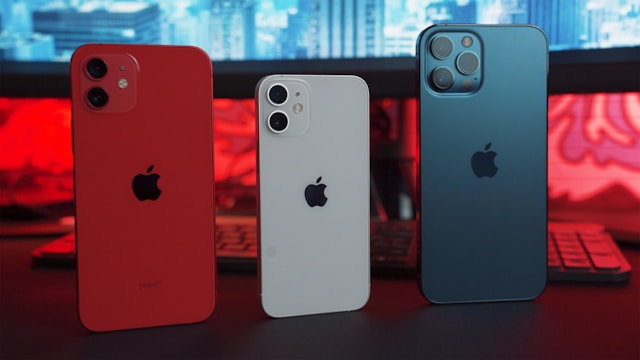
 

How 5G Is Changing Smartphone Performance

0


The arrival of 5G technology has revolutionized the smartphone experience, transforming how we use our devices for communication, entertainment, work, and everyday life. Unlike previous generations, 5G delivers unprecedented speeds, low latency, and enhanced connectivity, enabling features and experiences that were previously limited or impossible. In 2026, most new smartphones are designed to take full advantage of 5G networks, making this technology a critical factor in overall smartphone performance.

Faster Speeds for Streaming and Downloads

One of the most noticeable improvements 5G brings to smartphones is dramatically faster download and upload speeds. Users can stream high-resolution 4K and even 8K videos without buffering, download large files in seconds instead of minutes, and upload photos and videos to social media instantly. Flagship smartphones, with their powerful processors and optimized networking hardware, leverage these speeds to deliver smoother multimedia experiences. Budget smartphones equipped with 5G also benefit from faster internet, though the overall experience may be slightly limited by hardware performance. For gamers, 5G allows cloud gaming services to run more efficiently, offering near-console-quality gameplay on mobile devices.

Reduced Latency for Real-Time Applications

Latency, the delay between sending and receiving data, is significantly lower with 5G compared to 4G LTE. This improvement has a direct impact on real-time applications such as online gaming, video conferencing, and augmented reality (AR) experiences. Flagship smartphones with advanced 5G modems take full advantage of low latency, making online multiplayer games more responsive and reducing lag in critical moments. In professional settings, video calls and collaborative work apps benefit from smoother, more reliable connections, enhancing productivity and communication.

Enhanced Cloud Computing and AI Integration

5G networks enable smartphones to rely more heavily on cloud computing and artificial intelligence. Tasks that were previously limited by on-device processing power can now be partially offloaded to the cloud, allowing smartphones to handle complex applications without slowing down. For example, AI-powered photo and video editing apps can analyze large datasets in real-time, delivering smarter enhancements and faster processing. Virtual assistants also perform better, understanding commands more accurately and responding almost instantaneously. Flagship phones are designed to leverage this cloud-based processing, but even mid-range and budget 5G devices can experience performance improvements thanks to the network.

Improved Mobile Gaming Experience

Mobile gaming has seen dramatic improvements with the rollout of 5G. The high-speed, low-latency network allows for seamless online multiplayer experiences, quicker game downloads, and cloud-based gaming without noticeable lag. Gamers can enjoy real-time strategy games, first-person shooters, and competitive multiplayer titles on their smartphones with minimal delay. Flagship devices equipped with high-refresh-rate displays, powerful GPUs, and 5G connectivity create a near-console gaming experience on mobile, while mid-range phones benefit from reduced loading times and smoother gameplay.

Boosting App Performance and Responsiveness

Apps that rely on real-time data, such as navigation, ride-sharing, and delivery services, are more responsive on 5G networks. Maps update instantly, ride requests are processed faster, and location-based services work more accurately. Flagship smartphones optimize these processes using faster processors and better network chips, resulting in smoother multitasking and overall device performance. Even budget devices with 5G benefit from enhanced app responsiveness, making everyday tasks feel quicker and more seamless.

Enabling Advanced AR and VR Applications

5G has unlocked new possibilities for augmented reality (AR) and virtual reality (VR) on smartphones. Low latency and high bandwidth allow AR apps to overlay virtual objects onto real-world environments in real-time, while VR applications can stream immersive content without stuttering or lag. Flagship smartphones with powerful GPUs, high-resolution displays, and advanced sensors are ideal for AR/VR enthusiasts, while mid-range devices equipped with 5G can still provide engaging experiences for casual use. This technology is transforming education, retail, gaming, and entertainment, making smartphones more versatile than ever before.

Supporting Internet of Things (IoT) Devices

5G’s enhanced connectivity also improves the integration of smartphones with Internet of Things (IoT) devices. Smart homes, wearable devices, and connected cars benefit from faster and more reliable communication with smartphones. Flagship devices often act as central hubs, managing multiple IoT devices simultaneously without lag, while budget smartphones with 5G can control smart devices effectively, though possibly at a smaller scale or with fewer simultaneous connections.

Impact on Battery Life and Efficiency

While 5G provides faster connectivity and better performance, it can also increase battery consumption due to higher network demands. Modern flagship smartphones mitigate this with energy-efficient 5G modems, optimized processors, and smart power management, allowing users to enjoy 5G benefits without a significant drop in battery life. Budget and mid-range devices are improving in this area as well, with software optimizations and adaptive 5G usage modes that switch to 4G when high-speed connections are not required.

Future-Proofing Your Smartphone

Investing in a 5G-capable smartphone in 2026 ensures your device is future-proof for years to come. As networks expand and new applications emerge, including ultra-high-definition streaming, cloud-based gaming, and smart city technologies, 5G-ready devices will remain capable and relevant. Flagship smartphones provide the best experience today and in the near future, but even budget 5G phones benefit from the expanding ecosystem, offering value and performance longevity.

Conclusion

5G is not just a network upgrade; it fundamentally changes how smartphones perform in everyday use and advanced applications. From faster downloads, reduced latency, and improved gaming experiences to cloud-powered AI, AR/VR capabilities, and enhanced app responsiveness, 5G enhances every aspect of mobile computing. Flagship smartphones leverage 5G to its fullest potential, delivering unmatched performance, while budget and mid-range devices also gain significant benefits, making everyday tasks faster, smoother, and more enjoyable. In 2026, 5G is a key factor that defines smartphone performance and user experience, ensuring devices are prepared for the increasingly connected and high-speed world.


Flagship vs Budget Smartphones: Which Is Worth It?

0


Choosing a new smartphone can be exciting, but it also brings a big decision: should you go for a flagship device or save money with a budget-friendly model? With so many options available in 2026, this question matters more than ever. Flagship smartphones promise cutting-edge features, top performance, and premium design, while budget phones focus on delivering value and essential functionality. In this article, we’ll explore the differences between flagship and budget smartphones, breaking down performance, cameras, battery life, software support, and real-world use so you can decide which is truly worth it for your needs.

What Defines a Flagship Smartphone?
Flagship smartphones represent the best that manufacturers offer each year. These devices typically come with the latest processors, beautiful displays, advanced camera systems, premium builds, and long-term software support. Flagships are designed to showcase innovation and often bundle features that trickle down to more affordable models later. When you buy a flagship, you’re investing in performance, future-proofing, and often a more polished overall experience.

What Defines a Budget Smartphone?
Budget smartphones focus on affordability, offering essential features at a friendly price point. While they may not include the high-end hardware or advanced technologies found in flagships, many budget devices deliver reliable performance for everyday tasks like messaging, social media, web browsing, video streaming, and light gaming. Manufacturers have also improved the quality of budget phones tremendously, meaning that even mid-range models sometimes challenge older flagship performance.

Performance: Speed and Power
One of the biggest differences between flagship and budget phones lies in performance. Flagship devices are equipped with the most powerful processors available, such as top-tier chipsets from Qualcomm, Apple, or media tech brands. These processors handle demanding tasks, heavy multitasking, and high‑end gaming without strain. If you use your phone for productivity apps, advanced editing tools, or intensive games, a flagship will feel noticeably faster and smoother.

Budget smartphones, on the other hand, use mid‑range or entry‑level processors. These are great for everyday tasks like browsing social media, watching videos, and handling calls, but they can struggle with sustained heavy workloads or high graphics settings in games. Many budget phones now include optimized software that makes everyday use feel smooth, but the gap in raw power remains clear when pushing the phone to its limits.

Display and Design Quality
Flagship phones often lead the way in display technology. They use high‑resolution screens with rich colors, high refresh rates, and excellent brightness levels optimized for outdoor visibility. Premium materials like glass and metal frames give a more solid and luxurious feel. These displays deliver immersive experiences for movies, gaming, and photography.

Budget phones may use decent LCD or AMOLED screens, but they typically don’t match flagship quality in brightness, color accuracy, or smoothness. Refresh rates, while improving across the board, may also be lower than premium models. If you watch a lot of videos or play games with complex visuals, the display difference can be noticeable.

Camera Capabilities: Everyday vs Professional Results
Flagship smartphones push the boundaries in mobile photography. They include advanced multi‑lens camera systems with larger sensors, optical image stabilization, powerful zoom capabilities, and sophisticated computational photography. Whether you’re shooting portraits, night scenes, landscapes, or videos, flagships deliver consistently detailed and vibrant results. Low‑light performance, accurate colors, and sharpness are often noticeably better than what budget phones offer.

Budget devices have improved camera quality significantly in recent years, and many offer respectable results for casual photography. They are perfectly capable of capturing good shots under well‑lit conditions, and some even include useful modes like portrait and night photos. However, in challenging lighting or professional scenarios, the difference is often clear. If photography matters deeply to you, flagships offer a real return on investment.

Battery Life and Charging
Battery life depends on many factors, such as screen size, optimization, and processor efficiency. Flagship phones generally pack larger batteries and use more efficient hardware and software optimization to deliver all‑day battery life even under heavy use. Many also include extremely fast charging, wireless charging, and reverse wireless charging. These features add convenience but can also increase the overall cost.

Budget phones often include good battery capacity for their price, and their simpler hardware draws less power in basic tasks. This means many budget smartphones can last a full day with normal use. However, fast charging speeds may not be as impressive, and wireless charging is usually absent. For many users, the battery performance in budget devices is perfectly acceptable.

Software Support and Longevity
Software updates are a critical part of smartphone ownership. Flagship devices tend to receive long‑term software support from manufacturers, including major operating system upgrades and security patches. This means your flagship phone stays secure and up to date for several years, extending its usable life.

Budget smartphones vary in software support. While some manufacturers now offer extended support even for mid‑range phones, others provide shorter update cycles. If you plan to keep your phone for many years, this is an important consideration. A flagship with longer support can feel like a better long‑term investment.

Value for Money: What Do You Actually Need?
When deciding between a flagship and a budget smartphone, a key question is: What do you actually need from your phone? For many people, modern budget devices deliver all the performance required for everyday use. Messaging, browsing, social media, streaming shows, and casual games run smoothly on devices that cost significantly less than premium flagships.

However, if you’re someone who uses intensive apps, takes professional‑quality photos, plays graphics‑heavy games, or expects the longest possible software support, flagship phones deliver features that budget devices simply cannot match. They also retain resale value better, which can offset part of the initial investment if you plan to upgrade frequently.

Real‑World Scenarios: Who Should Choose What?
If you’re a student, casual user, or someone who primarily uses a phone for communication and media consumption, a budget or mid‑range device may be worth it. You’ll enjoy modern performance without paying for features you may never use. Phones in this category now offer great battery life, good displays, and capable cameras for everyday snapshots.

If you’re a professional, content creator, or power user who needs top performance, photography excellence, and long‑term software support, investing in a flagship will pay off. Flagships are designed to handle future demands and deliver premium experiences in almost every category.

Trends in 2026: Improving Budget Phones
One of the biggest developments in 2026 is how strong budget smartphones have become. Manufacturers have shifted focus, bringing features once exclusive to high‑end models—like fast charging, large OLED screens, and capable camera systems—to more affordable prices. Mid‑range devices now make compelling alternatives for many users who want a balanced mix of performance and value.

Final Verdict: Is a Flagship Worth It?
Ultimately, both flagship and budget smartphones are worth it in different ways. Flagship devices deliver top‑tier performance, advanced technology, and future‑proofing. Budget phones deliver exceptional value and dependable performance for everyday use. Your choice depends on your personal needs and priorities. If you want the best possible experience with all the latest technology, flagship phones are worth the investment. But if you value smart spending and day‑to‑day practicality, budget smartphones offer incredible value that satisfies the needs of most users in 2026.

This comparison should help clarify what each category offers and assist you in choosing a smartphone that makes sense for your lifestyle, budget, and expectations. Whatever you choose, the improvements in smartphone technology have made even affordable devices capable companions for daily life in 2026.


Top Camera Phones for Photography Enthusiasts

0


In 2026, smartphone cameras have reached remarkable levels of performance, rivaling many dedicated digital cameras. For photography enthusiasts who want stunning image quality, powerful zoom capabilities, advanced night modes, and professional-grade video features, choosing the right smartphone is essential. This guide highlights the top camera phones for photography enthusiasts in 2026, detailing what makes each one exceptional and how they stand out in real-world use.

Apple iPhone 16 Pro Max – All‑Around Photography Excellence

The iPhone 16 Pro Max continues Apple’s tradition of delivering one of the most balanced and powerful camera systems on any smartphone. With larger sensors, improved optical image stabilization, and advanced computational photography, this device delivers consistently impressive results in nearly every shooting scenario. The triple‑lens setup includes a wide, ultra‑wide, and telephoto lens, giving photographers flexibility in composing shots without compromising quality. Apple’s deep integration of hardware and software means that photos and videos are optimized automatically, reducing the need for manual adjustments.

Night mode has been significantly enhanced, producing brighter photos with reduced noise, even in extremely low light. Cinematic Mode has also improved, allowing more creative control over depth of field in videos. Photographers who also shoot video will appreciate ProRes support and powerful editing tools within iOS. The iPhone 16 Pro Max is ideal for those who want a reliable, versatile camera experience without sacrificing performance in any use case.

Samsung Galaxy S24 Ultra – Zoom and Detail Champion

Samsung’s Galaxy S24 Ultra is one of the standout camera phones for enthusiasts, especially when it comes to zoom capabilities and detailed photography. With a high‑resolution main sensor and advanced periscope telephoto lenses, it delivers unparalleled optical and hybrid zoom performance. Whether shooting landscapes from a distance or capturing intricate architectural details, the Galaxy S24 Ultra excels.

Samsung’s AI image processing enhances clarity and dynamic range, ensuring that photos look vivid and natural without excessive oversharpening. The ultra‑wide lens captures expansive scenes with minimal distortion, and the main sensor produces crisp images with accurate color reproduction. For low‑light shots, Night mode applies smart noise reduction while preserving fine details. This phone is particularly appealing to enthusiasts who enjoy shooting wildlife, street scenes, and travel photography where zoom performance makes a real difference.

Google Pixel 11 – Computational Photography Master

The Google Pixel 11 remains a favorite among photography lovers due to Google’s leadership in computational photography. While its hardware may not always match the megapixel counts of some competitors, the Pixel’s image processing produces exceptional results with natural color tones, balanced exposure, and impressive dynamic range. The primary sensor, paired with powerful software algorithms, consistently delivers photos that feel detailed, realistic, and aesthetically pleasing.

Google’s Night Sight mode is one of the most effective low‑light photography tools available, often outperforming many flagship competitors. Portrait mode produces clean subject separation with accurate edge detection. Astrophotography mode allows users to capture starry skies without specialized equipment. For those who prefer a clean and intuitive camera experience without needing to tweak settings, the Pixel 11 offers unmatched ease of use with beautiful results.

Xiaomi 14 Ultra – Camera Innovation at a Great Price

The Xiaomi 14 Ultra is a standout option for photography enthusiasts who want flagship‑level performance at a slightly more accessible price point. Partnering with renowned optics manufacturers, Xiaomi has outfitted this device with high‑quality lenses and large sensors that capture excellent detail and dynamic range. The camera system typically includes multiple focal lengths, from ultra‑wide to significant telephoto capabilities, giving users creative flexibility.

Xiaomi’s image processing emphasizes natural colors and crisp detail while offering robust low‑light performance. The combination of hardware quality and software optimization makes the 14 Ultra appealing for both still photography and video recording. Enthusiasts who enjoy exploring different photographic styles will appreciate the capable manual controls and advanced shooting modes included in the camera app.

Sony Xperia 1 VI – Designed for Creators

Sony’s Xperia 1 VI targets photography and video professionals who want granular control and advanced creative tools. Unlike many competitors, the Xperia focuses on giving users a more traditional camera experience, with manual controls for exposure, focus, white balance, and more. The Cinema Pro and Photo Pro apps bring Sony’s expertise from its Alpha camera line directly to a smartphone format.

The Xperia 1 VI’s display is calibrated for accurate color representation, making it easier to judge photos and videos on the device itself. Videographers will enjoy the ability to shoot in multiple formats, including high‑bitrate options that preserve detail and color information. The dedicated shutter button and manual focus assist tools set this phone apart for enthusiasts who want control similar to a mirrorless camera in a smartphone body.

Huawei P70 Pro – Innovation Despite Challenges

The Huawei P70 Pro continues to push camera innovation even as the brand faces global restrictions in certain regions. Its camera system often includes large sensors, advanced optical stabilization, and impressive zoom capabilities. Huawei’s proprietary image processing delivers strong dynamic range, vivid colors, and impressive low‑light results.

One of the hallmarks of Huawei’s flagship phones is their telephoto performance, often rivaling dedicated bridge cameras in reach and clarity. The P70 Pro typically includes advanced AI scene detection and optimization for landscapes, portraits, and night scenes. While software limitations may impact some users depending on regional availability, photographers who prioritize camera hardware and performance will find the P70 Pro compelling.

Foldable Phones with Competitive Cameras

Foldable smartphones like the Samsung Galaxy Z Fold 6 and Z Flip 6 have also improved their camera systems significantly. While they may not surpass the absolute best flagships in zoom or sensor size, they offer versatile shooting experiences with multiple lenses and creative angles. The Z Fold 6’s large internal display makes reviewing photos easier, while the Z Flip 6’s compact form encourages creativity in framing and composition. These devices appeal to photographers who value innovation and versatility alongside camera performance.

Mid‑Range Camera Phones Worth Considering

Photography enthusiasm doesn’t always require flagship pricing. Several mid‑range phones offer strong camera performance for those on a budget. Devices like the Google Pixel 8a, Samsung Galaxy A55, and OnePlus Nord 4 deliver impressive image quality with effective software processing and reliable hardware. These phones won’t match flagship performance in every scenario, but they represent excellent value and everyday usability for casual and enthusiast photographers alike.

Choosing the Right Camera Phone for Your Needs

When choosing a camera phone, consider how you plan to use it. If telephoto zoom and detail are vital, devices like the Galaxy S24 Ultra or Huawei P70 Pro can deliver results that many other phones cannot match. If you prefer reliable, realistic images with minimal effort, the Pixel 11 remains a strong choice. For those who want control and creative flexibility, the Sony Xperia 1 VI stands out with its professional tools. Apple’s iPhone 16 Pro Max continues to deliver balanced excellence, while Xiaomi 14 Ultra offers flagship performance at a competitive price. Assess your priorities, read sample image reviews, and test in‑person if possible to find the right fit.

Conclusion

2026 presents some of the most capable camera phones ever released. Whether you’re a casual photographer who wants better everyday images or an enthusiast looking for creative control and professional tools, there’s a smartphone that fits your needs. From the computational photography strength of the Pixel 11 to the comprehensive excellence of the iPhone 16 Pro Max, the detailed zoom of the Galaxy S24 Ultra, and the manual control of the Xperia 1 VI, the market offers impressive choices. Even mid‑range phones bring compelling features for those on a budget. With thoughtful consideration of your photographic goals, you can find a smartphone that not only captures memorable moments but elevates your creativity and expression in every shot.


Best Smartphones to Buy in 2026

0


The smartphone market in 2026 has reached new heights, offering devices that combine cutting-edge technology, sleek designs, and powerful performance. With so many options available, choosing the right phone can be overwhelming. Whether you are looking for the best camera, longest battery life, fastest performance, or overall value, this guide will help you identify the top smartphones worth buying in 2026.

iPhone 16 Pro Max – Premium Performance and Design

Apple continues to lead the premium segment with the iPhone 16 Pro Max. This flagship model offers an elegant design, exceptional build quality, and top-tier performance. Powered by the A18 Bionic chip, the iPhone 16 Pro Max handles demanding apps, games, and multitasking effortlessly. Its energy-efficient architecture ensures longer battery life, making it suitable for all-day use even under heavy workloads. The camera system has been upgraded with larger sensors and improved computational photography, capturing stunning images in both bright and low-light conditions. Cinematic Mode has been enhanced, allowing users to shoot professional-style videos with depth-of-field effects. iOS 18 brings intelligent AI features, seamless integration with Apple services, and advanced privacy settings. If you are already invested in Apple products or prefer a device that is consistently supported with software updates, the iPhone 16 Pro Max remains the ultimate choice in 2026.

Samsung Galaxy S24 Ultra – The Android Flagship

For Android enthusiasts, the Samsung Galaxy S24 Ultra offers unmatched versatility and premium features. Samsung’s Dynamic AMOLED 2X display provides vibrant colors, high contrast, and smooth scrolling thanks to its high refresh rate. Performance is powered by the Snapdragon 8 Gen 3 or Exynos equivalent, making the device capable of handling resource-intensive applications and gaming. The camera system includes high-resolution sensors with advanced zoom capabilities and AI-based enhancements, producing excellent images under varied lighting conditions. Samsung continues to refine the S Pen experience, which adds value for creators, professionals, and multitaskers. Samsung DeX allows the device to function like a desktop computer, enhancing productivity for users who want more than a standard smartphone experience. The Galaxy S24 Ultra is ideal for those who need a high-performance device with a rich ecosystem of features and accessories.

Google Pixel 11 – Pure Android and Superior Photography

Google’s Pixel series remains a favorite for those who value clean software and camera performance. The Pixel 11 runs pure Android, ensuring smooth performance and timely updates. Powered by the Tensor G4 chip, the device handles multitasking, AI features, and voice recognition efficiently. Google’s computational photography continues to impress, producing sharp, vibrant images with minimal effort. Night mode and AI-based adjustments make low-light photography easier and more accurate. Long-term software support is a key advantage, with security patches and Android updates arriving promptly. If photography, software stability, and a user-friendly experience are priorities, the Pixel 11 is one of the best choices in 2026.

OnePlus 13 Pro – High Performance at a Competitive Price

OnePlus has consistently offered flagship-level performance at a lower price point, and the OnePlus 13 Pro continues that trend. Equipped with a powerful processor, a fluid AMOLED display with a high refresh rate, and fast charging capabilities, it delivers excellent overall performance. OnePlus’ fast charging technology allows the device to reach full battery capacity in under 30 minutes, which is convenient for users who are constantly on the go. The camera system is strong, providing high-quality images for most users, although it may not surpass the very top competitors in low-light conditions. OxygenOS, the OnePlus software interface, offers a smooth, customizable experience without unnecessary bloatware. For users seeking a high-performance device that offers excellent value, the OnePlus 13 Pro is a compelling option.

Xiaomi 14 Ultra – Cutting-Edge Features at a Reasonable Price

Xiaomi continues to innovate in the smartphone space, and the Xiaomi 14 Ultra is a standout model. This device offers advanced camera technology in collaboration with leading optics brands, making it ideal for photography enthusiasts. The display is large, bright, and immersive, offering excellent color reproduction and smooth performance. With a high-refresh-rate screen and powerful internal components, it handles games and demanding apps effortlessly. Xiaomi also emphasizes fast charging and long-lasting battery performance. One of the biggest advantages of the 14 Ultra is its competitive pricing, offering many features of premium devices at a more affordable cost. For users who want high-end technology without paying the top-tier price, the Xiaomi 14 Ultra is an excellent choice.

Sony Xperia 1 VI – Tailored for Creators

The Sony Xperia 1 VI caters specifically to creators and professionals who require precision in photography and videography. Its 21:9 CinemaWide display is ideal for editing videos, streaming movies, or multitasking. The device includes professional-grade tools for filming and photography, including manual controls for exposure, focus, and color grading. Audio quality is another area where the Xperia 1 VI excels, delivering crisp sound through both headphones and speakers. Although it may not appeal to the general user seeking a mainstream smartphone, content creators will find it indispensable for its creative capabilities.

Foldable Phones – Samsung Galaxy Z Fold 6 and Z Flip 6

Foldable smartphones have become more reliable and practical, and Samsung leads this market with the Galaxy Z Fold 6 and Z Flip 6. The Fold 6 offers a large, tablet-like screen when unfolded, making it ideal for multitasking, media consumption, and productivity. The cover display is functional and responsive, so users can perform most tasks without opening the device. The Flip 6 combines style with portability, featuring a compact design and robust internal hardware. Foldables are no longer fragile novelties; they are premium devices that showcase innovation and versatility.

Mid-Range and Budget Options Worth Considering

Not everyone needs a flagship, and 2026 offers excellent mid-range options. The Google Pixel 8a delivers great camera performance and clean software at an affordable price. Samsung’s Galaxy A55 balances features, battery life, and display quality for users who want reliability without breaking the bank. The OnePlus Nord 4 provides fast performance, fluid software, and rapid charging in a budget-friendly package. These phones offer great value and are ideal for students, casual users, or anyone who does not require the highest-end specifications.

Choosing the Right Smartphone in 2026

When selecting a smartphone in 2026, consider your priorities carefully. Camera quality is crucial if you enjoy photography or content creation. Battery life and charging speed are essential for heavy users who rely on their phone throughout the day. Performance matters if you play games or use resource-intensive applications. Software support ensures your device stays secure and up to date. Additionally, the ecosystem of accessories and compatibility with other devices can enhance the overall experience.

Conclusion

The best smartphones in 2026 offer a range of features to suit every user’s needs. Apple’s iPhone 16 Pro Max provides unmatched integration and performance, Samsung’s Galaxy S24 Ultra leads in versatility and productivity, and Google’s Pixel 11 excels in photography and software updates. OnePlus and Xiaomi deliver premium features at competitive prices, while Sony’s Xperia 1 VI targets creators who need professional-grade tools. Foldables like Samsung’s Z Fold 6 and Z Flip 6 push the boundaries of design and functionality. Even mid-range devices provide excellent performance and value. By understanding your priorities and comparing features, you can select a smartphone that will remain reliable, powerful, and enjoyable for years to come. With the rapid pace of innovation, choosing the right device ensures you are prepared for all the technological advancements 2026 has to offer.


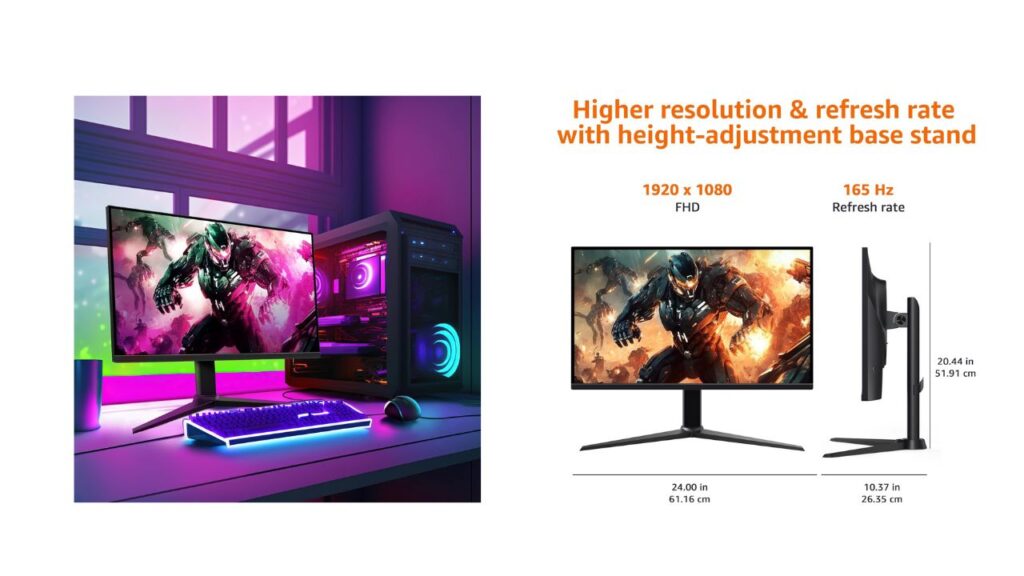
Amazon Basics 27-Inch IPS Gaming Monitor: A Friendly, No-Nonsense Guide to Setup, Performance, and Returns

3
Amazon Basics 27-Inch IPS Gaming Monitor

Overview

When I first unboxed the Amazon Basics 27-inch IPS digital monitor, my inner gamer felt seen. It’s built for entertainment, yet tuned for competitive play—an easy, plug-and-play display that doesn’t make me dig through cryptic manuals before I can enjoy a match or binge a series.

Before we get into the fun, let me call out the most crucial step that too many people overlook: IMPORTANT: Remove protective film (with date code) from panel surface before use. This film protects against shipping scratches. Skipping this makes the screen look dull and may trap heat—plus, you deserve that fresh-panel sparkle.

Key Features at a Glance

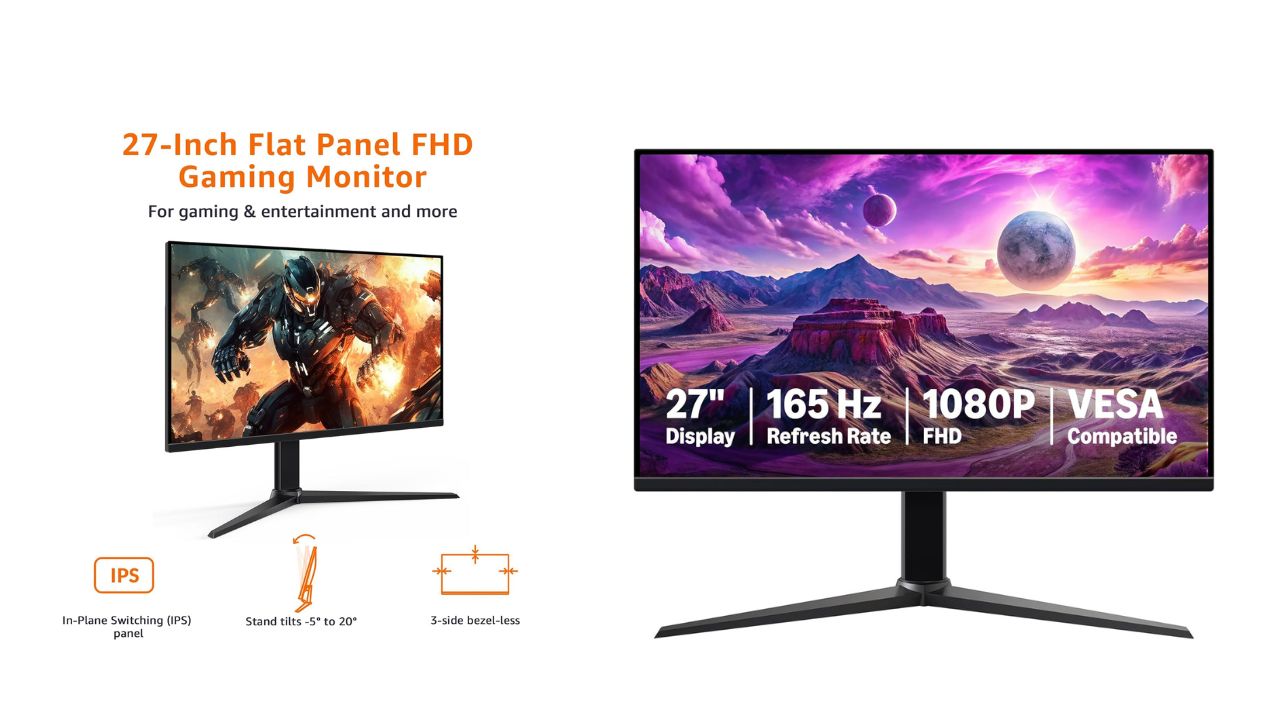
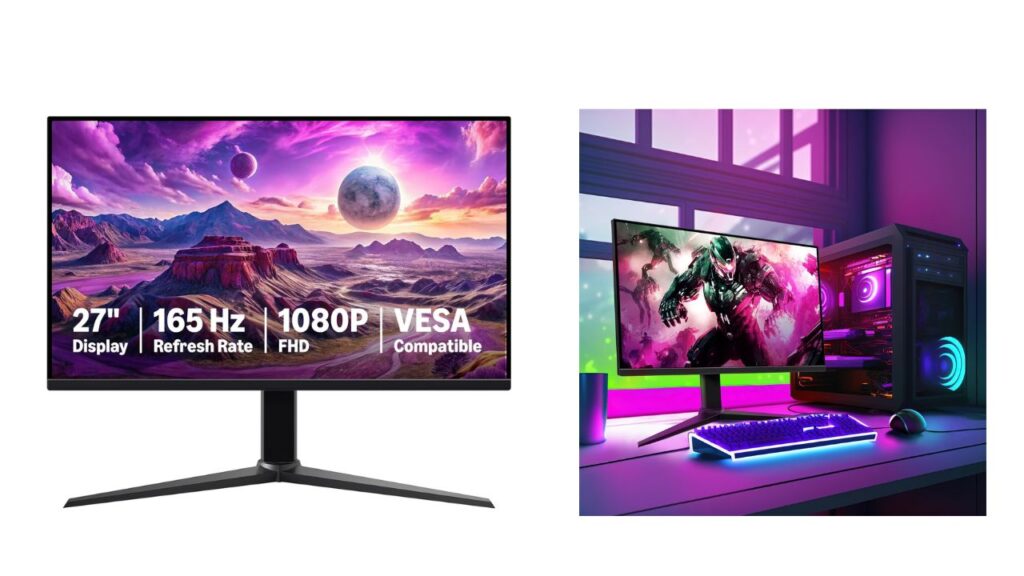
  • 27-inch IPS digital monitor for gaming and entertainment
  • Crystal clear 1080P high definition picture and graphics relay
  • Nearly zero lag with 1ms response time for smooth gaming experience
  • Additional specs include adaptive sync, VESA compatibility, and 165Hz (Note: To achieve maximum refresh rate, ensure your computer ports and graphics card support FHD output at 165Hz. Use a DisplayPort 1.4 or HDMI 2.0 compatible cable. Consult your device manufacturer’s manual for more information. Finally, select the maximum 165Hz refresh rate in your computer’s advanced display settings.)
  • Plug and play gaming monitor is easy to connect and install

I framed this guide around what I care about most: painless setup, performance that actually feels snappy, image quality that’s crisp and color-true, and a returns policy I can count on if something goes sideways.

Unboxing and First-Time Setup

I like a clean, methodical setup—no missing screws, no weird adapters, no guesswork. Here’s the flow that worked for me:

  1. Inspect the box on arrival. If anything looks crushed or compromised, photograph it before opening. It takes seconds and protects you later.
  2. Carefully lift out the panel and stand. Keep the screen face-down on the protective foam until assembly is complete.
  3. Attach the stand using the included hardware. It’s tool-light and straightforward; still, I give each screw a final check to prevent wobble.
  4. IMPORTANT: Remove protective film (with date code) from panel surface before use. This film protects against shipping scratches. Peel from a corner and lift evenly so no fragments remain.
  5. Choose your cable. For 165Hz, go DisplayPort 1.4 or HDMI 2.0 and confirm your GPU/ports support FHD at 165Hz.
  6. Connect power and signal, then boot your PC or console.
  7. On Windows, go to Settings > System > Display > Advanced display and switch the refresh rate to 165Hz. On macOS (with supported hardware and cable), hold Option in Displays to reveal higher refresh options.
  8. Enable adaptive sync (G-SYNC Compatible or FreeSync) in your GPU control panel to reduce tearing and stutter.

Within ten minutes, I had a buttery-smooth desktop and games that felt immediately more responsive.

Display Quality and Color

IPS panels are a sweet spot for people like me who split time between gaming and streaming. The Amazon Basics 27-inch IPS panel pushes a crystal clear 1080P image that favors clarity over brute-force resolution. On a 27-inch canvas, Full HD still looks clean when you sit a comfortable arm’s length away—and the pixel density keeps UI elements readable without scaling.

  • Color: IPS means consistent colors off-axis. I can lean back or share the screen and the tones stay stable.
  • Brightness and contrast: Strong enough punch for daytime use with balanced shadows for darker game scenes.
  • Uniformity: Backlight bleed is minimal on my unit, and the edges hold detail without obvious vignetting.

I always run a quick calibration—nothing fancy. I nudge gamma so midtones look natural, set white point to a comfortable D65, and verify the black level isn’t crushing shadow detail. It’s a five-minute ritual that pays off in every game and stream.

Motion Performance: 165Hz + 1ms

This is where the monitor proves its gamer credentials. At 165Hz with a rated 1ms response time, motion blur is kept in check, mouse input feels snappier, and tracking fast targets gets easier. Here’s how I dial it in:

  • Set refresh to 165Hz in the OS—don’t assume it’s automatic.
  • Use DisplayPort 1.4 if possible; HDMI 2.0 is fine for 1080p at high refresh.
  • In the monitor’s OSD, select the overdrive level that reduces blur without introducing inverse ghosting.
  • Turn on adaptive sync to align frame delivery with the panel’s refresh window.

The result is nearly zero lag with 1ms response time for smooth gaming experience—perfect for competitive shooters and racing titles where reaction time and visual clarity make the difference.

Adaptive Sync and Tearing Control

Screen tearing used to drive me wild. With adaptive sync enabled and a steady GPU frame rate, the image stays cohesive during rapid pans. If your frames dip, adaptive sync smooths the ride by matching refresh cycles to the render cadence. It’s the closest thing to a “set and forget” solution I’ve used on a 1080p panel.

  • PC tip: In NVIDIA Control Panel, enable G-SYNC Compatible (for supported FreeSync monitors). In AMD Software, toggle FreeSync. Then leave V-Sync off in-game and cap FPS just below refresh to reduce input latency.

Connectivity and Compatibility

This is a plug and play gaming monitor, and the ports cover the basics for PCs and consoles. I appreciate that I can go from laptop to desktop without a tangle of adapters. If you’re chasing the full 165Hz, remember the note: To achieve maximum refresh rate, ensure your computer ports and graphics card support FHD output at 165Hz. Use a DisplayPort 1.4 or HDMI 2.0 compatible cable. Consult your device manufacturer’s manual for more information. Finally, select the maximum 165Hz refresh rate in your computer’s advanced display settings.

For wall mounting, the VESA compatibility makes it simple to lift the display off your desk and reclaim space. I keep a low-profile arm that lets me pivot between work and play angles within seconds.

Ergonomics and Everyday Comfort

A 27-inch screen invites longer sessions. I keep comfort front and center:

  • Eye comfort: Enable a blue-light-reduction mode in the evening. It softens white backgrounds and helps reduce strain.
  • Height and tilt: If the included stand doesn’t meet your posture needs, the VESA mount unlocks better alignment.
  • Reflections: IPS panels are forgiving, but positioning a light behind or to the side of the screen avoids glare.

Gaming and Entertainment Use Cases

I’ve hammered this monitor across genres and media:

  • Competitive FPS: The 165Hz/1ms combo gives me crisp sightlines and tracking with less blur.
  • Racing and sports: Adaptive sync keeps camera sweeps smooth at variable frame rates.
  • RPGs and open worlds: Colors look lively, and text stays sharp for long quest logs.
  • Streaming: 1080p content pops; I don’t feel like I’m missing detail, and bandwidth stays friendly.
  • Console play: Current-gen consoles that support 1080p high refresh pair nicely, and older systems look clean without awkward scaling.

Troubleshooting Checklist

If something feels off, I run through this quick list:

  • Is the protective film removed? IMPORTANT: Remove protective film (with date code) from panel surface before use. This film protects against shipping scratches.
  • Are you on the right cable? Use DisplayPort 1.4 or HDMI 2.0 for high refresh.
  • Did you set 165Hz in OS settings? Don’t rely on defaults.
  • Is adaptive sync enabled in the GPU control panel?
  • Does overdrive level look clean? If you see halos or trails, step it down one notch.
  • Are your GPU drivers current?
  • Using the correct power adapter and seated connections?

Nine times out of ten, one of these fixes the issue.

Care, Maintenance, and Longevity

I treat monitors like precision gear:

  • Dust with a microfiber cloth—no paper towels.
  • For smudges, use a screen-safe cleaner, spritz the cloth (not the panel), and wipe gently.
  • Keep vents clear; IPS panels like to breathe.
  • Avoid static images at max brightness for hours; vary content to protect uniformity.

Amazon.com Return Policy (What It Means for You)

I like buying gear with a safety net. Here’s the policy in plain language, quoted for clarity:

Amazon.com Return Policy: You may return any new computer purchased from Amazon.com that is “dead on arrival,” arrives in damaged condition, or is still in unopened boxes, for a full refund within 30 days of purchase. Amazon.com reserves the right to test “dead on arrival” returns and impose a customer fee equal to 15 percent of the product sales price if the customer misrepresents the condition of the product. Any returned computer that is damaged through customer misuse, is missing parts, or is in unsellable condition due to customer tampering will result in the customer being charged a higher restocking fee based on the condition of the product. Amazon.com will not accept returns of any desktop or notebook computer more than 30 days after you receive the shipment. New, used, and refurbished products purchased from Marketplace vendors are subject to the returns policy of the individual vendor.

What I do: I test the monitor on day one, keep all packaging for the first month, and snap photos of the serial and the unboxing. If something’s wrong, I document it and file a return quickly to stay within the window.

Who This Monitor Is For

  • Budget-conscious gamers who still demand fluid motion and decent color.
  • Students and home offices that want a single screen for work by day and play by night.
  • Console players who mostly run 1080p and value speed over 4K glamour.
  • Streamers who need a reliable main or secondary display that won’t choke a capture card.

Quick Specs Recap

  • Screen size: 27 inches
  • Panel type: IPS
  • Resolution: 1080p Full HD
  • Refresh rate: Up to 165Hz
  • Response time: 1ms (rated)
  • Sync: Adaptive sync support
  • Mount: VESA compatible
  • Setup: Plug and play

Final Thoughts

The Amazon Basics 27-inch IPS monitor hits the sweet spot for fluid 1080p gaming and everyday entertainment. It’s fast where it counts, simple to set up, and flexible enough to grow with your rig. Remember the two golden rules: peel the protective film and set your refresh rate. Do that, and you’ll unlock the experience this panel is built to deliver.

And yes—the keyword here is Amazon Basics. It’s no-frills gear that lets the performance speak for itself, and I’m into that.

To know more click here

Anker iPhone 17/16 Charger — In-Depth Product Review

0
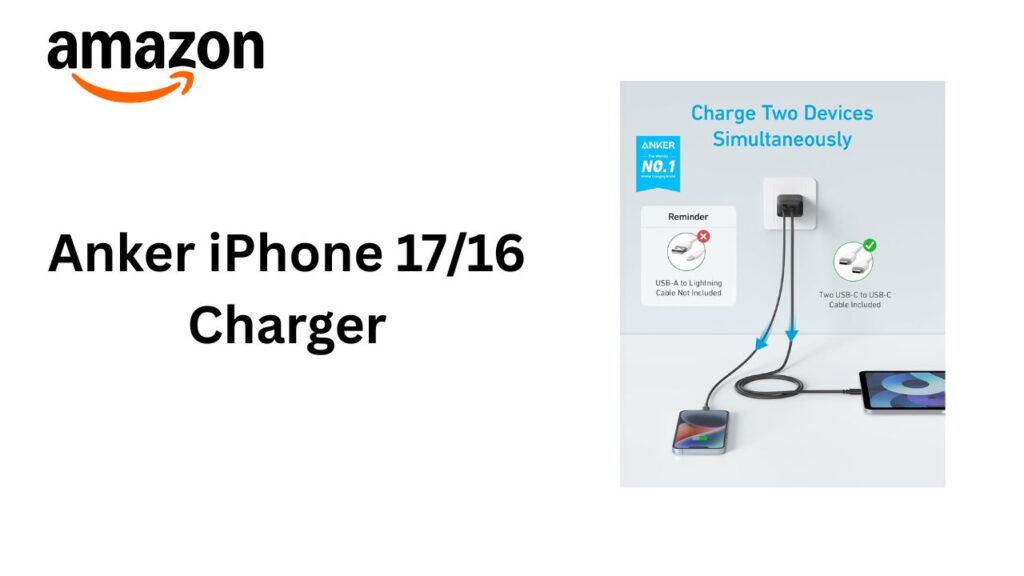
Anker fast charger for iPhone 17 and iPhone 16 with USB-C to Lightning cable, compact wall adapter providing quick and safe charging.

Introduction

The market for smartphone chargers is crowded, but Anker has long been a standout brand for reliable charging accessories. With the release of the iPhone 17 and iPhone 16, many users seek chargers that deliver fast, safe, and convenient power to their devices.

This review examines Anker chargers designed for the iPhone 17/16 — focusing on build quality, charging performance, compatibility, safety, design, and value. The goal is to provide a comprehensive, informative assessment that helps readers decide whether an Anker charger is the right choice for their new iPhone.

Anker fast charger for iPhone 17 and iPhone 16 with USB-C to Lightning cable, compact wall adapter providing quick and safe charging.

Product Overview

Anker offers several charger models compatible with the iPhone 17 and iPhone 16 series, including compact USB-C wall chargers with Power Delivery (PD), multi-port chargers, and MagSafe-compatible wireless chargers. Key features across these models typically include:

  • USB Power Delivery (USB-PD) support for fast wired charging
  • GaN (gallium nitride) technology in many newer chargers for higher efficiency and smaller size
  • Over-current, over-voltage, and short-circuit protections
  • Compatibility with Apple’s fast charging specifications
  • Optional bundled cables or MagSafe magnetic alignment for wireless units

This review concentrates primarily on Anker’s wired USB-C PD wall chargers (commonly used with the supplied USB-C to Lightning cable for iPhones) and the MagSafe-style wireless chargers intended for iPhone 12 and later, including iPhone 16/17.

Design and Build Quality

Anker fast charger for iPhone 17 and iPhone 16 with USB-C to Lightning cable, compact wall adapter providing quick and safe charging.
  • Materials and Finish: Anker chargers generally use high-quality polycarbonate or similar materials that feel sturdy and resist yellowing over time. The finishes range from matte to slightly glossy, with minimal branding and a utilitarian aesthetic.
  • Size and Portability: With the adoption of GaN technology, Anker’s newer chargers are notably compact given their power output. A 30–40W single-port USB-C PD charger is often comparable in size to older 18–20W silicon-based models, making it more travel-friendly.
  • Port Configuration: Options include single USB-C ports, dual USB-C ports, and combinations with USB-A (less common in the latest models). Port placement is practical, allowing easy cable routing without crowding.
  • Cable Quality: When bundled, Anker cables (USB-C to Lightning or USB-C to USB-C) are typically robust with reinforced connectors. Many users prefer to buy Anker’s braided cable variants for extra durability.

Compatibility and Charging Performance

  • iPhone 16/17 Wired Charging: Apple’s iPhone 16/17 supports USB Power Delivery fast charging. Anker USB-C PD chargers (18W and above) will charge these iPhones to around 50% in approximately 25–30 minutes under ideal conditions — comparable to Apple’s own chargers. Higher-wattage Anker chargers (e.g., 30W, 45W) can also charge iPhones at the same safe charging rate; the iPhone will draw only what it needs.
  • GaN Advantages: GaN chargers offer better thermal performance and efficiency, which can translate to slightly faster charging under some conditions and a much smaller physical footprint.
  • Multi-Port Behavior: In multi-port scenarios, total power is shared across ports. Anker provides clear power distribution specs (e.g., 65W total, with 45W on USB-C1 when used alone, etc.). If you plan to charge multiple devices simultaneously, check those distribution details to set expectations.
  • Wireless (MagSafe-like) Charging: Anker’s MagSafe-compatible wireless chargers typically provide up to 15W (the theoretical maximum varies by model and iPhone generation). Magnetic alignment helps maintain optimal coil alignment for efficient wireless charging. In practice, wireless charging is slower than wired PD fast charging and generates more heat, which can reduce charging speed if the phone throttles to manage temperature.
amazon

Safety and Reliability

  • Certifications and Protections: Anker chargers routinely include built-in protections such as over-voltage protection (OVP), over-current protection (OCP), short-circuit protection (SCP), and temperature control. Many models are certified by safety organizations like UL or ETL where applicable.
  • Smart Charging ICs: Anker integrates intelligent charging controllers that manage voltage/current delivery based on the connected device’s needs, minimizing the risk of battery degradation due to incorrect power profiles.
  • Long-Term Reliability: User reports and warranty coverage (Anker often offers an 18–24 month limited warranty on many products) indicate above-average longevity. Anker’s customer support is generally well-regarded for handling warranty claims and troubleshooting.

Real-World Use Cases

  • Daily Home/Office Charging: For most users, a 30W Anker USB-C PD charger is an excellent balance between speed and size. It charges an iPhone 16/17 rapidly while remaining compact for a desk or bedside table.
  • Travel: GaN-powered Anker chargers are ideal for travel — they take up little space and can often charge both a laptop (lower-wattage models depending) and an iPhone when multiple ports are present.
  • Multi-Device Households: A 65W or 100W Anker multi-port charger makes sense if you want one charger for a laptop, tablet, and phone. Be mindful of power sharing and charge profiles.
  • Wireless Convenience: Anker’s MagSafe-compatible options are convenient for short top-ups and overnight charging with easy alignment. For fastest charging, wired PD remains superior.

Pros and Cons

  • Pros
    • Reliable, consistent charging performance
    • Broad compatibility with iPhone 16/17 fast charging standards
    • Compact GaN designs for high wattage in small packages
    • Strong safety features and certifications
    • Good value relative to OEM Apple chargers
    • Durable cables when included or purchased separately
  • Cons
    • Charging speeds are ultimately capped by the iPhone’s own charging logic — higher-wattage chargers don’t necessarily make iPhones charge faster beyond the device’s limit
    • Wireless MagSafe charging is slower and generates more heat than wired PD charging
    • Some multi-port models require careful reading of power distribution specs to avoid underwhelming combined output
    • Higher-end models can still be relatively pricey compared with budget alternatives

Comparison with Apple’s Chargers

  • Performance: Anker USB-C PD chargers match Apple’s chargers in fast charging capability for iPhone 16/17 when the wattage is appropriate (18W+). In many cases, Anker offers higher wattage and additional ports at similar or lower prices.
  • Design: Apple’s chargers are minimalist and integrated into the Apple ecosystem aesthetic. Anker tends toward a more utilitarian look with a stronger emphasis on size-to-output efficiency (thanks to GaN).
  • Price and Value: Anker generally provides better value, especially for multi-port or higher-wattage models. Apple’s chargers may be preferred by users seeking official Apple-branded accessories and specific aesthetic matching.

Environmental and Practical Considerations

  • Energy Efficiency: GaN chargers are generally more energy-efficient, producing less waste heat and reducing standby power loss. This can be a small but meaningful advantage over many older silicon-based chargers.
  • Longevity and Waste Reduction: Buying a quality Anker charger that can handle multiple devices and multiple generations of phones reduces the need to buy replacements, which in turn decreases electronic waste.
  • Cable Ecosystem: Using a high-quality USB-C to Lightning cable is important for safety and speed. Consider Anker’s certified cables (MFi-certified Lightning cables) to ensure compatibility and longevity.

Recommendations

  • For most iPhone 16/17 users: A 30W Anker USB-C PD charger is an excellent all-around choice. It balances fast charging, compact size, and value.
  • For users who also charge laptops: Consider a 65W or 45W multi-port GaN charger, but verify power distribution if you plan to charge multiple devices simultaneously.
  • For bedside wireless convenience: Anker’s MagSafe-compatible charger or magnetic wireless stand is useful for overnight charging and one-handed placement, but expect slower charging than wired PD.
  • For travel: Choose a GaN single or dual-port charger to minimize bulk while maintaining strong charging capability.

Buying Tips

  • Confirm the wattage and number of ports meet your needs. Don’t assume higher total wattage equates to faster phone charging if the device caps input.
  • Check whether a cable is included. If not, budget for an MFi-certified USB-C to Lightning cable.
  • Review power distribution specs for multi-port units to ensure they deliver adequate power when multiple devices are connected.
  • Consider GaN models for superior size-to-power ratios and better thermal performance.
  • Look for warranty coverage and user reviews to assess real-world reliability.

Conclusion

Anker’s chargers offer a compelling mixture of performance, safety, and value for iPhone 16 and iPhone 17 users. Whether you want a compact GaN wall charger for daily use, a multi-port hub to charge multiple devices, or a MagSafe-style wireless pad for bedside convenience, Anker provides options that meet Apple fast-charging standards without the premium price tag of OEM accessories. For most consumers, an appropriately spec’d Anker charger is a smart purchase: fast, reliable, and built to last.

Amazon Echo Frames: Hands-free Smart Glasses for Everyday Use

Amazon Echo Frames: Hands-free Smart Glasses for Everyday Use

1

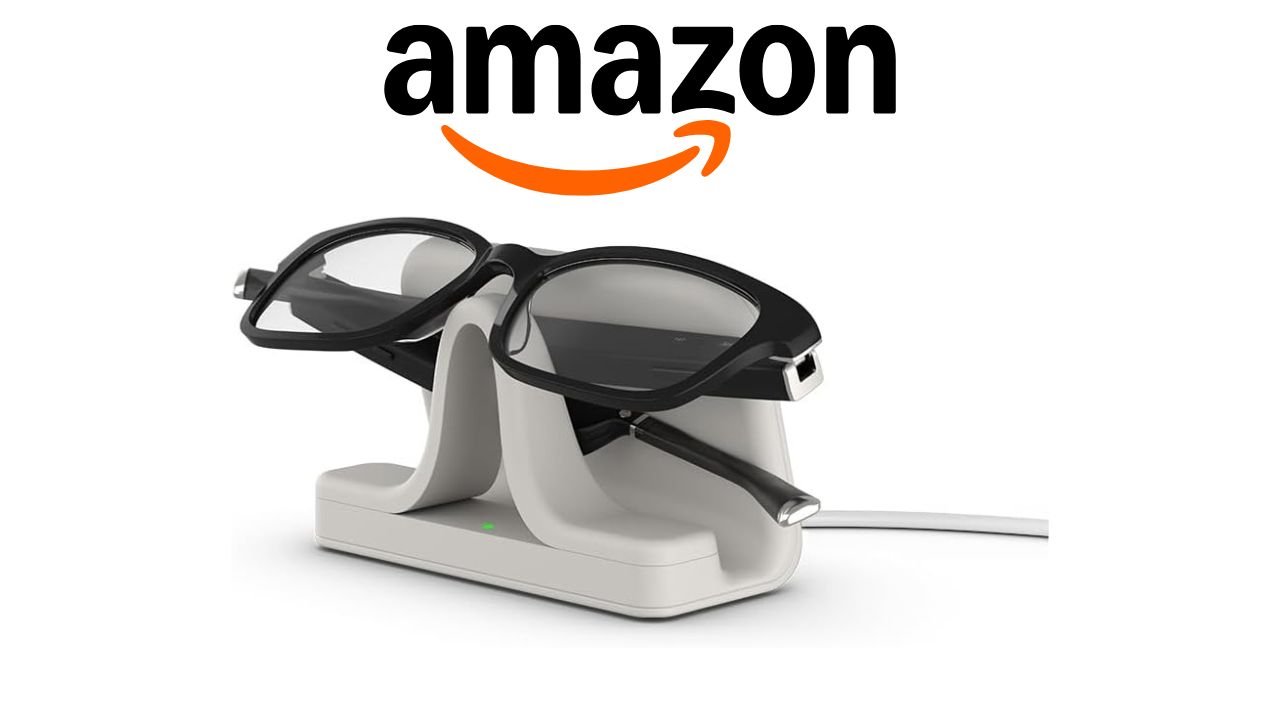
Meet the Amazon Echo Framessmart glasses that make life easier. They have Alexa built-in. This lets users do things without their hands.

Amazon Echo Frames

The Echo Frames are stylish, comfy, and work well. They let you get info, control your home, and listen to music. You don’t need to touch your devices.

Key Takeaways

  • Hands-free smart glasses for everyday use
  • Integrates Alexa for various tasks and smart home control
  • Stylish, comfortable, and functional design
  • Access information and enjoy music on the go
  • Enhance daily life with innovative technology

Introduction to Amazon Echo Frames

The Echo Frames are a big step in smart glasses. They use Alexa for a hands-free way to do things. Amazon made the third version better with design, battery life, and sound.

Understanding Smart Glasses Technology

Smart glasses have changed a lot. They make life easier and more fun. The Echo Frames use Alexa-enabled eyewear for a smooth experience. You can talk to them for calls, messages, and to control your home.

Key Features and Benefits

The Echo Frames have cool features. They make life better in many ways. Here are some benefits:

  • Hands-free control over your digital life
  • Enhanced audio quality for calls and music
  • Integration with Alexa for smart home management
  • Improved battery life for all-day use
FeatureDescriptionBenefit
Hands-free CallingMake and receive calls without needing to physically interact with your device.Convenience and safety while on the go.
Smart Home ControlControl your smart home devices using voice commands.Enhanced home automation and ease of use.
Audio QualityEnjoy enhanced audio for music and calls.Better entertainment and communication experience.

The Echo Frames mix wearable technology with daily tasks. They offer a special way to stay connected without using your phone.

Design and Comfort of Echo Frames

Amazon’s Echo Frames focus on style and comfort. They make smart eyewear that looks good and works well.

Stylish Options for Every Occasion

Echo Frames come in many styles for all tastes and times. You can find classic or modern designs. They come in different colors and lens types, including prescription.

https://www.youtube.com/watch?v=zYIA_mP-_4Y

Lightweight Materials for All-Day Wear

Echo Frames are made of lightweight materials for all-day comfort. They are designed to be worn all day without feeling heavy. Their lightweight construction and comfortable design make them perfect for daily use.

The design of Echo Frames also focuses on durability and comfort. Amazon used advanced materials to make them both useful and stylish.

How Amazon Echo Frames Work

Amazon Echo Frames let you do things without using your hands. They work with Alexa, making life easier. This tech makes talking to devices smooth and fun.

Integration with Alexa

The Echo Frames team up with Alexa perfectly. This means you can control your digital world easily. You can turn on lights or hear the news with just your voice.

Key benefits of Alexa integration include:

  • Control smart home devices with voice commands
  • Make hands-free calls and send messages
  • Access information and entertainment on demand

Voice Commands and Controls

With voice commands, you can use Echo Frames easily. This hands-free way makes tech more fun and easy to use.

TaskVoice Command
Make a call“Alexa, call [contact name]”
Send a message“Alexa, send a message to [contact name]”
Control smart home devices“Alexa, turn on/off [device name]”

The Echo Frames and Alexa are great for daily tasks and staying in touch.

Everyday Use Cases for Echo Frames

The Echo Frames change how we use augmented reality glasses every day. They help us stay connected and manage tasks without always checking our phones.

augmented reality glasses

Navigating Your Day Hands-Free

Echo Frames offer a hands-free experience. With Alexa, you can get directions, check the weather, or see your schedule. You don’t need to touch your device.

  • Get directions to your destination
  • Check the weather forecast
  • Manage your schedule

This hands-free feature is great for busy people or those focused on tasks. It keeps you informed without interrupting your day.

Engaging with Notifications on the Go

Echo Frames let you know about important notifications without stopping your day. You’ll get messages, app updates, and reminders. Stay connected wherever you are.

  1. Receive and respond to messages
  2. Stay updated on news and social media
  3. Get reminders and calendar updates

Using augmented reality glasses like Echo Frames makes your day smoother. It cuts down on distractions and boosts your productivity.

Accessibility Features of Echo Frames

Amazon made the Echo Frames easy for everyone to use. They have special features for people with visual impairments. This makes the smart glasses useful for all users.

Helping Users with Visual Impairments

The Echo Frames have cool features for those who can’t see well. You can use voice assistance to do things like send messages and make calls. They also give audio feedback on things like notifications.

These smart glasses can also work with other smart devices. You can use your voice to control things like lights and security. This is great for people who can’t see well because they don’t have to touch things.

Voice Assistance for Enhanced Usability

The voice help on the Echo Frames is from Alexa. Alexa can do lots of things like set reminders and give news. It’s easy to use, making the Echo Frames better for everyone.

FeatureDescriptionBenefit for Visually Impaired Users
Voice AssistanceAllows users to interact with the device using voice commands.Enables hands-free control and navigation.
Smart Home ControlIntegrates with smart devices for home automation.Allows users to control their environment without physical interaction.
Audio FeedbackProvides audio notifications and updates.Keeps users informed about their surroundings and schedule.

Amazon worked hard to make the Echo Frames for everyone. They added special features for people with visual impairments. This makes the Echo Frames better for everyone and more accessible.

Battery Life and Charging Options

The Amazon Echo Frames have a long battery life. They are great for people who are always moving.

Longevity of Use Between Charges

The Echo Frames can last up to 14 hours. You can listen to music, get notifications, and use voice commands all day. This is perfect for those who are always on the go.

Charging Methods and Time Considerations

The Echo Frames have a special charging cradle. Just put them on the cradle to start charging. Charging is quick, so you can use your device again soon.

The Echo Frames are easy to use. They are wearable technology with voice-controlled frames. Charging is simple, making everything easy and fun.

Privacy and Security Considerations

Smart eyewear like Amazon Echo Frames highlights the need for strong privacy and security. It’s key to know how our privacy is kept safe as we use these devices every day.

Built-in Features to Protect User Privacy

Amazon made Echo Frames with privacy in mind. You can mute the microphone, giving you control over listening. This is vital today, when keeping our privacy safe is more important than ever.

Key privacy features include:

  • Microphone muting for enhanced privacy control
  • Transparent data handling practices
  • Secure data storage and transmission protocols

How Amazon Handles User Data

Amazon is serious about keeping your data private. They make sure Echo Frames handle your data safely. They also tell you how they use and store your data.

Amazon’s approach to user data is centered around:

  • Providing users with control over their data
  • Ensuring secure data transmission and storage
  • Being transparent about how data is used to improve user experience

In summary, Amazon Echo Frames focus on keeping your data safe. They have special features for privacy and are open about how they handle your data. As smart eyewear grows, keeping these privacy and security steps will be even more important.

Comparison with Other Smart Glasses

Amazon Echo Frames are changing the smart glasses world. They have a cool design and smart features. They are a great choice for those who want a hands-free device that looks good and works well.

Differentiating Features from Competitors

Amazon Echo Frames are different from other smart glasses like Meta Ray-Ban. They have a design that is not too obvious. This makes them perfect for wearing every day without people noticing they are smart glasses.

They also work with Alexa. This lets users do lots of things with their voice. It makes using them very easy and fun.

Value Proposition of Amazon Echo Frames

Amazon Echo Frames offer a cool augmented reality experience. They are not big or heavy. This makes them great for getting notifications, listening to music, and finding your way around.

They are also very comfortable. They are made of light materials. This means you can wear them for a long time without feeling tired or uncomfortable.

In short, Amazon Echo Frames are special in the smart glasses world. They mix style, comfort, and new features well. They are a good choice for anyone looking for a hands-free, augmented reality glasses option.

Customer Reviews and Feedback

People have shared their thoughts on the Echo Frames. They talk about what they like and don’t like. Amazon’s new product has caught a lot of attention.

User Experiences and Testimonials

Many say the Echo Frames are comfy and sound great. “I was surprised by how comfortable they were to wear, even for extended periods,” one person said. They love how easy it is to use Alexa without touching their phone.

Some have shared their stories on social media. They say the Echo Frames have changed their day-to-day life. “The Echo Frames have been a game-changer for me,” one customer said.

“I can listen to music, take calls, and get directions without having to touch my phone. It’s incredibly convenient.”

Common Praise and Criticisms

Most people like the Echo Frames, but some have suggestions. They like the design, how light they are, and how easy they are to use. But, some say the battery doesn’t last long enough.

  • The Echo Frames’ comfort and fit have been widely praised.
  • Users appreciate the high-quality audio and seamless integration with Alexa.
  • Some users have noted that the battery life could be improved.

Overall, people think the Echo Frames are a big step in tech. They mix style, comfort, and usefulness well. Amazon will keep making the product better with the help of customer feedback.

Future of Wearable Smart Technology

Smart glasses are changing how we get information. They are a big step in wearable tech. We will see more wearable devices in our lives.

Advancements in Smart Glasses

Smart glasses tech is getting better fast. We see better displays, longer battery life, and more features. This makes them useful for daily life, not just fun.

Some big changes include:

  • Displays that show clearer, brighter images.
  • Batteries that last longer, so you can use them more.
  • More powerful processors for complex tasks.

Predictions for the Market

The market for smart glasses and wearable tech will grow a lot. As it gets better and easier to use, more people will start using it.

Some market predictions are:

  1. More businesses will use smart glasses for tasks like checking inventory and helping customers from afar.
  2. More people will want smart glasses for tracking fitness, finding their way, and fun.
  3. AR will get better, making our experience even more amazing.

As wearable tech keeps getting better, we’ll find new ways to use it. It will become a big part of our daily lives.

Conclusion: Is Amazon Echo Frames Right for You?

The Amazon Echo Frames are stylish, comfy, and full of features. They are a good pick for those who want smart glasses. These glasses let you use Alexa without your hands.

Key Considerations

Think about the design, comfort, and features of Amazon Echo Frames. They look good and feel light, perfect for wearing all day. Plus, they work well with Alexa.

Final Assessment

The Amazon Echo Frames are a smart choice for smart glasses. They have cool features and are easy to use. If you want to control things with your voice or get updates easily, try the Echo Frames.

FAQ

What are Amazon Echo Frames?

Amazon Echo Frames are smart glasses. They let you use Alexa for daily tasks. They are stylish, comfy, and work well.

How do Echo Frames integrate with Alexa?

Echo Frames work with Alexa. This lets you control your smart home, make calls, and send messages with your voice.

Are Echo Frames comfortable to wear?

Yes, Echo Frames are light and comfy. They’re great for wearing all day.

Can I use Echo Frames to control my smart home devices?

Yes, you can control your smart home with Echo Frames. Just use voice commands through Alexa.

How long does the battery last on Echo Frames?

Echo Frames have a long battery life. This means you can use them for a long time before needing to charge.

Are Echo Frames suitable for users with visual impairments?

Yes, Echo Frames help users with visual impairments. They offer voice assistance for better use.

How do Echo Frames compare to other smart glasses on the market?

Echo Frames stand out because of Alexa, their design, and hands-free use. They’re different from other smart glasses.

What are the privacy and security features of Echo Frames?

Echo Frames protect your privacy. Amazon also takes care of your data in a strong way.

Can I make hands-free calls with Echo Frames?

Yes, you can make hands-free calls with Echo Frames. It’s easy to stay in touch while you’re on the move.

Are Echo Frames compatible with my existing Alexa devices?

Yes, Echo Frames work well with other Alexa devices. This makes your smart home experience better.

Review MacBook M3 Pro/Max

2
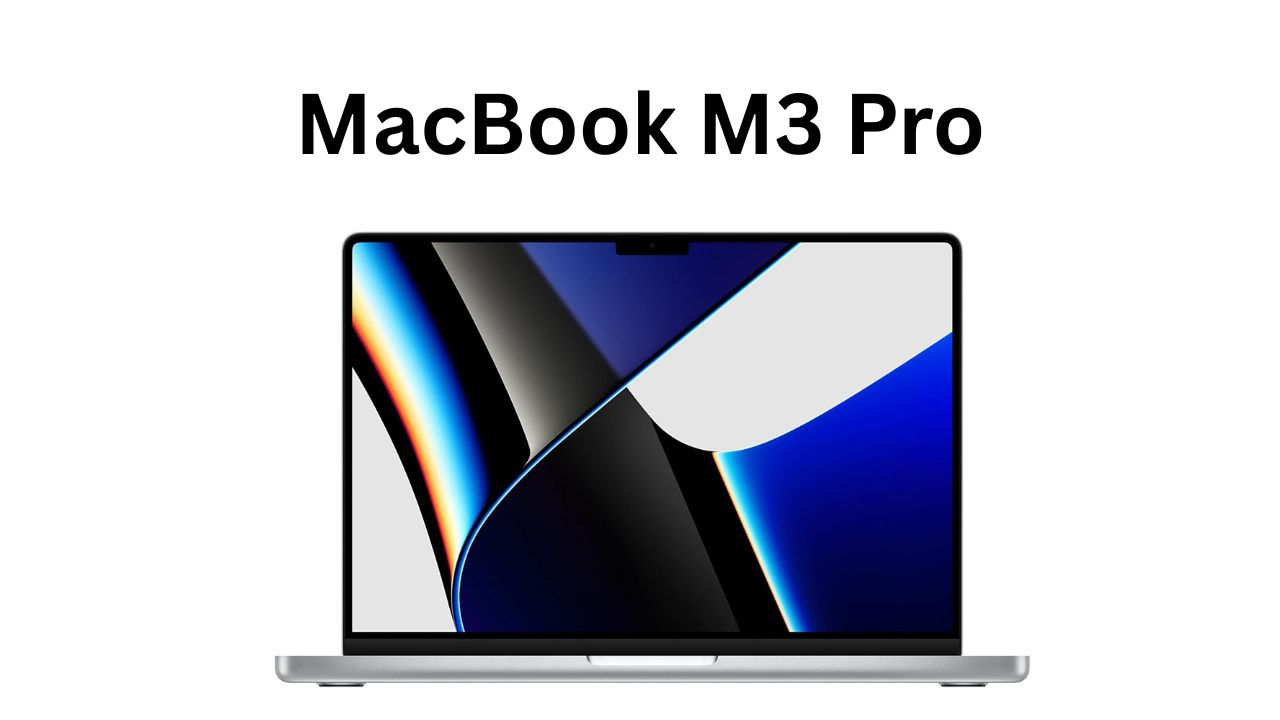
Apple MacBook M3 Pro laptop with Liquid Retina XDR display and powerful M3 Pro chip

Introduction

The MacBook M3 Pro/Max family represents Apple’s next step in the ongoing transition from Intel-based MacBooks to Apple Silicon. Combining generational improvements in CPU and GPU performance, power efficiency, and system integration, the MacBook M3 Pro/Max aims to satisfy demanding professionals and power users while retaining the hallmark macOS experience. This review article examines the MacBook M3 Pro/Max in-depth: what they offer, who should consider them, their primary features, and practical buying guidance — including notes on pricing considerations and Amazon availability.

Keyword: MacBook M3 Pro/Max

Overview of MacBook M3 Pro/Max

Apple’s M-series chips have been a major focal point for recent Mac hardware refreshes. The M3 family continues that trend with improvements in performance per watt, memory architecture, and on-chip neural engines. The M3 Pro and M3 Max are the higher-tier variants designed for professionals. Key distinctions between them typically involve CPU core counts, GPU cores, unified memory capacity, and memory bandwidth — with the Max variant aimed at the heaviest workloads.

Design and Form Factor

  • The MacBook M3 Pro/Max models generally ship in Apple’s modern slim unibody aluminum chassis. Expect high-resolution displays, thin bezels, a refined keyboard and trackpad, and a selection of ports aimed at professional users (e.g., HDMI, SD card slot, Thunderbolt/USB‑4 ports, MagSafe).
  • Build quality remains premium, with emphasis on durability and portability for mobile professionals.

Targeted Use Cases

  • M3 Pro: Geared to creative professionals, software developers, data analysts, and video editors who need strong multi-core CPU performance and mid-to-high GPU capability. Ideal for 4K video editing, compiling large codebases, and running sophisticated productivity workflows.
  • M3 Max: Targeted at heavy-duty creatives and professionals — e.g., high-end video post-production (8K workflows), 3D rendering, large ML/AI model inference on-device, and users who require very high GPU performance and large unified memory pools.

Technical Features & Improvements

Below is a summary of typical features and improvements you can expect from the MacBook M3 Pro/Max generation (based on Apple’s design direction and M-series progression).

1. Chip and Performance

  • CPU: Multiple high-performance and efficiency cores arranged to balance single-thread and multi-thread workloads. Improved per-core performance versus prior generation chips, yielding faster compile times, responsiveness, and compute throughput.
  • GPU: Significantly more GPU cores on Pro and especially Max variants to accelerate graphics workloads and GPU compute tasks (e.g., rendering, effects, and machine learning tasks).
  • Neural Engine: Faster on‑chip neural engine for accelerated machine learning inference, image/video analysis, and other AI-accelerated features.

2. Unified Memory and Bandwidth

  • Unified Memory Architecture (UMA): Enables CPU, GPU, and Neural Engine to share the same pool of high-speed memory, reducing data-copy overhead and improving throughput.
  • Higher Memory Configurations: The Pro supports higher RAM options than base models, while the Max supports very high capacities (useful for heavy video timelines, 3D scenes, or large datasets).
  • Greater Memory Bandwidth: Particularly on Max models, which improves performance in GPU-heavy tasks and large data movement.

3. Display

  • High-Resolution, Color-Accurate Display: Typically Liquid Retina XDR or similar with high brightness, wide color (P3), and excellent contrast for color-critical work.
  • ProMotion / High Refresh Rate: Smooth scrolling and responsive UI interactions (where applicable).

4. Battery Life & Thermal Efficiency

  • Thanks to improved performance-per-watt, M3 models offer excellent battery life for sustained workflows, with new designs often pushing the envelope on idle and mixed workloads. Thermal systems in the Pro/Max models are tuned to maintain higher sustained clocks for longer under load.

5. Ports and Expandability

  • Professional MacBook models generally include multiple Thunderbolt/USB‑4 ports, HDMI, SD card reader, and MagSafe charging — addressing many professional workflow needs without dongles.

6. Software Integration

  • macOS increasingly leverages Apple Silicon with optimizations across system services, creative apps (Final Cut Pro, Logic Pro), and third-party software (Adobe Creative Cloud, many developer tools). Rosetta 2 compatibility remains for legacy Intel apps, but native M3 apps show the best performance.

Who Should Buy a MacBook M3 Pro/Max?

Choosing between MacBook variants depends on workflow intensity, budget, and future-proofing needs. Here’s a buyer-oriented breakdown:

  • Casual Users and Students: Likely overkill. Base M-series MacBooks (e.g., M3 or M3 Pro entry models depending on configuration) or less expensive models may be more cost-effective.
  • Millennial Professionals / Content Creators: If you routinely edit 4K video, run pro audio projects, or do frequent photo editing, the M3 Pro offers a balanced mix of performance and portability.
  • Power Users and Creative Studios: If you regularly work with 6K–8K footage, complex motion graphics, 3D rendering, or large machine-learning tasks, the M3 Max is the better fit for its larger GPU core counts and expanded unified memory.
  • Developers and Data Scientists: If your workloads involve large builds, virtualization, or data science model training/inference, consider Pro for most, Max for the largest workloads and in‑machine acceleration needs.
  • Future-Proofing/Investment Buyers: If you plan to keep a machine for many years and want the best possible performance margin, the Max offers longevity at the expense of higher cost.

Practical Buying Guidance & Pricing (Including Amazon Considerations)

Note: I don’t have live internet access to verify current prices. The following is general guidance on how to approach buying and price expectations.

Apple MacBook M3 Pro laptop with Liquid Retina XDR display and M3 Pro chip

Price Range Expectations

  • MacBook M3 Pro/Max models are premium laptops and are priced accordingly. Expect a substantial price increase for Pro over base models, and another significant step up for Max and high-RAM configurations.
  • Pricing depends strongly on configuration: CPU/GPU core counts, unified memory (RAM), and SSD capacity.

Amazon and Other Retailers

  • Amazon often lists new MacBook models through a combination of Apple-authorized resellers, official Apple Store listings, and third-party sellers. Availability can vary and occasional discounts appear, but Apple devices commonly sell near MSRP unless a sale or refurbished model is available.
  • For the best price points:
    • Check Apple’s official refurb store for certified refurbished units with warranty.
    • Monitor authorized resellers (e.g., major electronics retailers) for occasional discounts, holiday sales, or student-education pricing.
    • On Amazon, look for listings sold by reputable sellers or “Ships from and sold by Amazon.com” to reduce risk.
    • Compare prices across marketplaces and factor in shipping, taxes, and return policies.

Are They Affordable on Amazon?

  • “Affordable” is relative. MacBook M3 Pro/Max models typically carry premium pricing and so are less likely to be found at steep discounts on Amazon immediately after release.
  • Over time, Amazon may list price reductions during major sales events (Black Friday, Prime Day) or for slightly older configurations once newer models appear.
  • If budget is a priority, consider:
    • Lower-tier M3 models (non‑Pro/Max).
    • Previous-generation MacBook Pro (M1/M2 Pro/Max) refurbished or on sale.
    • Apple-certified refurbished units.

Kinds / Configurations to Consider

When buying a MacBook M3 Pro/Max, consider the following configuration choices and their implications:

  • CPU/GPU Configuration: Higher core counts provide better multi-thread and GPU throughput. Choose based on workload — more cores for rendering, scientific compute, and parallel tasks.
  • Unified Memory (RAM): Essential for heavy multitasking, large video timelines, and memory-bound workloads. Max models typically allow larger RAM capacities (e.g., 64GB/96GB+ options).
  • SSD Storage: Choose enough storage for your workflow; SSD upgrades via Apple are costly, so plan ahead. External fast NVMe via Thunderbolt can be a workaround for large media libraries.
  • Display Size: MacBook Pros often come in different sizes (e.g., 14-inch and 16-inch); choose between portability and maximum screen real-estate.
  • Connectivity: If you rely on many peripherals, favor models with more ports or plan for high-quality docking solutions.

Real-World Performance (Expected)

While exact benchmark numbers depend on final configurations and testing, users can expect:

  • Faster single-thread performance than preceding Apple Silicon chips, benefiting apps reliant on single-core speed.
  • Larger gains in multi-core and GPU-bound tasks, especially on Max configurations.
  • Considerable energy efficiency improvements: longer battery life during mixed workloads and lower fan noise for light-to-moderate tasks.

Pros and Cons

Pros:

  • Exceptional performance-per-watt and sustained performance for pro workloads.
  • Unified memory architecture simplifies data flow between CPU and GPU.
  • Excellent battery life for a pro-class machine.
  • macOS ecosystem and optimized creative/pro apps.
  • Solid build quality and high-quality displays.

Cons:

  • Premium price, especially for Max and high-RAM configurations.
  • Limited user-upgradability (RAM and internal SSD typically soldered/non-upgradable).
  • Availability and discounts can lag behind Windows-based competitors in price-sensitive segments.
  • Some niche professional apps may still need optimization for Apple Silicon, though this is rapidly improving.

Final Recommendations

  • If your work involves professional video editing, motion graphics, 3D rendering, or extensive ML workloads: strongly consider the MacBook M3 Max with a high unified memory and robust GPU configuration.
  • If you need a powerful, portable machine for photo editing, software development, and 4K video: the MacBook M3 Pro offers an excellent balance of price, performance, and portability.
  • If budget is a key constraint and your workflows are moderate: consider lower-tier M3 models, older Pro/Max generations on sale, or certified refurbished units.
  • For buying on Amazon: verify seller reputation, check return/warranty terms, and compare against Apple’s refurb and authorized reseller offers. Watch major sale events for potential discounts.

How to Check Current Prices and Deals

  • Search Amazon for “MacBook M3 Pro” or “MacBook M3 Max” and filter by seller (Amazon vs third-party), new vs certified refurbished, and read seller ratings and return policies.
  • Compare with Apple’s official store and authorized resellers for student discounts, trade-in offers, or refurbished stock.
  • Use price-tracking tools or browser extensions to monitor historical pricing and set alerts for drops.

Conclusion

The MacBook M3 Pro/Max pushes Apple’s professional portable computing forward, delivering stronger CPU/GPU performance, improved efficiency, and advanced system-level integration. They are particularly compelling for professionals whose workflows benefit from high GPU counts and large unified memory. The cost is premium — reflecting Apple’s positioning — so buyers should match configuration choices to real-world needs, consider refurbished or previous-generation alternatives if budget constrained, and shop around (including Amazon) for competitive offers.

14 inch vs 16 inch MacBook Pro — In-Depth Comparison

1
14 inch vs 16 inch MacBook Pro side by side comparison

1. Introduction

Why compare the MacBook Pro 14 inch vs 16 inch?
The MacBook Pro lineup contains two primary portable workhorse sizes: the 14-inch and the 16-inch. Both target users who need high performance, strong battery life, and excellent displays, yet they cater to slightly different priorities: portability versus screen real estate and sustained performance. A head-to-head comparison helps prospective buyers decide which machine better matches their workflows, budgets, and mobility needs.

Who are these laptops made for?

  • Creative professionals (video editors, motion designers, 3D artists, photographers) who need color-accurate displays and heavy compute.
  • Developers, data scientists, and power users who require multi-core CPU and GPU performance.
  • Students, mobile professionals, and frequent travelers who balance performance needs with portability.
  • Musicians and podcast producers who value reliable I/O and low-latency performance.

Quick overview of specs (M3 Pro, M3 Max, etc.)
Apple’s modern MacBook Pro models typically ship with higher-tier Apple silicon options such as M3 Pro and M3 Max (successors to M1/M2 Pro/Max families). Typical differences between configurations include core counts (CPU and GPU), unified memory capacity, and memory bandwidth. Both sizes usually offer similar chipset options, though the 16-inch is often favored for the highest-end configurations and slightly better sustained thermal performance.


2. Design and Portability

Is the MacBook Pro 14-inch easier to carry?
Yes. The 14-inch strikes a strong balance between screen size and portability. It fits more comfortably in smaller bags and is lighter to carry day-to-day. For users frequently commuting or flying with their laptop, the 14-inch is easier to manage and stow away.

Is the 16-inch too big for travel or students?
It depends on the user. The 16-inch is portable in the sense that you can carry it, but its size and weight make it less convenient for compact backpacks or tight workspaces (airplane trays, small cafes). For most students who prioritize mobility, the 16-inch is often overkill. For students needing powerful native compute (e.g., film students, advanced 3D coursework), it might be justified.

Build quality and weight differences

  • Both models use premium aluminum unibody designs, the same keyboard/trackpad construction, and similarly excellent build quality.
  • The 16-inch is larger and heavier — the extra screen area and larger thermal system contribute to additional grams/ounces. This weight difference is meaningful when carried daily, but manageable for occasional travel.

3. Display and Visual Experience

How do the 14-inch and 16-inch XDR displays compare?
Both models typically feature Liquid Retina XDR displays with mini-LED backlighting, high contrast ratios, and wide color support (P3). The key differences are diagonal size, pixel density (generally similar), and usable workspace: the 16-inch offers more physical screen real estate, making timelines, palettes, and multi-window layouts easier to manage.

Is the 16-inch better for creative professionals?
Generally yes. Creative professionals benefit from the larger canvas for timelines, side panels, and reference imagery. The increased screen area reduces the need for external monitors in many cases and improves comfort during long creative sessions.

ProMotion (120Hz) experience on both models
Both models typically include ProMotion adaptive refresh up to 120Hz, which makes scrolling, panning, and animations feel smoother and more responsive. The experience is largely identical between the two sizes, though the subjective benefit can feel greater on a larger screen because motion is more visually prominent.


4. Performance and Hardware

M3 Pro vs M3 Max: does size matter?
Size per se doesn’t determine the chip; both the 14-inch and 16-inch usually offer the M3 Pro and M3 Max options. However, the 16-inch has a larger chassis and a more capable thermal envelope, which often allows it to sustain higher clocks and deliver better sustained performance under heavy loads (multi-hour renders, long encoding sessions).

Do both 14-inch and 16-inch offer the same chip options?
Yes — Apple typically makes the same chip families available across both sizes. The configurability (CPU/GPU cores, RAM, storage) is often identical, though certain highest-tier Max configurations may be favored by buyers choosing the 16-inch for thermal headroom.

Which one is better for heavy tasks like 3D rendering, video editing, or coding?

  • For short bursts or single-task workloads, both are likely very close.
  • For prolonged, sustained heavy workloads (3D rendering, long-form video encoding, complex simulations), the 16-inch often pulls ahead thanks to better cooling and sustained performance. If your workflow includes hours-long renders or you run multiple heavy apps concurrently, the 16-inch is the safer choice. For coding and most developer workflows, both are excellent; the 14-inch is usually sufficient.

5. Battery Life and Charging

Which one lasts longer on battery?
Historically, the larger 16-inch model tends to have a bigger battery and therefore longer real-world battery life in mixed-use scenarios. That said, efficiency improvements in Apple silicon mean both models deliver impressive endurance. The 16-inch typically wins in absolute battery longevity, especially for tasks that don’t peg the CPU/GPU continuously.

Does the 16-inch provide better efficiency for long workdays?
The 16-inch provides longer runtime simply because of larger battery capacity. In terms of battery efficiency (performance per watt), both models are comparable, but the 16-inch’s larger battery translates to more uptime between charges for equivalent workloads.

Fast charging options (MagSafe vs USB-C)
Both sizes generally support MagSafe fast charging and USB-C power delivery. Apple’s higher-wattage chargers enable faster charging, and the 16-inch configurations often include higher-wattage adapters for faster top-ups. MagSafe remains convenient and safe for desktop/commute use; USB-C offers flexibility but MagSafe is the preferred quick-charge option on MacBook Pros.


6. Keyboard, Trackpad, and Ports

Are the keyboard and trackpad identical?
Yes — Apple maintains consistent keyboard and trackpad design across both sizes, so tactile feel and layout are effectively identical. The typing experience and haptic feedback are the same.

Does size affect usability?
Size affects how comfortable the keyboard deck and palm rests feel in different environments. The larger chassis on the 16-inch can provide a slightly more spacious feel, especially for users with larger hands. Otherwise, day-to-day usability is similar.

Do both have enough ports for professionals?
Both models typically offer a professional selection of ports: HDMI, SD card slot, multiple Thunderbolt/USB-C ports, MagSafe charging, and a headphone jack. For most professionals, these ports are sufficient. The 16-inch offers identical I/O but the larger size can make cable management and port access feel less cramped during workstation setups.


7. Audio and Webcam Quality

Are the speakers louder and richer on the 16-inch?
Yes. The 16-inch usually houses a larger speaker array and can deliver louder, fuller sound with stronger bass and dynamic range. For music production, referencing mixes, or media playback without external speakers, the 16-inch is superior.

Is there any difference in the webcam quality?
Webcam hardware (e.g., 1080p) tends to be the same between the two models, so image quality for video calls is comparable. Differences in microphone array and speaker output (louder on 16-inch) can influence perceived call quality, but camera performance is generally equal.

Which one is better for video calls and music?

  • For video calls: both are similar due to equivalent webcams and microphones, though the larger speaker output on the 16-inch helps hearing others more clearly.
  • For music: the 16-inch is better if you rely on internal speakers for playback or rough mixing. For critical mixing and audio work, external studio monitors/headphones are still recommended.

8. Pricing and Value

What’s the price difference between the 14-inch and 16-inch?
The 16-inch carries a price premium over the 14-inch, sometimes significant depending on configuration. Higher-tier RAM and GPU upgrades further widen the price gap as you approach top-of-the-line M3 Max configurations. Exact pricing varies by region, retailer, and promotional deals.

Is the upgrade to 16-inch worth it?
That depends on your priorities:

  • If you need extra screen real estate, longer battery life, better sustained performance, and superior speakers, the 16-inch is worth the upgrade.
  • If portability, lower cost, and nearly identical peak performance for many tasks matter most, the 14-inch is the better value.

Which offers better value for money?
For most users, the 14-inch represents better value—especially students and typical professionals—because it provides nearly all the performance in a more portable and cheaper chassis. For those who use the machine as a primary workstation and rely on peak sustained performance or a large display, the 16-inch becomes better value despite higher cost because it can replace a desktop setup.

Note: You can often find competitive pricing and discounts through retailers including Amazon; prices fluctuate, so comparing current offers is recommended when buying.


9. MacBook Pro 14-inch vs 16-inch: Which One Should You Buy?

  • 🎓 For Students
    • 14-inch → lighter, more portable, affordable, still powerful. Best for daily use, note-taking, and study-related tasks.
  • 💼 For Office Workers / Professionals
    • 14-inch → great for portability and mixed tasks.
    • 16-inch → better if you need large screen space for multitasking or run sustained compute-heavy processes.
  • 👨‍💻 For Normal Users
    • 14-inch → more than enough power for browsing, office apps, media, and development work. 16-inch may be overkill unless you prioritize screen size.
  • 🎨 For Artists / Creators (Video Editors, Designers, Musicians)
    • 16-inch → best choice for 3D modeling, 4K video editing, music production, and color grading. Bigger screen, stronger thermal system, and louder speakers make it preferable for heavy creative work.

10. Pros and Cons Side-by-Side

MacBook Pro 14-inch ✅

  • Compact, portable, and slightly cheaper
  • Still offers M3 Pro / M3 Max performance configurations
  • Ideal balance of size and power
  • Slightly shorter battery life and smaller speakers compared to 16-inch

MacBook Pro 16-inch ✅

  • Bigger display and improved multi-window workspace
  • Longer battery life and better sustained performance for long tasks
  • Superior speaker volume and richness
  • Heavier, bulkier, and more expensive

11. Final Verdict

  • MacBook Pro 14-inch → Best for students, normal users, and mobile professionals who want a powerful, portable machine at a relatively lower price point. It balances performance and mobility and suits most workflows.
  • MacBook Pro 16-inch → Best for creators, power users, and those who need a portable desktop replacement. Choose the 16-inch if you prioritize a larger workspace, longest battery life, superior audio, and better sustained performance under heavy loads.

Closing Recommendations and Buying Tips

  • Identify your primary use: If your days include long renders or you often forgo external monitors, consider the 16-inch. If you travel frequently or prefer a lighter setup, choose the 14-inch.
  • Configure wisely: Buy the best CPU/GPU/RAM combination you can afford for your expected lifetime usage—Apple laptops are not easily upgradable later. For creative pros, prioritize unified memory and GPU cores.
  • Compare prices: Check authorized retailers (including Amazon) for current deals, student discounts, and seasonal promotions. Prices change frequently; compare configurations carefully.
  • Consider accessories: A quality USB-C hub, an external monitor, or portable SSDs can extend the utility of the 14-inch if you want more screen area or ports on the go.

also read this

How to Use Chat GPT: Best Beginner’s Guide 2025

Discover the Ultimate Best chat gpt model for writing

How can a professor detect chat gpt? Detect ChatGPT Cheating