
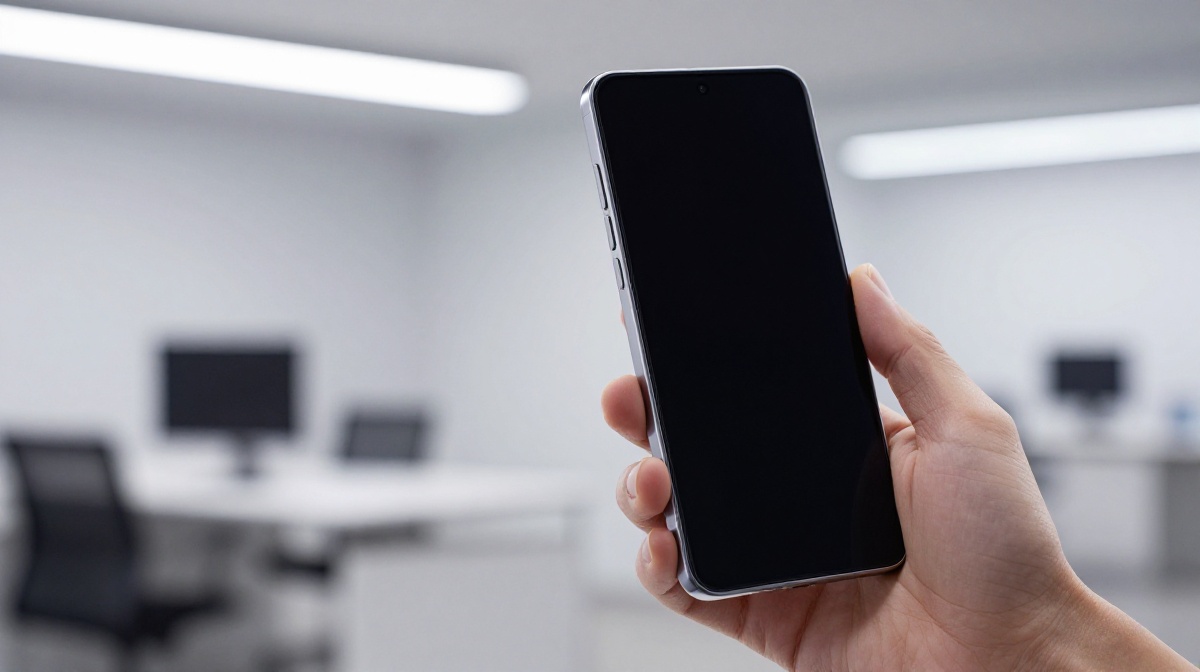
Samsung Galaxy S26 Ultra Deep Dive: Refinement, Risk, and the “Privacy” Trade-off
The smartphone industry has reached a point where “revolutionary” changes are few and far between. With the launch of Samsung’s latest flagship, the Galaxy S26 Ultra, the question on every tech enthusiast’s mind is whether this is a genuine leap forward or simply a polished version of what came before. After spending a day with the device, it is clear that Samsung is attempting a delicate balancing act between introducing futuristic technology and sticking to a tried-and-true formula.
At www.thegadgetnet.com, our mission is to provide you with the most nuanced look at the latest tech, cutting through the marketing hype to find what truly matters for your daily use. The Galaxy S26 Ultra is perhaps the best example of why this deep-dive approach is necessary, as its most “innovative” features come with some unexpected compromises.
The Display: A Mixed Bag of Innovation
The headline feature of the S26 Ultra is undoubtedly the new Privacy Display. This isn’t just a software trick; it involves a fundamental change in how the pixels on your screen operate. Samsung has integrated two types of pixels: normal pixels that shine in a wide cone (allowing for standard viewing angles) and new narrow pixels that focus light directly outward in a straight line.
When you activate “Privacy Display” from the quick settings, the phone turns off the wide-firing pixels, leaving only the narrow ones active. This makes the screen virtually unreadable to anyone not looking at it head-on. What makes this particularly clever is the granular control:
- App-Specific Activation: You can set the privacy mode to kick in only when you open sensitive apps like WhatsApp or banking tools.
- Selective Sections: You can even apply the privacy effect to specific parts of the screen, such as hiding just your notifications.
However, this “magic” comes at a cost. Because the mode effectively turns off half of your pixels, the resolution takes a nose dive. The screen loses significant brightness and readability for the user. More concerning is the “extra wrinkle”: even when the privacy mode is turned off, the S26 Ultra’s viewing angles appear worse than the S25 Ultra, exhibiting a noticeable blue tint and faster brightness drop-off as you rotate the device. It seems that having half the pixels dedicated to firing light forward permanently affects the display’s wide-angle performance.
On a positive note, when viewed head-on, the experience is improved. This is the first Samsung phone to feature a proper 10-bit panel, allowing for a wider range of colours. Additionally, the new ProScaler image enhancement software does a remarkable job of sharpening details in videos, such as the texture of waves, in a way that is surprisingly noticeable.
Design: Thinner, Lighter, and a Return to Aluminium
In a move that mirrors the most recent iPhone releases, Samsung has ditched titanium and returned to aluminium for the S26 Ultra’s frame. While some might find this “awkward” given how heavily titanium was marketed previously, the practical benefits are clear: aluminium is more heat-conductive, which should assist with thermal performance during intensive tasks.
The design philosophy this year is one of refinement rather than revolution. The corners are softer and more rounded, and the sides curve more gently into the screen. At 7.9 mm, this is the thinnest Ultra ever made, and it is also lighter than its predecessor. Samsung has even shaved down the S Pen to accommodate this thinner profile.
Interestingly, for the first time since the Ultra line began, the design now perfectly matches the standard S26 and S26 Plus, featuring the same curvature and camera styling. However, the colour palette remains a point of contention; the current options are somewhat muted and “grayscale,” failing to recapture the iconic, vibrant options of Samsung’s past.
Camera Improvements: It’s What’s Inside That Counts
On the surface, the camera hardware looks identical to last year, but three “hidden” improvements make a significant difference:
- Wider Apertures: Both the 200-megapixel main sensor and the telephoto lens have wider apertures to let in more light, which, combined with new software that preemptively eliminates noise patterns, results in noticeably brighter and cleaner night shots.
- Horizontal Lock: A new addition to Super Steady mode, this feature uses real-time calculations to eliminate phone rotation from your footage, providing phenomenal levels of stabilization.
- Advanced Processing: The S26 Ultra doubles down on making the subject look better. Even without a resolution bump, skin textures are improved, faces are brighter, and highlights (like reflections on a forehead) are better controlled so they don’t look “blown out”. This processing is also active on the selfie camera.
Pro users will also appreciate the support for APV (Advanced Professional Video), a high-quality format that allows for multiple edits with minimal quality loss. Additionally, the auto-framing mode has been upgraded from 1080p to 4K, and new lenses have been introduced to reduce flares from bright light sources.
Performance, Battery, and the Charging Dilemma
Under the hood, the S26 Ultra is powered by the Snapdragon 8 Elite Gen 5 for Galaxy, which offers about 20% more power than the previous generation. RAM options range from 12GB to 16GB.
However, some areas remain stagnant. The battery is still a 5,000 mAh unit—the same capacity used for the last several generations. While many competitors are moving toward 7,000 mAh batteries, Samsung chose to prioritize a thinner chassis over increased capacity. To compensate, wired charging has been bumped up to 60W (from 45W), allowing the phone to reach 75% in just 30 minutes. Wireless charging has also improved to 25W, though the device still lacks built-in magnets for easier accessory alignment.
The AI Era: Software That Does Things For You
Samsung is marketing this device as the start of an era where phones “do things for you”. Here is a breakdown of the new AI features:
- Smart Organization: Screenshots are now automatically scanned and sorted into eight categories for easier retrieval.
- The Finder: A new, highly reachable button on the home screen allows you to search through everything, including past notifications—perfect for finding lunch details buried in a group chat.
- Bixby & Perplexity: Bixby has been integrated with Perplexity AI. It can now generate settings toggles right in front of you and handle complex, conversational internet searches.
- Audio Eraser: Previously for your own videos, you can now use this on any video you watch (like YouTube) to “shush” background noise and focus on the person speaking.
- Generative Editing: The AI photo editing is now more powerful. You can use text prompts to change objects in a photo (like changing a plate of brownies to fruit) or blend two separate photos together seamlessly. A new Creative Studio app also helps users create AI-generated stickers, invitations, and wallpapers.
There are, however, some inconsistencies. The “Nudge” feature, which is supposed to surface relevant info—like your location when someone texts “where are you”—proved to be unreliable and often failed to suggest an answer. Other features, like notification summarization and proactive Uber booking, were either unavailable or restricted by region during initial testing.
Conclusion: Satisfied but Not Excited
The Samsung Galaxy S26 Ultra is a powerhouse of a phone that excels in refinement. It is thinner, lighter, and more capable in low light, with an innovative (if flawed) privacy display that hints at the future of mobile screens.
While it might not “rock your world” with massive hardware shifts, the combination of a 10-bit panel, faster charging, and a more helpful AI suite makes it a formidable flagship. For the most detailed breakdowns and the latest updates on how these features hold up in long-term testing, stay tuned to www.thegadgetnet.com.
The S26 Ultra may feel like a “mixed bag” initially, but for those who value subtle improvements in ergonomics and camera processing, it remains the gold standard for Android flagships.

