7.8 C
New York
Saturday, March 28, 2026
Home Blog Page 7

Affordable Windows laptops 2025

0
Affordable Windows laptops 2025

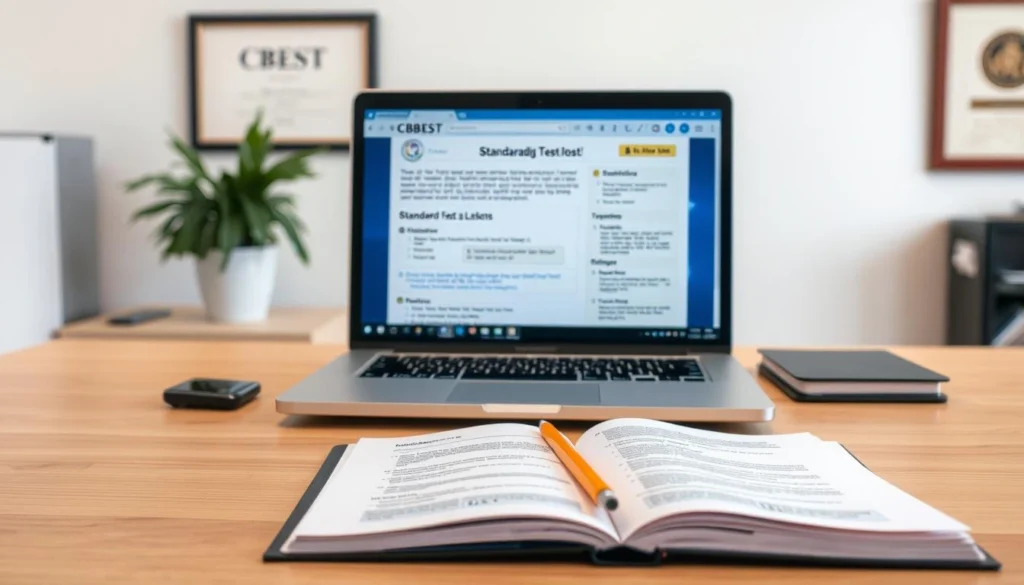
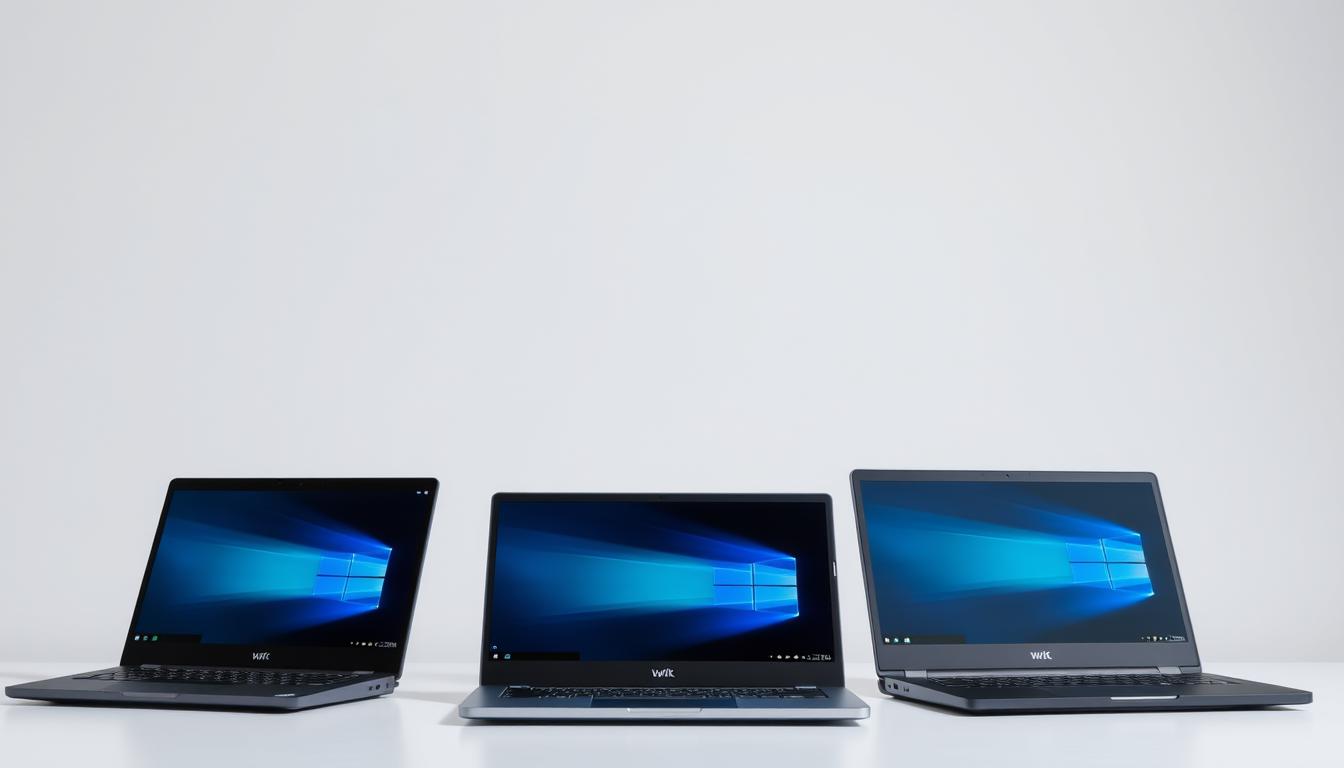
Are you looking for a reliable and affordable laptop? You’re in the right place! In 2025, budget-friendly Windows laptops are more powerful than ever. They are perfect for home, work, or school.

PCMag says, “You can find a budget laptop that’s great for many tasks. It can be a full-size clamshell, an ultraportable, or a 2-in-1. All for less than $1,000.” This makes affordable laptop options a great choice for students and gamers.

Thanks to recent tech, these laptops offer great value. You can find a laptop for everyday tasks or something more powerful. There’s a top laptop pick for you in 2025.

“Affordable Windows laptops 2025”

Key Takeaways

  • Budget-friendly Windows laptops offer great performance in 2025.
  • Affordable laptops are available for various needs, including home, work, or school.
  • You can find a capable laptop for less than $1,000.
  • Recent innovations make affordable laptops more attractive.
  • Top laptop picks in 2025 cater to different user needs.

Why Choose Affordable Windows Laptops in 2025?

Technology has improved a lot. Now, affordable Windows laptops in 2025 have features once only in expensive models. This makes them a great choice for many.

The Value Proposition of Budget Windows Laptops

Budget Windows laptops are known for being a good deal. They mix performance, features, and low price well. For example, the Acer Aspire 3 is fast, supports Wi-Fi 6, and has a long battery life. All for under $500.

These laptops are great for everyday tasks. They can handle web browsing, streaming, and document work easily. They meet the needs of today’s users.

Recent Innovations in Affordable Computing

There have been big changes in affordable computing. Laptops now have Wi-Fi 6 for faster internet. This is a big improvement.

Processing power has also improved. Budget laptops now have processors that are both fast and efficient. This means you get good performance without spending a lot.

Laptop ModelProcessorRAMStoragePrice
Acer Aspire 3Intel Core i38GB256GB SSD$349
Dell Inspiron 15 3000AMD Ryzen 38GB1TB HDD$399
HP Pavilion 14Intel Core i512GB512GB SSD$499

This table shows how affordable Windows laptops in 2025 are priced and spec’d. As tech keeps getting better, these laptops will only get more powerful and feature-rich.

What to Look for in a Budget Windows Laptop

To find the best budget Windows laptop, knowing what to look for is key. Several important factors help you make a smart choice.

Essential Hardware Specifications

The laptop’s hardware is key to its performance. Laptop Mag says processor, RAM, storage, and display quality are vital.

  • Processor: Aim for at least a dual-core processor. Intel Core i3 or i5 and AMD Ryzen 3 or 5 are good choices.
  • RAM: 8GB RAM is a minimum for smooth use. But, 16GB is better for doing many things at once.
  • Storage: SSD storage is faster than HDD. Start with a 256GB SSD.
  • Display Quality: A Full HD (1080p) display is standard. Look for good color and brightness.
FeatureMinimum RequirementRecommended
ProcessorDual-coreIntel Core i5 or AMD Ryzen 5
RAM8GB16GB
Storage256GB SSD512GB SSD
DisplayFull HD (1080p)Full HD with good color accuracy

Build Quality and Durability Considerations

The laptop’s build and durability are as important as its specs. A sturdy laptop lasts longer.

“A laptop’s build quality is not just about looks; it’s about lasting and feeling good to use.”

Laptop Mag

Check the materials, weight, and construction of the laptop. Aluminum or magnesium alloy is more durable than plastic.

Software and Support Features

The laptop’s software and support are also key. Make sure it has the latest Windows and good support and warranty.

  • Operating System: It should run Windows 11 or the latest version.
  • Software Support: Look for useful software or offers for work and safety.
  • Warranty: A good warranty gives peace of mind. Aim for at least a one-year warranty.

By focusing on these points, you can find a budget Windows laptop that fits your needs. Whether you’re a student, worker, or just need a reliable laptop, there’s a budget option for you.

Top Affordable Windows Laptops to Buy in 2025

In 2025, affordable Windows laptops are more common than ever. They meet different needs and budgets. Whether you’re a student, worker, or just need a laptop for daily tasks, there’s something for you.

Acer Aspire 5 (2025 Edition)

The Acer Aspire 5 (2025 Edition) stands out for its mix of quality and price. PCMag praises its design and performance.

Key Features

  • Processor: Up to 12th Gen Intel Core i5
  • RAM: Up to 16GB DDR4
  • Storage: Up to 512GB NVMe SSD
  • Display: 15.6-inch Full HD IPS display

Pros and Cons

Dell Inspiron 15 3000 Series

The Dell Inspiron 15 3000 Series is a favorite for those watching their budget. Laptop Mag says it’s a great value with reliable performance.

Key Features

  • Processor: Up to AMD Ryzen 5 5000 Series
  • RAM: Up to 16GB DDR4
  • Storage: Up to 1TB HDD + 256GB SSD
  • Display: 15.6-inch HD display

Pros and Cons

Pros: Offers great value, good performance, and many options.

Cons: Display is not as bright, and build quality could be better.

HP Pavilion 14

The HP Pavilion 14 is stylish and powerful. It’s praised for its performance and design.

Key Features

  • Processor: Up to 12th Gen Intel Core i5
  • RAM: Up to 16GB DDR4
  • Storage: Up to 512GB NVMe SSD
  • Display: 14-inch Full HD display

Pros and Cons

Pros: Sleek design, good performance, and bright display.

Cons: Battery life could be better, and it’s pricier than some.

Lenovo IdeaPad 3

The Lenovo IdeaPad 3 is a solid choice for those on a budget. It offers good performance and features at a low price.

Key Features

  • Processor: Up to AMD Ryzen 5 5000 Series
  • RAM: Up to 16GB DDR4
  • Storage: Up to 512GB NVMe SSD
  • Display: 15.6-inch HD display

Pros and Cons

Pros: Good performance, many ports, and a comfy keyboard.

Cons: Display is not sharp, and build quality is average.

ASUS VivoBook 15

The ASUS VivoBook 15 is known for its bright display and performance. It’s a top pick for budget buyers.

Key Features

  • Processor: Up to 12th Gen Intel Core i5
  • RAM: Up to 16GB DDR4
  • Storage: Up to 512GB NVMe SSD
  • Display: 15.6-inch Full HD NanoEdge display

Pros and Cons

Pros: Excellent display, good performance, and sleek design.

Cons: Some have touchpad issues, and it’s pricey.

Microsoft Surface Laptop Go 3

The Microsoft Surface Laptop Go 3 is a premium budget laptop. It balances performance and portability well.

Key Features

  • Processor: Up to 12th Gen Intel Core i5
  • RAM: Up to 16GB DDR4
  • Storage: Up to 256GB SSD
  • Display: 12.4-inch PixelSense display

Pros and Cons

Pros: Excellent portability, great display, and good performance.

Cons: Limited ports, and it’s pricier than some budget laptops.

Best Windows Laptops for Students in 2025

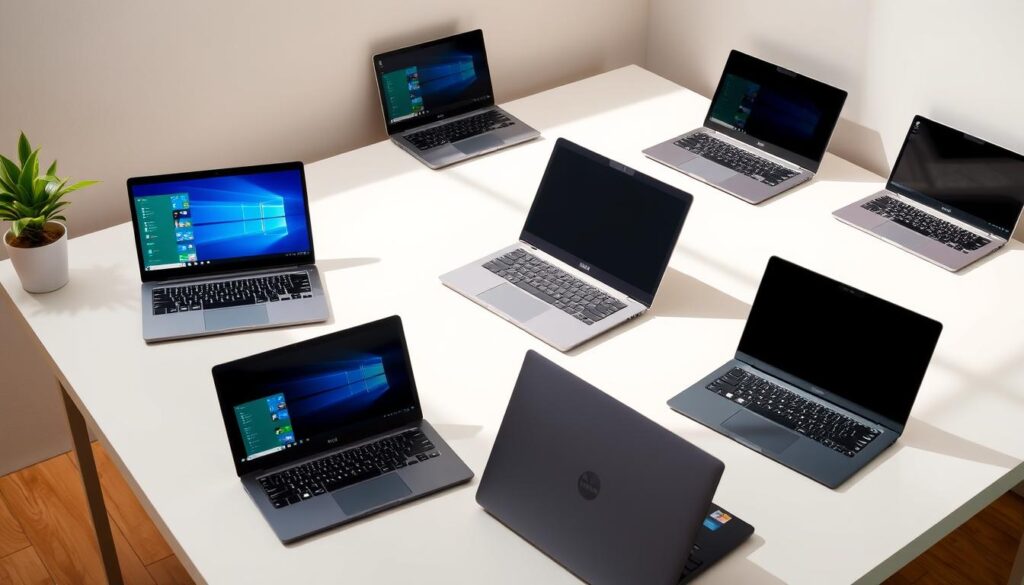
The best Windows laptops for students in 2025 are a mix of performance, portability, and price. Laptop Mag says portability, battery life, and durability are key. Students should look for these to meet their school needs.

Lightweight Options for Campus Life

Students always on the move need lightweight laptops. The Acer Aspire 5 and Lenovo IdeaPad 3 are great. They are light and powerful for schoolwork.

  • Acer Aspire 5: Known for its slim design and long battery life.
  • Lenovo IdeaPad 3: Offers a great balance between performance and portability.
Budget Laptops with Student-Friendly Features

Students look for laptops that are affordable, have long battery life, and are well-made. The HP Pavilion 14 and ASUS VivoBook 15 are good choices. They offer great features at a low price.

  1. HP Pavilion 14: Offers a great display and ample storage.
  2. ASUS VivoBook 15: Features a robust design and good performance.

Durability and Longevity for Academic Success

Durability is important for students. Their laptops must last through campus life. The Microsoft Surface Laptop Go 3and Dell Inspiron 15 3000 Series are durable and long-lasting. They are perfect for students.

  • Microsoft Surface Laptop Go 3: Boasts a premium build and strong performance.
  • Dell Inspiron 15 3000 Series: Offers a durable design and reliable functionality.

By looking at these factors and options, students can find the best laptop for 2025.

Windows Laptops Under $500: Are They Worth It?

Many people wonder if Windows laptops under $500 are good enough. These laptops are popular among students, casual users, and those on a budget.

What You Get in the Sub-$500 Range

Laptops in this range offer a mix of performance and features. You can expect:

  • Processors: Intel Core i3 or AMD Ryzen 3 series
  • RAM: 4GB to 8GB DDR4
  • Storage: 128GB to 256GB SSD or 1TB HDD
  • Display: 14-inch to 15.6-inch Full HD screens

These specs help with tasks like web browsing, office work, and streaming. For example, the Acer Aspire 3 can handle everyday tasks well, as PCMag’s review shows.

Common Compromises at This Price Point

While these laptops are a good deal, there are some downsides:

  • Build quality might not be as premium
  • Battery life may vary, often not exceeding 8 hours
  • Graphics capabilities are generally limited to integrated GPUs

Knowing these trade-offs helps you decide. If you need more power, like gamers or professionals, these laptops might not be enough.

Best Use Cases for Ultra-Budget Laptops

Windows laptops under $500 are great for:

  • Students needing a laptop for note-taking and research
  • Casual users who mainly browse the web and check emails
  • Those looking for a secondary laptop for basic tasks

For these needs, sub-$500 laptops offer great value. They provide the needed functionality without a high price.

In summary, Windows laptops under $500 are a good choice for basic needs. Knowing what to expect and the trade-offs helps make a smart choice.

Performance vs. Price: Do Budget Windows Laptops Deliver?

Many people want laptops that are easy on the wallet. But do these affordable Windows laptops really perform well? It’s a question many are asking.

Reviews from PCMag and Laptop Mag give us a peek into these laptops’ abilities. They show that many budget Windows laptops can handle daily tasks without trouble.

Real-World Performance Benchmarks

Budget Windows laptops are surprisingly good at everyday tasks. For example, some with Intel Core i3 processors and 8GB of RAM can run many apps at once.

Laptop ModelProcessorRAMBenchmark Score
Acer Aspire 5Intel Core i3-1115G48GB DDR44200
Dell Inspiron 15 3000Intel Core i3-10110U8GB DDR43800
HP Pavilion 14AMD Ryzen 3 3200U8GB DDR44000

Gaming Capabilities on Affordable Hardware

Gaming on budget laptops can be tough. But some models have special graphics cards. These can help with casual games at lower settings.

Productivity and Multitasking Assessment

Budget Windows laptops are great for work and multitasking. They have enough RAM and fast processors. This makes switching between apps smooth.

  • Smooth performance with office applications
  • Efficient multitasking capabilities
  • Adequate for web development and light content creation

In short, budget Windows laptops are good for everyday tasks and work. They might not be the best for gaming or heavy tasks. But they’re a great deal for their price.

Best Windows Laptops for Remote Work in 2025

The best Windows laptops for remote work in 2025 offer great performance, are easy to carry, and are affordable. They must help you work well from home or in a mix of home and office settings. These laptops should make you more productive, help you talk and share ideas easily, and keep your data safe.

Video Conferencing and Collaboration Features

Video calls are key for remote work. You need a laptop with a good webcam, microphone, and speakers. Top models have:

  • High-definition webcams for clear video
  • Dual microphones for better sound and less noise
  • Speakers with smart amp technology for better sound

Also, laptops with the latest Wi-Fi and strong connections help you stay connected without problems.

Battery Life and Portability Considerations

Battery life is very important for remote workers who move around or work from different places. Look for laptops that last over 8 hours. Also, a laptop that’s light and easy to carry is a big plus.

Some important features include:

  1. Energy-efficient processors to save power
  2. Fast charging to quickly top up the battery
  3. Lightweight and strong designs for travel

Security Features for Work-From-Home Setups

Security is very important for remote work, as laptops hold important company data. The best Windows laptops for 2025 have strong security features, like:

  • Biometric authentication like fingerprint readers or facial recognition
  • Trusted Platform Module (TPM) for better hardware security
  • Regular software updates to fight off new threats

By focusing on these key points, remote workers can find a Windows laptop that boosts their productivity and keeps their data safe.

Affordable Windows Laptops vs. Chromebooks: Making the Right Choice

Affordable Windows laptops and Chromebooks meet different needs. It’s important to know what you need. Think about what you’ll use your laptop for. This will help you decide.

Operating System Differences and Capabilities

Windows laptops and Chromebooks have different operating systems. Windows laptops use Microsoft Windows. This system supports many software applications, from simple to complex.

Chromebooks run on Google’s Chrome OS. This system is made for web-based apps and Google’s productivity tools.

Key differences in operating systems include:

  • Windows: Offers a traditional desktop experience with the ability to install a wide range of software.
  • Chrome OS: Focuses on cloud computing, with most applications running in the Chrome browser.

Software Compatibility Considerations

Software compatibility is key when choosing between Windows laptops and Chromebooks. If you need specific Windows apps or professional software, a Windows laptop is best. Chromebooks are great for web-based apps like Google Docs and Gmail.

Consider the following when evaluating software needs:

  • Do you need to run specific Windows applications or professional software?
  • Are you comfortable using web-based alternatives?

Long-Term Value and Upgrade Paths

Long-term value is important. Windows laptops can be upgraded more easily, making them last longer. Chromebooks are cheaper and good for basic needs.

FeatureWindows LaptopsChromebooks
Operating SystemMicrosoft WindowsGoogle Chrome OS
Software CompatibilityWide range of Windows applicationsPrimarily web-based applications
Upgrade OptionsGenerally more upgrade options (RAM, Storage)Limited upgrade options
CostCan range from affordable to very expensiveGenerally more affordable

The choice between a Windows laptop and a Chromebook depends on your needs. Think about the operating system, software, and long-term value. This will help you choose the best laptop for you.

Conclusion: Finding Your Ideal Affordable Windows Laptop

Finding the right affordable Windows laptop can be tough. There are so many choices out there. Our roundup shows some top picks that mix great performance, features, and price.

We looked at laptops like the Acer Aspire 5 and the Microsoft Surface Laptop Go 3. These devices meet different needs and budgets. Whether you’re a student, remote worker, or need a laptop for daily tasks, there’s a good option for you.

When picking a budget laptop, think about processor speed, RAM, storage, and display. Our review shows even cheap laptops can perform well. This makes them great for those watching their budget.

By looking at our roundup, you can choose wisely. Find the best budget laptop that fits your needs.

FAQ

What are the top affordable Windows laptops to buy in 2025?

In 2025, top affordable Windows laptops include the Acer Aspire 5 and Dell Inspiron 15 3000 Series. Also, the HP Pavilion 14, Lenovo IdeaPad 3, ASUS VivoBook 15, and Microsoft Surface Laptop Go 3 are great choices. They offer a good mix of performance, features, and price.

What should I look for when buying a budget Windows laptop?

Look for recent processors, enough RAM, and storage when buying a budget laptop. Also, check the build quality and software features. Good customer support is important too.

Are Windows laptops under $500 worth buying?

Yes, Windows laptops under $500 are good for basic tasks like browsing and email. They might not be as fast or have as much storage as more expensive models. But, they’re great for casual users or students.

How do affordable Windows laptops perform in real-world scenarios?

Affordable Windows laptops work well for everyday tasks like web browsing and office work. But, they might struggle with gaming and multitasking due to their hardware.

What are the best Windows laptops for students in 2025?

For students in 2025, the Microsoft Surface Laptop Go 3 is a top choice. It’s lightweight. The Acer Aspire 5 is also good, being budget-friendly but feature-rich. The Lenovo IdeaPad 3 is durable and perfect for campus life.

How do affordable Windows laptops compare to Chromebooks?

Windows laptops and Chromebooks serve different needs. Windows laptops have more powerful processors and better software compatibility. Chromebooks are great for web-based apps and Google services, being more affordable and streamlined.

What are the best Windows laptops for remote work in 2025?

For remote work in 2025, look for laptops with good video conferencing, long battery life, and strong security. The HP Pavilion 14 and ASUS VivoBook 15 are top picks. They support productivity and collaboration from anywhere.

Can budget Windows laptops handle gaming?

Budget Windows laptops can do some gaming, but their performance is limited. Integrated graphics and lower-end processors are common. Yet, some models with dedicated NVIDIA or AMD graphics can offer a good gaming experience.

What are the key factors to consider when choosing a budget-friendly laptop?

When picking a budget laptop, think about processor speed, RAM, storage, display, and battery life. Also, consider build quality, software features, and customer support. This ensures you get the best value for your money.
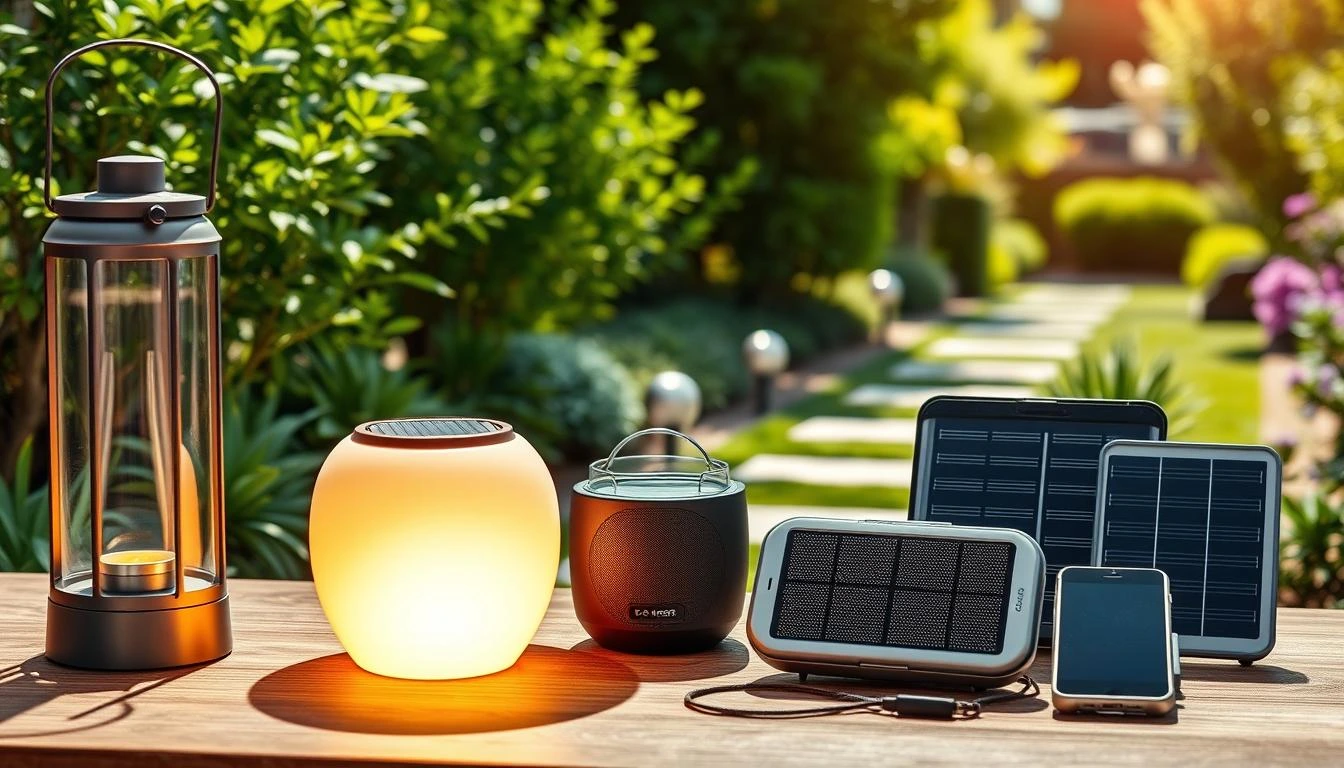

10 Best Solar Powered Gadgets for Home, Garden Accessories & Everyday Appliances

0
Best Solar Powered Gadgets

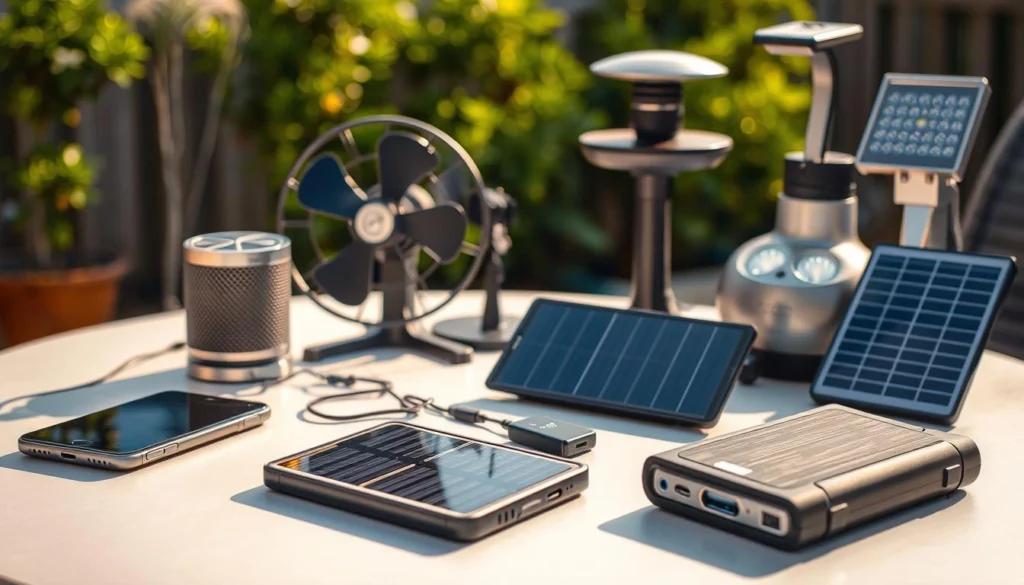
Best Solar Powered Gadgets are becoming increasingly popular as people look for eco-friendly and energy-efficient alternatives to everyday devices. From solar-powered chargers and lanterns to outdoor speakers and smart home tools, these gadgets not only save electricity but also promote sustainability. In 2025, solar technology has advanced to make these devices more powerful, portable, and affordable, making them a must-have for tech enthusiasts and environmentally conscious users alike.

The world is moving towards using renewable energy. Eco-friendly solar gadgets are getting more popular for homes, gardens, and daily use.

More people are using solar tech essentials. They let us use the sun’s power to make life easier and greener.

These cool devices help us use less old energy. They also save money for those wanting a greener home.

There are many solar products for homes and cool garden accessories. You can find lots of different options.

Key Takeaways

  • Eco-friendly solar gadgets are on the rise for homes and gardens.
  • Solar tech essentials offer a convenient and sustainable lifestyle.
  • These gadgets reduce reliance on traditional energy sources.
  • Cost-effective solutions are available for a smarter home.
  • A diverse range of solar products is available for various needs.

The Power of Solar Technology in Modern Living

The world is moving towards living in a way that’s good for our planet. Solar technology is key in making homes and daily life better. Top solar devices on Amazon are a must-have for anyone wanting to save money or live sustainably.

Solar power has been around for a long time. Ancient people used it for heating and cooking. Today, it’s more available than ever before.

Environmental and Economic Benefits

Solar energy devices bring many benefits. They help us use less fossil fuel. This means less carbon emissions and less harm to our planet.

They also save money on electricity bills. This is a big plus for anyone looking to save.

BenefitsDescriptionImpact
EnvironmentalReduces carbon emissionsMitigates climate change
EconomicSaves on electricity billsIncreases savings over time

How Solar Gadgets Enhance Daily Life

Solar gadgets are not just good for the planet. They make our lives easier and more efficient. For example, solar chargers keep our phones charged when we’re out.

Solar lights also make our homes brighter and more welcoming. They use less energy and work well indoors.

Using solar technology in our daily lives makes us more sustainable and saves money. It’s a win-win for our planet and our wallets.

Best Solar Powered Gadgets for Indoor Home Use

Solar-powered gadgets are getting more popular for our homes. They help us use clean energy and save money. Plus, they’re good for the planet.

Solar Power Banks and Phone Chargers

Solar power banks and phone chargers are very useful. They let you charge your devices with the sun’s power.

Key Features and Specifications

When picking a solar power bank or charger, look at a few things. Check the battery capacitycharging speed, and durability. A big battery and fast charge are key. Also, make sure it’s tough and can handle different weather.

FeatureDescriptionImportance Level
Battery CapacityMeasured in mAh, it shows how much energy it holds.High
Charging SpeedHow fast it charges your devices.Medium
DurabilityHow well it stands up to weather and wear.High

Practical Applications

Solar power banks and chargers are great for many uses. They’re good for emergency poweroutdoor fun, and daily charging.

Solar Indoor Lighting Systems

Solar indoor lighting systems are also a great choice. They use the sun to charge batteries, then light up your space with LEDs.

Design and Functionality

Solar lighting systems come in many designs. Some are small and simple, others have lots of lights and controls. Think about light intensitycolor temperature, and control options when picking one.

Installation and Maintenance

Setting up solar lighting is easy. Just put the panels outside and the lights inside. Keeping them clean and checking connections is all the maintenance needed.

Using solar gadgets indoors helps us use less fossil fuel. It’s a step towards a greener future.

Essential Solar Kitchen Appliances

Solar kitchen appliances change how we cook and store food. They use the sun instead of fossil fuels. This lowers our carbon footprint. We’ll look at two key appliances: the GoSun Solar Oven and Sundanzer Solar Refrigerators.

GoSun Solar Oven

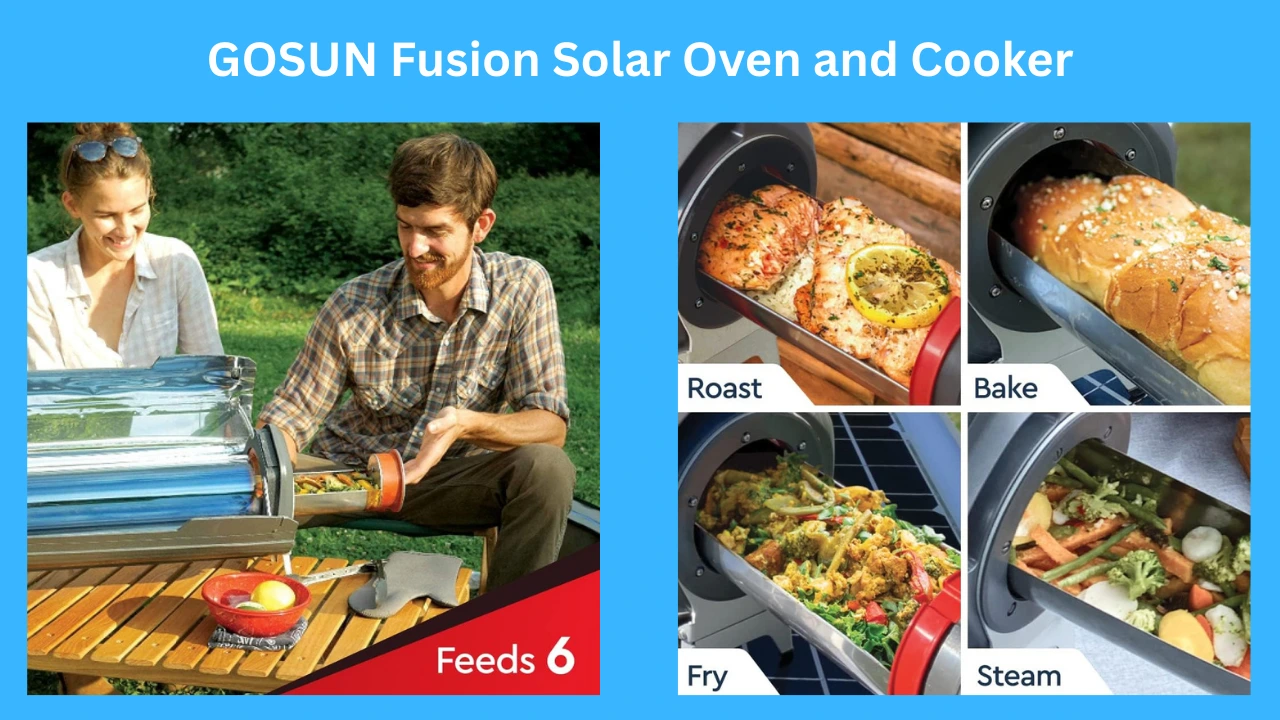
The GoSun Solar Oven is a big deal for outdoor cooking and being ready for emergencies. It cooks many meals, like stews and pizzas, just with sunlight.

Cooking Capabilities

This oven can cook for up to four people. It cooks evenly and gets hot, up to 550°F (290°C). It’s great for many cooking tasks.

Energy Efficiency

The GoSun Solar Oven is very good at using energy. It cooks without using electricity. This makes it eco-friendly for outdoor lovers and those who want to save on energy.

Sundanzer Solar Refrigerators

Sundanzer Solar Refrigerators keep food and drinks cool, even in remote places. They use solar power well. They’re perfect for off-grid living or camping.

Storage Capacity and Performance

These refrigerators come in different sizes. They have lots of room for food, drinks, and meds. They keep things cool, even when it’s hot outside. They keep your items fresh for a long time.

Power Consumption

These refrigerators use very little power. They cool well using solar energy. This saves money and cuts down on using traditional power.

ApplianceCooking/Cooling CapabilityEnergy Efficiency
GoSun Solar OvenCooks for up to 4 people, reaches 550°F (290°C)Uses solar energy, no electricity required
Sundanzer Solar RefrigeratorsVarious storage capacities, maintains consistent coolingEnergy-efficient, minimal power consumption

Using solar kitchen appliances is a big step towards living sustainably. The GoSun Solar Oven and Sundanzer Solar Refrigerators are examples of eco-friendly gadgets. They make it easy to live more sustainably.

Solar Powered Garden Accessories That Transform Outdoor Spaces

Solar-powered garden accessories change how we enjoy our outdoor areas. They make our gardens look better and work better. Plus, they help us use less energy.

URPOWER Solar Landscape Lights

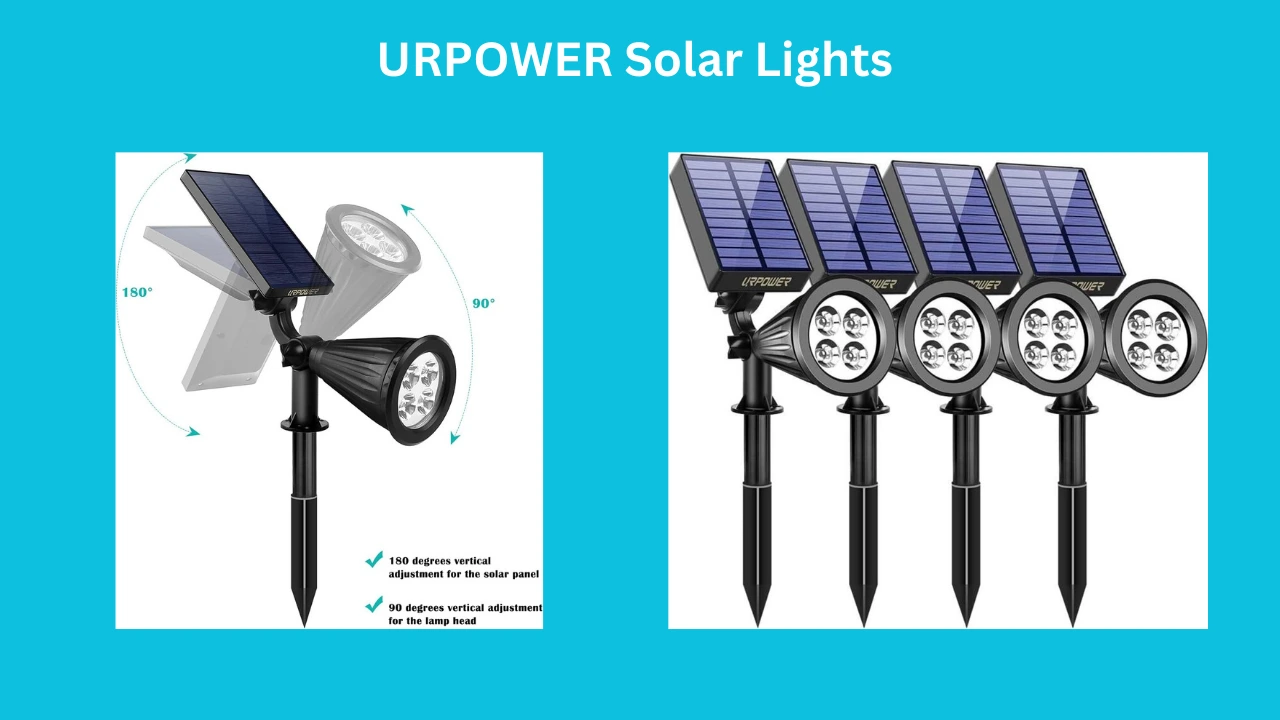
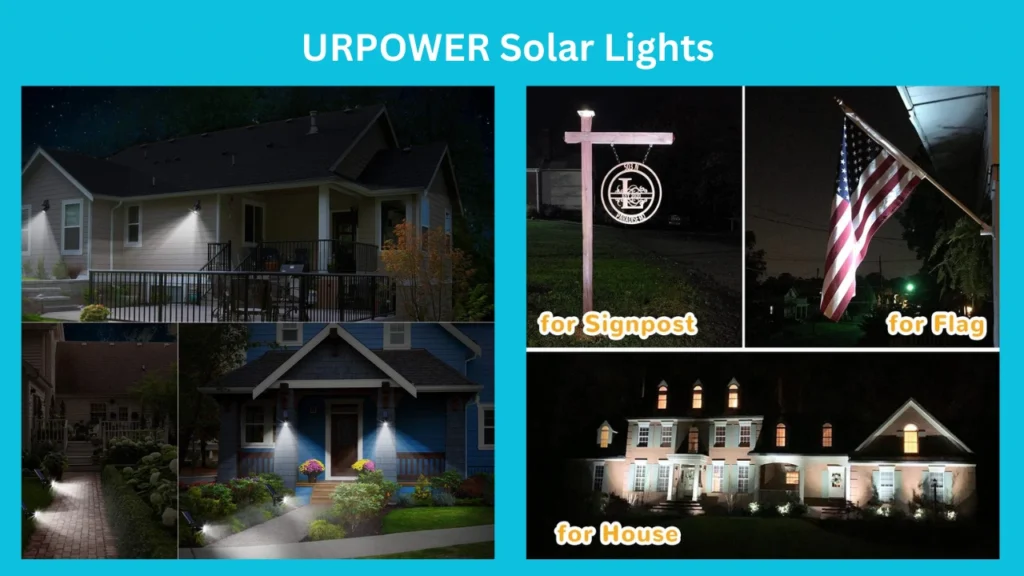
URPOWER Solar Landscape Lights show how solar tech can make outdoor areas beautiful. They look good and light up the night.

Illumination Quality

The URPOWER Solar Landscape Lights give high-quality light. They’re great for showing off garden spots or paths. They charge up during the day, so they light up at night.

Weather Resistance

These lights are weather-resistant. They can handle different weather. This means they work all year long.

Smart Solar Fountain Pumps

Smart Solar Fountain Pumps add class to garden ponds. They run on solar power, so no need for electricity.

Water Flow Options

These pumps have adjustable water flow. You can change how much water flows to fit your taste.

Solar Panel Efficiency

The solar panel’s efficiency is key for these pumps. Good panels work even on cloudy days.

Orbit B-hyve Smart Solar Irrigation System

The Orbit B-hyve Smart Solar Irrigation System is a top choice for watering gardens. It uses solar power, which is good for the planet.

Smart Controls and Programming

This system has advanced smart controls. You can set up watering schedules and adjust based on the weather.

Water Conservation Features

The Orbit B-hyve system has water-saving features. It helps save water by watering based on soil moisture and weather.

Using these solar-powered garden accessories makes our outdoor spaces better. It also helps make our planet greener.

Solar Security and Monitoring Solutions

Smart homes are becoming more common. Solar-powered security solutions are changing how we keep our homes safe. People are using eco-friendly solar gadgets to improve security and help the planet.

Ring Solar Security Cameras

Ring Solar Security Cameras are loved for being easy to set up and having great features. They run on solar power, making them an eco-friendly solar gadget.

Video Quality and Storage

These cameras have high-definition video, so you can see everything clearly day or night. They also let you store videos in the cloud. This way, you can watch them on your phone or computer.

  • 1080p HD video resolution
  • Night vision capabilities
  • Cloud storage for video recordings

Motion Detection Capabilities

The cameras have smart motion detection. They send alerts to your phone when they see movement. This keeps you safe by telling you right away.

  1. Customizable motion detection zones
  2. Alerts sent to smartphones or tablets
  3. Integration with other smart home devices

LITOM Solar Motion Sensor Lights

LITOM Solar Motion Sensor Lights are a key solar tech essential for home safety. They light up dark spots around your home, keeping intruders away.

Coverage Area and Brightness

The LITOM lights cover a lot of area and let you adjust how bright they are. They’re great for lighting up paths, driveways, or yards.

  • Wide-angle illumination
  • Adjustable brightness levels
  • Waterproof design for durability

Battery Life and Charging Time

These lights use rechargeable batteries that last up to 12 hours on a full charge. They charge during the day, so they’re ready to light up at night.

  1. Long-lasting battery life
  2. Fast charging via solar panels
  3. Automatic on/off functionality

Using solar security and monitoring solutions makes homes safer. It also helps the planet.

Portable Solar Gadgets for On-the-Go Use

We love being outside more and more. That’s why we need innovative solar products to keep our devices charged. These gadgets are perfect for any adventure.

Voltaic Systems Solar Backpacks

Voltaic Systems Solar Backpacks are great for anyone who loves to travel or go outside. They have solar panels built right in. This lets you charge your devices as you move.

Charging Capacity

These backpacks can charge a phone up to 5 times on one go. This is super helpful when you’re out for a long time and can’t find a plug.

Durability and Design

These backpacks are not just useful. They’re also tough and look good. They’re made with strong materials and have a cool design.

Key Features of Voltaic Systems Solar Backpacks:

  • Integrated solar panels for on-the-go charging
  • Durable, weather-resistant construction
  • Multiple compartments for organization
  • Comfortable, ergonomic design

JBL Charge Solar Bluetooth Speakers

If you like listening to music outside, try the JBL Charge Solar Bluetooth Speakers. They’re solar-powered and sound great.

Sound Quality

The JBL Charge Solar speakers play music that’s clear and loud. They’re perfect for parties, camping, or just hanging out in the yard.

Battery Performance

These speakers can play music for up to 24 hours on one charge. And you can recharge them with sunlight. So, the music never stops.

Comparison of Portable Solar Gadgets:

ProductCharging CapacityBattery LifeDurability
Voltaic Systems Solar BackpackUp to 5 smartphone chargesN/AHigh
JBL Charge Solar SpeakerN/AUp to 24 hoursHigh

Innovative Solar Powered Smart Home Devices

Technology is getting better, making homes more efficient and connected. These devices use the sun’s power. They also make our homes better with cool features.

Ecobee Solar Smart Thermostats

Ecobee’s solar smart thermostats are great for the planet. They use the sun to control your home’s temperature. This makes your home comfy and saves energy.

Energy Management Features

Ecobee thermostats have cool features for saving energy. You can see how much energy you use. You can also set when you want your home to be warm or cool.

Integration with Home Systems

Ecobee thermostats work well with other smart home devices. This makes your home work better together.

SolPad Solar-Powered Home Assistant

The SolPad Home Assistant is a cool solar product. It charges with the sun and controls your home. It makes living in your home better and greener.

Smart Home Capabilities

The SolPad has smart features like voice control. It also sends you alerts. This helps you save energy and keep your home safe.

Solar Charging Efficiency

The SolPad charges well, even on cloudy days. It gives power to your smart home devices.

In conclusion, devices like Ecobee’s thermostats and SolPad’s Home Assistant are changing homes. They make homes better and greener. These solar tech essentials are leading the way to a smarter future.

How to Select the Perfect Solar Powered Gadgets

Choosing the right solar-powered gadgets is important. You need to think about a few key things. These things will help you pick the best one for you.

Assessing Your Power Requirements

First, figure out how much power you need. This means adding up how much energy your devices use.

DevicePower Consumption (Watts)Daily Usage (Hours)
Smartphone52
LED Light98

Understanding Battery Storage Capacity

Battery size is also key. It’s measured in ampere-hours (Ah). A bigger number means your gadget can run longer without needing to charge.

“The future of energy is bright, and it’s being written in code, in circuits, and in the sun.” –

Unknown

Considering Regional Weather Patterns

Weather affects how well solar gadgets work. Places with lots of sun can use more energy. But, areas with clouds or less sun need gadgets that can store more energy.

Think about your power needs, battery size, and weather. This will help you pick the best solar powered gadgets for you.

Conclusion: Embracing a Sustainable Future with Solar Technology

The world is moving towards using more renewable energy. Solar technology is key in this shift. It helps us use less harmful energy and make our planet cleaner.

Solar gadgets are changing how we live and see the world. They make our homes and lives greener. Using solar tech helps us use less bad energy and live better.

Using solar tech helps us save money and keep our air clean. More people want to use solar gadgets. This shows solar tech is very important for a green future.

FAQ

What are the benefits of using solar-powered gadgets?

Solar gadgets help us use less fossil fuel. They also cut down on energy costs. Plus, they’re good for the planet.

How do solar power banks and phone chargers work?

These gadgets catch sunlight to make electricity. Then, they store it in a battery. This lets you charge your devices anywhere.

What are the best solar-powered gadgets for indoor home use?

Great indoor gadgets include solar power banks and phone chargers. Also, indoor lights that run on solar power. They make powering and lighting your home easy and green.

Can solar kitchen appliances be used in cloudy weather?

Yes, they can work on cloudy days. But they might not work as well as they do in the sun.

How do solar kitchen appliances enhance outdoor spaces?

Solar kitchen gadgets like ovens and refrigerators add to outdoor fun. They bring light, water, and water features to your garden.

What are the advantages of using solar security and monitoring solutions?

Solar security gadgets like cameras and lights are energy-saving. They keep your home safe without using a lot of power.

How do portable solar gadgets work?

Portable gadgets like solar backpacks and speakers use the sun to charge. Then, they store energy for later use.

What are the benefits of using innovative solar-powered smart home devices?

Smart home devices like thermostats and assistants save energy. They also cut down on bills and make your home better.

How do I choose the right solar-powered gadgets for my needs?

Think about how much power you need and how much storage you want. Also, consider the weather where you live. This helps you pick the best gadgets.

Are solar-powered gadgets compatible with existing devices?

Most gadgets work with what you already have. But, always check before buying. This ensures they work together smoothly.

URPOWER Solar Lights Solar Spotlights 4Pack Cool White — Comprehensive Review and Buyer’s Guide

0
URPOWER Solar Lights

Introduction

In an era where energy efficiency, outdoor ambiance, and low-maintenance lighting solutions are priorities for homeowners and landscape designers alike, solar-powered spotlights have become a popular choice. The URPOWER Solar Lights Solar Spotlights 4Pack Cool White aims to combine practicality with performance: a set of four cool-white LED spotlights designed to illuminate pathways, accentuate architectural features, and highlight garden focal points without increasing electricity bills. This review examines the product’s design, performance, installation process, durability, pros and cons, and value for money to help potential buyers decide whether these spotlights are a good fit for their outdoor lighting needs.


Product Overview

The URPOWER Solar Lights Solar Spotlights 4Pack Cool White is a set of solar-powered outdoor LED spotlights. Each unit features a photovoltaic panel to harvest sunlight, an integrated rechargeable battery, and a cool-white LED intended to provide bright, crisp illumination. The package typically includes mounting stakes for ground installation and hardware for mounting on hard surfaces. URPOWER positions this product as an easy-to-install, maintenance-free way to boost outdoor lighting for landscapes, gardens, driveways, and decorative accents.


Key Features

  • Pack size: Four individual solar spotlights per set, enabling multiple focal points or wider coverage.
  • Light color: Cool white LED output, which tends to produce a bright, crisp light suitable for highlighting details and providing higher perceived brightness compared to warm white.
  • Solar powered: Each unit includes a solar panel and rechargeable battery—no wiring to household electricity required.
  • Adjustable heads and stakes: Flexible mounting options for angling lights and installing them either in-ground on stakes or on hard surfaces using included hardware.
  • Weather-resistant construction: Designed for outdoor use with resistance to water and environmental exposure (check IP rating on the specific package).
  • Auto on/off: Light sensors typically enable dusk-to-dawn operation, turning the lights on automatically at night and off at dawn.

Design and Build Quality

The URPOWER spotlights are compact and pragmatic. The housings are typically molded plastic with a matte finish, engineered to be lightweight yet robust enough for outdoor exposure. The adjustable head and stake design allows users to direct the beam precisely where needed. While the construction is not premium metal, the plastics used are generally durable for standard outdoor use.

Weatherproofing is a critical element for any outdoor lighting. URPOWER advertises water resistance for rainy conditions, but as with many budget-friendly solar lights, long-term endurance in extreme climates (very cold winters, prolonged wet seasons) can vary. It’s advisable to check the product packaging for a specific IP rating. For extended life, mounting the solar panel at an angle and avoiding prolonged full-submersion in water will help maintain performance.


Installation and Setup

One of the main draws of these solar spotlights is the simple installation process:

  1. Choose locations with ample direct sunlight for several hours daily to maximize charge.
  2. Assemble the stake and slide the light body onto it, or use the included screws to mount onto walls or hard surfaces.
  3. Flip the power switch (often located on the underside or back of the unit) to enable the charging and auto on/off function.
  4. Aim the solar panel toward direct sunlight and adjust the head for desired beam direction.

No electrical wiring, conduit runs, or professional installers are required for most installations. This makes the URPOWER spotlights accessible to homeowners who want a quick lighting upgrade without the time or cost investment of wired solutions.


Performance and Light Output

The cool white LEDs provide a crisp, bright light that is effective for spotlighting trees, signage, architectural features, and pathways. Cool white (usually around 6000K or similar) offers strong contrast and perceived brightness—beneficial for security and task lighting.

Performance considerations:

  • Brightness: For small-to-medium accent and task lighting, these spotlights generally perform well during their peak output hours. However, they are not a substitute for high-lumen wired floodlights when extremely bright illumination is required.
  • Run time: Typical run time after a full day of charging can range from 6 to 10 hours depending on battery capacity and weather conditions. Cloudy days reduce charging and thus decrease nightly runtime.
  • Beam control: The focused beam allows precise lighting of features, but the beam angle is narrower than that of general-area pathway lights. For broader coverage, multiple units or different fixtures may be needed.
  • Color rendering: Cool white LEDs tend to emphasize greens and grays differently than warm white; this is a stylistic choice. If you prefer a warmer, more inviting glow, look for warm white options instead.

Durability and Maintenance

Solar lights like the URPOWER spotlights require minimal maintenance, but a few simple steps will prolong their lifespan and maintain performance:

  • Regularly clean the solar panel surface to remove dust, pollen, or debris that can reduce charging efficiency.
  • Occasionally check mounts and stakes for stability, especially after heavy winds or garden work.
  • Replace rechargeable batteries after 1–3 years if you notice significantly reduced runtime (many units have replaceable Ni-MH or Li-ion cells).
  • In winter or in regions with prolonged snow coverage, consider temporarily removing or repositioning lights to ensure panels receive sunlight and to prevent damage from repeated freeze-thaw cycles.

Pros and Cons

  • Pros
    • Easy, tool-free installation for most users.
    • No ongoing electricity cost—eco-friendly and energy-efficient.
    • Cool white LEDs deliver bright, crisp illumination ideal for accent and security lighting.
    • Flexible mounting options allow spotlighting from both ground and hard surfaces.
    • Affordable and available in multi-packs for expanded coverage.
  • Cons
    • Brightness and runtime depend heavily on sunlight exposure and battery capacity.
    • Build materials are primarily plastic; may not match durability of higher-end metal fixtures.
    • Cool white may be too harsh for some landscape aesthetics that prefer warmer tones.
    • Performance can degrade over multiple seasons if batteries are not replaced.
    • May not be suitable when very high lumen output is required.

Comparisons and Alternatives

When comparing the URPOWER spotlights to other solar options, consider:

  • Lumens and battery capacity: Higher lumen output and battery capacity typically yield brighter light and longer runtimes but may come at a higher price.
  • IP rating and build materials: For harsher climates, look for metal housings and higher IP ratings (IP65, IP67) to ensure better water and dust resistance.
  • Light color variants: If cool white is not preferred, search for warm white or adjustable color temperature models.
  • Brand reputation and warranty: Longer warranties and responsive customer service can be important for peace of mind.

Competitors in this space include other budget solar lights from brands such as Sunforce, Aootek, and Litom, each offering varying emphasis on brightness, battery life, and build quality.


Who Should Buy These Spotlights?

  • Homeowners seeking an affordable, low-effort way to add targeted outdoor lighting.
  • Renters or those who cannot install wired fixtures.
  • People wanting to highlight garden features, pathways, or signage without increasing energy bills.
  • Buyers who prefer cool white illumination for a contemporary, high-contrast look.

If you require ultra-bright security lighting, commercial-grade fixtures, or long-term heavy-duty performance in severe weather, you may want to consider higher-end wired fixtures or premium solar models.


Price and Value

The URPOWER Solar Lights Solar Spotlights 4Pack Cool White typically falls into the budget to mid-range category for solar spotlights. Considering the convenience of solar power, the multi-pack offering, and generally positive performance for accent lighting, the set represents good value for buyers seeking affordable outdoor lighting. Long-term value increases if batteries are maintained or replaced as needed.


Final Verdict

The URPOWER Solar Lights Solar Spotlights 4Pack Cool White offer a compelling mix of affordability, ease of installation, and effective accent lighting. They are well-suited for homeowners who want to enhance outdoor aesthetics, improve nighttime visibility, or add a measure of security without wiring or ongoing electricity costs. While their performance will depend on sunlight availability and periodic battery maintenance, they deliver substantial value for decorative and moderate-duty lighting tasks. Buyers seeking premium materials, extremely high lumen output, or warm-toned illumination may want to explore alternatives, but for most garden and landscape accent applications, these URPOWER spotlights are a sensible and economical choice.


Buying Tips

  • Place solar panels where they will receive maximum direct sunlight for several hours per day.
  • Clean the solar panels regularly to maximize charging efficiency.
  • Consider purchasing extra rechargeable batteries if you live in an area with long cloudy seasons.
  • If you prefer softer lighting, look for a warm white variant or compare models that offer adjustable color temperatures.
  • Read the warranty and check reviews for real-world longevity and customer support experiences.

to know more gadgets……..

GOSUN Fusion Solar Oven Review: Hybrid Solar and Electric Cooker for Camping, Home & Survival

0
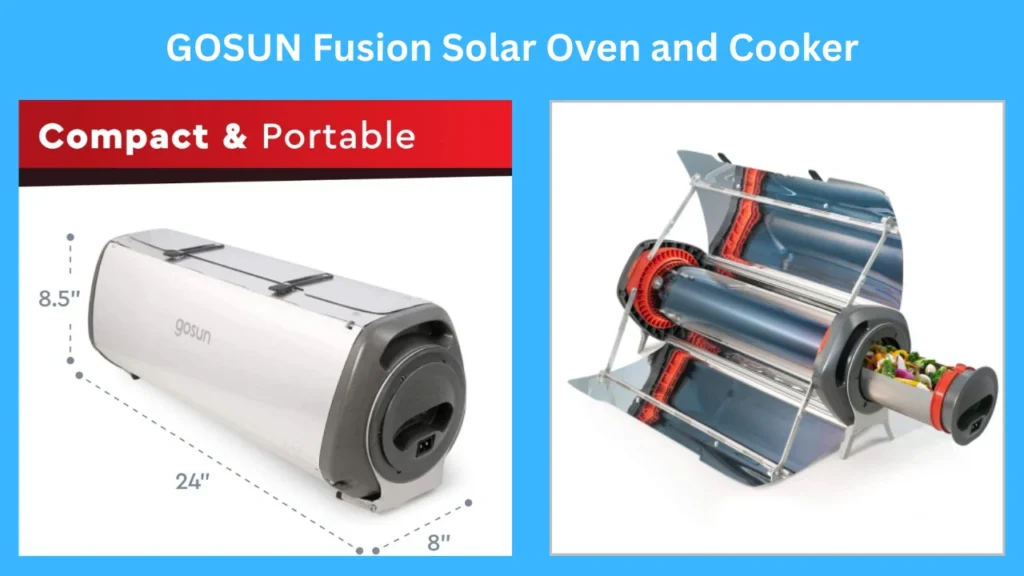
GOSUN Fusion Solar Oven and Cooker

Introduction

The GOSUN Fusion Solar Oven and Cooker presents itself as a versatile, hybrid cooking appliance that bridges solar cooking technology and modern electric convenience. Marketed as the “GOSUN Fusion Solar Oven and Cooker | Hybrid Electric Grill | Portable & High Capacity | Indoor or Outdoor Solar Cooker | American Oven Camping Cookware | Survival Gear Powered by Sun or Electricity,” the device targets a broad set of users: campers, van-lifers, outdoor enthusiasts, emergency preppers, and homeowners seeking energy-efficient alternatives. This review evaluates the unit’s design, functionality, performance, portability, safety, and overall value, while placing it in the context of existing solar and hybrid cooking solutions.

Read our GOSUN Fusion Solar Oven Review to discover its features, pros, cons, and why it’s one of the best hybrid solar cookers for camping and off-grid living.

Product Overview

The GOSUN Fusion combines two primary modes of operation:

  • Solar-powered cooking using a parabolic or reflective collector that concentrates sunlight to produce heat.
  • Electric hybrid mode allowing the device to operate as a grill/oven when sunlight is unavailable or insufficient.

Key selling points promoted by the manufacturer include:

  • Portability and relative light weight for camp/overland travel.
  • High-capacity interior designed to accommodate family-sized meals.
  • Dual indoor/outdoor use enabling versatility across environments.
  • Durable construction meant for rugged use and long-term reliability.
  • Capability to serve as survival gear due to independence from grid power when using solar energy.

This review examines how well these claims hold up during realistic use and long-term considerations.

Design and Build Quality

Form Factor and Materials

The Fusion’s design emphasizes ruggedness and practicality. The shell typically combines high-temperature-resistant materials, stainless steel cooking surfaces, and tempered glazing where applicable. The overall construction aims to balance thermal insulation with ease of cleaning and durability against outdoor elements.

  • Strengths: Robust chassis, corrosion-resistant metals, sealed joints and latches for transport, thoughtfully placed handles and feet for stability.
  • Considerations: Reflectors and concentrator components may require careful alignment and occasional cleaning to maintain efficiency. Some users might find the finish prone to superficial scuffs during heavy outdoor use.

Capacity and Configuration

The interior is advertised as “high capacity,” often designed to fit multiple portions—roasts, several trays of vegetables, or multi-serving casseroles. Shelving and tray options increase flexibility for different cooking methods (baking, roasting, grilling).

  • Strengths: Practical layout for family-style meals, removable trays for cleaning, modular inserts for grill vs. oven configuration.
  • Considerations: Although large for a portable cooker, it remains smaller than a conventional home oven; portion planning is still necessary for larger groups.

Performance

Solar Mode

The core appeal of the Fusion is solar cooking. Performance in this mode depends on several variables: sun intensity, angle of incidence, ambient temperature, and reflectivity of collector surfaces.

  • Efficiency: On bright, direct-sun days the cooker can reach temperatures sufficient for baking, roasting, and grilling. Typical peak temperatures often range from moderate to high heat (enough for slow roasting to good searing depending on conditions).
  • Consistency: Solar-only performance is inherently variable. The device performs best in clear, sunny climates and declines in overcast or high-latitude conditions.
  • Cooking Profiles: Ideal use-cases include slow-roasted meats, baked goods, dehydrating, and steam-based preparations. Quick high-heat tasks (e.g., fast searing) are more challenging without electric assistance or concentrated sun.

Electric/Hybrid Mode

The hybrid aspect mitigates solar variability by providing electric heating elements or an integrated electric grill option.

  • Strengths: Reliable temperature control, predictable cooking times, and ability to cook indoors or at night. The electric mode broadens usability and makes the device more practical as an everyday appliance.
  • Power Requirements: Depending on the electrical design, it can often run from standard AC outlets or be paired with portable battery systems/solar panels for off-grid electric cooking.
  • Thermal Performance: Electric heating delivers consistent heat distribution; combined with insulation and design, it enables conventional oven-style results.

Combined Use and Versatility

A significant advantage of the Fusion is the ability to combine solar and electric inputs. For example, preheating with sun and finishing with electric heat reduces grid energy usage while shortening cooking time.

  • User Scenarios:
    • Camping: Primarily solar use during daytime, electric where campsite power is available.
    • Emergency Preparedness: Solar as primary heat source, electric as backup when power is accessible.
    • Home Use: Hybrid operation for energy savings and redundancy.

Portability and Practicality

Weight and Mobility

The unit’s design intends portability: carry handles, foldable or detachable components, and a compact footprint make it suitable for overland travel, RV use, and campsite deployment.

  • Strengths: Thoughtful transport features, quick setup for sunny cooking.
  • Considerations: Despite being portable, it’s heavier and bulkier than simple solar ovens. Users should assess whether the size justifies the capacity for their use case.

Setup and Use Complexity

Setup involves aligning reflectors and positioning the cooker for optimal solar exposure. Electric mode generally requires a simple plug-in.

  • Strengths: Intuitive controls, clear indicator lights or gauges (depending on model), and modular trays that reduce complexity of cooking multiple items.
  • Considerations: Solar alignment and occasional repositioning during long cooking sessions require attention. New users may need a learning curve to optimize sun tracking and hybrid workflows.

Safety and Maintenance

Safety Features

The Fusion includes several safety-focused design elements such as insulation to keep external surfaces cooler, secure latches, and electrical safety mechanisms (fuses, grounded plugs).

  • Warnings: Concentrated sunlight and hot surfaces create burn risk; caution is necessary when handling reflectors and opening the oven during or after cooking. Use of protective gloves and sunglasses is recommended during solar operation to guard against glare and heat.

Cleaning and Upkeep

Removable trays and stainless-steel interiors make cleaning manageable. Reflective surfaces must be maintained to preserve solar efficiency.

  • Maintenance Tasks:
    • Regular cleaning of reflectors and glazing to remove dust and residues.
    • Inspection of seals and hinges for wear.
    • Electrical component checks if used in electric mode frequently.

Comparative Assessment

Advantages Over Traditional Camp Cookware

  • Independence from fuel: Solar operation reduces or eliminates the need for gas or charcoal.
  • Energy savings and sustainability: Uses renewable solar energy, with electric backup when needed.
  • Versatility: Functions as oven, grill, and cooker in one unit.

Advantages Over Simple Solar Ovens

  • Higher capacity and hybrid electric backup improve consistency and expand use cases.
  • Better suited to users who need guaranteed cooking outcomes (families, long trips, emergencies).

Limitations Relative to Conventional Ovens and Grills

  • Solar dependence introduces variability; not a full replacement for grid-powered home ovens in all climates.
  • Portability trade-offs: larger and heavier than minimalist solar cookers or portable grills.

Use Case Evaluation

  • Camping and Overlanding: Strong fit for multi-day trips with sunny conditions or where vehicle power is available. The Fusion provides meal variety and reduces reliance on fuel canisters.
  • Off-grid Living and Vanlife: Good option when combined with solar panels and battery storage for electric mode at night or cloudy days.
  • Emergency Preparedness: Valuable as survival gear: solar independence and electric hybridization make it a resilient cooking solution.
  • Home Use: Practical as a supplementary oven/grill that offers energy-saving possibilities and outdoor cooking experiences.

Environmental and Economic Considerations

  • Environmental Impact: Solar cooking reduces fossil fuel consumption and greenhouse gas emissions when used in place of propane or charcoal. The production footprint of the unit is balanced by long-term reductions in fuel usage.
  • Cost Effectiveness: Upfront cost may be higher than basic cookers, but savings in fuel and the multipurpose utility can offset costs over time—especially for frequent outdoor cooks or those prioritizing sustainability.

Pros and Cons Summary

  • Pros:
    • Hybrid operation (solar + electric) offers flexibility and reliability.
    • High-capacity interior suitable for family meals.
    • Portable and rugged design for outdoor use.
    • Reduces dependence on fossil fuels; good for emergency preparedness.
    • Versatile cooking modes (baking, roasting, grilling, dehydrating).
  • Cons:
    • Solar performance is weather-dependent and requires user attention to alignment.
    • Larger and heavier than minimalist solar cookers; less convenient for ultralight travel.
    • Initial investment may be relatively high compared to simple solar ovens or portable grills.
    • Maintenance needed for reflective surfaces and seals to sustain performance.

Practical Tips for Users

  • Maximize solar performance by setting up in direct sunlight, avoiding shaded areas, and reorienting the cooker with the sun’s movement.
  • Use reflective surface cleaner and microfiber cloths to maintain optimal reflectivity.
  • Preheat using solar energy when possible, then finish with electric heat to balance cooking time and energy use.
  • For camping, secure the unit against wind and use heat-resistant gloves when adjusting or opening the cooker.
  • If relying on electric mode off-grid, pair the unit with a compatible battery system and inverter sized to match the device’s power draw.

Conclusion

The GOSUN Fusion Solar Oven and Cooker occupies a compelling niche in the market by combining solar cooking technology with reliable electric backup. Its strengths lie in versatility, capacity, and sustainability—attributes that make it well-suited for campers, off-grid enthusiasts, and emergency preppers. While solar mode performance is inevitably tied to weather and geographic factors, the hybrid electric capability substantially increases the product’s practicality and consistent performance.

For prospective buyers, the decision hinges on use patterns: those seeking a robust, multi-functional cooker that can operate off-grid will find strong value in the Fusion. For ultralight backpackers or users who prioritize minimal bulk above capacity and hybrid functionality, a smaller or simpler cooker may be more appropriate. Overall, the GOSUN Fusion stands out as a thoughtfully engineered solution for modern, energy-conscious outdoor and emergency cooking needs.

Final Recommendation

  • Consider the GOSUN Fusion if you want a high-capacity, portable cooking solution that reduces fuel dependence and provides predictable results via its electric backup.
  • Evaluate your typical cooking environment (sun availability, portability needs, and whether you have access to vehicle or campsite power) before purchase to ensure the Fusion aligns with your priorities.
  • For long-term value, pair the cooker with good maintenance practices and, if using electric off-grid, an appropriately sized solar and battery system.

Cheapest satellite phone : Is it worth buying a satellite phone in 2025?

0
Cheapest satellite phone for travelers and adventurers

“Find the cheapest satellite phone with reliable global connectivity, durability, and affordable plans”

As 2025 approaches, staying in touch in far-off places is key. It’s vital for those who love the outdoors and workers in remote spots.

Satellite phones are essential for many, like emergency teams. But, are they worth the cost? We’ll look into why good communication matters and how budget satellite phones help.

Key Takeaways

  • Reliable communication is key in remote spots.
  • Satellite phones are vital for outdoor fans and workers.
  • Budget satellite phones are a cheap option.
  • Whether to buy a satellite phone depends on your needs.
  • Being connected can be a safety issue.

The State of Satellite Communication in 2025

The year 2025 is a big step forward for satellite communication. We’ve seen big changes in network coverage and device technology.

Major Network Providers and Coverage

Big names like Iridium, Globalstar, and Inmarsat are key players. They offer different services to meet various needs. For example, Iridium covers the whole world, including the poles. This makes it great for explorers and researchers.

Recent Technological Breakthroughs

There have been big tech wins in satellite communication. We’ve seen better signal strength and reliability, and devices are now smaller and lighter.

Improved Signal Strength and Reliability

New satellite tech has made signals stronger and more reliable. This means users get clearer connections, even in tough spots.

Size and Weight Reductions

Devices have gotten smaller and lighter. Today’s satellite phones are easier to carry and use. This makes them available to more people.

Finding the Cheapest Satellite Phone Options in 2025

In 2025, finding an affordable satellite phone is easier. Technology has made satellite phones more accessible and cheaper. They are great for outdoor lovers and professionals in remote spots.

Entry-Level Models Under $500

For those on a tight budget, there are affordable satellite phones. The Inmarsat IsatPhone and Globalstar GSP-1700cost less than $500.

Inmarsat IsatPhone Models

The Inmarsat IsatPhone series is reliable and covers the globe. “Inmarsat’s network is one of the most extensive,” says an expert. It’s perfect for those needing constant connection in remote places.

Globalstar Budget Options

Globalstar’s GSP-1700 is a budget-friendly choice. It offers good features at a low price. It’s great for simple communication, which is key in emergencies.

Mid-Range Choices ($500-$1000)

Mid-range satellite phones offer more for a bit more money. They have faster data, longer battery life, and are more durable. They’re good for regular use because they balance cost and features.

What Features You Sacrifice at Lower Price Points

Budget satellite phones are cheap but have limits. They might have slower data, shorter battery life, and fewer features. But for occasional use, these sacrifices might be okay.

As one user says, “For emergencies, a basic satellite phone is enough.” This shows it’s key to know your needs when picking a satellite phone.

Satellite Phone Service Plans: The Hidden Expense

When you buy a satellite phone, think about the service plans too. The cost of owning a satellite phone isn’t just the price you pay upfront. The monthly service costs can really add up.

Comparing Monthly Subscription Costs

Monthly costs for satellite phone services vary a lot. Some plans cost between $30 and over $100 a month. It’s key to pick a plan that fits your use to save money.

“Choosing the right service plan is like navigating through a maze,” says an industry expert. “You need to understand your needs and match them with the plan that offers the best value.”

Pay-As-You-Go vs. Annual Contracts

Providers offer two main payment options: pay-as-you-go and annual contracts. Pay-as-you-go lets you only pay for what you use. Annual contracts might save you money if your needs stay the same.

Key considerations:

  • Flexibility vs. cost savings
  • Predictability of your usage
  • Potential for changes in your service needs

Data Limitations and Overage Charges

Data limits and extra charges are big deals in satellite phone plans. Many plans have data limits, and going over can cost a lot. Knowing these limits helps you manage your spending and find the best deal on satellite phones.

To avoid extra fees, watch your data use closely. Pick plans with enough data for you. Some providers have tools to help you stay on track.

By looking at these service plan details, you can choose wisely. This ensures you get affordable satellite communicationthat fits your budget and needs.

Smartphone Satellite Integration: A Viable Alternative?

Today’s smartphones have satellite connectivity. This makes us wonder if they can replace dedicated satellite phones. It’s important for those looking at low-cost satellite phones or budget satellite phones.

iPhone Emergency SOS and Beyond

Apple’s iPhone now has Emergency SOS via satellite. This lets users send emergency messages when they’re out of range. It’s a big help for outdoor lovers and those in emergencies.

Android Satellite Messaging Capabilities

Android phones also have satellite messaging. Some makers offer emergency messaging services. But, how much these services can do varies a lot.

Limitations of Smartphone Satellite Features

Smartphone satellite features are promising but have limits.

Coverage Restrictions

One big issue is coverage. Satellite on phones works only in certain areas or needs a clear sky view.

Functionality Differences

Smartphones with satellite features don’t work like dedicated phones. Dedicated phones give better and more reliable service.

FeatureDedicated Satellite PhoneSmartphone with Satellite Integration
CoverageGlobal, with some exceptionsRegional, with coverage restrictions
FunctionalityFull voice and data capabilitiesLimited to emergency services or messaging

Choosing between a budget satellite phone and a smartphone with satellite is key. Think about what you really need. For reliable global service, a dedicated phone might be better.

My Field Testing of Budget Satellite Devices

I tested several budget satellite phones in real-world settings. I looked at call quality, battery life, and how well they lasted. This was to see how they perform in different situations.

Testing Methodology and Locations

I tested the phones in places like mountains and by the coast. This was to see how they handle different weather and environments. The cheapest satellite phone models were tested in many ways.

I made calls, sent messages, and watched the battery life for days. I also checked how well they could handle extreme weather.

Call Quality and Connection Reliability

The call quality was clear and reliable, even in tough spots. But sometimes, the connection would drop. This happened in deep valleys or during heavy rain.

Mostly, the devices kept a stable connection. They worked well for most of the test time.

Battery Performance in Extreme Conditions

The battery life was different for each model. Some lasted days, while others needed daily charging. The economical satellite device that lasted the longest was up to 5 days in cold.

Durability and Weather Resistance

The devices faced many challenges, like rain, dust, and extreme temperatures. Most phones were very durable and didn’t get damaged much.

But, a few showed some wear. There were scratches on the screen or the casing was loose. This shows the need for a strong build.

Who Actually Needs a Satellite Phone in 2025?

Looking at satellite phones in 2025, we see who really needs them. They are key for outdoor lovers, emergency planners, and workers in maritime and remote fields.

Outdoor Adventurers and Remote Travelers

Satellite phones are vital for those exploring the wild or remote places. They work when cell phones don’t. Outdoor fans should look for phones that last long and are tough.

Emergency Preparedness Considerations

In emergencies, satellite phones are a lifesaver. They’re great during disasters when cell towers are down. People should find phones with good prices and reliable plans.

Professional Applications

Many jobs need satellite phones because of their work. The maritime and remote field workers are two big groups.

Maritime Industry

Maritime workers need satellite phones to stay safe and work well at sea. They should pick phones with strong coverage and clear calls.

Remote Field Workers

Workers in mining, construction, or research need satellite phones too. They help stay in touch and plan work. Remote workers should look at battery life and how durable the phone is.

Affordable Alternatives to Traditional Satellite Phones

I looked for a low-cost satellite phone and found new options. Traditional satellite phones are pricey. But now, there are cheaper choices for everyone.

Satellite Messengers and Emergency Beacons

Satellite messengers like Garmin inReach and DeLorme let you send messages and track your path. They also send an SOS alert in emergencies. These gadgets cost about $150, which is less than traditional phones.

Emergency beacons, like Personal Locator Beacons (PLBs), send a distress signal. They give your location to emergency teams.

Mobile Hotspots with Satellite Capability

Mobile hotspots, like those from Inmarsat and Globalstar, give internet in remote spots. They’re great for staying connected on the move.

Hybrid Cellular-Satellite Devices

Hybrid devices, like Garmin TATRAK and Sonnet models, use both cellular and satellite. They’re cheaper for occasional satellite use, using cellular when possible.

These alternatives are flexible and affordable. They make satellite communication easier for more people.

The Long-Term Value Proposition of Low-Cost Satellite Phones

Low-cost satellite phones are getting more popular. But, their long-term value is key. We need to look at lifespan, durability, resale value, and cost per use.

Lifespan and Durability Considerations

When you buy a budget satellite phone, knowing its build quality is important. Devices that are well-made and weather-resistant last longer. This gives you better long-term value.

Resale Value Analysis

The resale value of satellite phones changes a lot. It depends on the brand, model, and condition. Popular models usually keep their value better than unknown ones.

Cost Per Use for Different User Types

The cost of using a satellite phone varies by user. For those who use it a lot, like adventurers, the cost per call or message is lower. This is because they use it more.

economical satellite device

“The key to maximizing the value of a satellite phone lies in understanding your usage patterns and choosing a device that aligns with your needs.”

Environmental and Ethical Considerations

When thinking about getting a satellite phone in 2025, we must look at the big picture. The growth of satellite constellations worries us about their effect on space and astronomy.

Satellite Constellation Impact on Space and Astronomy

The number of satellites in space is causing a stir. Satellite constellations can mess with astronomy, making it harder to study the universe. A study found that these satellites can really mess up both optical and radio astronomy.

Device Longevity and E-Waste Concerns

Satellite phones also have an environmental impact. As tech gets better, devices get outdated faster, leading to more e-waste. Now, makers are working on making devices last longer and starting recycling programs.

Device TypeAverage LifespanE-Waste Contribution
Satellite Phone3-5 yearsHigh
Smartphone2-3 yearsVery High

Digital Divide and Access Equity

There’s also the problem of fair access to satellite tech. Satellite phones can help in remote places but can make things worse if not everyone can use them.

“The true measure of any society is how it treats its most vulnerable members.” – This quote shows why we must make sure tech helps everyone, not just some.

Looking ahead, we must think about these environmental and ethical points when deciding on satellite phones in 2025.

Conclusion: Is a Satellite Phone Worth It in 2025?

Looking at satellite phones in 2025, we see they’re not just about cost. They depend on what you need. Finding the cheapest or best deal means knowing your specific needs.

Outdoor lovers and those in remote spots might find satellite phones essential. But, the cost of the phone and service plans must match the benefits.

If you often go where phones don’t work, a satellite phone might be a good buy. The safety and peace of mind it offers could be worth the price.

So, deciding on a satellite phone in 2025 should be thoughtful. Know your communication needs well. Then, compare options to find the best and most affordable one for you.

FAQ

What is the cheapest satellite phone available in 2025?

The cheapest satellite phones in 2025 depend on the provider and features. Some entry-level models under $500 are from Globalstar and Inmarsat.

Are budget satellite phones reliable?

Budget satellite phones can be reliable. Their performance depends on network coverage and device quality. Some budget models offer good call quality and connection reliability.

Can I use a smartphone with satellite connectivity instead of a dedicated satellite phone?

Yes, some smartphones like iPhones and certain Android devices have satellite connectivity. They offer features like emergency SOS and messaging. But, a dedicated satellite phone is better for frequent or heavy use.

What are the costs associated with satellite phone service plans?

Satellite phone service plans vary in cost. They depend on the provider, plan type, and data limits. You can choose pay-as-you-go plans or annual contracts. It’s important to consider data limits and overage charges.

Who benefits most from using a satellite phone in 2025?

Outdoor enthusiasts, emergency responders, and professionals in industries like maritime, aviation, and mining benefit most. They often work in remote areas with no cellular coverage.

Are there alternatives to traditional satellite phones?

Yes, there are alternatives like satellite messengers, emergency beacons, and hybrid devices. These options may offer more affordable or specialized solutions for specific needs.

What are the environmental implications of satellite phones and their infrastructure?

Satellite phones and their infrastructure have environmental impacts. They affect astronomy, cause e-waste, and raise issues of access equity. It’s important to consider these factors when evaluating satellite phones.

How long do low-cost satellite phones typically last?

The lifespan of low-cost satellite phones varies. It depends on usage, device quality, and maintenance. A well-maintained phone can last several years. Durability and resale value are key when buying.

Can I get a good deal on a budget satellite phone?

Yes, you can find good deals on budget satellite phones. Compare providers, look for discounts, and consider refurbished or used devices. Some retailers offer affordable options, including entry-level models and bundle deals.

Aqonsie Solar Shed Light Review

1
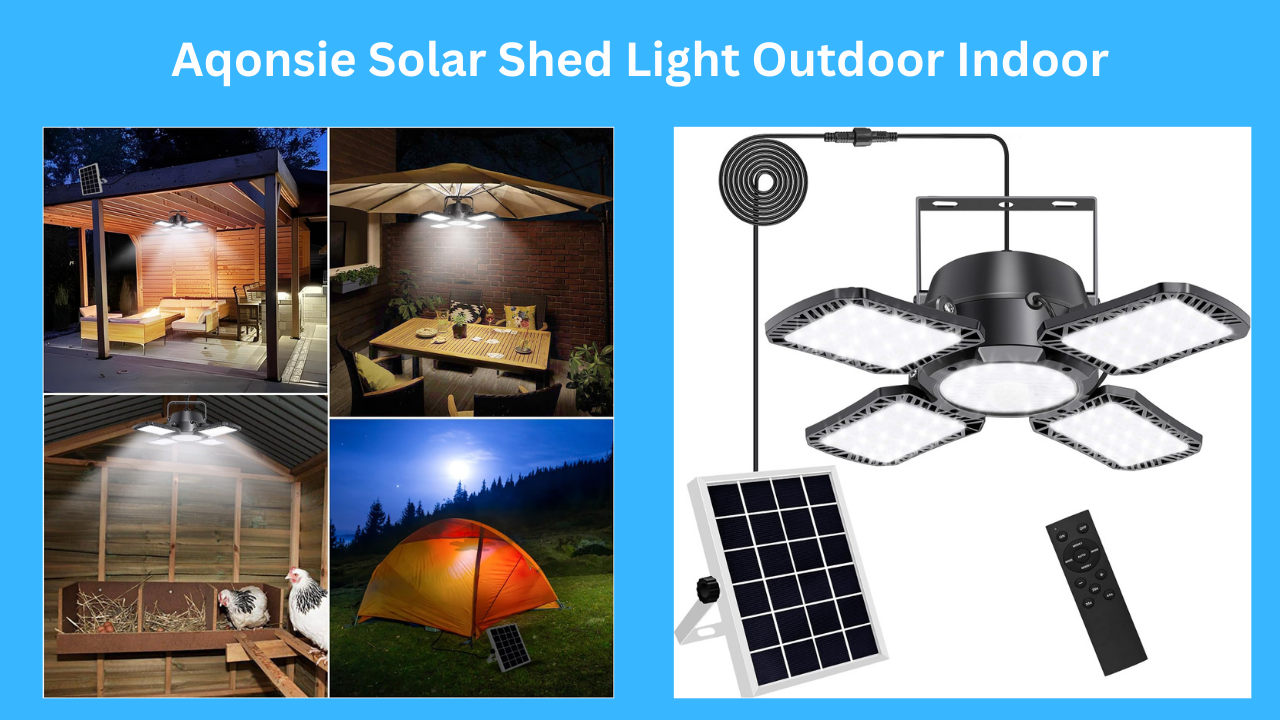
Aqonsie Solar Shed Light Outdoor Indoor with 176 LEDs, motion sensor, 5 lighting modes, remote control, and split solar panel design for sheds, garages, barns, and patios

The Best Solar-Powered Motion Sensor Light for Indoor and Outdoor Use

Solar-powered lights are becoming increasingly popular for both indoor and outdoor applications. They are eco-friendly, cost-effective, and highly versatile. One standout product in this category is the Aqonsie Solar Shed Light Outdoor Indoor, a high-brightness solar pendant light equipped with motion sensors, multiple lighting modes, and a remote control. Whether you need lighting for your shed, garage, gazebo, or backyard, this solar-powered LED light promises convenience and efficiency.

If you are searching for the best solar powered gadgets, the Aqonsie Solar Shed Light is a top choice for both indoor and outdoor use. This solar-powered LED light comes with motion sensors, five lighting modes, and a remote control, making it ideal for sheds, garages, patios, barns, and other spaces. With 176 high-brightness LEDs, adjustable panels, and IP65 waterproof design, this solar shed light delivers reliable, energy-efficient lighting wherever you need it.

With 176 LED lights, adjustable heads, and five lighting modes, the Aqonsie Solar Shed Light is considered one of the best solar powered gadgets for homes and outdoor spaces. Let’s dive deeper into its features, benefits, and why it might be the perfect addition to your property.

Key Features of Aqonsie Solar Shed Light

  1. Five Lighting Modes with Motion Sensor The Aqonsie Solar Shed Light offers five versatile lighting modes:

Mode 1: Dim to Bright with motion at night

Mode 2: Off to Bright with motion at night

Mode 3: Constant ON at nighttime

Mode 4: Off to Bright with motion in the daytime

AUTO Mode: Stays on all day, automatically switching to Mode 4 when the battery reaches 50%

The light also has induction lighting delay settings of 25s, 35s, and 45s for Modes 1, 2, and 4, giving you customizable motion sensing that adapts to your needs.

  1. Daytime Operation for Maximum Flexibility Unlike many solar-powered lights that only work at night, the Aqonsie light can operate during the daytime in certain modes.

Mode 4 (Off-to-Bright Sensing): High light for 15 seconds when motion is detected, then automatically turns off.

AUTO Mode: Stays illuminated throughout the day, switching automatically when battery levels drop to 50%.

This feature is perfect for spaces like barns, garages, or garden pathways that require lighting even during daylight hours.

  1. Split Design for Indoor and Outdoor Use The Aqonsie Solar Shed Light features a split design, meaning the solar panel and LED light are separate.

The waterproof cord is 16.5 feet long, allowing flexible placement.

Suitable for a wide range of locations: shed, garage, chicken coop, loft, balcony, patio, barn, gazebo, backyard, garden, driveway, hallway, porch, and more.

This makes it highly adaptable for both indoor and outdoor use, ensuring you can position the solar panel in direct sunlight while placing the light where it’s needed most.

  1. Remote Control & Adjustable LED Panels The Aqonsie light comes with a remote control for easy operation.

Turn the light on or off remotely.

Adjust brightness using the “+/-” buttons.

One remote can control multiple lights.

Additionally, the four LED panels can be angled up to 120°, allowing you to direct the light precisely where it’s needed. With 176 ultra-bright LEDs, the light provides a total output of 1000 lumens, ensuring wide-area illumination.

  1. Durable and Weather-Resistant The Aqonsie Solar Shed Light is made with ABS material and a satin finish, making it strong and lightweight. It is IP65 waterproof, which means it can withstand rain and extreme weather conditions.

Can be mounted on walls with screws or hung anywhere convenient.

Long waterproof cord allows versatile routing for solar panel placement.

This durability ensures your light will last for years and continue to provide reliable solar-powered lighting.

  1. Easy Installation Installing the Aqonsie Solar Shed Light is simple:

Mount the LED light using screws or hang it in your desired location.

Place the solar panel in direct sunlight.

Connect the 16.5-foot waterproof cord.

Use the remote to select your preferred mode and adjust brightness.

No complicated wiring or electrical setup is required, making it ideal for homeowners, DIY enthusiasts, or outdoor adventurers.

Pros and Cons

✅ Pros

Multiple lighting modes with motion detection

Daytime operation with AUTO mode

Remote control for convenience

Adjustable LED panels for targeted lighting

High brightness: 1000 lumens

Durable ABS construction and IP65 waterproof rating

Split design with long cord for flexible placement

Easy installation without electricity

❌ Cons

Requires direct sunlight for optimal charging

Remote may have limited range in very large areas

Some users may prefer more than 5 lighting modes

Real User Feedback The Aqonsie Solar Shed Light has received 4.3 out of 5 stars on Amazon, with over 3,400 customer reviews.

Positive Feedback:

Users love the motion detection features and bright illumination.

Many customers use it for garages, sheds, and barns, praising the daytime mode and flexibility.

Remote control functionality and adjustable LED heads are highly appreciated.

Critical Feedback:

Some users noted that the light requires sufficient sunlight for maximum performance.

A few users wanted a longer remote range for larger properties.

Overall, it is highly regarded as a reliable, versatile, and durable solar light.

Comparison with Other Solar-Powered Gadgets Compared to other solar powered gadgets like outdoor garden lights or solar-powered appliances, the Aqonsie Solar Shed Light stands out for:

Indoor and outdoor flexibility: Many solar lights are only outdoor-ready.

Motion detection in daylight: Most solar lights only work at night.

High brightness: 176 LEDs produce 1000 lumens for wide coverage.

Remote control convenience: Not all solar lights have remote functionality.

It’s a perfect solution for anyone looking for solar-powered indoor lighting that can also serve outdoor purposes.

Why the Aqonsie Solar Shed Light is One of the Best Solar Powered Gadgets Versatility: Can be used in sheds, garages, patios, lofts, barns, and more.

Efficiency: Solar-powered, eco-friendly, and energy-efficient.

Convenience: Remote control and adjustable panels for easy operation.

Durability: IP65 waterproof and ABS material ensures long-term performance.

Performance: Motion detection and daytime operation provide reliable lighting anytime.

For homeowners, DIY enthusiasts, or anyone in need of reliable lighting, the Aqonsie Solar Shed Light is a must-have solar-powered gadget.

Final Verdict

The Aqonsie Solar Shed Light Outdoor Indoor is an exceptional solar-powered light for indoor and outdoor applications. With its motion sensor, five lighting modes, remote control, and high brightness, it is one of the best solar powered gadgets for sheds, garages, barns, patios, and gardens.

If you’re looking for a durable, energy-efficient, and versatile solar light that is easy to install and use, the Aqonsie Solar Shed Light is an excellent choice.

Overall Rating: 4.3/5 ⭐ Best For: Homeowners, DIY enthusiasts, shed owners, garden and patio lighting, and outdoor security.

BigBlue Portable Solar Charger 28W Review

1
BigBlue Portable Solar Charger 28W with foldable solar panels, dual USB-A and USB-C ports, digital ammeter, and carabiners for camping and outdoor charging

One of the Best Solar Powered Gadgets for Outdoor and Everyday Use

Solar energy is no longer just for powering big homes or farms. Today, many small and handy devices use sunlight to give us power anytime, anywhere. From solar products for home to solar powered garden accessories and solar powered appliances, solar gadgets are becoming an important part of daily life.

One of the best solar powered gadgets you can buy right now is the BigBlue Portable Solar Charger 28W. This little foldable solar panel is built for campers, hikers, and travelers, but it can also be useful for anyone who wants to keep their phone or power bank charged without needing an electrical outlet. In this review, we’ll explore the features, pros and cons, user feedback, and why it is considered one of the best portable solar chargers available today.

Why Solar Powered Gadgets Are Important

Before diving into the BigBlue charger, let’s understand why solar powered gadgets are gaining popularity.

  • Eco-Friendly Energy: Solar power reduces reliance on fossil fuels and lowers carbon emissions.
  • Saves Money: Once you buy a solar gadget, you don’t have to pay for the electricity it uses.
  • Portable Power: Whether you’re hiking, camping, or in an emergency, solar gadgets give you power without depending on the grid.
  • Versatile Uses: From charging phones to lighting up gardens, solar-powered products have many uses.

This is why products like the BigBlue Portable Solar Charger stand out—they combine convenience, sustainability, and affordability in one simple device.


Overview of the BigBlue Portable Solar Charger 28W

The BigBlue Portable Solar Charger 28W is a foldable solar panel charger that can charge smartphones, tablets, GPS devices, and power banks. It is designed with high-efficiency solar cells that can convert up to 25.4% of sunlight into usable power.

Some of its top features include:

  • Dual charging ports (USB-A and USB-C).
  • Real-time digital ammeter to show charging performance.
  • Foldable, lightweight design (1.47 lbs).
  • Rugged, water-resistant material for outdoor use.
  • Comes with USB-C cable and 4 carabiners for easy setup.

This solar charger is especially popular with outdoor lovers because it provides reliable charging while being light enough to carry anywhere.


Key Features Explained

1. Superior Sunlight Harvesting

The BigBlue charger uses advanced solar cells that capture sunlight more efficiently than many other chargers. At 25.4% efficiency, it means more sunlight is turned into usable power, so your devices charge faster. The panels are designed without metal lines on the surface, allowing maximum sunlight capture.

2. Intelligent Fast Charging

The charger has two output ports:

  • USB-A (5V/2.4A max)
  • USB-C (5V/3A max)

Together, they can provide up to 5V/4A. An intelligent chip inside recognizes your device and gives the best charging speed possible. You can charge a smartphone, tablet, GPS, or even a power bank at the same time.

3. Real-Time Power Monitoring

A small digital screen (ammeter) shows how much current is being generated. This is very helpful because you can instantly see if your panel is in the right position or if clouds are blocking the sun.

4. Portable and Lightweight

Weighing only 1.47 pounds, this charger folds down small enough to fit in a backpack. With its carabiners, you can clip it onto a bag, tent, or tree for charging while outdoors.

5. Durable and Weather-Resistant

The panels are covered in PET polymer fabric and rated IP44 water-resistant, meaning they can handle splashes or light rain. This makes it great for outdoor adventures like camping or fishing.


How to Use the BigBlue Solar Charger

Using the BigBlue solar charger is very simple:

  1. Unfold all four panels in direct sunlight.
  2. Plug in your device with the provided USB cable.
  3. Charging starts immediately.
  4. Monitor charging speed with the ammeter display.

⚠️ Important Notes:

  • The charger does not store energy—it only charges when under sunlight.
  • Shade on even one panel can lower efficiency a lot.
  • Do not keep your phone inside the device pocket while charging, as it may overheat.

Pros and Cons

✅ Pros

  • High efficiency (25.4%) for faster charging.
  • Dual ports (USB-A and USB-C).
  • Lightweight and portable (perfect for camping).
  • Rugged, durable, and water-resistant.
  • Real-time ammeter gives accurate performance data.

❌ Cons

  • Does not store power (needs sunlight).
  • Shade reduces charging speed greatly.
  • Not compatible with PD or QC fast charging.
  • Device pocket can overheat phones.

Real-Life Experiences from Users

Many customers have shared their experiences with the BigBlue Portable Solar Charger:

  • Positive Reviews:
    • Users say it can charge two 10,000mAh power banks in just a few hours of bright sunlight.
    • Lightweight enough for backpacking and easy to set up at campsites.
    • Works well for charging vaporizers, tablets, and even multiple devices at once.
    • The ammeter is very helpful for seeing real-time performance.
  • Critical Reviews:
    • Shading even a small part of the panel reduces efficiency.
    • Pocket for devices is not insulated, causing overheating issues.
    • Some devices, like certain iPads, do not charge at maximum speed.

Overall, the product has a 4.2 out of 5-star rating on Amazon with over 1,700 reviews, proving it is a trusted and popular choice.


Comparison with Other Solar Gadgets

The BigBlue charger is one of the best portable solar chargers, but let’s compare it with other solar powered gadgets:

  • Solar Products for Home: Unlike rooftop solar panels, the BigBlue is not meant to power entire households. However, it is perfect for charging small electronics.
  • Solar Powered Garden Accessories: Garden lights, fountains, or decorative items run on solar, but they are stationary. The BigBlue charger is different because it’s portable and versatile.
  • Solar Powered Appliances: Larger appliances like solar refrigerators need much bigger panels and batteries. The BigBlue is best for personal electronics, making it a handy companion.

Why the BigBlue Charger is One of the Best Solar Powered Gadgets

Here’s why the BigBlue Portable Solar Charger is considered among the best solar powered gadgets today:

  1. Efficiency: 25.4% conversion rate is excellent compared to many other chargers.
  2. Portability: It’s foldable, lightweight, and easy to carry.
  3. Durability: Rugged build makes it reliable for outdoor use.
  4. Affordability: Priced reasonably for the value it delivers.
  5. Versatility: Works with many devices including phones, tablets, power banks, and GPS units.

Final Verdict

The BigBlue Portable Solar Charger 28W is a must-have if you love the outdoors, travel often, or just want a backup charging option that doesn’t rely on electricity.

It is not designed to replace larger solar powered appliances or full solar products for home, but it is one of the most practical solar powered gadgets you can carry. For hikers, campers, or anyone who wants eco-friendly portable charging, this device is worth every penny.

⭐ Overall Rating: 4.2/5
✔️ Best for: Campers, hikers, travelers, and eco-conscious users.
❌ Not ideal for: Fast charging lovers or those needing power storage.

👉 If you are looking for the best solar powered gadgets, the BigBlue Portable Solar Charger 28W is a smart choice that combines portability, efficiency, and reliability.


Top 10 Best Affordable Dive Computers for Beginners & Pros in 2025

1
Affordable dive computer showing depth and dive time underwater

Ready to take your diving experience to the next level? A budget-friendly dive computer is key for any diver. It gives you vital info underwater. It’s great for scuba divers, freedivers, and spearfishers alike.

Choosing the right top-rated dive computer can be tough. This guide shows the top 10 best dive computers for 2025. We’ll talk about their features, benefits, and prices to help you choose wisely.

Ready to grab yours? Don’t miss out on this deal – check the best affordable dive computer on Amazon now. Enjoy safe, budget-friendly diving today!

Best Affordable Dive Computers

“Looking for the Best Affordable Dive Computers? Discover our top picks for budget-friendly dive computers that are perfect for beginners and experienced divers who want quality, safety, and value.”

Key Takeaways

  • Top-rated dive computers for 2025
  • Budget-friendly options for beginners
  • Key features to consider when choosing a dive computer
  • Benefits of using a dive computer for safe diving
  • Comparison of pricing for different dive computers

Why Every Diver Needs a Quality Dive Computer in2025

A quality dive computer is now a must for safe diving. They do more than watch your oxygen. They also track depth and have timers and alarms to keep you safe.

Safety Benefits for All Experience Levels

A top-notch dive computer brings many safety benefits. These include:

  • Real-time depth monitoring
  • No-decompression limit tracking
  • Customizable alarms for safe diving practices

For both new and seasoned divers, a good dive computer is key. It gives you important info and helps prevent sickness from too deep dives.

Technology Advancements in Modern Dive Computers

Today’s dive computers have gotten a lot better. They offer:

  • Air integration for monitoring air supply
  • Compass for navigation
  • Logbook capabilities for tracking dives

These technological advancements make diving safer and more fun. Ready to get one? Don’t miss this chance. Check out the Best Affordable Dive Computer on Amazon now for safe, budget-friendly diving!

What Makes the Best Affordable Dive Computer Worth Buying

The best affordable dive computer balances cost and performance well. Divers should look at several factors to find the best value. This ensures they get what they pay for.

Dive computers are key for all divers. They give vital info during dives and help track performance. Knowing what’s essential and what’s extra is key.

Essential Features vs. Premium Add-ons

Must-have features include tracking depth, dive time, and no-decompression limits. These are vital for safe diving. Add-ons like air integration and compass can improve diving but cost more.

A basic dive computer tracks depth and time. An advanced model might add a compass and air integration. This offers a richer diving experience.

Price-to-Performance Considerations

When picking dive computers, the price-to-performance ratio matters a lot. Look for devices with lots of features at a fair price. A good dive computer should be accurate and affordable.

FeatureBasic ModelAdvanced Model
Depth TrackingYesYes
Air IntegrationNoYes
CompassNoYes
Price$200$400

Durability and Longevity Factors

A dive computer’s durability and longevity are key. It must handle frequent diving well. Look at materials, build quality, and battery life. A durable dive computer is a good investment.

Ready to grab yours? Don’t miss out on this deal – check the Best Affordable Dive Computer on Amazon now and enjoy safe, budget-friendly diving today!

Cressi Leonardo: Perfect Entry-Level Dive Computer for Beginners

The Cressi Leonardo is great for new scuba divers. It’s small and fits on your wrist. It’s perfect for those who dive for fun or freedive.

Overview of Cressi Leonardo

The Cressi Leonardo is easy to use. It has a simple screen and is light. It’s comfy to wear on your wrist.

Pros

  • Easy to Use: Simple and intuitive interface.
  • Compact Design: Lightweight and comfortable to wear.
  • Clear Display: Provides essential information clearly.

Cons

  • Limited Advanced Features: Not ideal for technical divers.
  • No Wireless Connectivity: Data transfer requires a cable.

Key Features

  • Multi-Dive Capability: Logs multiple dives.
  • Freediving Mode: Suitable for freedivers.
  • Logbook: Stores dive history.

Ready to grab yours? Don’t miss out on this deal – check the Best Affordable Dive Computer on Amazon now and enjoy safe, budget-friendly diving today!

Mares Puck Pro Plus: Best Value Dive Computer Under $300

For those looking for value, the Mares Puck Pro Plus is a great pick. It offers a full diving experience without breaking the bank. It’s perfect for both new and experienced divers.

Overview of the Mares Puck Pro Plus

The Mares Puck Pro Plus is a dive computer for all. It works with air and Nitrox mixes up to 99% O₂. Its easy-to-use design makes it great for beginners.

Pros

  • Affordable Pricing: It has advanced features at a low cost.
  • Versatile: It supports air and Nitrox diving.
  • User-Friendly: Its interface is simple and easy to use.

Cons

  • Limited Advanced Features: It lacks some premium features.
  • Battery Life: Batteries may need to be replaced often.

Key Features

FeatureDescription
Diving ModesAir and Nitrox (up to 99% O₂)
DisplayClear, easy-to-read screen
LogbookStores detailed dive logs

Ready to grab yours? Don’t miss out on this deal – check the Best Affordable Dive Computer on Amazon now. Enjoy safe, budget-friendly diving today!

Suunto Zoop Novo: Most Reliable Budget-Friendly Dive Computer

For divers looking for a reliable and affordable dive computer, the Suunto Zoop Novo is a great choice. It’s perfect for beginners or students. It has a large, easy-to-read display with a backlight and a simple four-button interface.

Overview of Suunto Zoop Novo

The Suunto Zoop Novo is a reliable and affordable dive computer. It’s great for those new to diving or wanting a simple device. It has advanced features like air and Nitrox modes, making it good for many diving needs.

Pros

  • Easy to Use: The four-button interface is simple to use.
  • Clear Display: The large display with a backlight makes reading easy underwater.
  • Advanced Features: It has air and Nitrox modes for different diving needs.

Cons

  • Limited Customization: Some find the lack of advanced customization options a drawback.
  • No Wireless Connectivity: It doesn’t have Bluetooth or wireless connectivity, which some miss.

Key Features

  • Dive Planning: It allows for basic dive planning to prepare for dives.
  • Logbook: It keeps a record of past dives, useful for tracking diving history.
  • Backlight: It has a backlight for better visibility in low light, making it easier to use.

Ready to grab yours? Don’t miss out on this deal – check the Best Affordable Dive Computer on Amazon now. Enjoy safe, budget-friendly diving today!

Aqua Lung i300C: Top Bluetooth-Enabled Affordable Dive Computer

The Aqua Lung i300C is a top pick for affordable dive computers. It has the latest tech and is easy to use. It’s perfect for divers who want a reliable and packed-with-features dive computer.

Overview of the Device

The Aqua Lung i300C has cool features like wireless air integration. It works in four modes and fits with three transmitters. Plus, it has Bluetooth connectivity for easy data sharing and logbook updates.

Pros

  • Easy to use with a simple interface
  • Advanced features like wireless air integration
  • Bluetooth connectivity for logbook management

Cons

  • May require additional setup for Bluetooth connectivity
  • Limited compatibility with certain devices

Key Features

  • Wireless air integration
  • Four operating modes for various diving needs
  • Three-transmitter compatibility

Ready to grab yours? Don’t miss out on this deal – check the Best Affordable Dive Computer on Amazon now. Enjoy safe, budget-friendly diving today!

Oceanic Geo4.0: Versatile Mid-Range Dive Computer for Recreational Divers

The Oceanic Geo4.0 is a top pick for mid-range dive computers. It has key features and advanced tools for fun diving. It’s easy to use and keeps you safe underwater.

Overview of the Oceanic Geo4.0

This dive computer is made for those who dive for fun. It has a simple design and clear screen. It also has air and Nitrox modes for different dives.

Pros

  • Versatile: Offers both basic and advanced features.
  • User-Friendly: Simple interface and clear display.
  • Advanced Modes: Includes air and Nitrox modes for different diving conditions.

Cons

  • Limited Advanced Features: May not have all the premium features found in higher-end models.
  • Battery Life: Battery life may vary based on usage and settings.

Key Features

FeatureDescription
Air and Nitrox ModesSupports diving with different gas mixes.
Simple InterfaceEasy to navigate during dives.
Clear DisplayProvides essential information at a glance.

Ready to grab yours? Don’t miss out on this deal – check the Best Affordable Dive Computer on Amazon now and enjoy safe, budget-friendly diving today!

Garmin Descent G1: Best Affordable Dive Computer with GPS Functionality

The Garmin Descent G1 is perfect for all kinds of diving. It’s great for both fun dives and serious technical dives.

Garmin Descent G1 Overview

The Garmin Descent G1 is easy to use. Its clear screen shows all the important info you need.

Pros

  • GPS Tracking: Helps you find your way underwater.
  • Multi-Gas Support: Good for divers who use different gases.
  • User-Friendly: Perfect for beginners and experts alike.

Cons

  • Limited Advanced Features: Some might want more.
  • Compatibility Issues: Make sure it works with your gear.

Key Features

  • GPS, GLONASS, and Galileo for exact location.
  • Supports multiple gases for tech dives.
  • Simple to use for everyone.

Ready to get yours? Don’t miss this chance. Check out the Best Affordable Dive Computer on Amazon now. Dive safely and within your budget today!

Shearwater Peregrine: Professional-Grade Features at an Accessible Price

The Shearwater Peregrine is a big win for divers looking for a top-notch dive computer at a good price. It’s great for fun divers who want cool features but don’t need the super tech stuff.

Overview of Shearwater Peregrine

The Shearwater Peregrine has the same easy-to-use menu as the Shearwater Perdix. But it has fewer features, making it perfect for simpler dives. Its clear screen and simple design are great for beginners.

Pros

  • Air Integration: It lets you see your air supply right on the device.
  • Compass Navigation: It has a built-in compass for easy underwater navigation.
  • User-Friendly: Its menu is easy to use, making it simple to find what you need.

Cons

  • Limited Advanced Features: It has lots of features, but not as many as some other Shearwater models.
  • Battery Life: Some say the battery doesn’t last as long as they hoped, but it’s okay for most dives.

Key Features

FeatureDescription
Air IntegrationMonitor air supply directly on the device
Compass NavigationNavigate underwater with the built-in compass
LogbookStore dive logs for later review

Ready to grab yours? Don’t miss out on this deal – check the Best Affordable Dive Computer on Amazon now and enjoy safe, budget-friendly diving today!

Aqualung i200C: Compact and User-Friendly Dive Computer for Travel

The Aqualung i200C is a user-friendly dive computer made for travel. It’s small and light, perfect for divers who are always moving.

Overview of Aqualung i200C

The Aqualung i200C is easy to use. It has a clear screen that shows important dive info quickly. Its small size is great for packing, making it perfect for travel.

Pros

  • Compact and Lightweight: Easy to pack and carry.
  • User-Friendly Interface: Simple to navigate during dives.
  • Reliable Performance: Provides accurate dive data.

Cons

  • Limited Advanced Features: May not satisfy tech-savvy divers.
  • Basic Display: Some users might find the display too simple.

Key Features

  • Dive Planning: Allows for basic dive planning.
  • Logbook: Keeps a record of your dives.
  • Safety Alerts: Provides warnings for safe diving practices.

Ready to grab yours? Don’t miss out on this deal – check the Best Affordable Dive Computer on Amazon now and enjoy safe, budget-friendly diving today!

Deepblu COSMIQ+: Most Stylish Affordable Dive Computer with Cloud Integration

For divers looking for style and function, the Deepblu COSMIQ+ is a great pick. It’s affordable and has cool features for different diving needs.

Overview of Deepblu COSMIQ+

The Deepblu COSMIQ+ is made for today’s divers. It has a sleek design and is easy to use. Plus, it connects to the cloud for tracking dives online.

Pros

  • Stylish Design: It looks modern and sleek, perfect for those who care about looks.
  • Cloud Integration: Sync your dive data to the cloud for easy tracking and analysis.
  • User-Friendly: Its easy interface is great for divers of all levels.

Cons

  • It has fewer advanced features than more expensive models.
  • Some might find the cloud integration a bit tricky to get used to.

Key Features

  • It has a color display for easy reading underwater.
  • It offers advanced dive planning and tracking.
  • It works with many dive modes.

Ready to get yours? Don’t miss this deal – check the Best Affordable Dive Computer on Amazon now. Dive safely and within your budget today!

Conclusion: Finding Your Ideal Affordable Dive Computer

Having the right gear is key when you dive. Every diver, no matter their skill level, needs a dependable dive computer. This ensures a safe and fun dive. The dive computers reviewed here offer great features at different prices, helping you find the best one.

Think about what you need in a dive computer. Look at the features, price, and the brand’s reputation. Cressi, Mares, and Suunto have top-notch options for all budgets. A good dive computer is vital for safe diving, whether you’re experienced or new.

Are you ready to dive in? Check out the best affordable dive computers on Amazon now. With the right dive computer, you can dive into the underwater world with confidence.

## FAQ

### Q: What is the most important feature to consider when buying a dive computer?

A: The key feature is getting accurate depth, time, and no-decompression limit info. This ensures safe diving.

### Q: Are affordable dive computers reliable?

A: Yes, many affordable dive computers are reliable. They have the basics for safe diving. Brands like Cressi, Mares, and Suunto offer quality at good prices.

### Q: What is the difference between a basic and a premium dive computer?

A: Basic ones give you depth, time, and no-decompression limits. Premium ones add air integration, compass, and customizable alarms. They make diving better.

### Q: Can I use a dive computer for freediving?

A: Yes, some dive computers are good for freediving. They track depth and have apnea mode. But, pick one made for freediving.

### Q: How do I maintain my dive computer?

A: Clean it with fresh water often. Avoid extreme temperatures. Update the software to keep it working well.

### Q: Are dive computers waterproof?

A: Most dive computers are waterproof. But, check the depth rating and follow care tips to keep it that way.

### Q: Can I connect my dive computer to my smartphone?

A: Yes, some like the Aqua Lung i300C and Deepblu COSMIQ+ connect via Bluetooth. This lets you use your phone for dive log analysis and planning.

### Q: What is the average battery life of a dive computer?

A: Battery life varies by model and use. But, most dive computers last several years. Some even have rechargeable batteries.

### Q: Are there any dive computers designed for technical diving?

A: Yes, like the Shearwater Peregrine. It’s for technical diving. It has features for complex dives, like multi-gas support and decompression modeling.

### Q: Can I use a dive computer for scuba diving and snorkeling?

A: Dive computers are mainly for scuba diving. But, some can work for snorkeling. Always check the specs and think about the device’s features and limits.

Shearwater Research Peregrine Adventures Edition Dive Computer

1
Basic dive computer screen displaying nitrogen levels and ascent rate

The Shearwater Research Peregrine Adventures Edition dive computer is a compact, user-friendly instrument that brings Shearwater’s reputable algorithmic accuracy and build quality to recreational divers seeking reliable performance without an excessive price tag. Positioned for divers who want modern functionality without the complexity or cost of higher-end technical models, the Peregrine Adventures Edition addresses core needs: clear display, dependable decompression calculations, and straightforward operation.

Discover the Best Affordable Dive Computers, including the Shearwater Research Peregrine Adventures Edition Dive Computer, designed for beginners and pros who want quality, safety, and value at a budget-friendly price.

Design and usability

  • Clean interface: The Peregrine features a bright, easy-to-read color display with large numerals and intuitive menus. Its layout emphasizes clarity underwater, reducing the cognitive load during dives.
  • Simplified controls: A single-button or simplified multi-button approach (depending on variant) makes mode changes and menu navigation quick and predictable—important for recreational divers and those transitioning from basic consoles.
  • Durability: Built with robust materials and rated for recreational depths, the unit withstands typical boating, shore-entry, and resort-diving environments.

Features and performance

  • Accurate algorithms: Drawing from Shearwater’s proven decompression models, the Peregrine provides conservative and trustworthy no-decompression limits, ascent guidance, and tissue-loading displays—features that enhance safety for day-to-day diving.
  • Multiple gas support: It supports air and nitrox mixes, giving flexibility for nitrox-trained recreational divers and enabling longer bottom times with optimal oxygen blends.
  • Safety functions: Audible and visual alarms, ascent rate indicators, and clear deco/ndl information help divers manage risk and maintain good dive profiles.
  • Battery life and maintenance: The Peregrine typically offers respectable battery longevity with user-replaceable options or convenient rechargeability (depending on the model), minimizing downtime between trips.

Who it’s for

  • Recreational divers seeking a dependable, modern dive computer without the complexity or cost of full technical units.
  • Travelers and resort divers who want a lightweight, easy-to-read instrument that performs reliably in varied conditions.
  • Divers upgrading from basic models who want improved display, better algorithms, and more features while still keeping affordability in mind.

Why it ranks among “Best Affordable Dive Computers”

  • Balance of price and quality: Shearwater’s reputation for solid algorithms and engineering often places the Peregrine Adventures Edition favorably against similarly priced competitors.
  • Sufficient feature set: It contains the essential tools recreational divers need—clear display, nitrox support, alarms, and accurate decompression guidance—without paying for advanced technical bells and whistles many users won’t utilize.
  • Brand trust: Shearwater’s presence in both recreational and technical diving circles lends confidence that the device performs to a high standard, increasing its value proposition for budget-conscious buyers.

Conclusion

The Shearwater Research Peregrine Adventures Edition is a strong candidate for divers searching for one of the Best Affordable Dive Computers. It combines Shearwater’s reliable decompression modeling and solid construction with an accessible interface and essential features for recreational diving. For those wanting dependable performance without the cost or complexity of full technical rigs, the Peregrine offers a practical, trustworthy option.

CBEST Exam on Computer: Requirements, Tips, and Setup Guide

0
CBEST Exam on Computer.

The CBEST exam on computer is key for those wanting to teach. It checks your math, reading, and writing skills.

It’s a computer test. Knowing the tech needs is vital for a smooth test.

Those taking the CBEST need to know the test’s format and what it covers. This helps you score well.

Official CBEST Website – Test Requirements

Key Takeaways

  • Understand the technical requirements for the online-proctored CBEST test.
  • Familiarize yourself with the test format and content.
  • Prepare for the assessment of basic mathematics, reading, and writing skills.
  • Ensure a smooth testing experience by meeting the technical setup requirements.
  • Review the importance of the CBEST exam for a teaching career.

Understanding the CBEST Exam

The CBEST exam checks basic skills in reading, writing, and math. It makes sure teachers have the skills to teach well.

Teach Us – CBEST Online Test Tips

Purpose and Structure of the CBEST

The CBEST exam tests skills in three areas: Math, Reading, and Writing. It has three parts, each checking a different skill. The Math part tests numbers, algebra, and geometry.

The Reading part checks how well you understand and analyze. The Writing part sees if you can write clearly.

Differences Between Paper-Based and Computer-Based CBEST

The CBEST exam is given in two ways: paper and computer. The computer test is more flexible. You can take it when and where you want.

Both tests have the same content and structure. But, the computer test has a tutorial and an on-screen calculator.

Benefits of Taking the CBEST Exam on Computer

There are many good things about taking the CBEST test on a computer. You get your scores faster. You can pick your test date and location.

The computer test also has a timer and a way to mark questions for review. This helps you manage your time better.

CBEST Exam on Computer: Overview and Registration

To take the CBEST exam on computer, you must first register. This is done through the CTC Exams website. It’s important to register early to pick your test date.

Reddit – CBEST Experiences

How to Register for the Computer-Based CBEST

You can register for the CBEST exam in several ways. You can do it online, by phone, or by mail. Online registration is usually the quickest and easiest way.

Testing Centers vs. Remote Proctoring Options

You can choose to take the exam at a testing center or at home. Remote proctoring lets you take the exam from home. But, you need to meet certain technical requirements.

Costs and Payment Methods

The cost of the CBEST exam includes a registration fee. Check the CTC Exams website for the latest fees. You can pay with credit cards or other online methods.

Make sure you know all the costs and payment options before you register.

System Requirements for the CBEST Exam

To have a smooth test, knowing the CBEST exam’s computer system needs is key. The specs ensure your computer runs the exam software well.

Operating System Compatibility

The CBEST exam works on Windows and macOS. For Windows, you need version 10 or later. For macOS, version 10.13 or later is required. Make sure your OS is up to date to avoid problems.

Processor and RAM Requirements

A good processor and enough RAM are vital for smooth software running. You need at least a dual-core processor and 2 GB of RAM. But, a stronger processor and 4 GB of RAM are better for the best experience.

Internet Connection Specifications

A reliable internet connection is key for the CBEST exam on computer. You need at least 1 Mbps upload and 2 Mbps download speeds. Check your internet speed before the exam to meet these needs.

CBEST Technical Support

Required Browser Settings

The CBEST exam uses a specific browser. Make sure your browser is compatible and up to date. Also, disable pop-up blockers and allow the exam software to run.

ComponentMinimum RequirementRecommended
Operating SystemWindows 10 or macOS 10.13Latest version of Windows or macOS
ProcessorDual-core processorQuad-core processor or higher
RAM2 GB4 GB or more
Internet Speed1 Mbps upload, 2 Mbps download5 Mbps or higher

Essential Hardware for the CBEST Online Test

To make sure your CBEST online test setup goes smoothly, you need the right tools. A well-set-up computer and the right accessories will keep technical problems away.

Webcam and Microphone Requirements

You’ll need a webcam and microphone for the online test. Make sure your webcam captures clear images and is placed right. Your microphone should pick up your voice well, without any background noise.

Monitor and Display Settings

Your monitor should be the right size and have good resolution. A high-resolution monitor helps you see the exam content clearly. Adjust your display settings so the text is easy to read.

Keyboard and Mouse Considerations

You’ll need a standard keyboard and mouse for the exam. Make sure they work well and match your computer. Get used to your keyboard and mouse to avoid problems during the test.

By making sure your hardware meets these needs, you’ll be ready for a great CBEST computer setup guide experience.

Recommended Computers for Taking the CBEST

Choosing the right computer is key for a smooth CBEST exam. Both desktops and laptops work, as long as they meet the exam’s tech needs.

Top Desktop Computers for the CBEST Exam

Desktops are reliable and powerful. Here are some top picks:

  • Apple iMac: Sleek design and strong performance make it a top choice for the CBEST exam.
  • HP Pavilion: It’s a great mix of performance and price.
  • Dell Inspiron: It’s reliable and efficient for your computing needs.

Best Laptops for the CBEST Exam

Laptops are flexible and easy to carry. Here are some good options:

  • Apple MacBook Air: It’s light and powerful, perfect for those who need to move around.
  • Lenovo ThinkPad: It’s durable and has long battery life.
  • Asus ZenBook: It’s a good mix of performance and portability.

Budget-Friendly Options That Meet Requirements

If you’re on a tight budget, consider these:

  • Acer Aspire: It’s affordable and meets the CBEST exam’s basic needs.
  • HP Stream: A cheap laptop that’s good enough for the exam.

Make sure your computer meets the CBEST exam’s tech needs. This includes a compatible OS, fast processor, and stable internet.

Computer TypeRecommended ModelsKey Features
DesktopApple iMac, HP Pavilion, Dell InspironReliable performance, enough RAM
LaptopApple MacBook Air, Lenovo ThinkPad, Asus ZenBookEasy to carry, long battery life
Budget-FriendlyAcer Aspire, HP StreamAffordable, meets basic needs

Setting Up Your Testing Environment

Creating a good testing environment is key for a great CBEST online proctoring experience. You need a quiet, private, and well-lit room for the test.

Room Requirements and Lighting

Your room should be:

  • Quiet and free from background noise
  • Private, with no other individuals present
  • Well-lit, with enough light to show your face and workspace clearly

Proper lighting is key to avoid shadows or glare. This helps the proctor see you clearly.

Eliminating Distractions

To avoid distractions during the test:

  1. Turn off notifications on your computer and other devices
  2. Clear your workspace of unnecessary items
  3. Make sure your phone is on silent and out of reach

Keeping your environment distraction-free helps you focus on the exam.

Organizing Your Workspace

Your workspace should be:

  • Clear of clutter and unnecessary materials
  • Organized, with all needed materials within reach
  • Comfortable, with a good chair and enough desk space

By setting up your environment right, you’ll be ready for a successful CBEST online proctoring experience.

Pre-Exam Technical Preparation

Getting ready for the CBEST exam on computer means making sure your tech is ready. This helps avoid problems and makes you feel less stressed.

Running System Checks

Do system checks before the exam to meet the technical requirements for the CBEST exam. Check your operating system, processor, RAM, and internet connection.

Installing Required Software

Make sure you have all needed software installed and up-to-date. This includes a secure browser and tools the test admins say you need. Using CBEST exam preparation tips can guide you.

Testing Your Equipment

It’s key to test your equipment before the exam. This includes:

  • Webcam and microphone checks
  • Internet speed tests

Webcam and Microphone Test

Check if your webcam and microphone work right. You can test them by recording a short video or voice recording.

Do an internet speed test to make sure your connection is good enough. A fast and stable internet is key for a smooth test.

Test ComponentMinimum RequirementRecommended
Internet Speed1 Mbps5 Mbps
RAM2 GB4 GB
Processor1.8 GHz2.4 GHz

By doing these steps, you can have a smooth and successful CBEST exam on computer.

CBEST Online Proctoring Process

The online proctoring for the CBEST exam has several steps. These steps check your identity and make sure the test is fair. It’s easy and safe, so you can focus on your test.

Check-In Procedures

First, you’ll check in with your proctor. You’ll show your ID and confirm your name and details.

Identity Verification Steps

You’ll need to show a valid government ID. Make sure it’s not expired and matches your registration name.

Room Scan Requirements

A room scan is needed to check your workspace. Use your webcam to show your proctor that your area is clean and follows CBEST rules.

Proctor Interaction Guidelines

Your proctor will help you during the test. If you have any problems, just ask. They’ll help with any technical issues or other concerns.

Proctoring StepDescriptionRequirements
Check-InConfirm identity before the examValid government-issued ID
Identity VerificationVerify the candidate’s IDMatching name and details
Room ScanEnsure a clean and compliant workspaceClear workspace, no prohibited items

Knowing the CBEST online proctoring process helps you prepare for your exam. It makes sure your test day is smooth and secure.

Navigating the CBEST Exam Interface

Learning the CBEST exam interface is key for a calm test-taking time. Knowing the layout and tools can boost your score.

Understanding the Test Timer

The test timer is a big part of the CBEST exam. It shows how much time you have left for each part. Managing your time well is important to finish all questions on time.

Using the Calculator Function

The CBEST exam has an on-screen calculator for some parts. Knowing how to use it well can speed up math problems. Practice using it before the exam to avoid tech problems.

Marking Questions for Review

You can mark questions to review later. This lets you go back to hard questions. It helps you manage your time and make sure you answer every question.

Submitting Your Exam

Make sure to check your answers before you submit. The system will ask you to confirm. Knowing how to submit your exam helps avoid last-minute problems.

FeatureDescriptionBenefit
Test TimerKeeps track of remaining timeEffective time management
Calculator FunctionOn-screen calculator for math problemsQuick problem-solving
Mark for ReviewAllows revisiting challenging questionsEnsures attempting all questions

By using these features, you can feel confident in the CBEST exam interface. This can improve your test experience and score.

Tips for Success During the Computer-Based CBEST

Getting ready well is key to doing well on the CBEST exam. It lets you answer questions with confidence. Knowing the test format and using smart test-taking strategies are musts.

Managing Test Anxiety

Test anxiety can really hurt your score. Here are some tips to help:

  • Practice relaxation techniques like deep breathing or meditation to calm down.
  • Prepare well to feel more confident and less anxious.
  • Arrive early at your test site or log in early for online tests to avoid stress.

Effective Time Management Strategies

It’s important to manage your time well during the test. Here are some tips:

  1. Know the test timer and plan your time for each section.
  2. Mark hard questions for later so you don’t waste time.
  3. Keep track of your progress to stay on schedule.

Ergonomic Considerations for Comfort

Being comfortable while you test helps you focus. Here are some ergonomic tips:

  • Make sure the lighting is right to avoid eye strain.
  • Choose a comfy chair and sit right.
  • Put your computer where it won’t glare on the screen.

Troubleshooting Common Technical Issues

Knowing about technical issues and how to fix them can make your CBEST exam smoother.

Connection Problems During the Exam

A strong internet connection is key for the CBEST exam on computer. If you have connection problems, try restarting your router. Having a backup plan, like a mobile hotspot, is also smart.

Software Crashes and Recovery

If software crashes, stay calm and follow the screen’s instructions to restart. Make sure your computer meets the system requirements to avoid crashes. If problems continue, reach out to technical support right away.

Audio/Video Malfunctions

Audio and video are important for the CBEST exam, more so with remote proctoring. Check your webcam and microphone before the exam. If there are issues, adjust your settings or call technical support.

Contacting Technical Support

If you run into technical problems during the exam, contact technical support. Have their contact info ready to save time.Be ready to explain your problem clearly to get help.

Being ready for technical issues can reduce stress and help you pass the exam. Stay calm and use the steps above to fix common problems.

Conclusion

Getting ready is key for a good CBEST exam experience. As you get ready for the CBEST exam on computer, remember the main points from this article. Knowing the exam format, system needs, and technical setup will make you feel more confident.

To have a smooth test, check if your computer meets the system needs. Also, make sure you have a good place to test. Get used to the CBEST exam interface and practice with the calculator and marking questions. Good cbest test prep means knowing the exam content and being tech-savvy.

Follow the tips and guidelines in this article to do well on the CBEST exam on computer. Stay focused, manage your time well, and use the resources you have. With good prep and knowing the exam format, you’ll do great.

FAQ

What are the system requirements for taking the CBEST exam on computer?

To take the CBEST exam on computer, your system must meet certain requirements. This includes a compatible operating system and enough RAM. You also need a stable internet connection and the right browser settings. Always check the official CBEST website for the latest system requirements.

What type of computer is recommended for the CBEST exam?

It’s best to use a modern desktop or laptop for the CBEST exam. Make sure it has a compatible operating system and enough RAM. Both Windows and macOS devices are okay, as long as they meet the system requirements.

What are the hardware requirements for the CBEST online test?

The CBEST online test needs a webcam, microphone, and a monitor that meets certain specs. Your webcam and microphone must work with the testing software. Also, your monitor should be set to the recommended display settings.

How do I set up my testing environment for the CBEST exam?

For the best testing experience, choose a quiet, well-lit room with few distractions. Make sure your workspace is tidy and your computer is plugged in. Follow the CBEST testing platform’s guidelines for setting up your testing area.

What should I do if I encounter technical issues during the CBEST exam?

If you face technical problems during the CBEST exam, stay calm. Follow the troubleshooting steps given by the testing platform. You might need to contact technical support for help.

How do I register for the CBEST exam on computer?

To register for the CBEST exam on computer, go to the official CBEST website. Create an account and follow the registration steps. You can test at a center or remotely. Check the available dates, costs, and payment options.

What are the benefits of taking the CBEST exam on computer?

Taking the CBEST exam on computer has many benefits. You can test at a convenient time and place. You also get faster scoring and can review your answers before submitting.

How can I prepare for the CBEST exam on computer?

To prepare for the CBEST exam on computer, get familiar with the test format and content. Practice with sample questions. Make sure your computer and testing area meet the requirements. Run system checks, install needed software, and test your equipment before the exam.

What is the online proctoring process for the CBEST exam?

The online proctoring process for the CBEST exam involves checking in and verifying your identity. You’ll need to scan your testing room. Follow the proctor’s instructions and ensure your testing area meets the standards.

How do I navigate the CBEST exam interface?

The CBEST exam interface is easy to use. You’ll have a test timer, calculator, and can mark questions for review. Get familiar with the interface during your prep to have a smooth test.