22.8 C
New York
Saturday, July 25, 2026
Home Blog Page 15

Smart Lights and Home Automation Tips

0


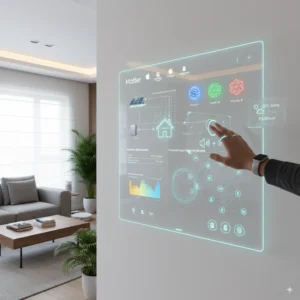
Smart lighting and home automation have become essential components of modern living in 2026. Beyond simply turning lights on and off, smart lighting systems allow you to control brightness, color, and schedules, while automation links multiple devices together to create seamless, convenient routines. By combining smart lights with other home automation tools, you can enhance comfort, security, energy efficiency, and even your mood. This guide provides practical smart lights and home automation tips to help you make the most of your connected home.

Understanding Smart Lighting

Smart lighting involves using bulbs, switches, or fixtures that can be controlled remotely via smartphone apps, voice assistants, or automated routines. Many smart bulbs allow adjustments in brightness, color temperature, and even full RGB color changes to suit different activities and moods.

Modern smart lighting systems are compatible with major platforms like Alexa, Google Assistant, and Apple HomeKit, enabling voice control and integration with other smart devices. Some bulbs also support adaptive lighting, which changes throughout the day to match natural light patterns, reducing eye strain and promoting better sleep.

Tips for Choosing the Right Smart Lights

  1. Compatibility: Ensure that the smart bulbs, switches, or fixtures you choose are compatible with your existing smart home ecosystem. This ensures smooth control and integration.
  2. Brightness and Coverage: Look at lumens ratings to select bulbs bright enough for your space. Living rooms and kitchens may need higher lumens, while bedrooms and reading areas can benefit from softer, warmer light.
  3. Color Options: Decide whether you want adjustable color temperature for practical purposes or full RGB color for ambiance and entertainment.
  4. Energy Efficiency: Most smart LEDs are energy-efficient, but it’s worth checking energy ratings to reduce electricity usage and save money.
  5. Connectivity Type: Wi-Fi, Zigbee, and Z-Wave are common communication protocols. Wi-Fi bulbs connect directly to your network, while Zigbee and Z-Wave may require a hub for smoother multi-device integration.

Effective Placement of Smart Lights

Proper placement of smart lights enhances both aesthetics and functionality. Here are some tips:

  • Living Room: Use ceiling lights for general illumination and smart lamps for mood lighting. Accent lighting highlights art, shelves, or architectural features.
  • Kitchen: Bright, cool-toned lights over counters and cooking areas improve visibility, while under-cabinet lighting adds both function and ambiance.
  • Bedroom: Warm-toned smart lights promote relaxation. Consider bedside lamps or wall-mounted fixtures that can be dimmed or set on schedules.
  • Outdoor Spaces: Smart floodlights or pathway lights improve security and provide convenience for nighttime activities. Motion sensors can automatically trigger lights when someone approaches.

Automating Your Smart Lights

Automation transforms smart lights from convenient gadgets into intuitive helpers. Here are some key strategies:

  • Schedules: Set lights to turn on or off at specific times to match your daily routine. For example, lights can gradually brighten in the morning and dim in the evening to mimic natural light cycles.
  • Motion Sensors: Motion-triggered lighting saves energy and improves safety. These are especially useful in hallways, bathrooms, and outdoor areas.
  • Geofencing: Some smart lighting apps allow your lights to turn on or off when you enter or leave your home, enhancing convenience and energy efficiency.
  • Scenes and Routines: Combine multiple lights and settings into a scene. For instance, a “Movie Night” scene dims living room lights and adjusts colors to create a cozy atmosphere, while a “Wake Up” scene gradually brightens bedroom lights.

Integrating Smart Lights with Other Devices

Smart lighting is more powerful when integrated with other smart home devices:

  • Smart Speakers and Voice Assistants: Control lights hands-free using Alexa, Google Assistant, or Siri. Commands like “dim the living room lights” or “set bedroom lights to warm” make everyday tasks effortless.
  • Smart Plugs and Appliances: Synchronize lighting with appliances. For example, lights can flash when the oven timer goes off or change color to indicate washer/dryer cycles.
  • Security Systems: Integrate lights with cameras or motion detectors. Lights can flash when motion is detected outside or simulate occupancy when you’re away, improving security.
  • Thermostats and HVAC: Some advanced routines adjust lighting and temperature simultaneously. For example, lights can brighten as the thermostat increases morning warmth, creating a naturally pleasant start to your day.

Energy-Saving Tips for Smart Lighting

Smart lights not only add convenience but also help save energy. Consider these tips:

  • Use dimming schedules to reduce power consumption during low-activity periods.
  • Enable motion detection in areas like hallways and bathrooms to avoid unnecessary lighting.
  • Take advantage of adaptive lighting features that automatically adjust brightness and color temperature throughout the day.
  • Replace conventional bulbs with energy-efficient smart LEDs.

Maintaining Your Smart Lighting System

Regular maintenance ensures that your smart lighting setup continues to perform optimally:

  • Keep firmware and apps updated for security, stability, and new features.
  • Check connections periodically to ensure bulbs and switches remain responsive.
  • Replace aging bulbs or malfunctioning devices promptly to maintain consistent performance.
  • Backup or document your automation routines in case you need to reset or expand your system.

Conclusion

Smart lights and home automation offer unmatched convenience, energy savings, and enhanced living experiences in 2026. By choosing compatible devices, placing them strategically, and integrating them with routines and other smart home gadgets, you can create a home that responds intuitively to your lifestyle. Automation turns everyday lighting into a dynamic and adaptable system that improves comfort, security, and efficiency.

From voice-activated commands and motion sensors to geofencing and integrated routines, smart lighting is a central pillar of a truly connected home. Following these tips ensures that your smart lights not only illuminate your space but also enhance your daily life, making your home smarter, safer, and more energy-efficient.


Must‑Have Smart Home Gadgets for 2026

0


The smart home revolution continues to evolve at an astonishing pace. In 2026, homes are more connected, intuitive, and convenient than ever before. Today’s smart home gadgets do more than just automate lights or play music—they enhance security, improve comfort, boost energy efficiency, and adapt to how you actually live. Whether you’re building a new smart home ecosystem or upgrading what you already have, this guide highlights the must‑have smart home gadgets for 2026 and explains why each device deserves a place in your home.

Smart Speakers and Voice Assistants – The Heart of the Connected Home

Smart speakers are often the starting point for any connected home. These devices serve as voice‑activated hubs that let you control other smart gadgets, check weather and calendars, play music, and manage routines with simple voice commands.

The best smart speakers in 2026 offer excellent sound quality, built‑in voice assistants (such as Alexa, Google Assistant, or Siri), and deep integration with a wide range of smart home products. Some models also include smart displays that show video, recipes, security cameras, and video calls.

Having a smart speaker or display in key areas like the kitchen, living room, and bedroom creates a unified control point for your entire smart home setup. Whether you’re adjusting lighting, locking doors, or checking notifications, voice control makes interactions effortless and hands‑free.

Smart Thermostats – Comfort and Energy Savings

Smart thermostats are a must‑have for anyone who wants greater control over home comfort and energy usage. These devices learn your schedule and preferences, automatically adjusting temperature settings for optimal comfort and efficiency.

In 2026, smart thermostats offer advanced features like occupancy detection, weather‑adaptive algorithms, and smartphone alerts for abnormal usage patterns. Many models integrate with utility company programs to save money during peak hours and display energy usage trends so you can make informed decisions.

By installing a smart thermostat, you can enjoy a comfortable home environment year‑round while lowering heating and cooling costs—making this gadget both practical and cost‑effective.

Smart Lighting Systems – Ambience, Efficiency, and Automation

Gone are the days of single‑bulb, manual wall switches. Smart lighting systems let you control brightness, color temperature, and even color hue right from your phone or voice assistant. You can schedule lights to turn on and off, sync them with your routines, or automate them based on sunset/sunrise times.

Advanced smart bulbs and LED strips support scenes that adapt to your activities—energizing light for mornings, warm tones for evenings, and dim scenes for bedtime. Integrating smart lighting with motion sensors adds convenience and efficiency by automatically illuminating hallways, closets, or outdoor areas only when needed.

Smart lighting isn’t just about convenience—it also enhances security and can be used to simulate occupancy when you’re away. With better hardware and wider compatibility in 2026, smart lighting is one of the most impactful upgrades you can make.

Smart Security Cameras and Video Doorbells – Watch Over What Matters Most

Home security has never been smarter. Modern smart security cameras and video doorbells deliver high‑resolution video, night vision, real‑time alerts, and AI‑powered motion detection. These devices not only capture video but can differentiate between people, animals, and vehicles to reduce false alarms.

Video doorbells let you see and speak to visitors from your phone, even when you’re away from home. Advanced models store clips securely in the cloud or locally and can integrate with smart locks to offer keyless entry options.

In 2026, many smart cameras also offer on‑device processing for privacy‑focused users, meaning sensitive footage can be analyzed and stored without sending data to external servers. With crime deterrence and peace of mind as clear benefits, smart security cameras and video doorbells continue to be essential smart home gadgets.

Smart Door Locks and Access Control – Keyless Convenience

Smart locks allow you to lock and unlock doors with your phone, voice commands, or secure PIN codes. Some models support biometric access like fingerprints, adding an additional layer of security. You can grant temporary or scheduled access to guests, service providers, and family members without sharing physical keys.

Integration with security systems and smart cameras lets you see who’s at the door and automatically lock when no one is home. In 2026, smart locks are more reliable and tamper‑resistant than ever, with built‑in protections against hacking and physical bypass attempts. They also integrate with routines—like turning off lights and arming security systems when you leave.

Smart Plugs and Outlets – Instant Smart Upgrades

If you want to add smart capabilities without replacing existing devices, smart plugs and outlets are incredibly useful. These compact gadgets let you control lamps, fans, heaters, coffee makers, and other appliances using your phone or voice assistant.

Smart plugs support scheduling, energy monitoring, and remote control. You can reduce energy waste by turning off devices that aren’t in use, monitor power usage trends, and automate routines that match your lifestyle. Smart outlets that replace wall sockets deliver a cleaner installation and maintain full power capacity for larger appliances.

Smart Hubs and Controllers – Bringing Everything Together

As smart home setups grow, a central controller or hub becomes increasingly valuable. Smart hubs connect devices that use a variety of protocols (like Zigbee, Z‑Wave, and Matter) and unify them into a single control point. With a hub, you can create complex automations—such as turning on lights when motion is detected and locking doors after bedtime—without relying solely on the cloud.

In 2026, Matter‑compatible hubs ensure greater interoperability between brands, reducing compatibility headaches and giving you more flexibility when choosing devices. Whether you want a dedicated touchscreen controller or leverage an existing smart display as your hub, centralized control enhances automation potential and simplifies your smart home experience.

Smart HVAC and Air Quality Monitors – Breathe Better Indoors

Indoor air quality has a direct impact on comfort and health, and smart HVAC controls and air quality monitors help you take control of your environment. These devices measure humidity, particulate levels (like PM2.5), VOCs (volatile organic compounds), carbon dioxide levels, and temperature in real‑time.

Advanced air quality monitors offer alerts and automation suggestions—like turning on an air purifier when particle levels rise or adjusting ventilation when CO₂ levels are high. When paired with a smart HVAC system, you can maintain a healthier, more comfortable indoor environment with minimal effort.

Smart Shades and Window Treatments – Comfort Meets Automation

Smart shades and blinds add convenience and energy efficiency to your home. Automatically raising and lowering window coverings based on sunlight, schedules, or temperature helps control glare, privacy, and indoor temperatures.

In 2026, many smart shade systems integrate with climate controls, helping reduce home cooling costs by blocking midday sun and warming rooms naturally in the morning. Voice control and app scheduling make them easy to manage, while designs that fit roller, cellular, and motorized shades offer options for every style of home.

Smart Sprinklers and Irrigation Control – Smarter Landscaping

Smart sprinkler systems take the guesswork out of lawn and garden care. Connected to weather forecasts, soil sensors, and local conditions, these devices adjust watering schedules automatically to prevent over‑ or under‑watering. App controls make it simple to set zones, track water usage, and receive watering reminders.

In 2026, many smart irrigation controllers integrate with smart home systems, letting you automate landscape watering as part of broader routines or conservation goals. For environmentally conscious homeowners or gardeners who want healthier lawns and reduced water waste, smart irrigation is a valuable addition.

Smart Appliances – A Connected Kitchen and Laundry

Smart refrigerators, ovens, dishwashers, and washers/dryers bring automation and connectivity to daily chores. Smart fridges can monitor food inventory, suggest recipes, and integrate with calendars. Smart ovens support remote preheating, guided cooking modes, and alerts when meals are ready.

Washers and dryers with smart controls let you start, stop, and monitor cycles from your phone while optimizing energy usage. Smart appliances often connect with voice assistants and routines—like turning on lights when laundry finishes or adjusting climate settings when cooking starts. These connected features simplify routines and make household chores more intuitive.

Smart Energy Management – Efficiency and Savings

Smart home energy monitors track consumption at the device or whole‑house level, helping you identify energy‑hungry appliances and opportunities for savings. Many systems provide real‑time usage graphs, alerts for unusual spikes, and customizable thresholds for automation.

When paired with smart plugs, thermostats, and smart appliances, energy management tools help you optimize usage, reduce waste, and lower utility bills. With a growing focus on sustainability, these gadgets not only save money but support responsible, efficient living in 2026.

Choosing the Best Smart Home Gadgets for Your Needs

When building your smart home, think about how you live and what matters most to you. Prioritize devices that address everyday challenges—whether that’s boosting security, improving comfort, reducing energy bills, or simply making routines easier.

Start with central control through smart speakers or hubs, then add security, lighting, climate, and automation solutions that fit your lifestyle. Take advantage of Matter compatibility and cross‑platform support to ensure your gadgets work together smoothly and future‑proof your smart home investments.

Conclusion

The smart home gadgets of 2026 deliver unprecedented convenience, connectivity, and control. From voice‑activated hubs and intelligent lighting to air quality monitors and smart appliances, these devices enhance every corner of your home. By choosing products that integrate well, address real needs, and prioritize automation and efficiency, you can create a smart home that truly improves your daily life.

Whether you’re getting started or expanding an existing system, the gadgets featured here represent the most impactful and worthwhile options for transforming your living space into a connected, efficient, and intelligent home.


How to Improve Your Home Audio Setup

0

Creating a high-quality home audio setup can dramatically enhance your listening experience, whether you’re enjoying music, movies, or gaming. In 2026, home audio technology has advanced significantly, offering affordable solutions, wireless connectivity, and immersive sound systems that bring professional-grade audio into your living space. With the right combination of speakers, amplifiers, room acoustics, and streaming solutions, you can enjoy rich, clear, and dynamic sound without leaving your home. This guide explores practical ways to improve your home audio setup and get the most out of your equipment.

The Smart Listener’s Guide to Headphones

Assess Your Space and Listening Environment

The first step to improving your home audio setup is understanding your room’s acoustics. The size, shape, and materials in your room affect how sound travels and is perceived. Large rooms may require more powerful speakers or subwoofers to fill the space, while smaller rooms may benefit from compact speakers placed strategically.

Consider the placement of furniture, curtains, carpets, and other soft surfaces, as they can help absorb excessive reflections and reduce echo. Hard surfaces like windows, hardwood floors, and bare walls can cause sound to bounce unpredictably, so introducing rugs, curtains, or acoustic panels can significantly improve clarity. Understanding your environment ensures that your speakers perform at their best and create a balanced listening experience.

Ultimate guide to Headphones

Invest in Quality Speakers

Speakers are the cornerstone of any home audio setup. Choosing the right type and quality of speakers depends on your preferences, room size, and budget. Floor-standing speakers provide powerful, full-range sound ideal for large rooms, while bookshelf speakers are versatile and perform well in smaller spaces.

For a modern, minimalist approach, consider high-quality wireless or smart speakers. Many models now deliver impressive audio fidelity, support multi-room setups, and integrate seamlessly with smart home systems. Subwoofers can add depth to your setup by enhancing low-frequency sounds, creating a more immersive experience for movies and music. Ensuring that speakers are positioned correctly—typically at ear level and angled toward the listening area—can significantly improve soundstage and clarity.

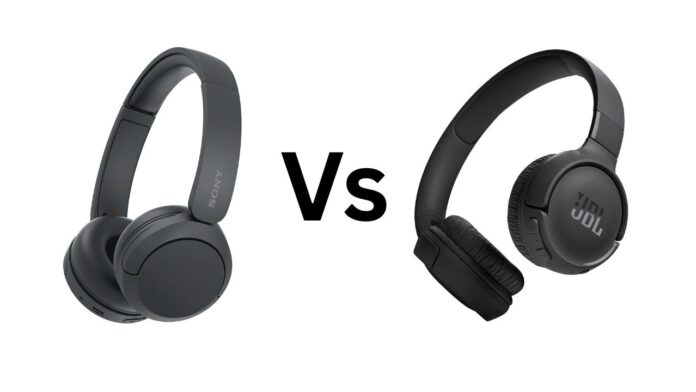
Sony WH-CH520 vs JBL Tune 520BT

Upgrade Your Amplifier or Receiver

A powerful amplifier or AV receiver is essential to drive your speakers effectively. Modern receivers provide not only amplification but also features like digital signal processing, room correction, and surround sound decoding. Choosing a receiver that matches your speaker setup ensures that your system performs optimally without distortion or clipping.

Many receivers now offer network connectivity, enabling streaming services, multi-room audio, and app-based controls. Investing in a quality amplifier or receiver allows you to fully realize your speakers’ potential and provides flexibility for future upgrades, such as adding additional speakers or integrating a home theater system.

Portable Speakers That Deliver Big Sound

Optimize Speaker Placement

Proper speaker placement is critical for achieving balanced sound. Front left and right speakers should form an equilateral triangle with the main listening position. This arrangement ensures accurate stereo imaging and creates a more immersive soundstage. Surround speakers, if part of a home theater system, should be positioned slightly above ear level and behind the listening area to enhance directional effects.

Avoid placing speakers too close to walls or corners, as this can exaggerate bass frequencies and muddy the overall sound. Experimenting with placement and small adjustments can yield significant improvements, allowing you to enjoy cleaner highs, tighter mids, and controlled bass.

Noise‑Canceling Headphones Worth the Price

Consider Room Acoustics and Treatment

Even the best speakers and amplifiers can underperform in untreated rooms. Acoustic treatment helps manage reflections, resonance, and standing waves, which can distort sound quality. Adding absorption panels, bass traps, and diffusers in key areas can improve clarity, reduce harshness, and create a more natural listening environment.

For smaller setups, strategically placed rugs, curtains, and furniture can also act as simple acoustic treatments. Paying attention to room acoustics ensures that your investment in high-quality equipment delivers its full potential.

Invest in High-Quality Audio Sources

The quality of your audio files or streams directly affects your listening experience. High-resolution audio files, lossless streaming services, and properly encoded digital content provide clearer, more detailed sound than standard compressed formats.

In 2026, many streaming services offer hi-fi or lossless audio options, making it easier than ever to enjoy premium sound without investing in physical media. Connecting a dedicated digital-to-analog converter (DAC) can also improve sound quality by ensuring clean, accurate signal conversion from digital sources to your speakers or headphones.

Upgrade Cables and Connections Where Necessary

While speaker cables and interconnects do not always need to be expensive, using quality, well-terminated cables can prevent signal degradation and interference. For wired setups, ensure that your speaker and amplifier connections are secure, correctly matched for impedance, and free from corrosion.

For wireless setups, invest in speakers and receivers with stable Bluetooth, Wi-Fi, or proprietary wireless protocols to ensure uninterrupted, high-fidelity audio streaming. Minimizing interference from other devices in your home will also help maintain consistent performance.

Consider a Subwoofer for Deep Bass

Adding a subwoofer can dramatically improve your home audio setup by providing low-frequency depth that smaller speakers cannot produce. Subwoofers are particularly important for home theater setups, music with heavy bass, or gaming experiences.

Placement is important—corners can amplify bass but may create uneven sound. Experiment with different locations and use room correction or calibration tools to integrate the subwoofer seamlessly with your main speakers, achieving a cohesive and powerful soundstage.

Integrate Smart Home Features

Modern home audio setups often benefit from smart features that enhance convenience and control. Smart assistants, multi-room audio systems, and wireless streaming capabilities allow you to control volume, playback, and sources from your phone or voice commands.

Devices from major brands support integration with popular smart home ecosystems, enabling synchronized playback in multiple rooms or automation based on routines. These features add versatility, allowing you to enjoy consistent high-quality audio throughout your home without complex wiring.

Regular Maintenance and Calibration

Keeping your equipment clean and properly calibrated ensures consistent performance. Dust and debris can affect speaker diaphragms, connectors, and ventilation, potentially degrading sound quality. Regularly check connections, update firmware for smart devices, and calibrate room correction systems if your receiver or speakers offer such features.

Performing a few simple tests, such as checking stereo imaging and bass response, can help you make small adjustments that yield noticeable improvements. Maintaining your setup extends its lifespan and keeps your listening experience fresh and enjoyable.

Conclusion

Improving your home audio setup in 2026 is achievable with a combination of quality equipment, proper placement, room acoustics, and attention to detail. Investing in high-quality speakers, a capable amplifier or receiver, and audio sources enhances clarity, depth, and immersion. Attention to room acoustics, careful speaker placement, and integrating smart home features further elevate your listening experience.

Whether you’re enjoying music, watching movies, or gaming, a thoughtfully designed home audio system delivers professional-grade sound in your living space. With these steps, you can transform ordinary audio into a rich, immersive experience that brings every note, dialogue, and sound effect to life.

Market Analysis: Using AI to Spot Emerging Trends

Customer Service 2.0: The Evolution of Intelligent Chatbots

Portable Speakers That Deliver Big Sound

0


Portable speakers have become indispensable in 2026. Whether you’re hosting a party, heading to the beach, working outdoors, or simply enjoying music at home, the right portable speaker can make all the difference. Gone are the days when small size meant weak sound. Today’s portable speakers are engineered to deliver big, room‑filling audio, deep bass, and long battery life — all while remaining rugged, lightweight, and easy to carry. This guide explores the best portable speakers that deliver big sound in 2026, helping you find the perfect audio companion for your lifestyle.

What Makes a Portable Speaker Worth It?

Before diving into specific models, it’s important to understand the features that matter most in a powerful portable speaker:

Audio Performance: Powerful drivers, balanced sound profiles, strong bass response, and minimal distortion even at high volumes.

Battery Life: Long playtime without frequent charging, so music stays loud all day.

Portability: Lightweight design, easy handles or straps, and compact size for travel and outdoor use.

Durability: Waterproof and dustproof ratings (like IPX7), rugged build quality, and resistance to drops and impacts.

Connectivity and Features: Bluetooth 5.x or later, multipoint pairing, voice assistant support, and convenient controls.

With these criteria in mind, here are the top portable speakers of 2026 that deliver big sound without compromise.

JBL Xtreme 4 – Best Overall for Big Sound

The JBL Xtreme 4 continues to be one of the most powerful portable speakers in its class. With large drivers and dual passive radiators, it fills rooms and outdoor spaces with rich, deep audio that goes well beyond its compact frame. The sound signature is balanced with prominent bass, clear mids, and crisp highs that stand up even at high volumes.

Battery life on the Xtreme 4 is excellent, often exceeding 15 hours of continuous playtime on a single charge. Its rugged build and IP67 water and dust resistance make it perfect for pool parties, beach trips, camping, or backyard barbecues. Strong Bluetooth connectivity and party mode features allow you to link multiple JBL speakers for even bigger sound, making it a versatile favorite for any setting.

UE HyperBoom 2 – Best for Ultimate Loudness and Bass

If sheer volume and bass are your top priorities, the UE HyperBoom 2 delivers incredible power that rivals many larger sound systems. Its driver array and advanced bass tuning produce deep, resonant low end without distortion, while the mids and highs remain clear and punchy. This speaker is ideal for outdoor gatherings, large spaces, and situations where you want everyone to feel the music.

The HyperBoom 2 also impresses with its battery life, providing long hours of playback even at higher volume settings. With Bluetooth multipoint and customizable EQ modes, you can tailor the sound to different environments or music styles. Though slightly larger than some other portable models, its performance more than justifies the size for serious music lovers.

Bose SoundLink Flex 2 – Best for Balanced Sound and Portability

For users who want premium sound in a compact package, the Bose SoundLink Flex 2 is a top contender. Bose’s signature audio engineering delivers a balanced sound profile that feels natural and clear across genres. Vocals, acoustic instruments, and detailed tracks all benefit from the speaker’s balanced tuning.

Despite its small size, the SoundLink Flex 2 produces surprising volume and richness. It’s perfect for personal listening, small group hangouts, or travel. With solid battery life and an IP67 rating, this speaker is built to handle everyday use, outdoor excursions, and unpredictable weather. Its lightweight design makes it ideal for backpacks, beach bags, and carry‑on gear.

Sony SRS‑XG500 – Best for Party and Loud Environments

The Sony SRS‑XG500 is engineered for bold sound that keeps the party going. Featuring large drivers and Sony’s LIVE SOUND mode, it delivers wide audio dispersion and immersive performance that fills large spaces. The bass response is powerful without overpowering the mix, and the overall sound remains balanced and dynamic even at high volumes.

This speaker also includes practical party features like built‑in lighting effects, USB playback, and mic/guitar input for live fun. Battery life is impressive, delivering long hours of continuous music, and robust construction helps the speaker stand up to outdoor use. If you want a speaker that feels like a party centerpiece, the XG500 is a strong choice.

Anker Soundcore Motion Boom 2 – Best Value Big Sound

For buyers who want great sound without a high price tag, the Anker Soundcore Motion Boom 2 delivers a compelling experience. Its large drivers and enhanced bass technology deliver surprisingly deep low end and punchy overall output for the price. Mids and highs remain clear and engaging, making the Motion Boom 2 a versatile choice for various music styles.

Battery life stands out, offering long playtime that easily lasts through extended outings or multiple listening sessions. With an IP67 rating and rugged design, this speaker is built for outdoor adventures and everyday use. The companion app lets you customize EQ settings and modes, adding flexibility rarely seen in this price range.

Marshall Emberton II – Best for Classic Design and Robust Sound

The Marshall Emberton II blends iconic rock‑inspired design with powerful audio performance. Its cylindrical form and retro aesthetic make it a standout piece while delivering rich sound that belies its size. The Emberton II focuses on clarity and punchy midrange, making vocals and acoustic instruments shine.

With up to 30+ hours of battery life, it’s a reliable companion for travel, work, and outdoor listening. Its durable build and IP67 water resistance make it suitable for adventure and everyday use alike. This speaker is perfect for users who want both style and performance in one package.

Bang & Olufsen Beosound A1 (2nd Gen) – Best for Premium Features and Design

For listeners who care as much about design and features as sound quality, the Bang & Olufsen Beosound A1 (2nd Gen) delivers an elegant yet powerful experience. With rich, detailed audio and excellent clarity, this speaker brings a refined listening experience to both indoor and outdoor environments.

The A1’s premium materials and slim form make it a joy to carry and display. With built‑in voice assistant support, Bluetooth multipoint, and long battery life, it feels like a high‑end audio system in a truly portable form. Its balanced sound profile appeals to listeners who want both aesthetic sophistication and impressive performance.

JBL Charge 6 – Best for Outdoor Adventures and Water Resistance

If you spend a lot of time outdoors, near water, or on the go, the JBL Charge 6 is worth considering. With strong sound, deep bass, and robust Bluetooth connection, it’s one of the most reliable speakers for outdoor adventures. Its rugged IP67 rating ensures protection against water, dust, and accidental drops.

Battery life on the Charge 6 is excellent, and it also doubles as a power bank to charge phones and other devices via USB — a very handy feature when traveling. Its handle and shape make it easy to carry or strap onto gear, making it ideal for camping, beach days, road trips, and picnics.

How to Choose a Portable Speaker That Delivers Big Sound

When selecting a portable speaker, consider the following factors:

Sound Quality and Volume: Look for speakers with strong bass, balanced mids, and clear highs. Power output and driver size influence both volume and clarity.

Battery Life: A longer battery means more listening time on the go. Speakers with 15+ hours of playtime are ideal for outdoor use.

Durability and Water Resistance: IP ratings like IP67 ensure protection against water and dust, making the speaker more versatile for travel and outdoor environments.

Portability: Weight, handle design, and compact form factor affect how easy the speaker is to carry.

Features: Extra features like Bluetooth multipoint, party modes, built‑in lights, voice assistant support, and power bank functions add value to your experience.

Conclusion

Portable speakers in 2026 offer an impressive range of performance, durability, and features that deliver big sound in any situation. Whether you want room‑filling audio, deep bass, premium design, or long battery life, there’s a portable speaker designed to meet your needs.

The JBL Xtreme 4 stands out as an excellent all‑around choice with strong performance and rugged build quality. For ultimate loudness and bass, the UE HyperBoom 2 takes the lead. If portability and balanced sound are your priorities, the Bose SoundLink Flex 2 and Anker Soundcore Motion Boom 2 deliver great value. The Sony SRS‑XG500 and JBL Charge 6 are excellent for parties and outdoor environments, while Marshall Emberton II and Bang & Olufsen Beosound A1 (2nd Gen) combine style with performance.

Portable speakers have come a long way, and in 2026 they deliver powerful, immersive audio that enhances every moment — from everyday listening to big gatherings and outdoor adventures. With the right choice, you can enjoy rich, dynamic sound wherever you go.


Noise‑Canceling Headphones Worth the Price

0


In 2026, noise‑canceling headphones are more than just a luxury—they’re a gateway to immersive sound, focused work sessions, and peace in noisy environments. Whether you’re a frequent traveler, an office worker surrounded by distractions, a gamer seeking deep audio engagement, or someone who simply wants better sound quality, investing in the right pair of noise‑canceling headphones can transform the way you listen. This article explores the best noise‑canceling headphones worth the price in 2026, breaking down performance, comfort, battery life, and value so you can make an informed choice.

Why Noise‑Canceling Headphones Matter

Noise‑canceling headphones are designed to reduce unwanted ambient sounds so you can enjoy music, calls, and content without distraction. Using advanced microphones and digital signal processing, active noise cancellation (ANC) creates an opposing sound signal that cancels out background noise. This makes them especially useful in environments like airplanes, trains, open offices, and cafes. Beyond sound isolation, premium models also deliver rich audio quality, long battery life, and comfort for extended use.

Sony WH‑1000XM6 – Best All‑Around Noise‑Canceling Headphones

The Sony WH‑1000XM6 remain among the best noise‑canceling headphones available in 2026. Sony’s industry‑leading ANC technology blocks a wide range of external noises, from airplane engines to city traffic, making them ideal for travel and work. The sound quality is rich and detailed, with powerful bass, clear mids, and crisp highs that satisfy a range of genres from classical to electronic.

Battery life is excellent, offering up to 40 hours of playback with ANC enabled, and the headphones support quick charging for added convenience. Features like Speak‑to‑Chat, adaptive sound control, and multi‑device connectivity make these headphones versatile for everyday use. Lightweight and comfortable ear cups allow for long listening sessions without fatigue, and Sony’s companion app provides customization for EQ and ANC levels.

Bose QuietComfort Ultra Headphones – Best for Comfort and ANC Performance

Bose has long been a leader in noise cancellation, and the Bose QuietComfort Ultra Headphones continue that legacy in 2026. Known for their exceptional ANC performance, they outshine many competitors in isolating low‑frequency noise and creating a quiet listening environment. Whether you’re on a flight, in a busy office, or working from home, these headphones create a peaceful sound cocoon.

Comfort is another standout feature, with plush ear cushions that make them ideal for long sessions. The sound profile is natural and balanced, with smooth bass and clear vocals. Battery life reaches up to 35 hours, and intuitive controls make it easy to adjust ANC modes or volume on the fly. Bluetooth multipoint connectivity ensures seamless pairing with multiple devices at once.

Apple AirPods Max 2 – Best for Apple Ecosystem Users

The Apple AirPods Max 2 are a premium pick for users who prioritize seamless integration with the Apple ecosystem. These over‑ear headphones deliver excellent ANC, spatial audio with dynamic head tracking, and high‑fidelity sound that brings music, movies, and games to life. They work brilliantly with iPhone, iPad, and Mac, offering instant pairing, automatic device switching, and deep software optimization.

Design and build quality are premium, with breathable knit mesh and memory foam ear pads that provide both comfort and sound isolation. The audio experience is rich and expansive, with detailed highs and deep, controlled bass. While slightly heavier than some competitors and at a higher price point, the AirPods Max 2 justify their cost through performance, ecosystem features, and an overall refined listening experience.

Sennheiser Momentum 4 Wireless – Best for Sound Purists

For audiophiles and music lovers who want premium sound quality alongside strong ANC, the Sennheiser Momentum 4 Wireless are a top choice. Sennheiser’s rich audio heritage shows through in a warm, detailed sound signature that retains clarity across genres. These headphones balance ANC performance with a natural listening profile, making them suitable for long listening sessions where sound quality matters.

The Momentum 4 Wireless delivers excellent battery life—often exceeding 40 hours with ANC—and comfortable ear pads ideal for all‑day wear. Support for high‑resolution codecs ensures that music lovers get the best possible audio fidelity from streaming services and high‑quality files. The companion app allows customization of sound and ANC settings, giving users control over their experience.

Jabra Elite 85h – Best Value for Everyday Use

If you want strong ANC and great performance without paying top‑tier prices, the Jabra Elite 85h deliver excellent value. These headphones offer effective noise cancellation, solid sound quality, and a comfortable fit. While the ANC may not be as advanced as flagship Sony or Bose models, it still performs well in everyday environments like public transit, busy offices, or busy coffee shops.

One of the Elite 85h’s strengths is battery life—up to 36 hours with ANC—which makes them dependable for travel or long workdays. They also include multi‑point Bluetooth pairing and intuitive controls that are easy to use on the go. With water resistance and durable build quality, these headphones are ideal for users who want strong performance without a premium price tag.

Bang & Olufsen Beoplay HX – Best for Premium Design and Comfort

For those who prioritize luxury design and premium materials alongside strong performance, the Bang & Olufsen Beoplay HX stand out. These headphones combine elegant Scandinavian styling with high-quality audio and effective ANC. Soft leather and plush ear pads provide comfortable wear for extended sessions, whether listening to music, attending virtual meetings, or watching movies.

Sound quality is warm and immersive, with a balanced profile that appeals to both casual listeners and audiophiles. Battery life reaches around 35 hours with ANC engaged—sufficient for travel and daily use. While these headphones sit at a higher price point, they’re worth considering for users who want a refined look and premium feel without sacrificing performance.

Beats Studio Pro – Best for Bass‑Forward Sound

The Beats Studio Pro are an excellent choice for listeners who prefer a bass‑forward sound signature and strong ANC performance. Designed with active lifestyles in mind, these headphones deliver punchy lows and energetic sound that enhances pop, hip‑hop, and electronic music. The ANC blocks distracting noise while maintaining audio clarity.

With durable construction and a comfortable fit, Studio Pro headphones are ideal for workouts, travel, and daily commuting. Battery life is competitive, offering up to 30–35 hours with ANC. They also support multipoint Bluetooth pairing and quick charging features. For users who want dynamic sound with noise cancellation and stylish design, Beats Studio Pro provides a compelling option at a reasonable price.

How to Choose Noise‑Canceling Headphones Worth Your Money

When comparing noise‑canceling headphones, consider the following:

ANC Performance: Evaluate how well the headphones block ambient noise. Models like Sony WH‑1000XM6 and Bose QuietComfort Ultra excel in this area.

Sound Quality: Consider your music preferences. If you’re an audiophile, options like Sennheiser Momentum 4 Wireless deliver balanced, high‑resolution audio.

Comfort for Long Sessions: Look for comfortable ear pads and lightweight design if you plan to wear them for work, travel, or long listening sessions.

Battery Life: Longer battery life means fewer interruptions for charging. Many top models offer 30+ hours with ANC engaged.

Build Quality and Portability: Durable construction, foldable design, and carrying cases contribute to convenience and longevity.

Ecosystem Compatibility: Some headphones offer enhanced features when paired with specific devices, like AirPods Max 2 with Apple products.

Conclusion

Noise‑canceling headphones have become essential tools in 2026 for anyone who values sound quality, comfort, and distraction‑free listening. Whether you choose Sony’s industry‑leading ANC, Bose’s exceptional comfort, Apple’s seamless ecosystem integration, Sennheiser’s audiophile‑grade sound, or value‑packed options like Jabra Elite 85h, each pair on this list delivers performance that justifies its price.

Premium models like Sony WH‑1000XM6, Bose QuietComfort Ultra, and Apple AirPods Max 2 offer cutting‑edge active noise cancellation, rich audio, and all‑day comfort. Mid‑range options such as Jabra Elite 85h and Beats Studio Pro deliver strong performance with excellent value, while luxury headphones like Bang & Olufsen Beoplay HX appeal to users who want refined design and premium materials.

Investing in the right noise‑canceling headphones can elevate your daily routines, improve focus, enhance entertainment, and create a more enjoyable listening experience wherever you go.

                        Gadgets

                        Ai Tools

                       Dwn Vdo

Best Wireless Earbuds for 2026

0


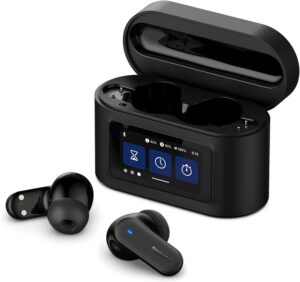
Wireless earbuds have become essential gadgets in 2026, offering convenience, high-quality sound, and smart features that enhance everyday life. From commuting and workouts to remote work and entertainment, modern earbuds deliver immersive audio experiences without the hassle of wires. With advancements like adaptive active noise cancellation (ANC), longer battery life, spatial audio, and AI-powered controls, the market offers options for every type of user. This guide explores the best wireless earbuds of 2026, highlighting performance, comfort, and unique features that make each model stand out.

Apple AirPods Pro 3 – Best Overall for Apple Users

The Apple AirPods Pro 3 are an outstanding choice for iPhone, iPad, and Mac users. Powered by Apple’s H2 chip, these earbuds provide crisp, clear sound with deep bass and balanced mids, making music, podcasts, and calls sound exceptional. Adaptive ANC reduces background noise in real-time, while Transparency mode allows ambient sounds to filter in when needed, perfect for urban commuting or office settings.

AirPods Pro 3 integrate seamlessly with Apple devices, automatically switching between iPhone, iPad, and Mac. Spatial audio with dynamic head tracking offers a more immersive listening experience, ideal for movies, videos, and gaming. With sweat and water resistance, multiple ear tip sizes for comfort, and all-day battery life, these earbuds remain a reliable companion for both work and leisure.

Sony WF‑1000XM6 – Best for Premium Sound and Noise Cancellation

For those who prioritize audio quality and noise cancellation, the Sony WF-1000XM6 delivers one of the best experiences in 2026. Equipped with the upgraded QN3e noise-canceling processor, they offer exceptional ANC, blocking out distractions from busy environments or travel. These earbuds support high-resolution audio via LDAC, ensuring detailed and immersive sound for music lovers.

The WF‑1000XM6 provides up to 8 hours of playback per charge, with an additional 16 hours from the charging case. Comfortable and ergonomically designed, they stay secure during extended use. The companion app allows for fine-tuning the EQ and customizing controls. These earbuds are perfect for users who want premium sound, effective noise cancellation, and reliable performance throughout the day.

Bose QuietComfort Ultra Earbuds – Best Noise Cancellation Overall

Bose’s QuietComfort Ultra Earbuds continue to lead in noise cancellation. With advanced ANC technology, they eliminate ambient noise from flights, public transport, and busy offices. The sound signature is balanced, producing clear highs, mids, and deep bass suitable for a wide variety of music genres.

These earbuds feature multiple ANC modes, ensuring the perfect balance between isolation and awareness of surroundings. Comfortable for extended wear, with secure fit options and IPX4 water resistance, they’re ideal for travel, commuting, or focus-intensive work sessions. While battery life per charge is slightly lower than some competitors, the total playback with the charging case is excellent, making them a solid choice for daily use.

Samsung Galaxy Buds 3 Pro – Best for Android Users

The Samsung Galaxy Buds 3 Pro are designed for Android users, offering seamless integration with Galaxy devices. They feature effective ANC, immersive 360 Audio, and clear voice quality for calls. Multipoint Bluetooth pairing allows connection to multiple devices simultaneously, making it easy to switch between phone and laptop.

These earbuds are sweat and water-resistant, making them perfect for workouts and outdoor activities. The sound is tuned for a wide range of audio content, delivering satisfying bass and detailed mids. With adaptive ANC and compact design, the Galaxy Buds 3 Pro offer convenience, performance, and versatility for Android users in 2026.

Technics EAH‑AZ100 – Audiophile-Grade Sound

For listeners seeking high-fidelity audio, the Technics EAH-AZ100 provides one of the most detailed and balanced sound profiles available. The earbuds feature magnetic fluid drivers that deliver clear highs, rich mids, and deep bass. They also support high-resolution codecs, ensuring that every detail in music is reproduced accurately.

Battery life is excellent, with multiple ANC settings and a secure, comfortable fit for long listening sessions. The EAH-AZ100 is ideal for audiophiles and users who prioritize sound quality above all else. Whether enjoying classical music, jazz, or electronic tracks, these earbuds deliver an immersive experience unmatched by most competitors.

Nothing Ear (2a) – Best Budget Pick

The Nothing Ear (2a) offer style, solid performance, and effective ANC at an affordable price. These earbuds provide clear audio with a fun and lively sound signature. They are lightweight, comfortable, and come with a reliable charging case that extends battery life.

The Nothing Ear (2a) supports touch controls, transparency mode, and easy pairing with both Android and iOS devices. They are ideal for students, casual listeners, and anyone seeking a feature-rich pair of earbuds without paying premium prices. For budget-conscious users, they represent one of the best options in 2026.

Anker Soundcore Space A40 – Best Value Under $100

For those seeking excellent value, the Anker Soundcore Space A40 offers strong ANC, long battery life, and surprisingly good sound quality under $100. With adaptive noise cancellation and Hi-Res Audio support, these earbuds provide great performance for calls, music, and casual use.

Battery life reaches up to 50 hours with the charging case, making them ideal for long commutes, travel, or extended use. Comfortable and lightweight, the A40s deliver remarkable functionality at a budget-friendly price, perfect for students or casual listeners.

Beats Fit Pro 2 – Best for Workouts

Active users will appreciate the Beats Fit Pro 2, designed with flexible ear hooks to stay secure during intense workouts. They offer energetic sound, ANC, and spatial audio support for an engaging listening experience. IPX4 water resistance ensures protection during sweat-heavy activities or light rain.

These earbuds integrate well with Apple and Android devices, offering intuitive controls and a comfortable fit for extended wear. The Beats Fit Pro 2 is perfect for fitness enthusiasts who want stability, performance, and style in a single package.

How to Choose the Right Wireless Earbuds

When selecting earbuds in 2026, consider your priorities:

Audio Quality and Noise Cancellation: Sony WF-1000XM6 or Bose QuietComfort Ultra deliver top-tier performance.
Ecosystem Integration: AirPods Pro 3 for iOS, Galaxy Buds 3 Pro for Samsung and Android.
Budget: Nothing Ear (2a) or Anker Soundcore Space A40 for affordable options.
Active Lifestyle: Beats Fit Pro 2 for workouts and sports.
High-Fidelity Listening: Technics EAH-AZ100 for audiophile-grade sound.

Conclusion

Wireless earbuds in 2026 provide an array of choices to suit every lifestyle, from premium sound and ANC to budget-friendly options and sport-focused designs. Apple, Sony, Bose, Samsung, Technics, and other brands have pushed technology to deliver compact, high-performing devices that enhance everyday life. Whether your focus is noise cancellation, sound quality, workout stability, or affordability, these earbuds make listening more immersive, convenient, and enjoyable than ever. With long battery life, ergonomic designs, and smart features, investing in a pair of wireless earbuds in 2026 is a decision that will improve your daily audio experience.

                              Gadgets

                          Ai Tools

                      Dwn Vdo

Convertible Laptops You Can Carry Anywhere

0


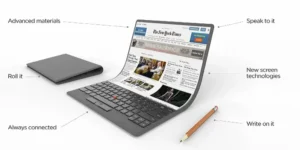
Convertible laptops have become one of the most versatile and portable computing solutions available in 2026. These 2‑in‑1 devices combine the power of a traditional laptop with the flexibility of a tablet, allowing you to switch between modes based on your needs. Whether you’re a student taking notes in class, a professional working on documents and presentations, a creative sketching ideas on the go, or someone who simply wants a laptop and tablet in one, convertible laptops offer unmatched convenience. In this article, we explore the best convertible laptops you can carry anywhere, what makes them stand out, and how they fit into daily life across work, study, and creativity.

What Makes Convertible Laptops So Valuable?

Before diving into specific models, it helps to understand why convertible laptops are widely popular:

Portability: Convertibles are typically lightweight and compact, making them easy to carry between classes, meetings, trips, or cafe sessions.

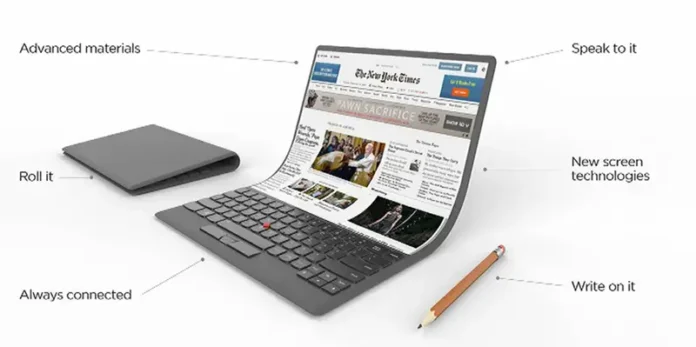
Flexible Usage Modes: With 360‑degree hinges or detachable keyboards, these devices can function as laptops for typing, tablets for touch input, and tent or stand modes for media consumption or presentations.

Stylus and Touch Support: Many convertible laptops include or support active styluses, perfect for note‑taking, sketching, annotation, and creative tasks.

Performance and Battery Life: Modern convertibles offer impressive performance and long battery life, ensuring you stay productive throughout the day without needing a charger.

Versatility for Different Users: Whether you’re a student, professional, creative, or casual user, convertibles adapt to varied workflows.

With these advantages in mind, here are the top convertible laptops for 2026 that deliver performance, portability, and flexibility without compromise.

Apple MacBook Air 13.6” (M4) – Fanless Portability with Tablet‑Like Touch

Though Apple’s traditional MacBook Air doesn’t fully rotate into tablet mode like some Windows convertibles, the lightweight design and exceptional battery life place it in a class of its own. With the M4 chip, this device delivers powerful performance for productivity apps, creative tools, and everyday computing while staying silent and cool thanks to its fanless design.

The MacBook Air’s thin and light chassis makes it effortless to carry anywhere. While Apple doesn’t offer a standard touch display on the MacBook Air, the addition of compatible accessories like iPad‑style external tablets for drawing and sketches expands its flexibility. The macOS ecosystem, coupled with optimized power efficiency, ensures long battery endurance—often surpassing a full workday on a single charge. For users focused on portability, speed, and productivity, the MacBook Air remains a compelling choice even among convertible­‑style solutions.

HP Spectre x360 14 – Premium Flexibility in a Compact Package

The HP Spectre x360 14 is a leading example of what convertible laptops can be in 2026. With its 360‑degree hinge, this device transitions effortlessly between laptop, tablet, tent, and stand modes. The vibrant display—available in OLED options—delivers rich colors, deep blacks, and crisp text, making it ideal for watching videos, creative work, or presentations.

Its performance, powered by efficient Intel processors, handles productivity tasks, web browsing, video editing, and multitasking with ease. Battery life on the Spectre x360 14 is excellent for its class, often lasting all day with moderate use. The included or optional active stylus enhances note‑taking and drawing, making classroom work or design tasks feel natural. With a sleek metal chassis, comfortable keyboard, and premium build quality, the Spectre x360 14 feels like a device you can confidently carry anywhere.

Lenovo Yoga 9i – Sleek Design With Strong Performance and Audio

Lenovo’s Yoga series has long been synonymous with quality convertible laptops, and the Yoga 9i continues that tradition. Its 360‑degree hinge and lightweight design make it ideal for frequent travelers and daily commuters. One standout feature is the integrated rotating soundbar, which delivers surprisingly rich audio for a laptop, elevating media playback, video calls, and presentations.

Performance is strong thanks to the latest Intel chips, which balance speed and power efficiency to deliver smooth performance even during demanding tasks. Battery life is competitive, providing hours of productivity or entertainment without needing a recharge. The Yoga 9i also includes an active pen that supports pressure sensitivity for drawing, annotation, and handwriting recognition. Whether you’re working remotely, studying, or sketching on the go, the Yoga 9i delivers versatility and performance in a lightweight form factor.

Dell XPS 13 2‑in‑1 – Premium Build and Productivity

The Dell XPS 13 2‑in‑1 combines the beloved XPS design with convertible flexibility. Its virtually borderless display and compact size make it perfect for users who want premium productivity and mobility. The 13‑inch screen strikes a balance between workspace and portability, while touchscreen and stylus support enhance usability for students and creatives alike.

With the latest Intel processors and fast memory options, the XPS 13 2‑in‑1 handles day‑to‑day tasks, multitasking, and creative apps smoothly. Battery life is strong for a convertible laptop, supporting long hours of work or entertainment on the go. The premium chassis, high‑resolution display, and excellent keyboard make this model ideal for professionals who need a reliable and stylish device they can carry anywhere.

Microsoft Surface Pro 9 – Detachable Flexibility and Full Desktop Power

For users who want the ultimate combination of tablet portability and desktop‑class performance, the Microsoft Surface Pro 9 is a versatile choice. With its detachable keyboard, the Surface Pro 9 easily transforms from a lightweight tablet to a full productivity laptop. Running full Windows 11, it supports all desktop software, including creative and productivity suites like Adobe Creative Cloud, Microsoft Office, and more.

The Surface Slim Pen (sold separately in many regions) offers precise writing and drawing with low latency and pressure sensitivity—ideal for note‑taking, illustration, and annotation. With strong performance from Intel processors and a bright PixelSense display, this device manages demanding workloads while staying light and portable. Its battery life lasts through typical workdays, making it ideal for travel, school, and office use.

ASUS Zenbook Flip 15 – Larger Display With Convertible Convenience

If you’re someone who enjoys a larger screen without sacrificing portability, the ASUS Zenbook Flip 15 delivers. While most convertibles focus on ultra‑compact builds, this model offers a spacious 15‑inch display that makes multitasking, creative work, and media consumption more enjoyable. Its 360‑degree hinge supports multiple usage modes, from traditional laptop to tablet and tent mode.

Performance is solid, with powerful processors and efficient graphics that support everyday productivity, light creative editing, and multitasking without difficulty. The larger chassis still manages respectable battery life thanks to ASUS’s optimization techniques. For users who want a convertible laptop that feels like a full‑featured workstation without sacrificing mobility, the Zenbook Flip 15 is an excellent choice.

Acer Spin 5 – Affordable Convertible With Strong Feature Set

Not every great convertible laptop needs to be premium priced. The Acer Spin 5 offers a well‑rounded experience with strong performance, excellent battery life, and a responsive touchscreen with active stylus support. Its 360‑degree hinge makes it versatile for classroom use, work presentations, and everyday productivity.

The Spin 5’s display delivers good brightness and color accuracy for its class, and its battery life easily lasts through a typical school or workday. While not as powerful as premium flagships, it delivers excellent value for users who want convertible flexibility without a high price tag. Lightweight and easy to carry, this model is ideal for students, travelers, and everyday users.

HP Elite x360 G9 – Business‑Focused Convertible With Security Features

For professionals who prioritize security and enterprise‑class performance, the HP Elite x360 G9 offers convertible flexibility with advanced business features. Its design is sleek and lightweight, but it also includes security options like biometric login, TPM 2.0, and enterprise‑grade encryption that make it suitable for corporate use.

Its 360‑degree hinge and active pen support make it adaptable for presentations, collaboration, and meetings. Battery life is designed to last through long workdays, and performance remains strong even when running demanding office software or virtual meeting apps. With a comfortable keyboard, bright display, and robust build, the Elite x360 G9 blends work‑ready features with convertible convenience.

Lenovo ThinkPad X12 Detachable – Rugged and Portable Tablet‑First Design

If your priority is a durable yet highly portable device that functions equally well as a tablet, the Lenovo ThinkPad X12 Detachable is worth considering. Unlike traditional 360‑hinge models, this device offers a truly detachable keyboard, bringing tablet flexibility to the forefront. With full Windows support, you get desktop software compatibility alongside tablet convenience.

Its lightweight construction and strong battery life make it perfect for fieldwork, travel, classroom use, and presentations. The keyboard is responsive and comfortable when attached, and its stylus support enhances note‑taking and creative tasks. Built with ThinkPad durability in mind, the X12 Detachable stands up to frequent transport and daily use without feeling fragile.

How to Choose the Right Convertible Laptop for You

Selecting the right convertible laptop depends on your workflow, priorities, and lifestyle. Here are a few questions to help guide your choice:

How will you use it most? If you need full desktop software and powerful performance, devices like the Surface Pro 9 or Dell XPS 13 2‑in‑1 are excellent. If flexibility and multimedia are key, the HP Spectre x360 14 or Lenovo Yoga 9i deliver strong all‑around performance.

Does stylus support matter? Creative users and note‑takers will benefit from active stylus compatibility and pressure sensitivity. Choose models with included pens or strong accessory support.

Portability vs Screen Size: Smaller convertibles are lighter and easier to carry everywhere, while larger displays offer better multitasking space. Balance your need for screen real estate with how much weight you’re comfortable carrying.

Battery Life: Real‑world battery life varies based on usage patterns. Look for devices that offer all‑day endurance if you travel or work away from outlets often.

Budget: Premium convertibles deliver top performance and features, but there are excellent value options like the Acer Spin 5 that still offer flexible usability at lower prices.

Conclusion

Convertible laptops in 2026 offer something for everyone—from ultra‑portable devices you can carry everywhere to powerful machines that handle demanding work and creative tasks. Whether you’re a student, professional, creative, or casual user, there’s a convertible laptop that fits your lifestyle and workflow.

Devices like the HP Spectre x360 14, Dell XPS 13 2‑in‑1, and Microsoft Surface Pro 9 excel in flexibility and performance, while options like the Acer Spin 5 and Lenovo ThinkPad X12 Detachable deliver strong value and portability. Premium models like the Lenovo Yoga 9i and ASUS Zenbook Flip 15 strike the perfect balance between screen size, power, and mobility.

Convertible laptops are designed to adapt to your day, making them ideal companions for travel, work, study, and play. With thoughtful consideration of features, performance, and personal needs, you can choose a device that truly enhances your productivity and creativity while being easy to carry anywhere.


Lightweight Laptops with Long Battery Life

0


In 2026, lightweight laptops with long battery life are more essential than ever. Whether you’re a student navigating back‑to‑back classes, a professional on the move, a digital nomad working from cafes around the world, or simply someone who hates lugging around a heavy machine, choosing the right laptop can dramatically improve your daily experience. The best lightweight laptops today combine powerful performance, extended battery life, sleek portability, and premium features—without sacrificing functionality. In this comprehensive guide, we explore the top lightweight laptops with long battery life, what sets them apart, and how to choose the best one for your needs.

Why Lightweight Laptops with Long Battery Life Matter

Laptop users today demand devices that can keep up with both mobility and multitasking. A lightweight laptop makes travel easier, fits comfortably in any backpack or briefcase, and reduces strain during daily commuting. Meanwhile, long battery life means you can work for hours without hunting for a power outlet, which is especially valuable during travel, classes, long meetings, or remote work sessions.

In 2026, significant improvements in processor efficiency, battery technology, and power‑saving modes have made laptops more capable than ever. Top models now offer battery life that rivals traditional desktops and still weigh less than 3 pounds (1.36 kg). Whether you’re editing documents all day, streaming content, coding, or even light creative workloads, there’s a lightweight laptop designed to help you stay productive and untethered.

Apple MacBook Air (M4) – Best All‑Around Lightweight Laptop

The Apple MacBook Air with the M4 chip continues to lead the category for lightweight laptops that excel in battery life and performance. Apple’s custom silicon brings a winning combination of efficiency and power, allowing the MacBook Air to deliver all‑day battery life—often exceeding 15 hours of mixed use. Despite its thin and light chassis, it handles demanding tasks like photo and video editing, productivity apps, and multitasking with ease.

The MacBook Air’s sleek design, silent fanless operation, and excellent Retina display also enhance the overall user experience. It’s versatile enough for students, creatives, and professionals alike. Its macOS ecosystem is optimized for battery efficiency, and regular updates keep the system secure and responsive. For users who want a premium, lightweight laptop that doesn’t compromise on battery endurance, the MacBook Air remains a top choice.

Dell XPS 13 Plus – Premium Windows Ultrabook with Solid Battery Life

For Windows users who want a premium experience in a compact package, the Dell XPS 13 Plus checks all the right boxes. This laptop blends stunning design, top‑tier performance, and decent battery life into a sleek form factor that weighs just over 2.6 pounds (1.18 kg). With the latest Intel processors and optimized power management, the XPS 13 Plus delivers reliable battery endurance for typical workdays, including productivity tasks, light creative work, web browsing, and streaming.

Its nearly borderless display and strong color accuracy make it great for both work and entertainment, while the refined keyboard and precision touchpad improve usability during long sessions. Although battery life may not reach the extreme levels of ultra‑efficient ARM‑based devices, its performance‑to‑efficiency ratio remains competitive and ideal for professionals who prefer Windows.

HP Spectre x360 14 – Convertible Powerhouse with Endurance

The HP Spectre x360 14 stands out for combining versatility with long battery life. This convertible laptop lets you switch between laptop, tablet, and tent modes, making it ideal for presentations, creative tasks, and relaxed media consumption. Despite its flexible design, it delivers dependable battery life that easily lasts a full workday.

Equipped with efficient Intel processors and carefully tuned power settings, the Spectre x360 excels in productivity and daily multitasking. Its OLED display option adds deep blacks and vibrant color, enhancing content creation and media viewing. The sturdy yet lightweight chassis and responsive stylus support (included or optional depending on region) make it a fantastic choice for students, designers, and professionals who value flexibility.

Lenovo ThinkPad X1 Carbon (Gen 12) – Reliable Business Workhorse

If work productivity and durability are top priorities, the Lenovo ThinkPad X1 Carbon Gen 12 delivers an outstanding balance of portability, performance, and stamina. Known for its legendary ThinkPad keyboard and robust build quality, the X1 Carbon weighs around 2.5 pounds (1.13 kg) and offers excellent battery life that lasts through extended workdays.

Its enterprise‑grade features—including strong security options, professional‑class performance, and excellent connectivity—make it ideal for business professionals and remote workers. While not specifically a creative powerhouse, it easily handles productivity apps, multitasking, virtual meetings, spreadsheets, and cloud‑based workflows without breaking a sweat. Its battery often lasts beyond 10 hours in mixed use, with optimized settings stretching that even further in efficiency modes.

Microsoft Surface Laptop 6 – Balanced Design and Battery Efficiency

The Microsoft Surface Laptop 6 continues Microsoft’s tradition of producing sleek, lightweight laptops with impressive battery performance. Its thin profile and premium materials create a refined device perfect for students and professionals who want elegant portability without sacrificing runtime. The Surface Laptop 6 consistently delivers long battery life—with many users reporting all‑day endurance in typical productivity scenarios.

Its sharp PixelSense touchscreen, solid keyboard, and integrated Windows experience make it ideal for note‑taking, document editing, browsing, and creative apps like Adobe Photoshop and Clip Studio Paint. While it may not be geared toward heavy gaming, its performance for everyday tasks and moderate creative workloads is strong, and battery efficiency remains among the best in its class.

ASUS Zenbook 14 OLED – Lightweight with Exceptional Visuals and Battery Life

The ASUS Zenbook 14 OLED is a standout choice for users who want a balance between performance, display quality, and battery life. Its stunning OLED screen delivers deep contrasts, vibrant colors, and crisp text—ideal for media consumption, design tasks, and everyday work. Despite its high‑quality display, the Zenbook’s efficient internals and optimized power settings allow it to maintain long battery life throughout a full day of productivity and entertainment.

Weighing in at under 3 pounds (1.36 kg), this Zenbook model is easy to carry around campus, cafes, or offices. Its ergonomic keyboard and responsive touchpad add to the user experience, while the robust connectivity options make it suitable for a wide range of tasks. This laptop is a strong choice for students and creatives who want both aesthetic appeal and dependable endurance.

Acer Swift Go 14 – Great Value Lightweight Laptop

The Acer Swift Go 14 offers excellent performance and battery life at a competitive price. Designed for students and everyday users, this laptop balances portability with long‑lasting power. Its efficient processor and smart battery management help deliver reliable endurance for typical tasks like document editing, video streaming, web browsing, and productivity apps.

The Swift Go’s lightweight build makes it ideal for carrying between classes, co‑working spaces, or travel. Its screen provides vibrant visuals, and the overall package presents strong value for users who want dependable battery life without paying premium prices. This model is particularly well‑suited to students and budget‑aware professionals looking for a reliable mobile companion.

LG Gram 17 – Ultra‑Lightweight with Big Screen and Long Battery

For users who want a larger screen without the weight penalty, the LG Gram 17 delivers impressively light portability and strong battery life. Weighing only about 2.98 pounds (1.35 kg) despite its spacious 17‑inch display, the Gram series redefines lightweight laptops. Its massive screen area improves productivity—and entertainment—without adding bulk.

Battery life on the Gram series is excellent, thanks to efficient hardware and LG’s smart power management. This makes it perfect for professionals who prefer larger screens for multitasking, spreadsheets, content creation, and presentations while still traveling light. The Gram 17’s combination of size, weight, and stamina makes it a unique and compelling choice for 2026.

How to Choose the Right Lightweight Laptop with Long Battery Life

To select the right laptop, consider the following questions:

What’s Your Primary Use Case? If you need extreme portability and efficiency for everyday productivity, devices like the MacBook Air or Surface Laptop 6 excel. If creative work or media editing is part of your routine, models with stronger GPUs and higher‑quality displays, like the Zenbook 14 OLED or Spectre x360 14, are great fits.

Do You Prefer macOS or Windows? Apple’s macOS offers tight integration, efficiency, and native battery performance advantages on M‑series chips, while Windows provides broader software compatibility and flexibility. Choose based on your app ecosystem and workflow.

How Important Is the Display? If color accuracy, resolution, and creative work matter, prioritize OLED or high‑resolution panels. For mostly productivity tasks, high refresh rate or standard IPS displays work well with lighter battery impact.

Battery Life in Real‑World Use: Look beyond manufacturer claims and read real‑world reviews, since battery life varies based on brightness, apps, 5G/Wi‑Fi usage, and multitasking intensity.

Portability vs Screen Size: Larger screens improve productivity but can add battery strain—so balance your need for screen real estate with how much weight and size you’re willing to carry.

Conclusion

In 2026, lightweight laptops with long battery life offer unprecedented power and portability for users on the go. From premium performers like the Apple MacBook Air and Dell XPS 13 Plus to flexible convertibles like the HP Spectre x360 14, business‑oriented workhorses like the ThinkPad X1 Carbon, and value‑focused options like the Acer Swift Go 14, there’s a laptop to fit every lifestyle and budget. Whether your priority is productivity, creative work, travel convenience, or all‑day endurance, this generation of laptops delivers the best blend of performance and mobility.

Carefully considering your needs—such as operating system, display preferences, performance requirements, and battery expectations—will help ensure your next lightweight laptop becomes an excellent companion for years of productive and untethered use.


Tablets Perfect for Students and Creatives

0


Tablets have become essential tools for both students and creative professionals. They combine portability, performance, and versatility—making them ideal for note‑taking, research, sketching, editing, and multimedia consumption. In 2026, tablets are more powerful and capable than ever, thanks to advanced processors, improved stylus support, and enhanced software ecosystems. Whether you’re a student who wants a lightweight device for classes or a creative looking for a portable canvas to bring ideas to life, this guide highlights the best tablets perfect for students and creatives, and what makes each one an excellent choice.

What to Look for in a Tablet for Students and Creatives

Before delving into specific models, it’s important to understand the key features to consider:

Performance: A fast processor and sufficient RAM ensure smooth multitasking, fast app performance, and efficient handling of demanding tasks like video editing or design apps.

Display Quality: Sharp resolution, accurate color reproduction, and responsive touch support are crucial for both creative work and reading/text viewing.

Stylus Support: A precise stylus with pressure sensitivity and low latency enhances the drawing and note‑taking experience.

Battery Life: Students and creatives often use tablets all day, so long battery life is important.

App Ecosystem: Access to creative apps, note‑taking software, or productivity tools depends on the platform (iPadOS, Android, Windows).

Portability: Lightweight designs that are easy to carry between classes or meetings add convenience.

With these factors in mind, here are the top tablets in 2026 designed to meet the needs of students and creatives alike.

Apple iPad Pro – The Ultimate Creative Powerhouse

The Apple iPad Pro remains at the top for creative professionals and students who need performance without compromise. Powered by Apple’s M‑series chips, the iPad Pro delivers laptop‑class performance in a sleek, portable form. Photo and video editing, 3D modeling, multitasking with split‑screen apps, and advanced productivity workflows are handled effortlessly.

The Apple Pencil (2nd generation or later) offers pixel‑perfect precision, tilt control, and low latency, making it feel natural for sketching, illustration, annotations, and handwritten note‑taking. Creative apps like Procreate, Adobe Photoshop, and LumaFusion are optimized for iPadOS and take full advantage of the hardware’s capabilities.

The ProMotion display with high refresh rate and excellent color accuracy enhances responsiveness and visual quality—a major advantage for artists and designers. Students also benefit from productivity features like trackpad support, efficient multitasking, and compatibility with keyboard accessories. For those who want the best combination of power and versatility, the iPad Pro is a top choice.

Samsung Galaxy Tab S9 Ultra – Android’s Creative Flagship

For users who prefer Android or want a large canvas for work and creativity, the Samsung Galaxy Tab S9 Ultra is one of the most powerful options available. Its expansive Super AMOLED display offers vivid colors, deep contrasts, and an immersive workspace for illustrations, design, and media consumption.

The included S Pen delivers natural stylus performance with impressive pressure sensitivity and minimal lag—perfect for sketching, note‑taking, and digital artistry. Samsung’s ecosystem includes apps like Clip Studio Paint, Autodesk SketchBook, and Samsung Notes, which work seamlessly with the tablet’s hardware.

Samsung DeX mode transforms the tablet into a desktop‑like workspace, making it easier to manage documents, presentations, and spreadsheets—an advantage for students working on assignments or creatives handling complex workflows. Long battery life and strong performance make the Tab S9 Ultra an excellent choice for users who want an Android tablet that can do it all.

Apple iPad Air – Balanced Power and Portability

Not everyone needs the highest‑end tablet, but many still want strong performance and great app support. The Apple iPad Air hits that sweet spot. With powerful internals that handle everyday productivity, note‑taking, and creative apps smoothly, it’s a favorite for students and casual creatives alike.

The iPad Air supports the Apple Pencil, making it great for digital notes, sketching, and idea brainstorming. Its Liquid Retina display delivers crisp visuals and rich colors for viewing documents, videos, and artwork. Thanks to iPadOS’s stability and the vast selection of educational and productivity apps on the App Store, students enjoy tools like Notability, GoodNotes, Microsoft Office, and more.

The iPad Air’s lightweight design and strong performance make it ideal for carrying between classes, meetings, or studios. Long battery life means you can stay productive throughout the day without needing a charge. For students and creatives seeking performance and value, the iPad Air is a reliable, well‑rounded choice.

Microsoft Surface Pro 9 – Best for Productivity and Creativity Together

If your workflow relies heavily on desktop‑class software like Adobe Creative Cloud, Microsoft Office, or professional Windows applications, the Microsoft Surface Pro 9 stands out. It combines the flexibility of a tablet with the power of a full Windows PC, giving users access to desktop apps and file systems not always available on mobile platforms.

The Surface Pro 9’s detachable keyboard and Surface Slim Pen (sold separately) transform it into a versatile workstation. The Pen’s pressure sensitivity and tilt support make it suitable for technical drawing, graphic design, and handwritten notes. Running full versions of software like Photoshop, Illustrator, and Premiere Pro means there’s no compromise when switching between creative tasks and productivity work.

Students pursuing technical majors, design degrees, or any field that requires specialized software will appreciate the Surface Pro 9’s flexibility. The tablet’s high‑resolution display and powerful internals ensure smooth performance for multitasking, research, presentations, and creative projects.

Lenovo Tab P12 Pro – Premium Features at Great Value

For users who want premium features without the highest price tag, the Lenovo Tab P12 Pro offers a compelling mix of performance, display quality, and stylus support. Its AMOLED display delivers vivid visuals, deep blacks, and accurate colors—great for media and creative tasks.

The Precision Pen 3 provides a responsive drawing and note‑taking experience, and Lenovo’s productivity tools make managing documents, sketches, and files straightforward. Long battery life and a comfortable form factor make the Tab P12 Pro suitable for students who take notes throughout the day and creatives who want a capable canvas without a premium price.

Google Pixel Tablet – A Tablet Designed for Everyday Use

The Google Pixel Tablet focuses on simplicity, usability, and everyday productivity. While not aimed solely at creatives, it’s perfect for students and casual users who want a dependable device for note‑taking, research, streaming, and organization.

Its clean Android experience and integration with Google Workspace make it a solid option for classroom use, group projects, and cloud‑based workflows. Accessories like styluses and keyboards enhance typing and note‑taking, but the Pixel Tablet shines most as an intuitive, easy‑to‑use device for schoolwork and everyday tasks.

Huawei MatePad Pro – Creative Performance on a Budget

In regions where Huawei devices are available with full app support, the Huawei MatePad Pro offers strong performance and a creative‑focused feature set at an attractive price. Its high‑quality display, responsive stylus support, and capable internals make it suitable for note‑taking, sketching, editing, and multimedia consumption.

Huawei’s productivity tools and stylus enhancements give students and creatives a capable platform for digital work, though app availability may vary by region. For users seeking a high‑performance tablet experience without premium pricing, the MatePad Pro delivers excellent value.

How to Choose the Right Tablet for Your Needs

When selecting a tablet for students and creatives, consider these questions:

What will you use it for most? If your focus is drawing, design, and heavy creative software, a tablet with strong stylus performance and creative app support—like the iPad Pro or Galaxy Tab S9 Ultra—is ideal. If you need full desktop software compatibility, a Windows tablet like the Surface Pro 9 may be best.

Do you prefer a specific ecosystem? iPadOS, Android, and Windows each offer distinct advantages. Students invested in Google Workspace or Android apps may prefer Android tablets, while creatives who use Procreate or Apple’s ecosystem benefit from iPadOS. Windows users get the widest access to traditional desktop software.

How important is portability? Students on the go benefit from lightweight tablets with long battery life, while creatives who spend time in studios or offices might prioritize performance and screen size over weight.

Budget matters. Premium tablets deliver top performance but come with higher prices. Mid‑range and value‑focused models like the iPad Air or Lenovo Tab P12 Pro provide excellent performance at friendlier prices.

Conclusion

2026 offers a wide range of tablets that cater to the needs of both students and creatives. From powerful performers like the Apple iPad Pro and Samsung Galaxy Tab S9 Ultra to versatile productivity machines like the Microsoft Surface Pro 9 and balanced performers like the iPad Air, there’s a tablet for every budget and workflow. Whether you’re taking notes in class, sketching ideas, editing videos, or managing projects on the go, the right tablet can elevate your creativity and productivity. By identifying your priorities—performance, ecosystem, stylus support, and budget—you can choose a tablet that enhances your learning and creative journey for years to come.


Best Laptops for Remote Work and Gaming

0


In today’s hybrid world, many people need laptops that can handle both remote work productivity and high‑end gaming performance. Whether you’re editing documents, running virtual meetings, coding, streaming content, or diving into immersive AAA titles, the right laptop makes all the difference. The best devices balance performance, portability, battery life, and cooling efficiency without compromising on features. In this article, we’ll explore the top laptops for remote work and gaming in 2026 and explain what makes each model a strong choice based on use case, specs, and value.

What to Look for in a Work‑and‑Play Laptop

Before diving into specific models, it helps to understand the key features that define a great hybrid laptop:

Performance: A powerful processor (Intel Core i7 / i9, AMD Ryzen 7 / 9, or Apple M‑series) ensures smooth multitasking, video editing, and gaming.

Graphics: Discrete GPUs like NVIDIA RTX or AMD Radeon are essential for gaming and creative workloads, while integrated graphics on Apple Silicon also perform impressively in many scenarios.

Display: A high‑refresh‑rate screen (120Hz or above) makes gaming feel smooth, while accurate color and high resolution (QHD or 4K) boost productivity and media enjoyment.

Battery Life: For remote work, long battery life is crucial. Gaming laptops are traditionally less efficient, but many 2026 models offer balanced power management.

Keyboard and Build: Comfortable keyboards, durable build quality, and efficient cooling are critical for long work sessions and intense gaming.

Now let’s explore the best laptops that combine productivity and gaming power in 2026.

1. Apple MacBook Pro 16 (M4 Pro / Max) – Best for Creative Professionals

Apple’s MacBook Pro series continues to impress with its custom M‑series chips. Whether you choose the M4 Pro or Max configuration, these laptops provide excellent performance for remote work tasks like video editing, programming, 3D rendering, and multitasking. Although macOS isn’t traditionally a “gaming platform,” thanks to improved GPU performance and broader game support via platforms like Steam and Apple Arcade, the MacBook Pro handles many popular titles well at medium to high settings.

The vibrant Liquid Retina XDR display offers accurate colors and sharp text—a significant advantage for creative work. Battery life remains among the best in the industry, often lasting a full workday even under heavy productivity loads. For users who do more than gaming and want industry‑leading performance and efficiency, the MacBook Pro is hard to beat.

2. Razer Blade 16 – Top Choice for Gaming and Productivity

Razer’s Blade series consistently ranks among the best laptops for gamers who also need professional performance. The Razer Blade 16 combines high‑end hardware—like the latest NVIDIA RTX 40‑series GPUs and Intel Core i9 processors—with a sleek, thin‑and‑light design that feels premium for work and play alike.

The 16‑inch high‑resolution display (often with 240Hz refresh rate options) is ideal for gaming, while its factory‑calibrated color makes it great for creative tasks like photo editing and video production. The keyboard is comfortable for typing, and the robust build quality ensures durability. Cooling efficiency keeps performance strong during long gaming sessions or rendering tasks. If you want a laptop that looks professional and performs like a gaming powerhouse, the Blade 16 delivers.

3. ASUS ROG Zephyrus G16 – Balanced Performance and Portability

The ASUS ROG Zephyrus G16 is a standout choice for users who want both gaming muscle and everyday productivity without sacrificing portability. Equipped with powerful AMD Ryzen processors and NVIDIA RTX GPUs, this laptop handles demanding games at high settings and runs productivity apps smoothly.

The 16‑inch high refresh rate display ensures smooth visuals for gaming and fluency for video playback or multitasking. ASUS also prioritizes thermal performance in this series, keeping temperatures under control even during extended use. Battery life is competitive for a gaming laptop, making it suitable for remote work on the go. Its lightweight design and long battery life make the Zephyrus G16 appealing for both students and professionals who value versatility.

4. Lenovo Legion 9i – Strong All‑Round Performer

Lenovo’s Legion series continues to impress with high performance, excellent cooling, and thoughtful design. The Legion 9i blends powerful Intel Core i9 CPUs and NVIDIA RTX graphics with a comfortable keyboard and a responsive display that supports both high refresh rates for gaming and productivity‑oriented color accuracy.

One of the Legion’s highlights is its cooling system, which allows sustained performance without thermal throttling during long editing sessions or intense gaming matches. The display covers a wide color gamut, useful for creative work, and the audio system provides immersive sound for both meetings and entertainment. Legion laptops are known for their balance between work and play, making the 9i a strong contender in 2026.

5. Alienware x16 – Premium Gaming With Productivity Features

Alienware remains one of the most recognized names in gaming hardware. The x16 model packs heavy performance with NVIDIA RTX 40‑series graphics, fast processors, and a brilliant high‑refresh‑rate display that gamers love. It also incorporates Alienware’s unique cooling and lighting systems that keep temperatures controlled and visuals eye‑catching.

While Alienware laptops tend to be bulkier, the x16 still earns its place for users who want maximum gaming potential without sacrificing productivity performance. The keyboard and trackpad are comfortable for typing, and the robust build quality ensures a reliable device for work and play. If gaming is a primary focus but you also need a powerful laptop for creative and professional tasks, the Alienware x16 is worth considering.

6. Dell XPS 15 – Premium Productivity With Optional Graphics Boost

The Dell XPS 15 has long been a favorite among professionals who want a powerful productivity machine with optional discrete graphics. With Intel Core i7 / i9 processors and the option for NVIDIA RTX GPUs, the XPS 15 handles creative tasks, office productivity, and lighter gaming quite well.

Its gorgeous 15‑inch display (with touchscreen options) is sharp and color‑accurate, making it excellent for content creation, spreadsheets, video conferencing, and streaming. The refined design, premium build, and long battery life make it ideal for remote workers, while the discrete graphics option bridges the gap for casual gaming and graphic‑intensive applications. If your focus is more on work with occasional gaming, the XPS 15 offers excellent versatility.

7. Acer Predator Helios 16 – Strong Performance at a Competitive Price

For users who want a powerful gaming experience without the highest price tag, the Acer Predator Helios 16 is a compelling choice. With high‑end Intel and NVIDIA components, this laptop delivers strong gaming performance and handles demanding work apps like video editors and IDEs with ease.

The display offers both high refresh rates and good color fidelity, while the keyboard and cooling solution keep performance consistent under load. Battery life is solid for a gaming laptop, and the overall cost‑to‑performance ratio makes the Helios 16 appealing for students, remote professionals, and casual gamers who want strong performance without paying flagship prices.

8. HP Omen 16 – Value‑Focused Gaming and Work Machine

The HP Omen 16 builds on HP’s legacy of making gaming‑friendly laptops that double as capable work machines. With powerful AMD Ryzen or Intel Core processors and solid NVIDIA RTX graphics, the Omen 16 handles gaming and productivity tasks smoothly. Its display typically offers high refresh rates with sharp visuals, while the overall design is strong enough for office settings.

HP’s software tools help manage performance and temperatures, and the keyboard delivers a comfortable typing experience for long work sessions. Battery life is competitive for this class, and the price point often makes it a smart choice for users seeking value without serious compromises.

How to Choose the Right Laptop for You

When deciding between these models, ask yourself a few questions:

What’s your primary use? If gaming is the priority but you still need productivity power, gaming‑focused laptops like the Razer Blade 16 or Alienware x16 are ideal. If remote work and creative tasks matter most with occasional gaming, devices like the MacBook Pro or Dell XPS 15 strike an excellent balance.

Do you need portability? Gamers may prefer performance over weight, but remote workers often value thin, light designs with long battery life. Models like the ASUS ROG Zephyrus G16 deliver both.

What’s your budget? Premium laptops deliver cutting‑edge performance, but budget‑friendly options like the Acer Predator or HP Omen offer strong performance for less without major sacrifices.

Conclusion

2026 offers a remarkable selection of laptops that excel in both remote work and gaming. From premium machines like the Apple MacBook Pro and Razer Blade 16 to excellent value performers like the Acer Predator Helios 16 and HP Omen 16, there’s a device for every need and budget. Focus on performance, display quality, battery life, and comfort when choosing your next laptop, and you’ll be equipped with a machine that keeps you productive during work hours and fully immersed during gaming sessions.