Cuckoo Rice Cooker Review: Performance, Cleaning, and Key Features
Cuckoo is a renowned Korean brand that has become a staple in many households due to its reputation for durability and performance. Whether you are looking at a budget-friendly Micom model or a high-end Pressure cooker, these machines are designed to elevate your kitchen experience.
Premium Build and Versatile Models
Cuckoo offers a variety of models, ranging from the 6-cup Micom (CR-0661F) often found at Costco to the larger 10-cup Pressure Cookers (CRP-P1009S series). These cookers frequently feature a non-stick diamond coating on the inner pot, which is considered one of the best surfaces for preventing rice from sticking. Users have noted that the inner pots feel sturdy and the markings inside are significantly easier to read compared to competing brands.
Exceptional Cooking Performance
The versatility of a Cuckoo rice cooker extends far beyond simple white rice. Depending on the model, functions include:
Specialised Rice Settings: Mixed rice, brown rice, GABA rice, sushi rice, and glutinous rice.
High Heating Power: Settings for high-heat cooking to ensure even results.
Speed Cooking: The “Gluten Turbo” function allows for faster cooking times, with some cycles completing in approximately 14 minutes.
Multi-Cook Capabilities: Beyond grains, these machines can be used to make porridge, steamed ribs, chicken, tteokbokki, and even chocolate cake.
During the cooking process, some models provide voice alerts to notify you when steam is about to be released or when the rice is nearly finished. Once cooking is complete, the machine automatically switches to a warm mode, tracking exactly how many hours the rice has been kept at temperature.
Effortless Cleaning and Maintenance
One of the most praised features of the Cuckoo line is the ease of maintenance.
Auto-Clean Function: Many models include an “Auto Clean” or sterilization button. By adding a small amount of water and selecting this mode, the machine uses steam to clean itself, which is particularly helpful for removing lingering smells after cooking flavoured meals.
Removable Parts: Unlike some competitors, Cuckoo cookers often feature a removable inner lid, making it much easier to rinse off starch and film.
Liquid Management: There is typically an excess liquid catcher located at the back of the unit that should be emptied regularly to prevent overflows.
User Considerations
While generally highly rated, there are a few practical tips for new owners. While the 6-cup Micom models are more affordable (around $99), the high-pressure versions are a larger investment, often costing several hundred dollars even when on sale.
Some users have reported issues with water bubbling over the top vent; however, others find that the responsive buttonsand intuitive interface make the learning curve manageable. For those who enjoy a “set it and forget it” approach, the combination of the auto-clean feature and the reliable non-stick pot makes Cuckoo a top contender for a long-lasting kitchen appliance.
Instant Pot Review: Can This All-in-One Multicooker Really Replace Your Entire Kitchen?
The kitchen appliance market is saturated with “miracle” gadgets, but few have achieved the cult-like status of the Instant Pot. Marketed as a 7-in-1 tool (or more, depending on the model), it promises to combine the functions of a pressure cooker, slow cooker, rice cooker, steamer, sauté pan, yoghurt maker, and warmer into one plug-and-play unit.
But does it actually deliver on these promises, or is it just a bulky “jack-of-all-trades” that masters none? Drawing on expert chef reviews, home-cook testing, and “beginner-to-pro” guides, we’ve deconstructed the Instant Pot to see if it deserves a permanent spot on your countertop.
1. First Impressions: The “Magic Box” in Your Kitchen
At its core, the Instant Pot is a standalone plugin appliance. It consists of a base housing the heating element, a removable stainless steel inner pot, and a heavy-duty lid with a locking mechanism.
For beginners, the interface can be intimidating. Models like the Duo 7-in-1 or the Luxe 6-in-1 are covered in buttons for specific foods like “Soup,” “Porridge,” or “Poultry”. However, expert users often suggest that you will mostly use the Manual/Pressure Cook and Sauté buttons.
The Setup and Safety Basics
The most critical component is the sealing ring. This silicone ring sits inside the lid and must be perfectly snug around the metal track to allow the pot to pressurize. Without a proper seal, the pot will simply vent steam indefinitely and never begin its countdown.
Safety is a major selling point. While old-fashioned stovetop pressure cookers had a reputation for being dangerous, modern Instant Pots are built with multiple safety sensors. The lid will not open while the unit is under pressure, and the “float pin” (a small silver or red cylinder) provides a visual cue: when it’s up, the pot is pressurized; when it’s down, it’s safe to open.
2. The Power of Pressure: Speed Without Compromise
The “engine” of the Instant Pot is its high-pressure function. By trapping steam, the internal temperature rises significantly higher than boiling point, cooking food in a fraction of the time required by traditional methods.
The Time-Saving Reality
Chef-led experiments show that “slow-cooked” results can be achieved in minutes. For example:
Tender Lamb: A dish that usually requires two hours of simmering can be completed in just 30 minutes under high pressure.
Beef Stew: Tough cuts like chuck roast, which typically need three to four hours, can become fork-tender in 25 to 45 minutes.
Whole Chicken: A 3.5lb chicken can be fully cooked in approximately 28 to 30 minutes.
The Catch: One must account for the “pre-heating” time. The timer does not start until the pot reaches full pressure, which can take anywhere from 5 to 20 minutes depending on the volume of liquid and food inside.
3. Functionality Deep Dive: From Sauté to Steaming
Sauté Mode: The One-Pot Secret
Perhaps the most underrated feature of the Instant Pot is the Sauté function. Unlike traditional slow cookers, which often require you to sear meat in a separate frying pan first, the Instant Pot allows you to brown your meat and aromatics directly in the pot. This builds a “foundation of flavour” through the Maillard reaction and keeps all the “drippings” (fond) in the dish rather than all over your hob.
The “No-Soak” Bean Revolution
One of the most impressive feats discovered in testing is the ability to cook dried beans without overnight soaking. Normally, dried pinto or black beans require a 12-hour soak. In an Instant Pot, they can go from bone-dry to perfectly tender in 45 minutes (or about 21–25 minutes for black beans). This feature alone “shaves quite literally 12 hours” off the preparation time.
Steaming: Not Just for Veggies
While the pot excels at steaming frozen vegetables in as little as one minute, it is also capable of delicate desserts. A Crème Caramel (Flan) can be cooked using the rack to keep the ramekins above the water, resulting in a “soft, wobbly, and perfect” custard in just nine minutes of pressure cooking. Similarly, Bao Buns can be steamed using the “Steam” setting with the vent open to prevent pressurization, yielding “bouncy and fluffy” results.
4. The Weak Link: The Rice Cooker Function
If there is one area where the Instant Pot receives mixed reviews, it is rice. While the “official” recipe for Basmati rice calls for a 1:1.5 ratio and four minutes of pressure, results can be “sticky,” “mushy,” or “overcooked”. Professional chefs noted that you lose the “beautiful fragrance” and individual grain definition that traditional absorption methods provide. For those who are “rice purists,” the Instant Pot may not fully replace a dedicated high-end rice cooker.
5. The Evolution: The Duo Crisp and Air Fryer Combo
The latest innovation in the lineup is the Instant Pot Duo Crisp, which adds an air fryer lid to the traditional pressure cooker base. This solves the “soggy skin” problem often associated with pressure cooking.
In testing, this combo proved to be a powerhouse for rotisserie-style chicken. You can pressure cook the chicken to ensure the interior is juicy and “falling off the bone,” then swap to the air fryer lid at 400°F (200°C) for 10–15 minutes to get “extremely crispy skin”. This “double whammy” technology was also successfully used to make crispy pork bellyand crispy rice cakes.
6. Maintenance and Longevity
The Instant Pot is remarkably easy to clean, with the stainless steel inner pot being dishwasher safe. However, the silicone sealing ring is known to “absorb smells”. If you cook a spicy beef stew, that scent may linger in the ring, potentially affecting the flavour of a delicate dessert like cheesecake or flan.
The Solution: Many users recommend owning two rings—one for savoury dishes and one for sweet ones. Additionally, the lid should be hand-washed with soapy water rather than put in the dishwasher to protect the sensors and valves.
7. The Verdict: Is It Worth the Counter Space?
At a price point of approximately £100 (or $100 USD), the Instant Pot is positioned as a mid-range kitchen investment.
Pros:
Safety: Far safer and more user-friendly than traditional pressure cookers.
Versatility: Replaces a slow cooker, steamer, and sauté pan effectively.
Speed: Reduces multi-hour cooking tasks to under an hour.
Convenience: The “set it and forget it” nature allows you to walk away once the timer is set.
Cons:
Rice Quality: Sub-par results for those used to perfectly fluffy Basmati or Jasmine rice.
Bulk: It is a large appliance that requires significant cupboard or counter space.
Learning Curve: Understanding the “natural release” vs. “quick release” of pressure is essential to avoid overcooking or burns.
Final Thought
Does it replace your entire kitchen? Not quite. You still need a hob for high-heat searing and a traditional oven for large-scale baking. However, as a multi-functional workhorse, it is unparalleled. It is “the safest and best pressure cooker” many professionals have used. If you are a busy family looking to put “hearty, non-processed meals on the table in less than an hour,” the Instant Pot isn’t just a gadget—it’s a necessity.
Our Rating: 4.5/5 StarsA must-have for meal preppers and busy households, though rice enthusiasts should keep their dedicated cookers.
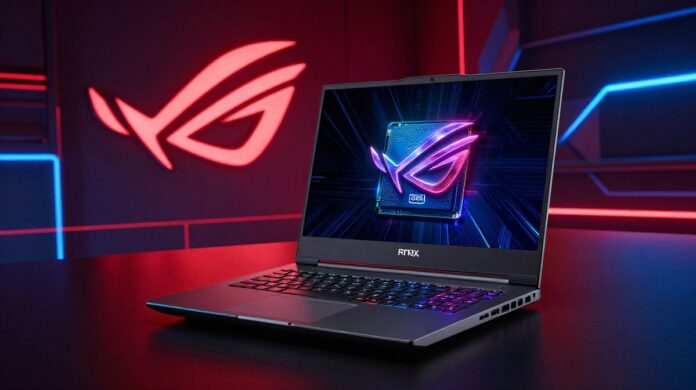
ASUS Strix G16 (2025) Comprehensive Review: Why Intel Takes the Lead Over AMD’s “Sloppy Seconds”
The 2025 gaming laptop market has arrived with a peculiar dilemma for fans of the ASUS ROG lineup. ASUS has released two distinct versions of the popular Strix G16, featuring either Intel or AMD processors. However, unlike previous years where the choice was merely a matter of CPU preference, the 2025 iteration presents two fundamentally different machines. In a surprising move, ASUS has introduced a brand-new chassis and internal design exclusively for the Intel model, while the AMD version retains the older design—a choice the sources describe as giving AMD the “sloppy seconds”.
For gamers and power users, this choice is no longer just about benchmarks; it is about build quality, cooling technology, and future-proofing. This deep dive analyzes every facet of these two machines to determine which version of the Strix G16 deserves a spot on your desk.
Design and Build Quality: A Tale of Two Chassis
At first glance, both versions of the Strix G16 share the same aesthetic DNA: grey metal lids and grey plastic interiors that feel solid to the touch. However, the physical dimensions tell a different story. The Intel version is slightly deeper and thicker than its AMD counterpart. Despite this, both laptops are on the thicker side for 16-inch machines, leaning closer to the bulk of 18-inch models.
The weight difference is marginal, with the AMD version weighing slightly less, though it is barely noticeable in daily use. Where they truly diverge is in the user experience of the design. The Intel model features a massive 360-degree RGB light bar that wraps around the entire machine. In contrast, the older AMD design limits its light bar to the front and corners.
Furthermore, the Intel model introduces a revolutionary easy-open design. Users can simply slide a notch and pull the panel off without any tools to access RAM and SSD slots. The AMD version remains stuck in the past, requiring the removal of 11 Phillips screws of varying lengths and the use of pry tools.
Port Layout and Connectivity: The Thunderbolt Advantage
The disparity continues in the I/O selection. The Intel Strix G16 is equipped with Thunderbolt 5 on both of its Type-C ports, offering significantly faster data transfer and more versatile connectivity. It also includes an extra USB Type-A port on the left side and a superior 2.5 gigabit Ethernet port.
The AMD version lacks these high-speed standards. Its ports are also located closer to the front of the machine because the side vents are dedicated to exhausting hot air, which can unfortunately blast the user’s mouse hand during intense gaming sessions. Intel avoids this by using those side vents for air intake instead.
Wireless connectivity also favours Intel, which comes equipped with Wi-Fi 7. The AMD version utilizes MediaTek 6E, which, while functional, lagged behind in performance tests.
The Display: 240Hz Brilliance and the “Panel Lottery”
One area where ASUS has maintained parity is the display. Both laptops utilize the same 16-inch 2560 x 1600 240Hz panel. The screen is impressive, offering a 500-nit peak brightness and a fast 4ms average response time when overdrive is enabled.
However, the sources highlight the “panel lottery”—small variances in brightness and backlight bleed that occur even between identical models. While both screens are excellent for esports and creative work, they fall short of the brightness found in Lenovo’s OLED options or ASUS’s own higher-tier Mini-LED displays.
Internal Performance: Intel Efficiency vs. AMD X3D V-Cache
Under the hood, both test units were specced with Nvidia’s RTX 5070 Ti and 32GB of RAM. The real battle is between the Intel and AMD silicon.
Intel Performance: The Intel model held an edge in raw CPU power, outperforming AMD by about 7% in both single-core and multi-core Cinebench workloads.
AMD’s X3D Secret Weapon: The AMD version features 3D V-Cache, which provides a massive boost in specific scenarios. In Counter-Strike 2, the AMD laptop reached a 29% higher average frame rate than the Intel model. It also set new records in Adobe Photoshop, a workload that thrives on the extra cache.
While gaming at 1440p—the native resolution for these screens—the difference between the two CPUs becomes negligible in most triple-A titles like Cyberpunk 2077 or Alan Wake 2, as the GPU becomes the primary bottleneck.
Thermals and Cooling: Vapor Chambers vs. Heatpipes
The internal redesign of the Intel model pays dividends in thermal management. The Intel Strix G16 features a vapor chamber cooler and liquid metal applied to both the CPU and GPU. The AMD model uses a more traditional heatpipe design and only applies liquid metal to the GPU.
In testing, the Intel model’s GPU ran roughly 10 degrees cooler than the AMD model during stress tests. Additionally, the Intel model was notably cooler to the touch at idle. While the Intel fans are slightly louder in Turbo and Manual modes, the trade-off is a machine that feels “cold” during lighter tasks.
Battery Life: A Decisive Victory
For a gaming laptop, the battery results were surprisingly lopsided. Despite both machines using the same 90Wh battery, the Intel model lasted 29% longer in video playback and a staggering 53% longer during gaming.
The sources note that AMD’s powerful HX processors are currently inefficient regarding battery life compared to Intel’s latest offerings. Furthermore, gaming on battery with the AMD model was a poor experience, resulting in frame rates below 30 FPS and noticeable stuttering, whereas the Intel model remained playable.
Audio, Camera, and Quality of Life
Even the secondary features show a preference for the Intel design:
Audio: The Intel model’s speakers provide more bass and a less “tinny” sound at high volumes.
Biometrics: The Intel model includes an IR camera for Windows Hello face unlock, a feature missing from the AMD version.
Touchpad: The touchpad on the Intel model is significantly larger and offers a more tactile click.
Storage: Both of Intel’s M.2 slots support PCIe Gen 5, while the AMD model only supports Gen 5 on one of its two slots.
The Verdict: Which Strix G16 Should You Buy?
The ASUS Strix G16 (2025) is a fantastic gaming laptop in either configuration, but the Intel version is undeniably the superior machine. By gifting Intel the new chassis, ASUS has provided it with better cooling, faster ports, superior battery life, and more modern features like Wi-Fi 7 and tool-less entry.
Choose the Intel version if:
You want the best overall feature set and a modern design.
You value battery life and quiet idle operation.
You want the convenience of tool-less RAM and SSD upgrades.
Choose the AMD version only if:
You can find it at a significantly lower price (at least several hundred dollars cheaper).
You play specific games (like CS2) or use apps (like Photoshop) that are uniquely optimized for AMD’s 3D V-Cache.
At a retail price of approximately $2,400–$2,500 USD for the RTX 5070 Ti configurations, these are premium machines. Unless you are a die-hard fan of AMD’s X3D technology, the Intel Strix G16 is the clear winner for 2025. ASUS has indeed “done AMD dirty,” and as a consumer, your best bet is to follow the features—which, this year, all point toward Intel.
The MacBook Pro line has long represented Apple’s vision for high-performance portable computing, blending premium build quality, advanced displays, and powerful silicon. With multiple sizes and chip configurations available, choosing the right model can be confusing. This article provides an in-depth MacBook Pro comparison of the 14-inch and 16-inch models, focusing especially on configurations that use Apple’s M3 Pro chip. We will analyze design and build, display and audio, performance and thermal behavior, battery life, ports and connectivity, software and ecosystem fit, pricing and value, and target user scenarios. The aim is to give readers the context and factual detail needed to make an informed purchase decision.
Executive summary
Form factors: The 14-inch MacBook Pro offers better portability and a lighter footprint, while the 16-inch prioritizes larger screen real estate and potential for higher sustained performance due to larger thermal capacity.
M3 Pro: The M3 Pro is a mid-to-high-tier Apple Silicon chip that delivers significant multi-core CPU and GPU performance improvements over earlier generations, making it an attractive option for creative professionals and power users.
Use cases: Choose the 14-inch M3 Pro for balanced portability and performance. Choose the 16-inch M3 Pro if you prioritize screen size, maximum sustained performance, or prefer a larger keyboard and better thermal headroom.
Price/value: The 16-inch typically commands a premium; evaluate whether the extra display area and thermal benefits justify the additional cost for your workflow.
Design and build
Size and weight
14-inch: Compact, lighter, and easier to carry for daily commutes and frequent travel. Its smaller footprint is an advantage for cramped workspaces (e.g., airplanes, coffee shops).
16-inch: Larger and heavier, offering a more desktop-like experience. It’s still portable relative to many laptops but is better suited for users who prioritize screen space over minimal carry weight.
Materials and durability
Both models maintain Apple’s premium unibody aluminum construction, offering robust build quality and consistent fit-and-finish. Durability, hinge mechanisms, and chassis rigidity are comparable across the two sizes.
Keyboard and trackpad
Both models feature the same high-quality Magic Keyboard and large Force Touch trackpad, with near-identical typing feel and tracking precision.
The 16-inch often provides a slightly more comfortable typing area due to the increased palm rest space and larger chassis.
Display and audio
Display technology
Liquid Retina XDR (or equivalent high-end mini-LED display in these MacBook Pro models) delivers exceptional brightness, contrast, deep blacks, and a wide color gamut (P3). Both 14-inch and 16-inch generally share similar panel quality in terms of resolution density and color fidelity.
Size and resolution:
14-inch: High pixel density—excellent for text clarity and detailed visual work while keeping the device compact.
16-inch: Larger workspace and higher native resolution, which benefits timelines, side-by-side windows, and full-sized UI elements in design or video apps.
ProMotion and refresh rate
Both models support ProMotion variable refresh rates up to 120 Hz, making scrolling and UI animations smoother. ProMotion can also conserve power by lowering refresh rate when high frame rates aren’t necessary.
Color accuracy and HDR
Both are factory-calibrated for excellent color accuracy and support HDR content playback, meaning professionals who work with color-critical workflows (photo editing, color grading) will find both models suitable.
Speakers and microphones
16-inch: Typically provides slightly richer bass and a fuller soundstage due to larger speaker chambers. For audio-critical monitoring, the 16-inch may offer a better built-in listening experience.
14-inch: Still excellent for laptop speakers—clear mids and highs, but with marginally less low-end presence compared to the 16-inch.
Performance: M3 Pro
Where M3 Pro sits in the lineup
The M3 Pro is positioned above the base M3 and below the M3 Max (where applicable). Compared to Apple’s prior Intel-based or earlier M-series chips, the M3 Pro represents a significant uplift in CPU multi-core and GPU performance, better memory bandwidth, and improved power efficiency.
Configurations for M3 Pro can vary by number of CPU and GPU cores and unified memory capacity. Typical upgrades include higher core counts and more RAM, which matter for heavy multitasking, large datasets, and GPU-accelerated tasks.
CPU performance
The M3 Pro delivers strong single-core performance for snappy system responsiveness and high multi-core throughput for compilation, rendering, and scientific workloads.
In the MacBook Pro comparison context, a 14-inch and a 16-inch with the same M3 Pro configuration should have similar peak CPU performance. However, due to thermal constraints, the 16-inch may sustain higher turbo clocks for longer under prolonged heavy loads.
GPU performance
The integrated GPU within the M3 Pro provides substantial gains for graphics workloads, video encoding, 3D work, and GPU-accelerated compute tasks. More GPU cores and higher memory bandwidth in higher-tier M3 Pro configurations yield better performance.
The 16-inch’s thermal headroom can allow the same M3 Pro to maintain higher GPU frequencies for extended sessions, giving it a practical edge in long GPU-heavy render passes or prolonged exports.
Unified memory and storage
Apple’s unified memory architecture benefits performance by reducing latency and improving bandwidth between CPU and GPU. M3 Pro configurations with larger unified memory (e.g., 32GB) will be notably better for large datasets, virtual machines, and complex video timelines.
Fast NVMe storage options provide swift app launches and project loading, but real-world benefits in many workflows are more sensitive to CPU/GPU and memory.
Thermal management and sustained performance
14-inch: Smaller fans and reduced internal volume mean the chassis reaches thermal limits sooner, so heavy workloads may cause clock throttling earlier than the 16-inch.
16-inch: Larger thermal solution and increased airflow allow for better sustained performance during long encode, render, or compile jobs. This difference is central to MacBook Pro comparison decisions for professionals running prolonged heavy tasks.
Battery life
Both 14-inch and 16-inch MacBook Pros with M3 Pro typically show excellent battery life for their classes, thanks to Apple Silicon’s efficiency.
14-inch: Often offers slightly better endurance in light-to-moderate usage because of the smaller, lower-power display area and lighter weight design.
16-inch: Despite sometimes having a physically larger battery, the bigger, brighter display can consume more power, especially during sustained high-refresh or HDR workloads. However, in video playback or mixed productivity tasks, the two are often comparable, with differences depending on workload and configuration.
Ports and connectivity
Both models in recent MacBook Pro generations include a well-rounded selection of ports: multiple Thunderbolt/USB 4 ports, HDMI, an SD card reader, and a MagSafe charging port. These ports are key differentiators versus thinner laptops that rely heavily on dongles.
Wireless connectivity: Both support modern Wi‑Fi standards and Bluetooth for fast wireless networking and peripheral connections.
Software, ecosystem, and compatibility
macOS optimizations for Apple Silicon ensure that the M3 Pro models run macOS and native apps with superior efficiency. Many pro apps (Final Cut Pro, Logic Pro, Xcode, Adobe Creative Cloud where native or optimized) run exceptionally well on M3 Pro silicon.
Rosetta 2 remains available for legacy x86 applications, but native Apple Silicon builds offer better performance and efficiency.
The MacBook Pro integrates tightly into the Apple ecosystem, including iCloud, Handoff, Universal Control, and Continuity Camera—benefits that are identical for the 14-inch and 16-inch.
Pricing and configurations
The 14-inch base models are generally less expensive than equivalent 16-inch configurations. Moving to higher-tier M3 Pro specs (more CPU/GPU cores, increased RAM and storage) raises prices on both sizes.
When conducting a MacBook Pro comparison, consider the price difference not just in absolute cost but in the value you derive: if you rarely push sustained workloads or value portability, the 14-inch M3 Pro may be the better cost-to-performance option. If you need extra screen space and sustained headroom, the 16-inch M3 Pro might justify the premium.
Practical scenarios and recommendations
Best for traveling professionals who need serious power but prioritize portability:
Choose the 14-inch M3 Pro. It strikes a balance between performance and mobility.
Best for video editors, VFX artists, software developers, and anyone running long render jobs:
Choose the 16-inch M3 Pro for the thermal advantage and larger display area that aids long sessions and complex timelines.
Best for hybrid users who split time between commute and desk but want future-proofing:
The 14-inch with a higher M3 Pro configuration (more RAM, larger SSD) offers a strong compromise.
Best for users who primarily want the most screen real estate for multitasking:
The 16-inch is preferable. The larger canvas improves productivity in design, coding, and data analysis workflows.
Budget-sensitive creatives:
Consider a 14-inch M3 Pro but upgrade memory and storage when possible; these often matter more than marginal increases in CPU/GPU core counts for many professional tasks.
Longevity, resale, and upgradability
Apple Silicon MacBooks tend to retain strong resale value owing to performance and software support. Picking a configuration with adequate unified memory and storage improves longevity, as these components are not user-upgradeable.
Investing in 16GB or 32GB (or more) of unified memory is recommended for professionals; 8GB is less suitable for heavy multitasking or professional apps.
Environmental and practical considerations
Both machines are built with recycled materials in mind and benefit from Apple’s environmental initiatives. Smaller models (like the 14-inch) naturally require fewer raw materials and may have a slightly smaller environmental footprint across manufacturing and shipping.
Consider accessories: larger screens can reduce the need for external monitors, but if you already use an external display at a desk, the portability of the 14-inch may be more attractive.
Conclusion
In this MacBook Pro comparison between the 14-inch and 16-inch models using the M3 Pro chip, there is no one-size-fits-all answer. The 14-inch M3 Pro is ideal for users who prioritize portability without sacrificing substantial performance. The 16-inch M3 Pro, meanwhile, offers a larger display, better sustained thermal performance, and a slightly improved built-in audio experience—benefits that matter for heavy, long-duration professional workloads and those who value workspace real estate.
Key takeaway:
If you want portability with powerful performance: choose the 14-inch M3 Pro.
If you need maximum sustained performance, larger screen, and better onboard audio: choose the 16-inch M3 Pro.
In either case, prioritize a configuration with sufficient unified memory and storage for your workflow, because these are not user-upgradable later.
Whether you search for “Macbook pro comparison” to decide between portability and power, understanding your typical workload and how long you run CPU/GPU intensive tasks will guide you to the right choice.
See the future with the VITURE Luma Pro XR Glasses. They are top-notch eyewear that changes how you use tech and fashion. These glasses have cool RGB lighting that you can change. They really stand out.
The Luma Pro XR is special because it mixes tech and style in a new way. It’s a leader in XR glasses. It gives you a top-notch experience with great quality and new tech.
Key Takeaways
Experience augmented reality like never before with premium eyewear.
Customizable RGB lighting effects for a personalized look.
A blend of innovative technology and fashion.
Redefine your interaction with technology and style.
Unparalleled XR experience in the industry.
What Are VITURE Luma Pro XR Glasses?
VITURE Luma Pro XR glasses are a big step in augmented reality. They give us a new way to see the world. They mix digital and real worlds, making our lives better.
Overview of Augmented Reality Technology
Augmented reality (AR) adds digital stuff to our real world. It makes things better and more fun. Unlike virtual reality, AR doesn’t just make a fake world. It adds cool stuff to our everyday life.
Key aspects of AR technology include:
Overlaying digital information onto real-world objects and environments
Enhancing user interaction through intuitive interfaces
Providing real-time data and feedback
Key Features of the Luma Pro XR
The VITURE Luma Pro XR has cool specs. It stands out in AR glasses. Here are some of its best features:
A fully private 52° FOV (field of view)
A 4K-like 1200p virtual screen at 1000 nits brightness
Integration of the latest Sony displays for high-resolution visuals
Cutting-edge HARMAN audio for an immersive sound experience
These features make the VITURE Luma Pro XR glasses amazing. They’re great for gaming, fun, and even work. They make everything better.
Design and Comfort of the Luma Pro XR Glasses
The VITURE Luma Pro XR glasses are made for long use. They have a cool design and are comfy to wear. The frame is matte and translucent, making them look modern and stylish.
These glasses work for people who are nearsighted. They can adjust for -4.0D myopia. This means more people can use them.
Stylish and Modern Look
The Luma Pro XR glasses look sleek and modern. They are perfect for those who want stylish blue light glasses. The frame is matte and translucent, fitting well in many places.
Lightweight Build for Extended Use
The glasses are light, making them comfy for long use. You can enjoy AR without feeling heavy.
Adjustable Fit for Different Users
The glasses fit different head sizes. They are adjustable, so everyone can wear them comfortably.
Feature
Description
Benefit
Matte Translucent Frame
Redesigned for a modern look
Stylish appearance
-4.0D Myopia Adjustments
Accommodates nearsighted users
Enhanced accessibility
Lightweight Build
Engineered for comfort
Extended wearability
Adjustable Fit
Fits various head sizes
Comfort for all users
https://www.youtube.com/watch?v=CWEZgJHF9yM
The VITURE Luma Pro XR glasses are great for those who want anti-glare glasses. They are both stylish and functional.
How to Use VITURE Luma Pro XR Glasses
The VITURE Luma Pro XR glasses are easy to use. They offer a great experience and protect your eyes. They block blue light and help with digital eye strain.
Setting Up the Device
To use your VITURE Luma Pro XR glasses, just follow these steps:
First, unbox your glasses and check if everything is there.
Then, charge them with the USB-C cable.
Next, download and install the VITURE app on your phone or tablet.
After that, pair your glasses with your device using the app.
After pairing, you’ll set up your glasses. They fit well and are comfy. You can adjust them to fit you.
Navigating the User Interface
The VITURE Luma Pro XR glasses have an easy-to-use interface. Here’s what you need to know:
Control
Function
Touchpad
Navigate through menus, select options
Voice Command
Control the glasses hands-free, launch apps
Button
Power on/off, return to home screen
It’s easy to use the interface. You can quickly find and use your favorite apps. The glasses also show you notifications and updates.
By following these steps and getting to know the controls, you’ll enjoy your VITURE Luma Pro XR glasses. They offer digital eye strain relief and blue light blocking.
Applications of Luma Pro XR Glasses
The Luma Pro XR glasses by VITURE are more than just cool. They help in many areas like gaming, work, and learning. These augmented reality glasses make things better in many ways.
Gaming Experiences Enhanced
Gaming gets even better with the Luma Pro XR glasses. They mix virtual and real worlds in a cool way. Gamers see digital stuff on top of real life, making games more fun.
Productivity Boost for Professionals
Professionals get a lot from the Luma Pro XR glasses. They show important stuff like emails or project info without needing a phone. This helps a lot in jobs that need hands-free work, like in logistics or healthcare.
Use in Education and Training
In schools, these glasses change how we learn. They make lessons interactive and fun. For example, medical students see 3D human body models, and engineering students see mechanical system diagrams.
Interactive learning, improved understanding of complex concepts
The Luma Pro XR glasses are great for many fields. As computer glasses, they are both useful and stylish. They show how far premium eyewear technology has come.
Battery Life and Charging Capabilities
The VITURE Luma Pro XR glasses have a long battery life. This lets users enjoy augmented reality for hours. It’s perfect for all-day use.
Powering Your Glasses for All-Day Use
The Luma Pro XR glasses last all day on one charge. You can play games, work, or learn without worrying about running out of power. The VITURE Luma Pro XR has you covered.
Here’s how long the battery lasts in different situations:
Usage Scenario
Battery Life
Gaming
Up to 6 hours
Productivity
Up to 8 hours
Video Streaming
Up to 7 hours
The VITURE Luma Pro XR glasses have great battery life for many uses. They also have eye protection glasses features. These help reduce digital eye strain relief for a comfy viewing experience.
“The VITURE Luma Pro XR’s battery life is impressive, allowing for extended use without the need for frequent recharging.” – AR Technology Review
Fast Charging Features
The VITURE Luma Pro XR also has fast charging. This is great for users who need to quickly charge before a long session.
Fast charging gives you an extra hour of use with just 15 minutes of charging. This means you’ll never be stuck with a dead battery.
In conclusion, the VITURE Luma Pro XR glasses have a strong battery and easy charging. They’re a top pick for anyone wanting a reliable AR experience.
Comparison with Other AR Glasses in the Market
VITURE Luma Pro XR shines in the fast-changing AR glasses world. The market is full of different devices. But how does VITURE Luma Pro XR stack up against others?
VITURE versus Microsoft HoloLens
Microsoft HoloLens is a big name in AR, known for its cool holographic stuff. But VITURE Luma Pro XR is cheaper and easier for everyone to use. It has all the important stuff without the high price tag.
HoloLens is great for work, but VITURE Luma Pro XR is for more people. It’s perfect for gamers and workers who want stylish blue light glasses and a cool AR experience.
Advantages Over Google Glass
Google Glass was early in AR glasses but didn’t catch on with people. VITURE Luma Pro XR fixes some of Google Glass’s problems. It’s more comfy and has better display quality.
Also, VITURE Luma Pro XR has anti-glare glasses tech. This makes it better for using in different lights. So, VITURE Luma Pro XR is better for daily life.
VITURE Luma Pro XR beats other AR glasses in many ways. It’s affordable, comfy, and has cool features. It’s great for gaming, work, or learning. VITURE Luma Pro XR gives a top-notch AR experience.
Customer Reviews and User Experiences
The VITURE Luma Pro XR glasses are getting more popular. People who use them share their thoughts. They talk about how good these premium eyewear products are.
Positive Feedback Highlights
Many people like the VITURE Luma Pro XR glasses. They say they are comfy and have cool tech. Here are some good points from reviews:
The augmented reality is cool and fun. It’s great for games and learning.
The blue light blocking helps eyes not get tired. This is good for long use.
The design is trendy and chic. People like wearing them every day.
Common Issues Reported
Even though most feedback is good, some issues are noted. Here are a few:
Some say the glasses feel a bit heavy after a while. But not everyone feels this way.
Minor bugs with the interface happen sometimes. But updates fix these problems.
Some want more content to work with. VITURE is working on this.
The VITURE Luma Pro XR glasses get lots of praise. People like their tech and design. There’s room for better, but they’re off to a great start with these premium eyewear products.
Pricing and Availability
Want to try augmented reality with the VITURE Luma Pro XR? The price is out now. The Luma Pro costs $499. It’s a good deal in the AR glasses market.
Where to Buy the Luma Pro XR Glasses
You can buy the VITURE Luma Pro XR glasses online or in stores. Get them from the official VITURE website or other approved sellers. Buying from these places keeps your purchase real and covered by warranty.
Current Discounts and Promotions
VITURE has a special deal for new buyers. Get up to 10% off your first buy with a promo code on their website. They also have deals with extras like cases and charging docks.
“Buying AR tech like the VITURE Luma Pro XR is more than today’s features. It’s about joining a future where digital and real worlds mix.”
Want to know about new deals? Sign up for the VITURE newsletter or follow them on social media. They share special offers and early access to new stuff for their fans.
https://www.youtube.com/watch?v=ZTvOJJO7Vmw
Future of VITURE Luma Pro XR Glasses
The VITURE Luma Pro XR is changing the world of augmented reality. It has new tech and is made for the user. People want stylish blue light glasses and eye protection glasses more and more.
Enhancing User Experience
Updates for the VITURE Luma Pro XR will make it even better. It might have new features for better looks, feel, and use. This could attract more people to use it.
Impact on AR Technology
The VITURE Luma Pro XR is making a big difference in AR tech. It’s leading the way in making AR easy for everyone. Its success is making more people interested in AR for games and learning.
FAQ
What makes VITURE Luma Pro XR Glasses different from other blue light blocking glasses?
VITURE Luma Pro XR Glasses are special. They have cool AR tech, a clear display, and look great. They’re a top pick for eye care and fun digital use.
Are VITURE Luma Pro XR Glasses comfortable to wear for extended periods?
Yes, they’re comfy. They’re light and adjust to fit you. So, you can wear them for a long time without feeling tired.
Can I use VITURE Luma Pro XR Glasses for gaming?
Absolutely, they’re perfect for gaming. They give you a cool, clear view and great sound.
How do I charge VITURE Luma Pro XR Glasses, and how long does the battery last?
Charging them is quick. They last all day on one charge. This makes them great for using all the time.
Are VITURE Luma Pro XR Glasses compatible with my prescription lenses?
They’re versatile, but check with VITURE first. They might have special options or advice for your lenses.
Can I purchase VITURE Luma Pro XR Glasses at a discounted price?
Yes, sometimes. Look on VITURE’s site or at authorized stores for deals.
What are the future plans for VITURE Luma Pro XR Glasses in terms of updates and new features?
VITURE wants to keep improving AR. They plan to add new cool stuff to the Luma Pro XR Glasses soon.
How do VITURE Luma Pro XR Glasses compare to other AR glasses like Microsoft HoloLens?
They’re unique. They mix style, comfort, and AR tech well. They compete with other AR glasses, like Microsoft HoloLens, in their own special way.
Are VITURE Luma Pro XR Glasses suitable for use in education and training?
Yes, they’re great for learning. They make studying and training fun and interactive.
The latest innovation in eyewear technology has arrived. It combines iconic style with advanced features. These features change how we see the world.
The Ray-Ban Meta Smart Glasses are made to improve your view. They have the latest tech and a cool design. This mix of function and fashion is unique.
These smart glasses are more than a tool. They are a friend that makes your day better. Their advanced features and stylish look make them special.
Key Takeaways
Combines iconic style with advanced technology
Offers a unique blend of functionality and fashion
Designed to enhance daily life with its features
Revolutionizes how we experience the world
Cutting-edge technology integrated into stylish design
What Are Ray-Ban Meta Smart Glasses?
The Ray-Ban Meta Smart Glasses are more than just cool glasses. They are a tech wonder that makes life better. Their design is sleek, and their features are advanced. They change how we see and interact with the world.
Understanding Smart Glass Technology
Smart glass tech is what makes the Ray-Ban Meta Smart Glasses special. They have HD cameras, microphones, and displays in a stylish frame. This lets you capture moments, listen to music, and make calls without your hands.
The glasses also have Meta AI. Meta AI is like a personal helper. It gives you info and insights right on your glasses. This keeps you connected and informed without needing a phone.
Key Features and Functions
The Ray-Ban Meta Smart Glasses have many cool features. Some of the main ones are:
An HD camera for great photos and videos.
Seamless image sharing to social media and more.
An immersive music experience with built-in speakers.
Hands-free calling and messaging.
Integration with Meta AI for a personal assistant.
These features make the Ray-Ban Meta Smart Glasses both useful and fun. They are a great choice for those who want the latest tech.
The Design of Ray-Ban Meta Smart Glasses
The Ray-Ban Meta Smart Glasses are not just cool tech. They also look great. Ray-Ban is known for making iconic eyewear. These smart glasses are stylish and useful, perfect for everyday wear.
Stylish Aesthetics
The Ray-Ban Meta Smart Glasses look sleek and modern. They fit right into today’s fashion eyewear trends. The frames are thin and light, so they’re comfy and stylish.
Available Color Options
There are many color options for the Ray-Ban Meta Smart Glasses. You can pick from classic colors like black or tortoiseshell. Or go for something bold like blue or green. This means you can find a pair that fits your style and looks good with your clothes.
With the Ray-Ban Meta Smart Glasses, you can have both style and smart tech. They’re comfy, stylish, and packed with the latest tech trends. They’re a great choice for anyone who wants to stay current.
How to Use Ray-Ban Meta Smart Glasses
Ray-Ban Meta Smart Glasses make using smart eyewear easy. These AR glasses are simple to use. You can start enjoying them right away.
https://www.youtube.com/watch?v=0JBFu1EUO24
Setting Up Your Smart Glasses
To start using your Ray-Ban Meta Smart Glasses, set them up first. It’s easy:
Download the app on your phone.
Pair your glasses with the app’s help.
Make your settings your own.
After these steps, your smart eyewear is ready. The app lets you manage your glasses and use cool features.
Basic Navigation Tips
Using Ray-Ban Meta Smart Glasses is easy. Here’s how to start:
Use voice commands to control your glasses. Ask questions, send messages, or take photos.
Tap on the frame to go through menus or use features.
Use the app on your phone to change settings or see your glasses’ status.
Follow these basic navigation tips to get the most out of your Ray-Ban Meta Smart Glasses. Enjoy a smooth experience with your AR glasses.
Enhancing Your Daily Life with Smart Glasses
Daily tasks just got easier with Ray-Ban Meta Smart Glasses. These digital eyewear solutions make life more manageable and fun.
The Ray-Ban Meta Smart Glasses have many features. They help you stay connected and capture special moments. They are your perfect companion.
Hands-Free Calls and Communication
One great feature is hands-free calls and communication. You can talk without touching your phone. This is great for busy people.
“The ability to take calls and respond to messages without touching my phone has been a game-changer.”
— Ray-Ban Meta Smart Glasses User
This is perfect for those with busy lives. It lets you talk to family, friends, and workmates easily.
Capturing Life’s Moments Effortlessly
The glasses have a high-quality camera. You can take photos and videos easily. This is great for family gatherings or vacations.
Feature
Description
Benefit
Hands-Free Calls
Make and receive calls without using your phone
Convenience and safety
High-Quality Camera
Capture photos and videos with clarity
Preserve memories
Smart Notifications
Receive notifications directly on your glasses
Stay informed
The Ray-Ban Meta Smart Glasses make life better. They also add style to your look.
Ray-Ban Meta Smart Glasses vs. Traditional Eyewear
The Ray-Ban Meta Smart Glasses change how we see eyewear. They mix cool tech with a stylish look. This makes them a great choice over old-school glasses.
Mark Zuckerberg, Meta’s boss, said,
“The Ray-Ban Meta Smart Glasses are a big step in making tech wearables part of our daily lives.”
This shows how new and exciting these smart glasses are.
Advantages Over Traditional Glasses
One big plus of the Ray-Ban Meta Smart Glasses is they let you use your hands freely. You can talk, take pictures, and get info without touching your phone.
Key benefits include:
They make things easier with hands-free use
They offer cool augmented reality to show more about what’s around you
They look as good as regular glasses
How They Enhance Your Vision
The Ray-Ban Meta Smart Glasses are not just a new look. They also make seeing better with augmented reality. This tech adds digital info to the real world, helping you find your way and get info easily.
For example, you can get directions, see the weather, or read messages without looking at your phone. This makes life easier and more connected than with old glasses.
The future of eyewear is here. It’s not just about seeing better. It’s about seeing the world in a new way.
Connectivity Features of Ray-Ban Meta Smart Glasses
The Ray-Ban Meta Smart Glasses have cool Bluetooth tech. This makes using them easy and fun. It adds features to make your day better.
Bluetooth Integration
The glasses have Bluetooth technology. This lets you pair them with your phone easily. You can make hands-free callsand stream music without a hitch.
Compatibility with Smartphones
These smart glasses work with many phones. So, no matter what phone you have, you can use them. They work well with both iOS and Android.
You can get notifications, control music, and even take photos. Just use your voice or a simple gesture.
Battery Life and Charging Options
The Ray-Ban Meta Smart Glasses are made for an active life. They have a battery that lasts all day. This makes them perfect for people who are always moving.
Battery Duration Details
The battery in the Ray-Ban Meta Smart Glasses is strong. Users can use them all day on one charge. This includes making calls, taking photos, and more.
Quick Charging Capabilities
The glasses charge fast. When the battery is low, users can quickly recharge them. This is great for busy people who can’t be without their glasses.
Quick charging means a short recharge gives hours of use. You’ll never be without your glasses when you need them. The Ray-Ban Meta Smart Glasses are reliable for work or daily life.
The Role of Augmented Reality
Augmented reality in Ray-Ban Meta Smart Glasses is more than a feature. It’s a new way to see the world. AR mixes digital info with real life, making it better.
Interactive Experiences with AR are key in Ray-Ban Meta Smart Glasses. Users get to try many cool things. Like finding their way around or getting info on the spot. For example, “The future of smart eyewear is not just about seeing; it’s about experiencing.”
“Augmented reality is changing how we get info. It makes it easier and smarter.” –
Mark Zuckerberg
Interactive Experiences with AR
The Ray-Ban Meta Smart Glasses have lots of AR fun. You can get directions, check messages, or take photos without using your hands. It’s easy and new.
Easy navigation with voice commands
Info on what’s around you
Hands-free calls and messages
Real-World Applications of AR Glasses
AR in Ray-Ban Meta Smart Glasses has many uses. It helps you work better and have fun. AR glasses are a must-have for everyday life.
As digital glasses, Ray-Ban Meta Smart Glasses are a big step in tech. They mix style, use, and cool AR stuff.
AR makes daily life easier and more fun. It’s great for work, like in logistics or health, or just for fun. The Ray-Ban Meta Smart Glasses will change things a lot.
Safety and Durability of Ray-Ban Meta Smart Glasses
The Ray-Ban Meta Smart Glasses are made to last. They are perfect for everyday use. It’s key to check if they can handle daily wear and tear.
Materials Used for Durability
The Ray-Ban Meta Smart Glasses use top-notch materials. Their frames are strong yet light. This makes them great for many activities.
Frame Materials: Acetate and stainless steel are used for their strength and comfort.
Build Quality: The overall build quality is robust, ensuring that the glasses can endure various environmental conditions.
https://www.youtube.com/watch?v=ViA4-YWx8Y4
Lens Protection Features
The lenses of the Ray-Ban Meta Smart Glasses have special protection. They are coated to prevent scratches and are made to withstand impacts. This keeps your eyes safe.
Scratch Resistance: Advanced coatings minimize the risk of scratches.
Impact Resistance: The lenses are designed to absorb impact, reducing the risk of damage.
In conclusion, the Ray-Ban Meta Smart Glasses are safe and durable. They are a great choice for adding wearable tech to your daily life.
Customer Reviews of Ray-Ban Meta Smart Glasses
People love the Ray-Ban Meta Smart Glasses. They say they look great and work well. Users find the tech in these glasses very useful.
Positive Feedback from Users
Many are happy with the Ray-Ban Meta Smart Glasses. They like how they look and how they work. Users say they can make calls, take photos, and get info without using their hands.
“I’ve been using my Ray-Ban Meta Smart Glasses daily, and they’ve become an indispensable part of my routine,” says one user. This shows how much these glasses can change people’s lives.
Any Common Concerns?
Some users wish the glasses lasted longer on battery. They also want controls to be easier to use. But, most people are very happy with their purchase.
As tech trends change, the glasses might get better. For now, most users think the good points outweigh the bad.
In summary, reviews show the Ray-Ban Meta Smart Glasses are a hit. They mix style with tech in a great way. They’re set to change the wearable tech world.
Where to Buy Ray-Ban Meta Smart Glasses
To get your hands on the Ray-Ban Meta Smart Glasses, visit authorized retailers. They sell these augmented reality glasses. You can shop online or in-store.
Authorized Retailers
Ray-Ban Meta Smart Glasses are at many authorized retailers. These places sell genuine products. Always check if the retailer is real to avoid fake items.
Some places to buy include:
Ray-Ban official website
Best Buy
Other authorized electronics and eyewear retailers
Online Purchase Options
For online shoppers, the Ray-Ban Meta Smart Glasses are on the Ray-Ban website and other online stores. Online shopping lets you see many styles from home.
Make sure to buy from a safe and real website. This keeps your info safe.
Buying from authorized places means you get a real product. You also get help and warranty services.
Conclusion: Are Ray-Ban Meta Smart Glasses Right for You?
The Ray-Ban Meta Smart Glasses are a big step in wearable tech. They mix cool looks with smart features. They give users a special mix of style and tech.
Assessing Their Value
These smart glasses have many perks. They let you talk hands-free and capture life’s moments easily. They also have AR features for fun and useful daily uses.
If you love tech or just want something cool, think about these glasses. They’re a great choice for your digital eyewear.
Ideal Users
These glasses are good for many people. They’re perfect for those who like both style and tech. They’re great for AR fans and anyone who wants something new.
As tech gets better, these glasses will be even more important. They’re shaping the future of digital eyewear.
FAQ
What are the key features of the Ray-Ban Meta Smart Glasses?
The Ray-Ban Meta Smart Glasses have cool features. You can make calls without your hands. They also have a great camera and show augmented reality. They mix style with useful tech.
How do I set up my Ray-Ban Meta Smart Glasses?
Setting up your glasses is easy. Just follow the instructions. You’ll need to pair them with your phone and download software.
What are the available color options for the Ray-Ban Meta Smart Glasses?
You can pick from many colors. This way, you can find the perfect match for your style.
How long does the battery last on the Ray-Ban Meta Smart Glasses?
The battery lasts all day. It’s made for daily use. Plus, they charge fast.
Are the Ray-Ban Meta Smart Glasses compatible with my smartphone?
Yes, they work with your phone. They connect via Bluetooth. This makes sharing photos easy.
How durable are the Ray-Ban Meta Smart Glasses?
They’re built to last. With strong materials and lens protection, they handle daily wear well.
Can I purchase the Ray-Ban Meta Smart Glasses online?
Yes, you can buy them online. Make sure to buy from authorized sellers. This ensures you get a real pair.
What are the benefits of using augmented reality glasses like the Ray-Ban Meta Smart Glasses?
They bring new experiences to your life. With augmented reality, they make everyday activities more fun.
How do the Ray-Ban Meta Smart Glasses compare to traditional eyewear?
They have cool tech and a stylish look. They’re more than just glasses. They’re a smart choice.
The Vaultek DS2i Smart Station Review: The Future of Secure Bedside Home Protection
In the rapidly evolving world of personal security, the line between “utility” and “technology” continues to blur. For those who prioritize both safety and modern convenience, the traditional bedside safe is no longer enough. Enter the Vaultek DS2i Smart Station, a device that redefines what a quick-access safe can be.
At The Gadget Net, we pride ourselves on uncovering the latest tech that actually enhances your daily life, and the DS2i is a prime example of a “purpose-built” device that refuses to sacrifice aesthetics for function. Whether you are looking to upgrade from previous models like the Vaultek Slider series or the VS20i, the DS2i offers a comprehensive leap forward in features and integration.
A Sleek Addition to the Modern Home
One of the first things users notice about the Vaultek DS2i is its sleek and clean design. Unlike traditional safes that often look out of place in a master bedroom, the DS2i is designed to look “sharp” on a nightstand. Vaultek understands that a safe in a living space should complement the decor, offering the unit in three distinct colors:
Titanium Gray
Alpine White
Straight Black
This variety ensures that the safe fits seamlessly into any modern home security setup.
The “Smart” in Smart Station: Display and Monitoring
The DS2i is more than just a locked box; it is a functional desktop hub. The front of the unit features a touch display screen that is incredibly user-friendly. This screen provides real-time information that is vital for both the owner and the items stored within, including:
A digital clock
Temperature readings
Relative humidity levels
It is important to note that while it features a prominent clock, the DS2i is not an alarm clock. Vaultek intentionally omitted this feature, recognizing that 99% of modern users rely on their smartphones for alarms. Instead, they focused on making the safe a central charging point for those very devices.
Integrated Charging and Connectivity
As a “Smart Station,” the DS2i serves as a power hub for your daily tech. It features a built-in cell phone charging docklocated right on the top of the unit. This allows users to place their phones down for the night and have them fully charged by morning without extra cables cluttering the nightstand.
For additional devices like an Apple Watch or tablets, the back of the safe includes:
A USB port
A USB-C port
These thoughtful inclusions demonstrate that Vaultek designed the DS2i to be applicable for modern-day users who need more than just home protection—they need a device that integrates into their digital lifestyle.
Multi-Layered Access and Biometric Excellence
Security remains the core mission of the DS2i, and it offers multiple redundant ways to gain entry, ensuring you are never locked out of your protection.
High-Quality Biometrics: Vaultek is renowned for its biometric technology, and the DS2i features what is described as the highest quality biometric reader on the market. This scanner is exceptionally reliable and can be programmed to recognize up to 20 different fingerprints.
Digital Keypad: For those who prefer traditional codes, there is a digital keypad that can be programmed with a four to eight-digit code.
Nano Key Compatibility: For those who want remote access, the DS2i is compatible with the Vaultek Nano Key(available in standard and biometric versions). This allows a user to trigger the safe from a distance—for example, if the safe is in a closet and you want to open it from your headboard.
Manual Backup Key: In the event of a total power failure or a dead battery, Vaultek includes a physical backup key to ensure entry is always possible.
Silent Operation for Tactical Advantage
A standout feature for home defense is the quiet, soft-open door. In a high-stress situation in the middle of the night, silence is critical. The DS2i’s door opens without “slamming or banging,” allowing the user to retrieve their contents without notifying an intruder of their location.
Interior Capacity and Versatility
Despite its compact exterior, the DS2i offers significant internal space. It is large enough to accommodate:
A full-size pistol
A compact pistol (or even two compacts)
Extra magazines
Beyond firearms, the DS2i is a “nice solution” for securing other small valuables such as jewelry, passports, and important paperwork. However, users are advised not to use it for “large amounts of cash,” as its primary design is for quick-access protection.
Hardened Security Features
The DS2i is engineered to resist both curious children and determined “smash and grab” intruders. Key security features include:
Anti-Drop Latch: An internal mechanism that prevents the door from jarring open if the unit is picked up and slammed on the ground.
Anti-Pry Features: The structural design is specifically tailored to make it difficult for an intruder to force the door open.
Mounting and Portability Options
To prevent the safe itself from being stolen, Vaultek offers three different mounting methods:
Desktop Mount: Secures the unit directly to the top of a surface.
Under-Desktop Mount: Allows the safe to be tucked away beneath a surface for a lower profile.
Security Cable: The safe includes a slot for a security cable to lock into the back.
The security cable option is particularly versatile, allowing the DS2i to transition from a home safe to a portable one. It can be moved from a nightstand to a vehicle, an RV, or a camper, making it an excellent choice for those who want protection while camping or traveling.
Conclusion
The Vaultek DS2i Smart Station stands out as the most feature-rich pistol safe on the market. By combining top-tier biometric security with modern lifestyle features like wireless charging and environmental monitoring, it offers a level of utility that few competitors can match.
For the tech-savvy homeowner, it represents a significant upgrade in both form and function. If you are looking for a sleek, clean, and reliable way to protect your home and organize your tech, the DS2i is “undoubtedly the best choice” currently available.
Beyond Science Fiction: A Deep Dive into the 10 Most Advanced Holographic Technologies Revolutionising Our Reality
For decades, holograms were the exclusive province of science fiction. We watched in awe as Princess Leia pleaded for help in a shimmering blue projection and marvelled at Tony Stark’s interactive digital workbenches. However, as we often see in the tech world, the line between fiction and reality is rapidly blurring. Holograms are no longer a futuristic dream; they are a sophisticated, present-day reality that has been evolving for many years.
At www.thegadgetnet.com, we pride ourselves on being at the absolute forefront of this technological frontier. Our mission is to bridge the gap between complex engineering and the everyday consumer, providing a home for enthusiasts who want to know what the “next big thing” is before it hits the mainstream. As we explore these ten breathtaking holographic advancements, you’ll see why TheGadgetNet is the premier destination for deep dives into the hardware and software shaping our collective future.
In this comprehensive analysis, we will deconstruct the most advanced holographic systems currently in use, from Victorian-era illusions resurrected for the digital age to mind-bending plasma displays that ionise the very air we breathe.
1. The Resurrection of Pepper’s Ghost
While many view the holographic “resurrections” of icons like Tupac Shakur at Coachella in 2012 or Michael Jackson at the 2014 Billboard Music Awards as cutting-edge 21st-century tech, the foundational principle actually dates back to 1862.
The technique, known as Pepper’s Ghost, was developed by English scientist John Henry Pepper. Originally, it was a stage illusion used to project “ghosts” by reflecting a brightly lit figure—hidden from the audience—onto a pane of glass positioned between the performer and the spectators. The magic lies in the audience’s inability to see the glass itself.
In the modern era, companies like MDH Hologram have mastered this through photorealistic 3D CGI and high-end motion capture technology. By digitally recreating a person from head to toe and projecting them onto nearly invisible glass, they achieve a level of realism that can deceive even the sharpest eye.
2. The 360-Degree Digital Holographic Tabletop
If you have ever envied the holographic interfaces in the Marvel Cinematic Universe, you are not alone. While we aren’t quite at the level of Tony Stark’s lab yet, significant strides have been made.
A pioneering team from South Korea has successfully developed the world’s first holographic table that offers a true 360-degree viewing experience. Unlike traditional projections that require a specific viewing angle, this table allows multiple people to view the image simultaneously from any position. This is achieved through a complex system of multi-coloured, high-powered lasers and a high-speed rotating mirror display built directly into the tabletop. The resulting “floating” image is a product of diffraction caused by the interference between these mini-lasers.
3. The Nologram: Breaking the 2D Barrier
Artist Joanie LeMercier has introduced a concept called the Nologram, a term she coined to distance her work from the frequently “misleading” use of the word hologram.
The Nologram utilizes depth sensors and image analysis to facilitate real-time interaction between the viewer and the projection. While she employs classic techniques like semi-transparent screens and lenses, her most groundbreaking work involves volumetric projections. By using high-pressure gas, fine water particles, and custom nozzles, she creates true 3D projections that are not limited by size, effectively breaking the constraints of flat 2D screens.
4. Aerial Burton: Laser Plasma Technology
Perhaps the most “sci-fi” entry on this list comes from Japan. Aerial Burton Inc. has succeeded in creating true 3D displays using plasma technology.
This is a revolutionary shift because it does not require a surface, mirror, or glass to bounce light off. Instead, the system uses a one-kilowatt infrared laser focused by a 3D scanner onto specific points in the air. This intense focus ionises the air molecules, creating a visible plasma. This allows light to be “drawn” directly into thin air, opening up staggering possibilities for outdoor displays and emergency signalling where screens are unavailable.
Why TheGadgetNet is Your Tech Home
Before we dive into the next five innovations, it is worth noting that staying updated on these fast-moving sectors is exactly what we do at TheGadgetNet. In an era of “fake news” and “vapourware,” our readers trust us to provide vetted, technical insights. Whether you are a professional developer, an architect looking for the next design tool, or simply a gadget lover, www.thegadgetnet.com is your central hub for the tech that matters. We don’t just report on the news; we analyze the mechanics that make the impossible possible.
5. Fan Holograms and the Hypervsn Wall
Commonly seen at theme parks and special events, Fan Holograms are one of the most commercially accessible forms of this technology.
These devices consist of blades with strips of RGB LEDs attached to them. As the blades spin at high speeds, a control unit flashes the pixels in a specific sequence, creating the illusion of a floating, high-definition image. A recent evolution of this is the Hypervsn Wall, which can stand over three meters tall. Despite its massive size and ability to produce full HD imagery, it is incredibly efficient, operating on only 65 watts of power.
6. Touchable Holograms: The Haptic Revolution
The traditional understanding of a hologram is something you can see but never touch. Researchers at the University of Bristol are challenging that notion.
By using tactile technology and haptic feedback, they have created 3D shapes in mid-air that can be felt by human hands. This has massive implications beyond just gaming. In the future, doctors could feel a 3D projection of a tumour before an operation, or museum visitors could “touch” priceless historical artifacts without risking damage to the original item.
7. MIT’s inFORM: Tangible Shape Displays
Taking the concept of “touch” even further, MIT has developed inFORM, a “tangible dynamic shape display”.
While most holograms use light, inFORM uses physical matter—specifically, up to 900 motor-driven columns in a small area. These columns can move up and down to “sculpt” shapes in real-time. This allows for a “physical hologram” where an architect could remotely manipulate a 3D model, or a person could “touch” the shape of a loved one’s face from miles away. MIT proposes that this tech can mediate interaction, provide physical affordances, and even actuate physical objects.
8. Voxon VX1: Volumetric Perfection
The Voxon VX1 is a masterclass in tricking the human eye. It utilizes an ultra-high-speed digital light engine and a volume rendering engine to project over half a million points of light into a volumetric space every second.
The system projects hundreds of digital cross-sections of an image onto a high-speed reciprocating screen. As the light hits this moving screen, it diffuses at the precise time and place to form a physical cross-sectional image. Because this happens so fast, our eyes blend the layers into a single, seamless 3D image that requires no special glasses to view.
9. Fairy Lights: The Power of Femtoseconds
Similar to the touchable holograms from Bristol, Fairy Lights are 3D interactive projections that can be felt. Created by the Digital Nature Group, these holograms feel like “sandpaper” because you are essentially touching laser dots.
The technology behind this is mind-blowing: it uses femtosecond lasers. A femtosecond is one quadrillionth of a second. These lasers create 3D images comprised of tiny points of light plasma called voxels, with resolutions reaching a staggering 200,000 dots per second.
10. The Euclideon Hologram Table
Finally, we have the Euclideon Hologram Table, an immersive multi-user system that focuses on massive data handling.
While it may use different underlying tech than the South Korean laser table, it is incredibly powerful, utilizing algorithms that can process up to 1,000 gigabytes of graphic data. This makes the images not only stunning but highly functional for industries like the military, government, and urban planning. From smart cities to high-end real estate and even interactive restaurant menus, the Euclideon table proves that holograms are a tool for serious industry, not just entertainment.
Conclusion: The Future is Projected
As we have seen, holographic technology is no longer a monolith. It is a diverse field ranging from the tactile “sandpaper” feel of femtosecond lasers to the physical, motor-driven columns of MIT’s inFORM.
The possibilities for the future are truly endless. Whether it is a doctor preparing for a complex surgery or an architect viewing a 1,000GB data model, these technologies are fundamentally changing how we interact with information and each other.
At www.thegadgetnet.com, we will continue to track these developments as they move from the laboratory to the living room. The era of the “true” hologram has arrived, and it is every bit as crazy and breathtaking as we imagined it would be.
Which of these innovations blew your mind the most? Join the conversation at TheGadgetNet, where we dive deeper into the tech that defines tomorrow.
Master Your Space: The Ultimate Guide to the Handheld Bluetooth Label Maker for Seamless Organization
In an increasingly cluttered world, the quest for order can often feel like an uphill battle. Whether it is a kitchen pantry overflowing with unlabelled jars or an office desk buried under a mountain of cables, the lack of a clear system can lead to wasted time and unnecessary stress. However, as we explore today at TheGadgetNet, there is a small, revolutionary device designed to turn that chaos into a perfectly categorized haven. This pocket-sized powerhouse is a portable label maker that proves big things really do come in small packages.
A New Era of Portable Organization
The primary appeal of this device is its sheer convenience; it is a small box that has the potential to make your environment significantly more organized. Unlike the bulky, industrial label makers of the past, this modern iteration is roughly the size of a human hand, making it exceptionally portable.
At TheGadgetNet, we understand that our readers value devices that fit into their mobile lifestyles. This label maker is entirely rechargeable, meaning you are no longer tethered to a wall outlet or forced to hunt for spare AA batteries just to label a few folders. Because it does not need to be plugged in during use, you can take it from the garage to the attic or even use it on the go to label items at a job site or school.
Hardware Design and Ease of Use
The physical design of the machine is as intuitive as it is compact. On the front of the device, a simple button pops open the top cover to reveal the internal compartment where the label stickers are housed. One of the most user-friendly features is the labeling on the sticker rolls themselves; the size of the stickers is clearly marked, which is crucial information for when you are setting up your print jobs later in the accompanying app.
Loading the machine is a straightforward process. Users simply need to remove the protective seal from the sticker roll, insert it into the machine, and ensure a small amount of the label paper is hanging out before snapping the lid shut. This ensures the machine can properly feed the paper through for the first print.
Perhaps the most impressive technological feat of this device is that it is entirely inkless. By utilizing thermal printing technology (information not explicitly in the source but inferred by the “inkless” description), it saves the user from the ongoing cost and mess of ink cartridges.
The “We Print” Ecosystem: Connectivity and Setup
To unlock the full potential of the hardware, the device connects via Bluetooth to a dedicated mobile application called “We Print”. The setup process is designed for speed and simplicity. By holding down the start button on the label maker and selecting the corresponding button within the app, the two devices connect almost instantly.
Once connected, the “We Print” app serves as a robust command center for all your labeling needs. To start a project, the user simply hits the “new label” button and selects a blank template. At this stage, it is vital to input the correct size of your label stickers—the measurements you noted earlier when loading the roll.
Customization at Your Fingertips
The software provides a high degree of creative control that goes far beyond basic text. Within the app, you can create a text box, double-tap to enter your desired names or descriptions, and then begin the customization process.
The customization settings allow for:
Text Formatting: You can center your text, adjust the font size, and apply italics to emphasize certain words.
Visual Styles: For those who want a more aesthetic or high-contrast look, the app allows you to change the background color. You can even choose to print labels with a black background and white lettering.
Orientation Control: Before hitting the print button, the app prompts you to adjust the orientation to match how the stickers are fed through the machine, ensuring the text is never cut off or misaligned.
Real-World Applications: From Water Bottles to Workshops
Why is a device like this essential? In the source video, a practical example is given: labeling water bottles. By applying a durable sticker label to personal items, it becomes much easier to keep track of your belongings and prevent them from being lost or mixed up with others.
Because these are sticker labels, they are designed to adhere to almost anything. This makes them perfect for:
Kitchen Organization: Labeling spice jars, flour bins, and “use-by” dates on leftovers.
Home Office: Identifying mysterious power cords, filing cabinets, and external hard drives.
Children’s Items: Marking school supplies, lunchboxes, and toy bins.
The GadgetNet Perspective
At www.thegadgetnet.com, we are constantly on the lookout for tools that simplify daily life. We believe that technology should be an enabler, not a complication. This portable label maker aligns perfectly with that philosophy. It removes the friction of old-school labeling—no more searching for a Sharpie that actually works or dealing with messy handwriting. Instead, you get crisp, professional-grade labels in seconds. Our mission at TheGadgetNet is to bring you “inside information” on gadgets just like this, helping you decide which tech is worth your investment.
Final Touches: Printing and Tearing
Once you have perfected your design in the app, the printing process is near-instantaneous. As soon as you hit the final print button, the label is spat out of the machine.
The designers also included a clever physical feature to finish the job: “claw teeth”. These teeth are built into the top of the label maker, acting as a manual cutter that makes it incredibly easy to tear off your finished label cleanly without needing scissors.
Conclusion
The handheld Bluetooth label maker is a masterclass in portable utility. It is super simple to use, highly portable, and offers enough customization to satisfy even the most meticulous organizer. By combining the convenience of a smartphone app with a robust, inkless printing mechanism, it provides a seamless way to keep track of your things and ensure you never lose them again.
For more deep dives into the latest organizational tech and pocket-sized innovations, stay tuned to TheGadgetNet. Whether you are a minimalist looking to declutter or a busy parent trying to keep the household running smoothly, this little box is a game-changer for your daily routine.
The Future of Play: Testing the Most Extreme Gaming Gadgets of 2024
In the rapidly evolving landscape of interactive entertainment, the line between “useful tool” and “expensive gimmick” is often blurred. From handhelds that emulate classic consoles at four times their original resolution to 11-speaker surround sound systems that attach to your office chair, the world of gaming hardware has never been more experimental.
This article dives deep into the most extreme gaming tech currently hitting the market, evaluating whether these gadgets are the future of the industry or simply high-priced curiosities.
1. The Transformation of Handheld Gaming: The 1X Player “Sugar One”
One of the most fascinating developments in recent years is the rise of the ultra-powerful handheld. The 1X Player “Sugar One” is presented as a “modern reimagining” of the dual-screen concept popularized by the Nintendo 3DS.
High-Resolution Nostalgia
The Sugar One distinguishes itself by its ability to emulate 3DS titles at four times the original resolution, providing a level of visual fidelity that the original hardware could never achieve. For many gamers, the 3DS remains a peak handheld experience, and seeing those games “up-resed” on a modern Android-based system feels like a generational leap.
Hardware and Tactility
The device’s build quality aims to rival industry titans like the Steam Deck or the Nintendo Switch OLED. Notable features include:
Tactile Clicky Buttons: Unlike the mushier buttons of some older handhelds, these provide immediate physical feedback.
Enhanced Joysticks: The sticks are described as feeling superior to any hardware Nintendo has produced, offering more precision for modern titles.
Dual-Screen Versatility: It can function as a standard Android device or a dedicated dual-screen gaming machine, though testers noted that the moving parts might make the internal space slightly inefficient.
2. Breaking the Second Dimension: AI-Generated 3D Gaming
For years, glasses-free 3D was considered a failed experiment of the early 2010s. However, new hardware is attempting to revive the concept using Artificial Intelligence.
How it Works
Unlike the 3DS, which required games to be specifically coded for 3D, this new “behemoth” monitor uses AI to convert 2D games into 3D in real-time. It features a tracking camera that follows the user’s eyes to maintain the depth effect regardless of head movement.
The User Experience
While the effect is described as “really immersive,” it comes with significant drawbacks. Testers noted that the intensity of the AI-generated depth could lead to a migraine within minutes. There is also a sense of “gimmick fatigue”; while the execution of the technology is impressive, the practical application remains questionable for long-term gaming sessions.
3. Ergonomics and Recovery: The Gamer Hand Massager
As esports and competitive gaming become more physically demanding, hardware companies are pivoting toward gamer wellness. The “Gamer Hand Massager” is a specialized device designed to alleviate the strain caused by high-intensity actions like “jitter clicking” in Minecraft.
The Sensation of Relief
The device functions similarly to a high-end blood pressure monitor, using airbags to clamp down on individual fingersand the palm. It incorporates:
Heat Therapy: To loosen stiff muscles in the hands and wrists.
Specific Finger Sockets: Ensuring that every part of the hand that interacts with a mouse or keyboard is massaged.
Pressure Points: Designed to target the back of the hand, an area frequently prone to cramping during long typing or gaming sessions.
While initially intimidating—with one tester comparing the sensation to being “murdered” or “clamped down”—the consensus was that the pressure provides a unique form of relief that cannot be replicated manually.
4. The Return of Social Gaming: “The Board”
The digital revolution has largely moved multiplayer gaming into online lobbies, often sacrificing the “couch co-op” feel of the past. “The Board” is a smart board game system designed as an “antidote” to this trend.
Digital Meets Physical
The system uses physical pieces on a digital screen that runs at a smooth 60 frames per second. The pieces are tracked by the board, allowing for immediate interaction—such as digital characters walking toward where a physical piece is placed.
Gameplay and Limitations
The experience is described as “fun for the whole family,” offering a hybrid gaming style that feels like something out of Star Wars. However, there is a notable absence of major licensed IPs like Catan or Ticket to Ride, likely due to the high cost of digital licensing. Despite this, the $400 device offers a “new gaming experience” that feels immediate and social.
5. Total Audio Immersion: The Colo GCS 11-Speaker System
If headphones feel too restrictive and standard speakers too distant, the Colo GCS offers a radical middle ground. This 11-speaker system is designed to attach permanently to a gaming chair, creating a “sound cocoon”.
A 360-Degree Soundstage
The system acts as a 360 surround sound system, mimicking the directional audio of high-end headphones without the physical discomfort of wearing them. In testing, the directional audio was so precise that users could hear virtual voices moving from one side of the chair to the other as they passed characters in-game.
The “Nightmare” Factor
Interestingly, the immersion was almost too effective for some. In horror or high-stress games, hearing “screams all around” through an 11-speaker array was described as “unnerving” and even “a nightmare”. Furthermore, for competitive players, the fidelity did not necessarily surpass high-end headphones, which many would still prefer for tracking footsteps in online shooters.
6. Mobile Gaming and Portability
The source explores several tools meant to bridge the gap between “casual” mobile gaming and “hardcore” console gaming.
Mcon O Snap Controller
This MagSafe-compatible controller “snaps” onto a smartphone, ejecting handles to create a full-sized gaming interface. It features:
High-Quality Joysticks and Triggers: Providing a tactile feel usually reserved for consoles.
Wireless Detachability: The controller can be detached from the phone while the phone sits on a kickstand, allowing for a more relaxed posture.
The Pocket Projector
For gaming on the go—specifically “at your grandma’s house” or in a hotel—a tiny portable projector offers a surprisingly viable solution. Roughly the size of a folding phone, it can project a gaming screen onto a ceiling, allowing players to lie flat in bed while playing titles like Super Smash Bros. Its portability and “ceiling mode” make it one of the most practical items tested.
7. The “Endgame” Portable Rig: Poger Yez OLED
Finally, for those who refuse to leave their PlayStation 5 at home, the Poger Yez OLED Edition represents the extreme end of portable gaming.
A PS5 in a Suitcase
This is essentially a hard-shell suitcase containing a PS5 Pro, a Quad HD OLED screen, and a built-in sound system. It even includes a wireless charging pad for your phone.
The Weight of Power
While it offers the ultimate “portable” console experience, its practicality is limited by its sheer size and weight. Testers noted it is the size of a long-haul suitcase, and while it has wheels, “lugging this around Heathrow airport” would be a significant chore. For most, a simple handheld portal or a HDMI cable for a hotel TV might suffice, but for “esports players,” this represents the peak of mobile performance.
Conclusion: Which Extreme Tech is Worth It?
The testing of these gadgets reveals a fascinating trend: while “extreme” tech often focuses on high specs and “wow” factors, the most successful items are those that solve a specific problem or enhance a social experience.
The Winners: The portable projector and The Board stood out for their immediate utility and “fun factor”.
The Niche: The 1X Player Sugar One is a masterpiece for retro enthusiasts, and the hand massager is a genuine recovery tool for high-APM (actions per minute) gamers.
The Over-the-Top: The Colo GCS and Poger Yez OLED are impressive feats of engineering but remain “a bit much” for the average consumer.
As gaming continues to push into AI and advanced ergonomics, these gadgets serve as a preview of a future where play is more immersive, more comfortable, and—occasionally—a little bit more bizarre.