
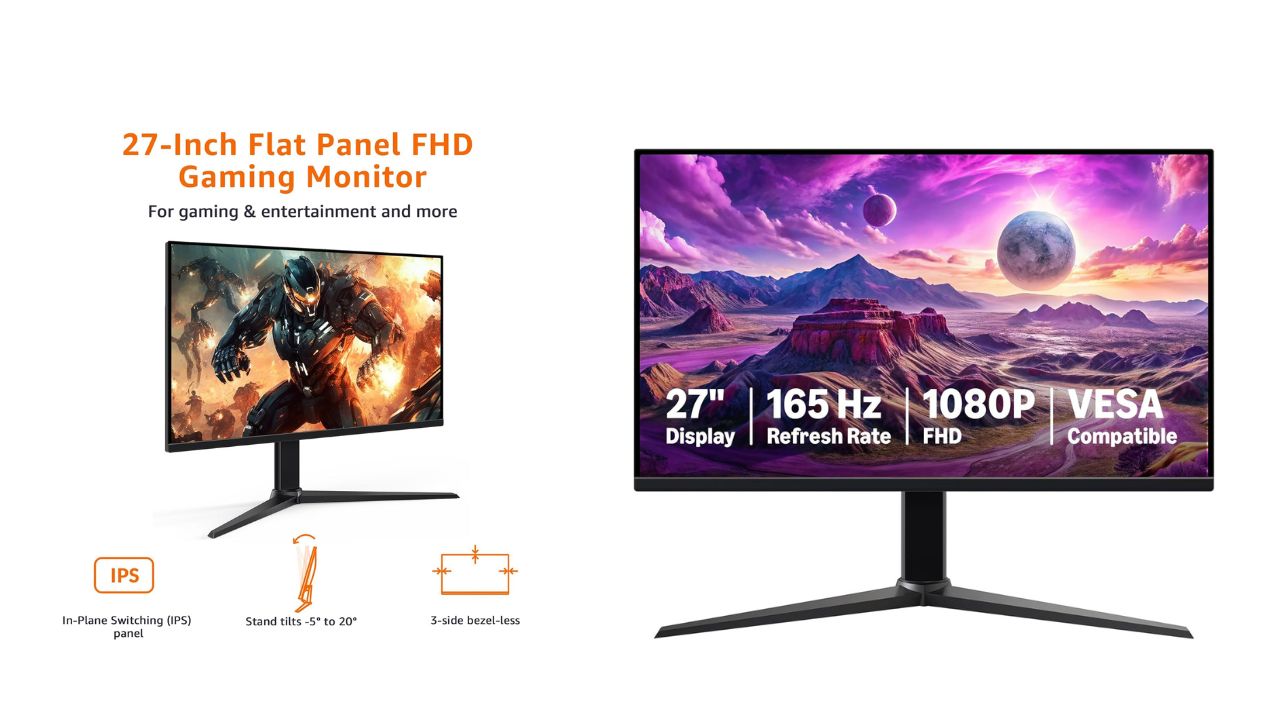
Overview
When I first unboxed the Amazon Basics 27-inch IPS digital monitor, my inner gamer felt seen. It’s built for entertainment, yet tuned for competitive play—an easy, plug-and-play display that doesn’t make me dig through cryptic manuals before I can enjoy a match or binge a series.
Before we get into the fun, let me call out the most crucial step that too many people overlook: IMPORTANT: Remove protective film (with date code) from panel surface before use. This film protects against shipping scratches. Skipping this makes the screen look dull and may trap heat—plus, you deserve that fresh-panel sparkle.
Key Features at a Glance
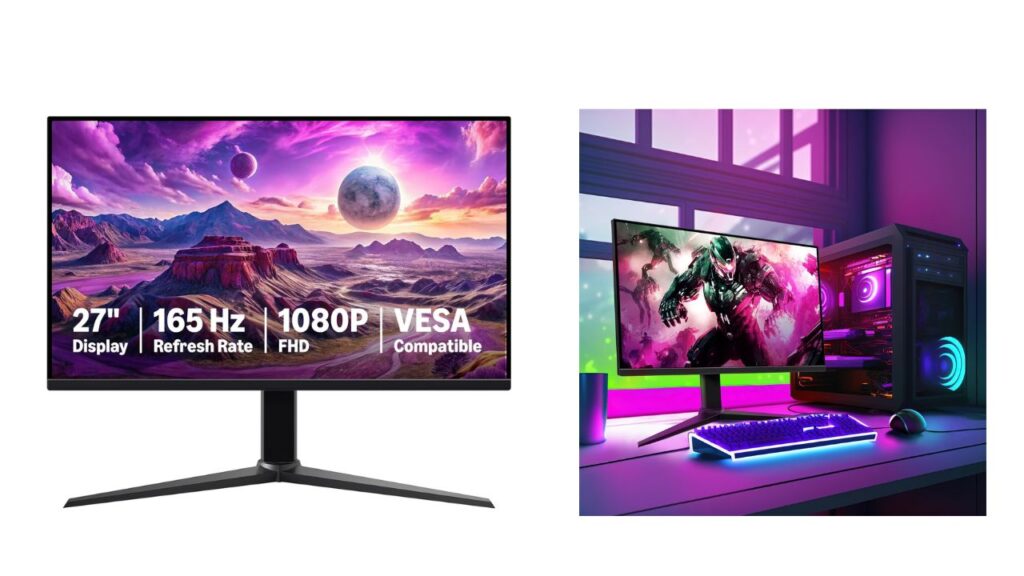
- 27-inch IPS digital monitor for gaming and entertainment
- Crystal clear 1080P high definition picture and graphics relay
- Nearly zero lag with 1ms response time for smooth gaming experience
- Additional specs include adaptive sync, VESA compatibility, and 165Hz (Note: To achieve maximum refresh rate, ensure your computer ports and graphics card support FHD output at 165Hz. Use a DisplayPort 1.4 or HDMI 2.0 compatible cable. Consult your device manufacturer’s manual for more information. Finally, select the maximum 165Hz refresh rate in your computer’s advanced display settings.)
- Plug and play gaming monitor is easy to connect and install
I framed this guide around what I care about most: painless setup, performance that actually feels snappy, image quality that’s crisp and color-true, and a returns policy I can count on if something goes sideways.
Unboxing and First-Time Setup
I like a clean, methodical setup—no missing screws, no weird adapters, no guesswork. Here’s the flow that worked for me:
- Inspect the box on arrival. If anything looks crushed or compromised, photograph it before opening. It takes seconds and protects you later.
- Carefully lift out the panel and stand. Keep the screen face-down on the protective foam until assembly is complete.
- Attach the stand using the included hardware. It’s tool-light and straightforward; still, I give each screw a final check to prevent wobble.
- IMPORTANT: Remove protective film (with date code) from panel surface before use. This film protects against shipping scratches. Peel from a corner and lift evenly so no fragments remain.
- Choose your cable. For 165Hz, go DisplayPort 1.4 or HDMI 2.0 and confirm your GPU/ports support FHD at 165Hz.
- Connect power and signal, then boot your PC or console.
- On Windows, go to Settings > System > Display > Advanced display and switch the refresh rate to 165Hz. On macOS (with supported hardware and cable), hold Option in Displays to reveal higher refresh options.
- Enable adaptive sync (G-SYNC Compatible or FreeSync) in your GPU control panel to reduce tearing and stutter.
Within ten minutes, I had a buttery-smooth desktop and games that felt immediately more responsive.
Display Quality and Color
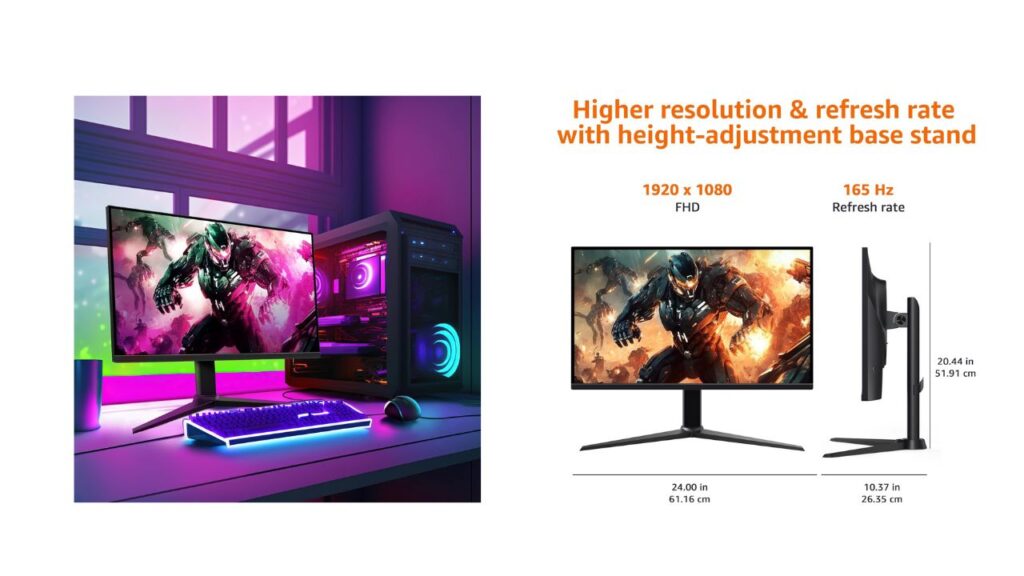
IPS panels are a sweet spot for people like me who split time between gaming and streaming. The Amazon Basics 27-inch IPS panel pushes a crystal clear 1080P image that favors clarity over brute-force resolution. On a 27-inch canvas, Full HD still looks clean when you sit a comfortable arm’s length away—and the pixel density keeps UI elements readable without scaling.
- Color: IPS means consistent colors off-axis. I can lean back or share the screen and the tones stay stable.
- Brightness and contrast: Strong enough punch for daytime use with balanced shadows for darker game scenes.
- Uniformity: Backlight bleed is minimal on my unit, and the edges hold detail without obvious vignetting.
I always run a quick calibration—nothing fancy. I nudge gamma so midtones look natural, set white point to a comfortable D65, and verify the black level isn’t crushing shadow detail. It’s a five-minute ritual that pays off in every game and stream.
Motion Performance: 165Hz + 1ms
This is where the monitor proves its gamer credentials. At 165Hz with a rated 1ms response time, motion blur is kept in check, mouse input feels snappier, and tracking fast targets gets easier. Here’s how I dial it in:
- Set refresh to 165Hz in the OS—don’t assume it’s automatic.
- Use DisplayPort 1.4 if possible; HDMI 2.0 is fine for 1080p at high refresh.
- In the monitor’s OSD, select the overdrive level that reduces blur without introducing inverse ghosting.
- Turn on adaptive sync to align frame delivery with the panel’s refresh window.
The result is nearly zero lag with 1ms response time for smooth gaming experience—perfect for competitive shooters and racing titles where reaction time and visual clarity make the difference.
Adaptive Sync and Tearing Control
Screen tearing used to drive me wild. With adaptive sync enabled and a steady GPU frame rate, the image stays cohesive during rapid pans. If your frames dip, adaptive sync smooths the ride by matching refresh cycles to the render cadence. It’s the closest thing to a “set and forget” solution I’ve used on a 1080p panel.
- PC tip: In NVIDIA Control Panel, enable G-SYNC Compatible (for supported FreeSync monitors). In AMD Software, toggle FreeSync. Then leave V-Sync off in-game and cap FPS just below refresh to reduce input latency.
Connectivity and Compatibility
This is a plug and play gaming monitor, and the ports cover the basics for PCs and consoles. I appreciate that I can go from laptop to desktop without a tangle of adapters. If you’re chasing the full 165Hz, remember the note: To achieve maximum refresh rate, ensure your computer ports and graphics card support FHD output at 165Hz. Use a DisplayPort 1.4 or HDMI 2.0 compatible cable. Consult your device manufacturer’s manual for more information. Finally, select the maximum 165Hz refresh rate in your computer’s advanced display settings.
For wall mounting, the VESA compatibility makes it simple to lift the display off your desk and reclaim space. I keep a low-profile arm that lets me pivot between work and play angles within seconds.
Ergonomics and Everyday Comfort
A 27-inch screen invites longer sessions. I keep comfort front and center:
- Eye comfort: Enable a blue-light-reduction mode in the evening. It softens white backgrounds and helps reduce strain.
- Height and tilt: If the included stand doesn’t meet your posture needs, the VESA mount unlocks better alignment.
- Reflections: IPS panels are forgiving, but positioning a light behind or to the side of the screen avoids glare.
Gaming and Entertainment Use Cases
I’ve hammered this monitor across genres and media:
- Competitive FPS: The 165Hz/1ms combo gives me crisp sightlines and tracking with less blur.
- Racing and sports: Adaptive sync keeps camera sweeps smooth at variable frame rates.
- RPGs and open worlds: Colors look lively, and text stays sharp for long quest logs.
- Streaming: 1080p content pops; I don’t feel like I’m missing detail, and bandwidth stays friendly.
- Console play: Current-gen consoles that support 1080p high refresh pair nicely, and older systems look clean without awkward scaling.
Troubleshooting Checklist
If something feels off, I run through this quick list:
- Is the protective film removed? IMPORTANT: Remove protective film (with date code) from panel surface before use. This film protects against shipping scratches.
- Are you on the right cable? Use DisplayPort 1.4 or HDMI 2.0 for high refresh.
- Did you set 165Hz in OS settings? Don’t rely on defaults.
- Is adaptive sync enabled in the GPU control panel?
- Does overdrive level look clean? If you see halos or trails, step it down one notch.
- Are your GPU drivers current?
- Using the correct power adapter and seated connections?
Nine times out of ten, one of these fixes the issue.
Care, Maintenance, and Longevity
I treat monitors like precision gear:
- Dust with a microfiber cloth—no paper towels.
- For smudges, use a screen-safe cleaner, spritz the cloth (not the panel), and wipe gently.
- Keep vents clear; IPS panels like to breathe.
- Avoid static images at max brightness for hours; vary content to protect uniformity.
Amazon.com Return Policy (What It Means for You)
I like buying gear with a safety net. Here’s the policy in plain language, quoted for clarity:
Amazon.com Return Policy: You may return any new computer purchased from Amazon.com that is “dead on arrival,” arrives in damaged condition, or is still in unopened boxes, for a full refund within 30 days of purchase. Amazon.com reserves the right to test “dead on arrival” returns and impose a customer fee equal to 15 percent of the product sales price if the customer misrepresents the condition of the product. Any returned computer that is damaged through customer misuse, is missing parts, or is in unsellable condition due to customer tampering will result in the customer being charged a higher restocking fee based on the condition of the product. Amazon.com will not accept returns of any desktop or notebook computer more than 30 days after you receive the shipment. New, used, and refurbished products purchased from Marketplace vendors are subject to the returns policy of the individual vendor.
What I do: I test the monitor on day one, keep all packaging for the first month, and snap photos of the serial and the unboxing. If something’s wrong, I document it and file a return quickly to stay within the window.
Who This Monitor Is For
- Budget-conscious gamers who still demand fluid motion and decent color.
- Students and home offices that want a single screen for work by day and play by night.
- Console players who mostly run 1080p and value speed over 4K glamour.
- Streamers who need a reliable main or secondary display that won’t choke a capture card.
Quick Specs Recap
- Screen size: 27 inches
- Panel type: IPS
- Resolution: 1080p Full HD
- Refresh rate: Up to 165Hz
- Response time: 1ms (rated)
- Sync: Adaptive sync support
- Mount: VESA compatible
- Setup: Plug and play
Final Thoughts
The Amazon Basics 27-inch IPS monitor hits the sweet spot for fluid 1080p gaming and everyday entertainment. It’s fast where it counts, simple to set up, and flexible enough to grow with your rig. Remember the two golden rules: peel the protective film and set your refresh rate. Do that, and you’ll unlock the experience this panel is built to deliver.
And yes—the keyword here is Amazon Basics. It’s no-frills gear that lets the performance speak for itself, and I’m into that.


A really good blog and me back again.
每天都在战争,希望2026和平.
看不懂但大受震撼