
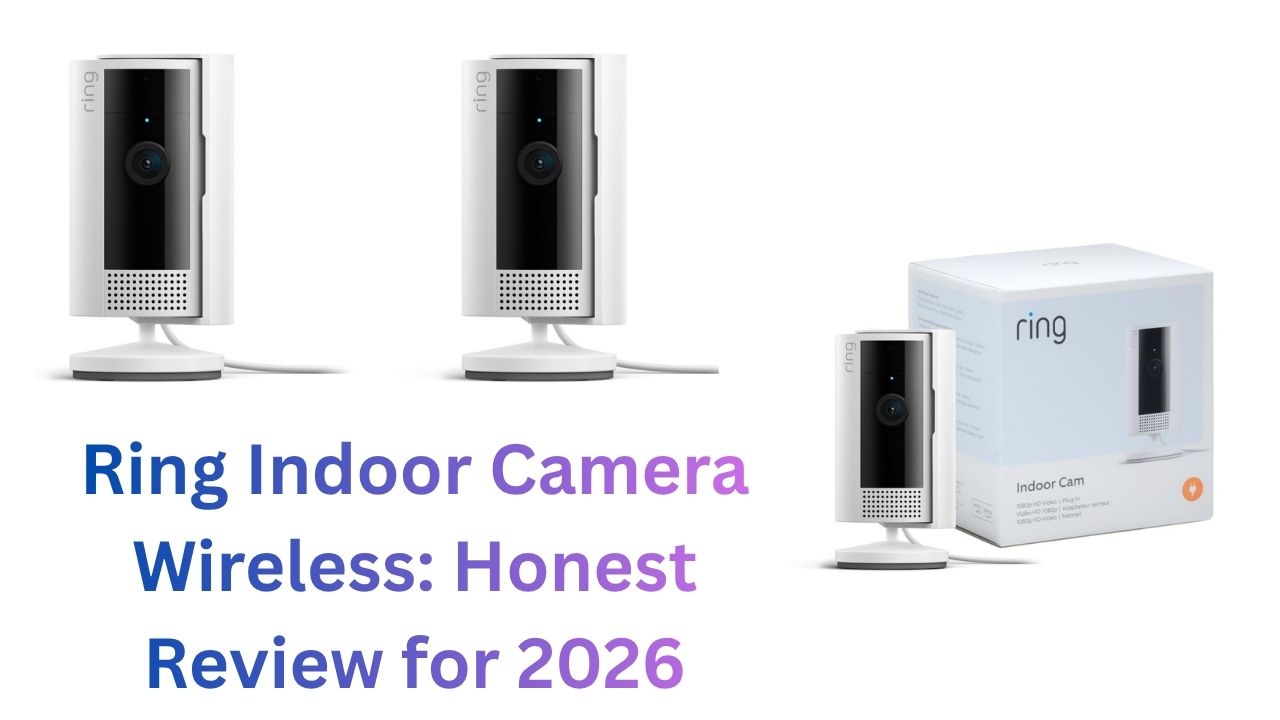
Ring has become one of the most recognized names in home security largely on the back of their video doorbells. The Ring Indoor Camera extends that brand into interior home monitoring, and it brings the same tight Amazon/Alexa integration that Ring is known for.
But is the Ring Indoor Camera actually good? Or is it coasting on brand recognition while competitors quietly offer more?
This review gives you a genuine answer no hedging, no affiliate-speak. Just what works, what doesn’t, and who should actually buy it.
Ring Indoor Cam: Which Version Are We Talking About?
Ring has released multiple indoor camera versions. As of 2026, the main indoor options are:
- Ring Indoor Cam (2nd Gen): Compact plug-in camera, the standard indoor model
- Ring Indoor Cam (2nd Gen) Wireless/Battery: Battery-powered version of the same camera
This review focuses primarily on the wireless/battery version since that’s what most people searching “Ring indoor camera wireless” are looking for. The plug-in version behaves similarly in most respects, with the key difference of always-on power.
Ring Indoor Cam Wireless: Key Specs
| Feature | Detail |
| Resolution | 1080p HD |
| Field of View | 115° |
| Night Vision | Infrared |
| Power | Rechargeable battery (wireless) or plug-in (included cable) |
| Battery Life | 6–12 months (estimated; varies by use) |
| Storage | Cloud (Ring Protect subscription) |
| Local Storage | No SD card slot |
| Two-Way Audio | Yes |
| Smart Home | Amazon Alexa |
| AI Detection | Person detection (Ring Protect required) |
| Privacy Mode | Yes (app and Alexa voice command) |
| HomeKit/Google | Not natively supported |
Design and Build Quality
The Ring Indoor Cam has a distinctive look a compact, slightly angled housing about the size of a hockey puck. It’s well-built with a matte finish that doesn’t attract fingerprints. The mounting options are flexible: it can sit on any flat surface or mount to a wall or ceiling with the included bracket.
The 2nd Gen version includes a notable improvement over the original: a physical privacy cover that slides over the lens. This isn’t quite the same as a mechanical shutter (it doesn’t open/close automatically) but it’s a meaningful addition for users who want a physical, visible indicator that the camera is off.
The camera can operate on its built-in rechargeable battery or plugged into USB-C power. This is genuinely convenient you can use it wire-free when battery is charged, then plug it in during low-battery periods rather than removing it to charge.
Video and Audio Performance
Daytime Image Quality
1080p video is clean and detailed in adequate lighting. Colors are accurate and the 115° field of view covers a standard room without excessive distortion at the edges. Ring’s image processing is solid if unspectacular — you get what you expect from 1080p.
What Ring doesn’t have is the HDR processing of the Nest Cam or the 2K/4K resolution of Eufy models. In well-lit rooms this isn’t noticeable. In rooms with challenging lighting (windows behind the subject, mixed light sources), the image quality gap becomes clearer.
Night Vision
Infrared night vision is functional. The camera switches automatically when ambient light drops. Night footage is black-and-white and adequately clear at short-to-medium range (up to about 20 feet).
What Ring lacks compared to Wyze and Eufy: color night vision. In rooms with any ambient light (street lights, TV glow, nightlights), color night vision cameras produce more useful and easily interpreted footage. Ring’s infrared captures what’s there, but in black-and-white only.
Two-Way Audio
Ring’s two-way audio is one of its stronger suits. The microphone is sensitive and picks up voices clearly across a room. The speaker is audible at conversational volumes. Echo cancellation is implemented well you can have a natural back-and-forth without feedback.

The Ring Ecosystem and Alexa Integration
This is where Ring earns its reputation. If you have Amazon Alexa devices — especially Echo Show displays the Ring Indoor Cam integrates seamlessly.
Say “Alexa, show me the living room” and the camera feed appears on an Echo Show screen within 2–3 seconds. You can do this hands-free, mid-activity — while cooking, working out, or helping kids. It’s genuinely useful.
Ring also integrates with Ring Alarm for home security. You can create automations that trigger camera alerts when the alarm is tripped, arm the alarm when you leave home, and manage everything through the Ring app and Alexa.
For households with Echo Show displays and Ring Doorbells already, the Ring Indoor Cam is the natural indoor complement. The ecosystem cohesion is real.
Ring Protect Subscription: What You Actually Need It For
Here is the most important thing to understand about Ring cameras: the subscription is essentially required for them to be useful as security cameras.
Without Ring Protect:
- Live view: Yes (manual activation only)
- Motion alerts: Yes (but only if you open the app to verify)
- Video history: No
- Recorded clips: No
- Person detection: No
- Snapshot capture: No
With Ring Protect Basic ($4.99/month or $49.99/year per device):
- 180 days of video history
- All motion-triggered clip recording
- Person detection alerts
- Snapshot capture
With Ring Protect Plus ($10/month or $100/year all devices):
- Covers unlimited Ring devices in one home
- Same features as Basic, extended to all cameras/doorbells
For a single camera, Basic at $50/year is reasonably priced. For multiple cameras, Plus at $100/year is the better deal.
The key comparison: Ring charges $50/year per camera (Basic) or $100/year for all cameras. Eufy charges nothing for equivalent features. Wyze charges $5/month per camera for person detection. Blink charges $3/month per camera.
Battery Life: Realistic Expectations
Ring claims up to 6–12 months of battery life on the wireless indoor cam. In practice:
- Low-traffic room, moderate sensitivity: 4–8 months is realistic
- High-traffic room, frequent alerts: 2–4 months
- Always-on live view sessions: Days to weeks
The battery is rechargeable via USB-C. Recharging takes 5–10 hours. Unlike some Arlo batteries, you cannot swap in a spare — you have to wait for the single battery to charge, during which the camera is offline.
This is a notable limitation if the camera is covering a critical spot. The plug-in option resolves this but then you’re tethered to an outlet, reducing the wireless advantage.
Where Ring Indoor Cam Falls Short
No local storage: There’s no SD card slot. All footage lives in Ring’s cloud. Internet outage = no recording. Camera theft = footage only exists if it was already uploaded to Ring’s servers.
Alexa-only smart home integration: Google Home and Apple HomeKit are not natively supported. For non-Amazon households, this is a real limitation.
Subscription dependency: Without Ring Protect, the camera is essentially a live-view-only device. Competitors offer free local storage that captures everything without monthly fees.
No color night vision: Both Wyze and Eufy offer color night vision at the same or lower price point. Ring’s infrared-only approach feels behind.
Ring Indoor Cam Wireless vs. Competitors
| Feature | Ring Indoor (Wireless) | Eufy 2K Indoor | Wyze Cam v3 | Blink Indoor | Arlo Essential |
| Resolution | 1080p | 2K | 1080p | 1080p | 1080p |
| Night Vision | Infrared | Infrared | Color | Infrared | Infrared |
| Wire-Free | Yes | No | No | Yes | Yes |
| Local Storage | No | Yes | SD card | USB (extra cost) | No |
| Subscription | Required | None | Optional | Optional | Optional |
| Smart Home | Alexa only | Alexa, Google | Alexa, Google | Alexa only | Alexa, Google |
| AI Detection | Ring Protect only | Free | Paid | Limited | Limited |
| 1st-Year Cost | ~$110 | ~$45 | ~$40 | ~$85 | ~$80 |
Who Should Buy the Ring Indoor Camera Wireless
Best fit for:
- Amazon/Alexa-heavy households with Echo Show displays
- Existing Ring users (Doorbell, Alarm) who want indoor coverage
- Users who value the Ring Protect Plus plan already covering other Ring devices
- Anyone who wants flexible wire-free operation with the option to plug in
Not ideal for:
- Privacy-focused users who want local storage
- Google Home or Apple HomeKit users
- Budget buyers Wyze and Eufy offer more features for less money
- Anyone unwilling to pay an ongoing subscription for video history
FAQs
Can the Ring Indoor Camera be used without a subscription? Yes, for live view only. Without Ring Protect, there’s no video history, no recorded clips, and no person detection. Most users find the subscription necessary.
Does Ring Indoor Cam work with Google Home? No native support. Ring is Amazon-owned and integrates with Alexa. Third-party workarounds exist for advanced users.
How long does the battery last in daily use? In a moderate-traffic room: roughly 4–8 months. Frequent alerts and live view sessions reduce this significantly.
Can I use the Ring Indoor Cam with Ring Alarm? Yes. Ring Alarm and Ring cameras are tightly integrated. Motion alerts can trigger alarm responses, and alarm events can trigger camera recording.
Is there a way to get Ring Indoor Cam footage without the subscription? Only live view without a subscription. The Ring app saves nothing automatically without Ring Protect. You can manually screenshot or screen-record a live session.
Does Ring indoor camera record 24/7? Not on battery power only motion-triggered clips. Plug-in models can theoretically record longer events, but true continuous recording is not a Ring feature.
To know about more.. Click here
Final Verdict
The Ring Indoor Camera Wireless is a genuinely solid camera when evaluated within its intended context. For Amazon/Alexa households, particularly those already using Ring Doorbell or Ring Alarm, it’s the most logical indoor camera choice. The ecosystem integration is excellent.
Outside that context, the value proposition weakens. No local storage, subscription required for basic utility, no color night vision, and no Google/HomeKit support put Ring at a disadvantage against Eufy, Wyze, and Arlo in a straight feature comparison.
If you’re a Ring household: buy it. If you’re not: look at Eufy or Wyze first.
Our other site about : Ai tools

