
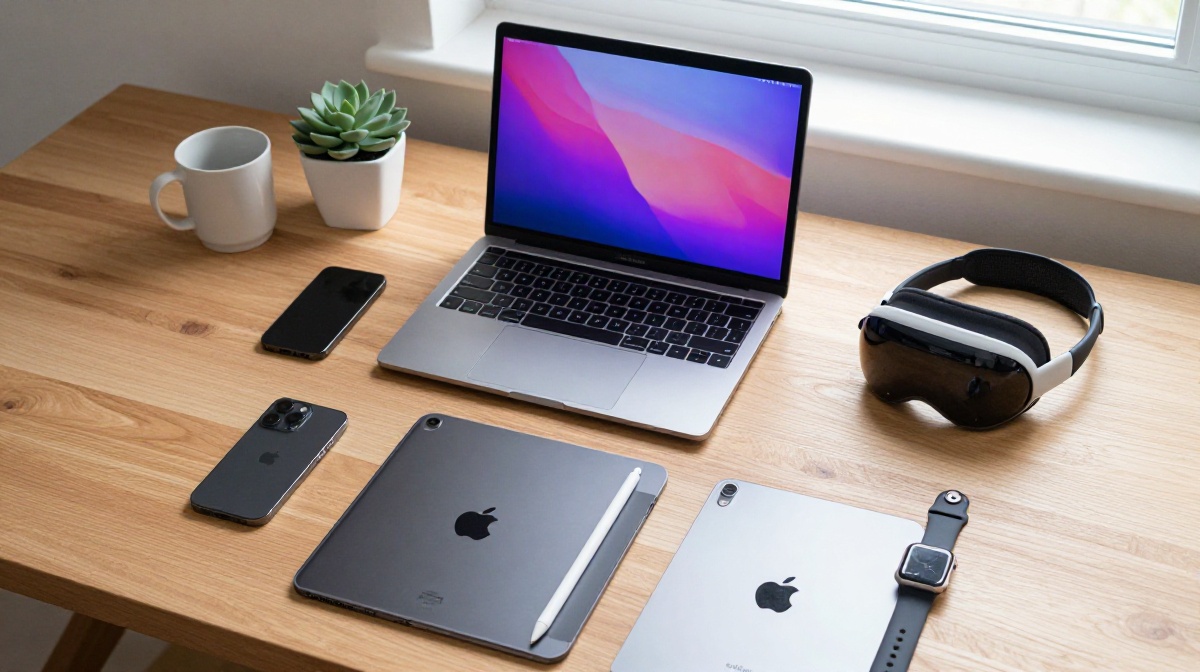
Apple Products Explained: The 2026 Ultimate Beginner’s Guide to the Apple Ecosystem
Welcome to The Gadget Net, your premier destination for navigating the rapidly evolving world of technology. Whether you are unboxing your first iPhone, transitioning from a lifelong Windows habit to a sleek MacBook, or curious about the “magic” of the Apple ecosystem, this guide is designed for you. At www.thegadgetnet.com, we pride ourselves on breaking down complex tech into human terms, and today we are diving deep into everything Apple in 2026.
The “Secret Sauce”: Understanding the Apple Ecosystem
The primary reason users stick with Apple isn’t just the hardware; it’s the Ecosystem. This is the invisible thread that connects every device you own.
- Universal Clipboard: You can copy a phone number on your Mac and immediately paste it into a text message on your iPhone.
- Handoff: Start an email on your iPhone while walking and finish it on your MacBook the moment you sit down.
- Universal Control: Use a single mouse and keyboard to move your cursor seamlessly between a Mac and an iPad sitting side-by-side.
- AirDrop: Wirelessly send high-resolution photos and large files between devices instantly.
1. iPhone 16 & The Smartphone Revolution
The iPhone remains the heart of the Apple experience. For 2026, the iPhone 16e (and the standard 16 series) has introduced significant shifts in how we use our phones.
The Death of the Physical SIM
Modern iPhones, specifically the 16e model, no longer feature a physical SIM card slot. Instead, they use eSIM (Electronic SIM) technology. To set this up, you must contact your carrier to receive a QR code or digital transfer of your number.
The Action Button & Back Tap
Replacing the traditional mute switch is the Action Button. You can customize this button in Settings to perform various tasks:
- Toggle Silent Mode.
- Open the Camera or turn on the Flashlight.
- Record a Voice Memo or trigger a Shortcut.
- Pro Tip: You can also enable Back Tap in the Accessibility settings, allowing you to take a screenshot or turn on the flashlight simply by double-tapping the back of the phone.
Moving from Android to iPhone
If you are switching from Android, the “Move to iOS” app on the Google Play Store is your best friend. It transfers your messages, photos, and contacts wirelessly during the initial setup.
2. The MacBook Masterclass: M4 and Beyond
Apple’s transition to its own “Apple Silicon” (M-series chips) has redefined laptop performance. In 2026, the MacBook Pro with M4, M4 Pro, and M4 Max chips offers desktop-class power with 18+ hours of battery life.
Choosing the Right Model for 2026
- MacBook Air (M3/M4): Best for students and writers. It is fanless, silent, and incredibly light.
- MacBook Pro (M4 Series): Best for video editors and developers. It features the Liquid Retina XDR display with up to 1,600 nits of brightness.
Essential Trackpad Gestures
The Mac trackpad is more than a mouse; it’s a command center:
- Three-finger swipe up: Opens Mission Control (see all open windows).
- Three-finger swipe left/right: Switches between full-screen apps or virtual desktops.
- Pinch with four fingers: Opens the Launchpad to see all your apps.
3. The iPad Lineup: Which Should You Buy?
In 2026, the iPad lineup caters to every budget and use case.
- iPad (Base Model): The $349 bargain. Ideal for casual users and children.
- iPad Mini: The “oversized iPhone.” Perfect for travel, reading, and gaming on the go.
- iPad Air (11″ or 13″): The sweet spot. It supports the Apple Pencil Pro and the Magic Keyboard, making it a great laptop replacement for most people.
- iPad Pro: The “Mac Daddy.” Featuring a Tandem OLED display and ProMotion (120Hz), it’s built for creative professionals.
4. Wearables & Spatial Computing
Apple Watch Basics
Your Apple Watch is a health and communication hub.
- Close the Rings: The Activity app tracks your movement, exercise, and standing hours.
- Communication: You can answer calls, dictate texts, or even use the “Walkie-Talkie” feature to talk to friends instantly.
- Safety: It includes Fall Detection and Crash Detection, which can automatically call emergency services.
Apple Vision Pro
The Vision Pro is Apple’s first spatial computer. Unlike VR headsets that use controllers, you navigate using only your eyes and hands.
- Eye Tracking: Look at an icon to highlight it.
- Gestures: Tap your index finger and thumb together to “click”.
5. iCloud & Apple One: The Digital Foundation
At The Gadget Net, we often get asked if iCloud is just “storage.” It isn’t. It is a syncing service.
iCloud vs. Dropbox
Unlike Dropbox, where you manually upload files, iCloud works in the background. If you delete a photo on your iPhone, it is deleted from your iCloud and therefore your Mac as well.
- iCloud Drive: For documents, PDFs, and spreadsheets.
- iCloud Keychain: Securely stores all your passwords and credit card info across devices.
Apple One Subscriptions
To save money, Apple offers the Apple One bundle.
- Individual: Music, TV+, Arcade, and 50GB iCloud storage.
- Family: Adds 200GB storage and sharing with up to 5 people.
- Premier: Adds News+, Fitness+, and 2TB of iCloud storage.
- Savings: The Premier plan can save you up to 45.5% compared to buying the services individually.
Comparison Tables
Table 1: iPad Lineup Comparison (2026)
| Feature | iPad (Base) | iPad Mini | iPad Air | iPad Pro |
|---|---|---|---|---|
| Starting Price | $349 | $499 | $599 | $999 |
| Display Type | LED (Non-laminated) | LED | Liquid Retina | Tandem OLED |
| Chipset | A16 (Expected A19) | A17 Pro | M3 (Expected M4) | M5 |
| Biometrics | Touch ID | Touch ID | Touch ID | Face ID |
| Port | USB-C (Slow) | USB-C | USB-C | Thunderbolt |
Table 2: Apple One Bundle Tiers
| Tier | Monthly Price | Included Services | iCloud Storage |
|---|---|---|---|
| Individual | $14.95 | Music, TV+, Arcade | 50 GB |
| Family | $19.95 | Music, TV+, Arcade | 200 GB |
| Premier | $29.95 | Music, TV+, Arcade, News+, Fitness+ | 2 TB |
Pros & Cons of the Apple Ecosystem
Pros
- Security: Features like Gatekeeper and FileVault protect your data, and Apple’s closed system makes malware rare.
- Ease of Use: “It just works.” Features like Quick Start allow you to set up a new device just by holding it near your old one.
- Resale Value: Apple devices typically hold their value much longer than Android or Windows counterparts.
- Support: Access to the Apple Store and a unified warranty system.
Cons
- The “Gilded Cage”: Once you have an Apple Watch and iCloud, switching to Android is difficult because the devices don’t play well with other systems.
- Price: Apple products are premium-priced, and upgrades like RAM or storage are not possible after purchase.
- Repairability: Most modern Apple devices are difficult for users to repair themselves.
Frequently Asked Questions (FAQs)
Q: Do I need antivirus software for my Mac? A: Generally, no. Apple’s built-in XProtect and Gatekeeper are sufficient for most users as long as you don’t download files from suspicious websites.
Q: How do I force restart my Apple Watch if it freezes? A: Press and hold the Digital Crown and the side button together for at least 10 seconds until the Apple logo appears.
Q: Can I use my iPhone as a webcam? A: Yes! Through Continuity Camera, you can mount your iPhone to your Mac, and it will automatically appear as a high-quality webcam option.
Q: What is “Stage Manager”? A: It is a multitasking feature for Mac and iPad that organizes your active window in the center while keeping other open apps in a column on the left.
Final Thoughts from The Gadget Net
Navigating the Apple world in 2026 is about more than just owning a phone; it’s about creating a digital environment that simplifies your life. From the A18-powered iPhone 16 to the M5 iPad Pro, Apple continues to push the boundaries of what personal technology can do.
Stay tuned to www.thegadgetnet.com for more deep dives, technical tutorials, and the latest news in the world of gadgetry. We are here to ensure you get the most out of every pixel.

